

惯性聚合 高效追踪和阅读你感兴趣的博客、新闻、科技资讯
阅读原文 在惯性聚合中打开

推荐订阅源

D
DataBreaches.Net
T
Threatpost
N
News and Events Feed by Topic
PCI Perspectives
PCI Perspectives
V2EX - 技术
V2EX - 技术
D
Docker
G
Google Developers Blog
Microsoft Security Blog
N
News and Events Feed by Topic
cs.AI updates on arXiv.org
Google Online Security Blog
The GitHub Blog
The GitHub Blog
Hacker News - Newest:
Hacker News - Newest: "LLM"
Y
Y Combinator Blog
M
MIT News - Artificial intelligence
Blog — PlanetScale
Blog — PlanetScale
博客园 - 司徒正美
T
Troy Hunt's Blog
Webroot Blog
Webroot Blog
Security Archives - TechRepublic
量子位
Apple Machine Learning Research
H
Help Net Security
F
Full Disclosure
B
Blog
O
OpenAI News
H
Hackread – Cybersecurity News, Data Breaches, AI and More
博客园_首页
Google DeepMind News
Exploit-DB.com RSS Feed
Engineering at Meta
Engineering at Meta
大猫的无限游戏
大猫的无限游戏
Forbes - Security
Forbes - Security
Know Your Adversary
Know Your Adversary
B
Blog RSS Feed
MongoDB | Blog
MongoDB | Blog
Scott Helme
Scott Helme
T
The Exploit Database - CXSecurity.com
博客园 - 聂微东
cs.CV updates on arXiv.org
The Last Watchdog
The Last Watchdog
Recorded Future
Recorded Future
IT之家
IT之家
Project Zero
Project Zero
Stack Overflow Blog
Stack Overflow Blog
小众软件
小众软件
Attack and Defense Labs
L
Lohrmann on Cybersecurity
SecWiki News
SecWiki News
让小产品的独立变现更简单 - ezindie.com

博客园 - James.H.Fu

PMS-授权中心 如何从现有版本1.4.8升级到element UI2.0.11 Maven私有仓库: 发布release版本报错:Return code is: 400, ReasonPhrase: Repository does not allow upd ating assets: maven-releases. spring boot + dubbo开发遇到过的异常 java,javascript中的url编码 SpringBoot favicon.ico SpringBoot 异常处理 spring boot 跨域请求 maven 单独构建多模块项目中的单个模块 MongoDB 安装及副本集简单操作 spring-boot dubbo项目使用docker方式部署 Spring Boot和Dubbo整合 springboot 定制错误页面 Maven私有仓库-使用docker部署Nexus - James.H.Fu - 博客园 centos7 sentry部署指南 静态文件服务器部署指南 开始使用ansible 2016项目开发经验总结及后续计划 - James.H.Fu - 博客园 2016工作总结
在centos 7上安装BIMServer
James.H.Fu · 2017-09-14 · via 博客园 - James.H.Fu

下载bimserverwar-1.5.85.war

https://github.com/opensourceBIM/BIMserver/releases

mkdir -p /opt/bim
cd /opt/bim
wget https://github.com/opensourceBIM/BIMserver/releases/download/parent-1.5.85/bimserverwar-1.5.85.war

下载tomcat

cd /opt/bim
wget http://mirrors.tuna.tsinghua.edu.cn/apache/tomcat/tomcat-8/v8.5.20/bin/apache-tomcat-8.5.20.zip -O tomcat.zip
unzip tomcat.zip

在服务器可访问的一个windows上安装Lantern并修改Lantern的设置

BIMServer在初始化时会检查程序能否访问 http://www.google.com , 所以需要设置代理。我这里用的是Lantern. Lantern默认绑定127.0.0.1,需要修改C:\Users\james.h.fu\AppData\Roaming\Lantern\settings.yaml,允许其绑定到所有IP

Lantern的设置如下:

addr: '[::]:50786'
autoLaunch: true
autoReport: true
language: zh-CN
localHTTPToken: 3fd72e1d76fb0f49dadaaef13f13cabe
pacURL: ""
proxyAll: false
socksAddr: '[::]:50790'
systemProxy: true
uiAddr: localhost:50783
userID: 94560713
userToken: 1Ilrpik8LuHlf-ryVQxx0jcVHI5znU_0lTZ_TO8FMtp_jtjDNDEjzw

将bimserverwar-1.5.85.war部署到./tomcat/webapps/ROOT

rm -rf ./tomcat/webapps/ROOT
unzip ./bimserverwar-1.5.85.war -d ./tomcat/webapps/ROOT

# 设置JAVA_OPTS -Dhttp.proxyHost=172.16.30.166 -Dhttp.proxyPort=50786
vim ./tomcat/bin/catalina.sh

# Uncomment the following line to make the umask available when using the
# org.apache.catalina.security.SecurityListener
JAVA_OPTS="$JAVA_OPTS -Dorg.apache.catalina.security.SecurityListener.UMASK=`umask` -Dhttp.proxyHost=172.16.30.166 -Dhttp.proxyPort=50786"

访问BIMServer的安装界面

访问 http://172.0.0.0:8080/ ,根据向导一步一步设置。
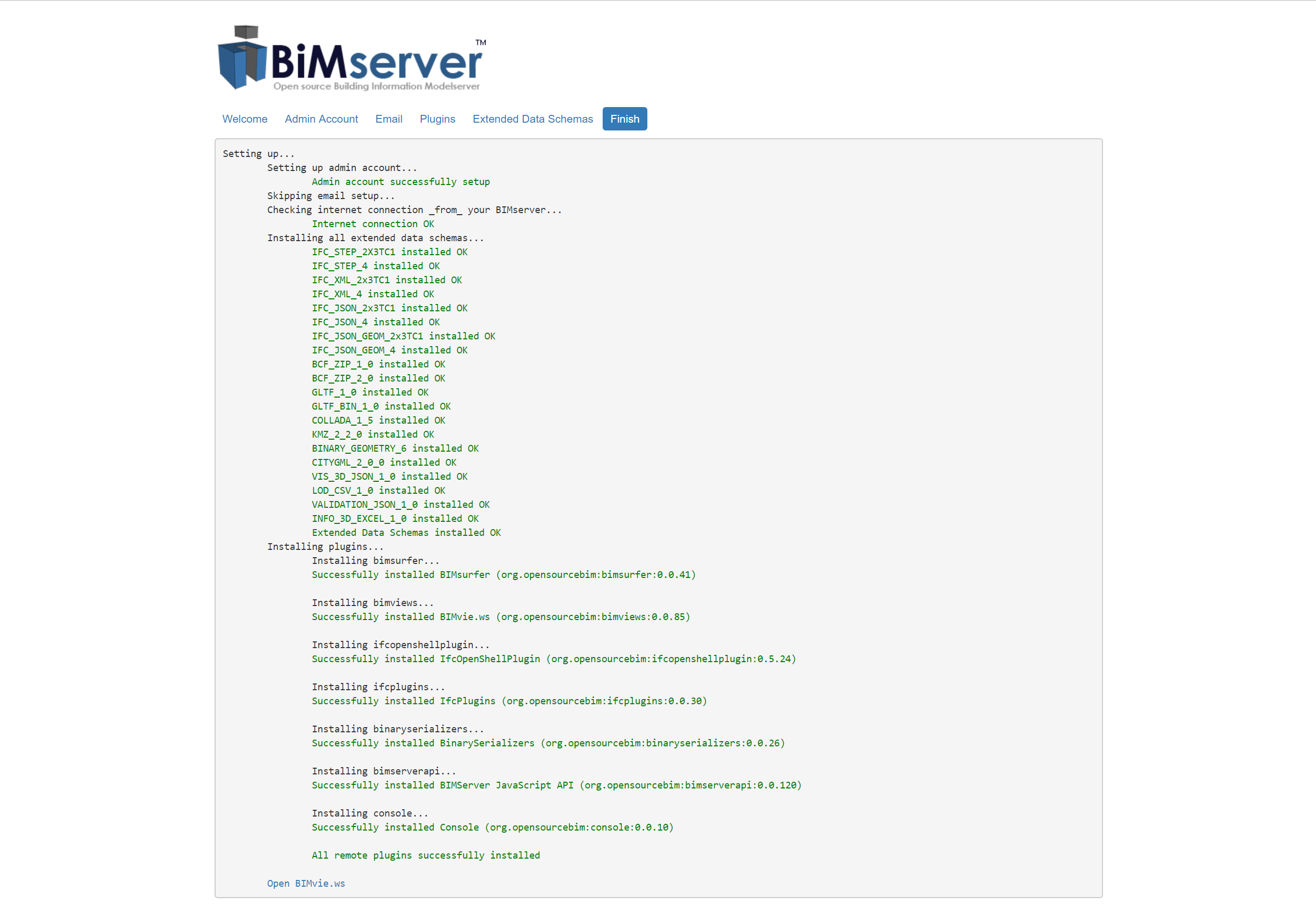
BIMServer

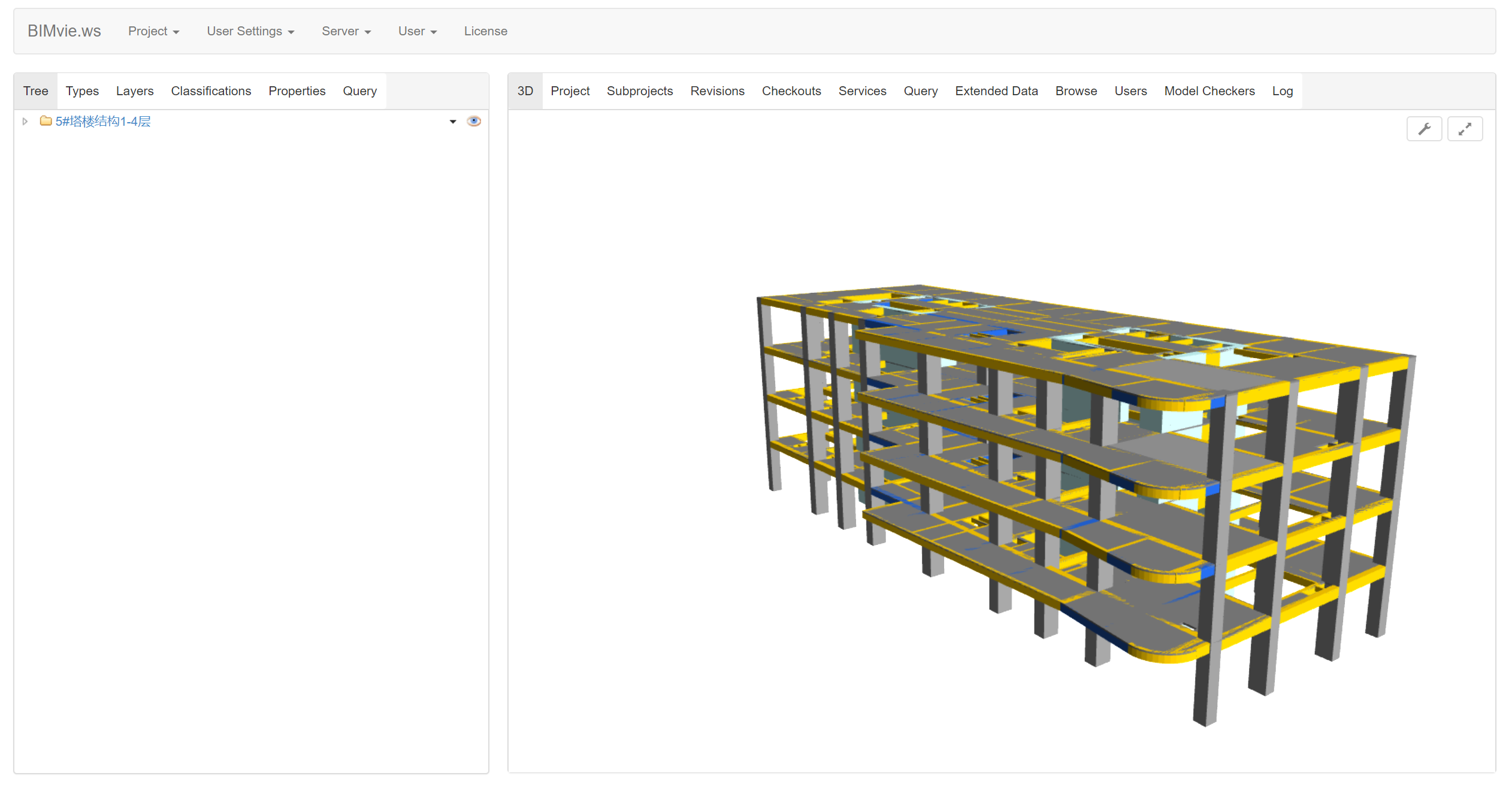
然后点击 “Open BIMvie.ws”( http://172.0.0.0:8080/apps/bimviews/?page=Login ), 访问BIMServer的GUI。然后创建项目,然后上传ifc文件,然后就可以预览BIM模型了:
常用链接:

参考资料