


惯性聚合 高效追踪和阅读你感兴趣的博客、新闻、科技资讯
阅读原文 在惯性聚合中打开

推荐订阅源

WordPress大学
WordPress大学
小众软件
小众软件
钛媒体:引领未来商业与生活新知
钛媒体:引领未来商业与生活新知
博客园 - Franky
Jina AI
Jina AI
freeCodeCamp Programming Tutorials: Python, JavaScript, Git & More
OSCHINA 社区最新新闻
OSCHINA 社区最新新闻
Y
Y Combinator Blog
V
Visual Studio Blog
C
Check Point Blog
阮一峰的网络日志
阮一峰的网络日志
U
Unit 42
量子位
人人都是产品经理
人人都是产品经理
博客园 - 聂微东
M
MIT News - Artificial intelligence
爱范儿
爱范儿
B
Blog RSS Feed
MyScale Blog
MyScale Blog
H
Help Net Security
Cyber Security Advisories - MS-ISAC
美团技术团队
L
LangChain Blog
D
Docker

博客园 - zencorn

.NET Core 6 类的私有静态变量关联异常 使用 WinSCP 下载 FTP 文件并用 计划任务 复制到 远程 共享目录 【翻译】什么是 eCPM & RPM 与其计算公式 PMP Fundamentals T-SQL 总结 MySQL 存储配置 MS-TEST 批处理执行测试时的资源文件目录问题 测试换行显示 如何制作简单的 3D 打印模型 搬家Testing. Test TFS 自动同步Server 端文件的批处理命令 Perl初级教程 (5) 遍历文件夹内指定扩展名文件,查找匹配关键字的输出。 最方便的批处理延时方法 SQLServer2005 remove log file. Disable Windows server 2003 Security Warning. Perl Scalar Perl 基于 Windows 环境 搭建 Automation testing framework for RFT execution with STAF+STAX . [Session-1]
Package you execution files with Iexpress.exe
zencorn · 2011-09-02 · via 博客园 - zencorn
                                      

知识共享许可协议Work by Jianfei is licensed under a Creative Commons wei 3.0 Unported License

If you using VS  builded up a suite of project DLL files, and then want package them as an Exe file, Iexpress.exe should be a good tool for you needed.

1. E.g.  
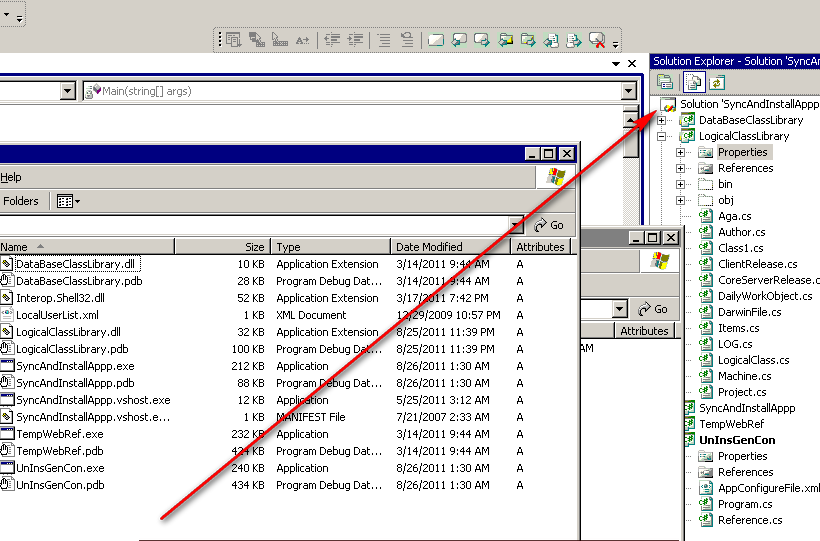
2.

Iexpress.exe it’s free and it support command line. It’s a Windows Command. J

Start -> Run -> iexpress.exe
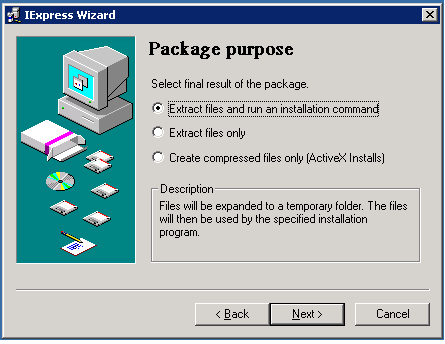
 

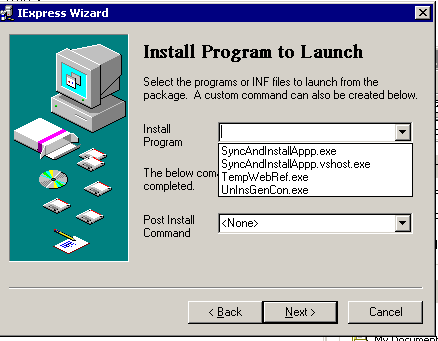
3.  Pick up the main application launch file from the list.
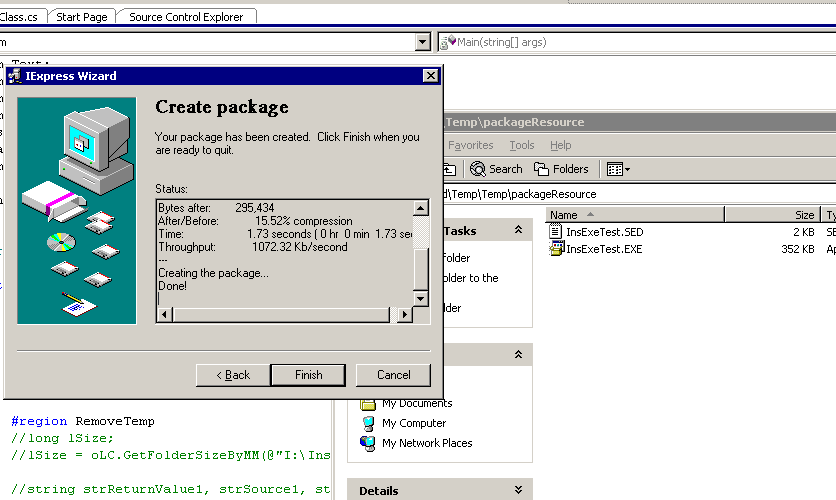
 4. Go througth all the follow steps, finally . You will get the install package file.
                 

知识共享许可协议Work by Jianfei is licensed under a Creative Commons wei 3.0 Unported License

- Make people around you successful is the biggest contribution to ourselves. -