







Issue: SQL server does not work when the log file occupied all the disk space.
Resolution: Remove the LOG file data .
Step:
1. Backup your database.
2. Detach your database.
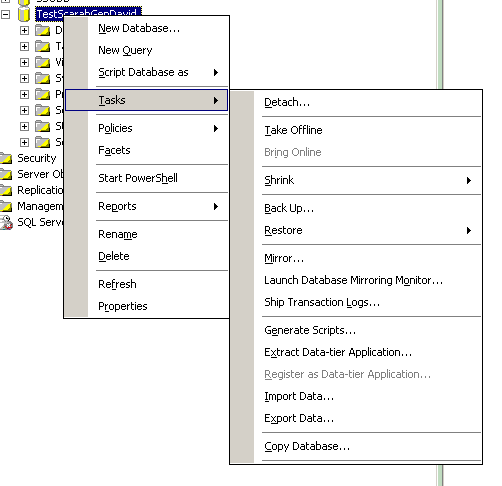
3. Check the close connection box.
4. Remove you log file or rename it from the data path.
5. Attach you DB mdf again.
6. Remove the LDF item from the warning dialog list.
7. Attach DB successfully, and there is a new LDF file will created with 500K.
- Make people around you successful is the biggest contribution to ourselves. -
此内容由惯性聚合(RSS阅读器)自动聚合整理,仅供阅读参考。 原文来自 — 版权归原作者所有。