





Reading Time: 17 minutes
Note – all information for the tools mentioned eg pricing plans, additional features etc. are correct to our knowledge at the time of writing.
With so many options available on the market, podcasters are spoilt for choice when it comes to picking the best tool to use when recording podcast episodes with other hosts and/or guests.
If you are just starting out in podcasting you may not be sure which one to choose and the amount of choice may be a little overwhelming. Alternatively, for those of you who have been podcasting for a while, you probably have a trusted tool that you know and love, but have been wondering lately, what else is out there? Is there something that better suits your needs?
Luckily, we’ve got your back: we’re here to break down the most popular and intuitive remote offerings on the market.
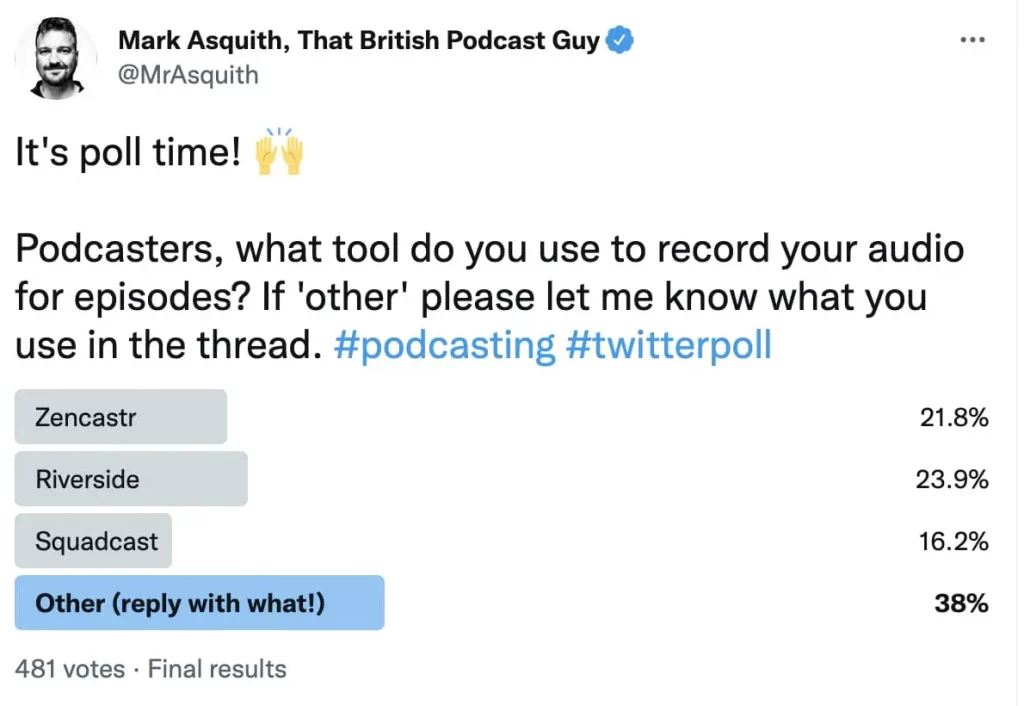
We thought a good place to start was to ask fellow podcasters on Twitter what their preferred tool is when recording audio for their podcast shows.
As you can see from the screenshot below, Captivate MD Mark ran a Twitter poll, which got a very decent response (thanks to those who got involved). Looking at the results and a fair amount of podcasters use Riverside (23.9%) and Zencastr (21.8%), but SquadCast was not that far behind (16.2%).
The majority of people chose ‘Other’ (38%) and replied to the thread with what they use. Go and check out the Twitter thread, as it’s interesting to see what podcasters are saying about their preferred software. Some people even got responses from the tool they mentioned.
Using the responses we received on Twitter and combining the team’s knowledge here at Captivate, we’ve compiled a list containing the best recording and editing tools.
You can check out the full thread, but here are some examples of what podcasters said about the recording tool that they use:
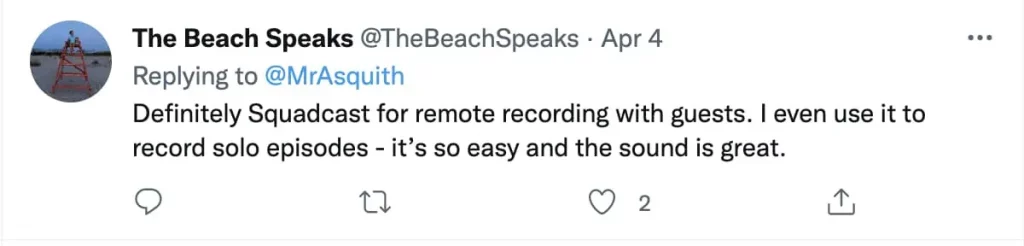
The Beach Speaks podcast seems to definitely be a fan of SquadCast:
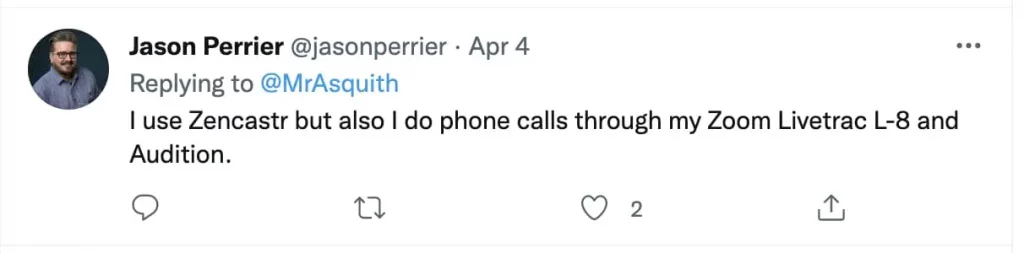
Jason Perrier uses a mixture of Zencastr, Livetrac L-8 and Audition:
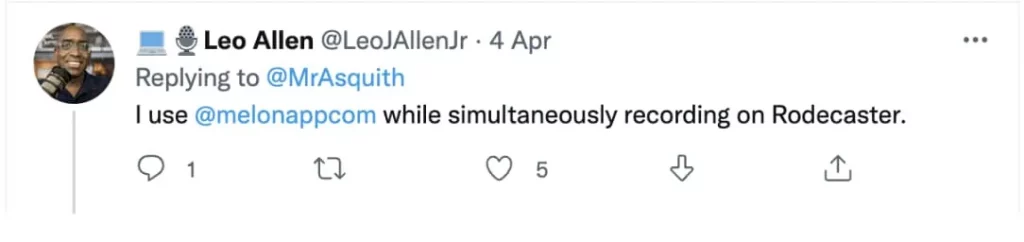
Leo Allen from Voluntary Input Podcast uses Melon App while simultaneously recording on Rodecaster:
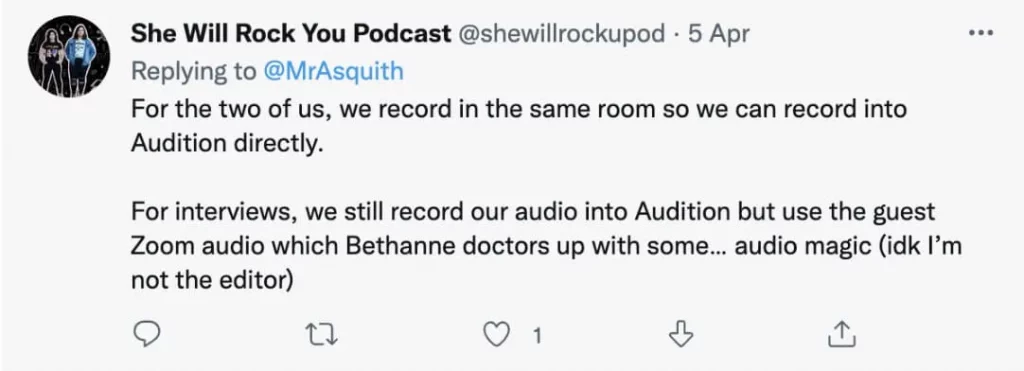
She Will Rock You Podcast uses Zoom for guests but edits using Audition:
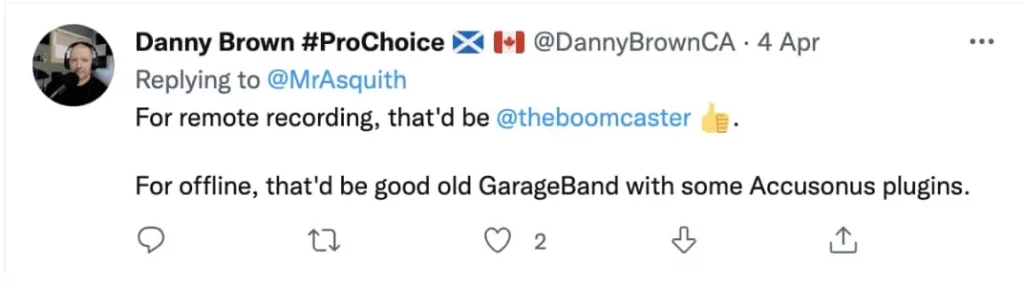
Our very own Danny Brown who hosts Pod Chat uses Boomcaster when remote:
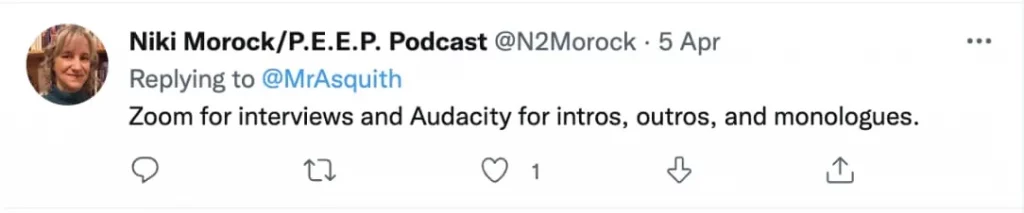
Niki Morock who hosts the People Experiencing Everyday Paranormal uses Zoom but then Audacity for intros, outros and monologues.
There are different types of podcast recording software, and the type you need all depends on the format of your show. For example, you will need a different set up if you are recording with remote hosts or guests, compared with if you have a solo show or those who are joining you are physically in the same room as you.
If everyone is in the same room, you will need to hook up the microphones you’re using to a program such as Garageband, Audacity or a more sophisticated Digital Audio Workstation (DAW) such as Adobe, and directly record your audio, which then at the end of recording is ready to be edited and enhanced.
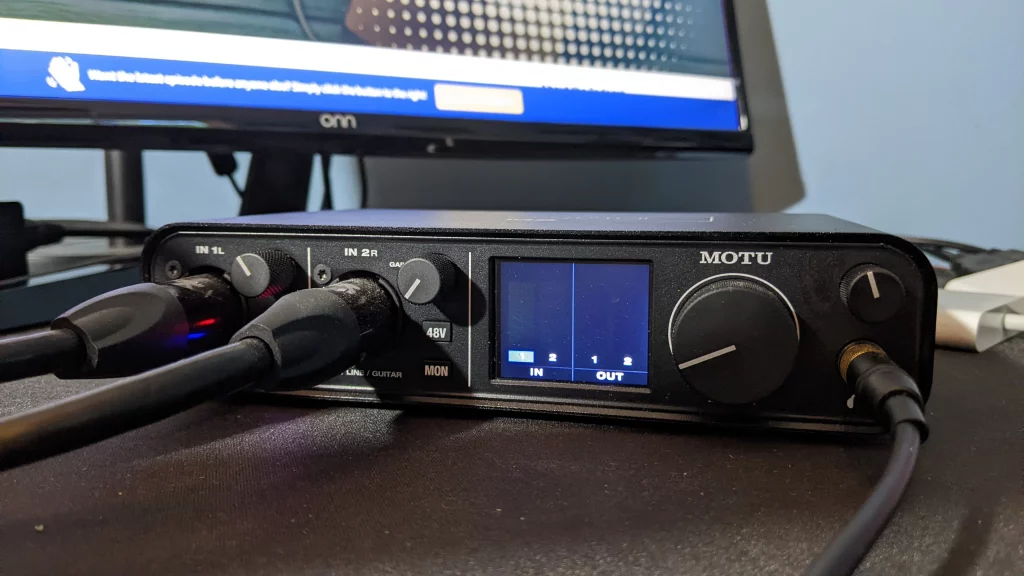
Alternatively, some podcasters prefer to use an interface of some description (such as the Rode RodeCaster Pro, MOTU M2 or Vocaster Solo ) or mixing desk, to which they connect their microphones. You can use the interface to record into a DAW or the interface itself can store the audio (usually via a storage disk) which you can then upload into a DAW or other editing software.
“For solo recording I use Hindenburg Pro, as it’s super easy to use, has an auto normalizer, and great export options to ensure the right sound level for podcasting standard of -16 LUFS.”
Danny Brown (Podcaster and Head of Customer Experience at Captivate)
If you have hosts or guests joining you remotely to record a podcast episode you will need to use some sort of tool or software to allow you to do this.
There are loads of tools on the market, some free and some you have to pay for, and all have different features and USP.
Below we review the tools and software people are using based on the Twitter poll we did and included earlier in the blog.
Let’s get stuck in – what are the best podcast recording tools out there on the market? Read on to find out!
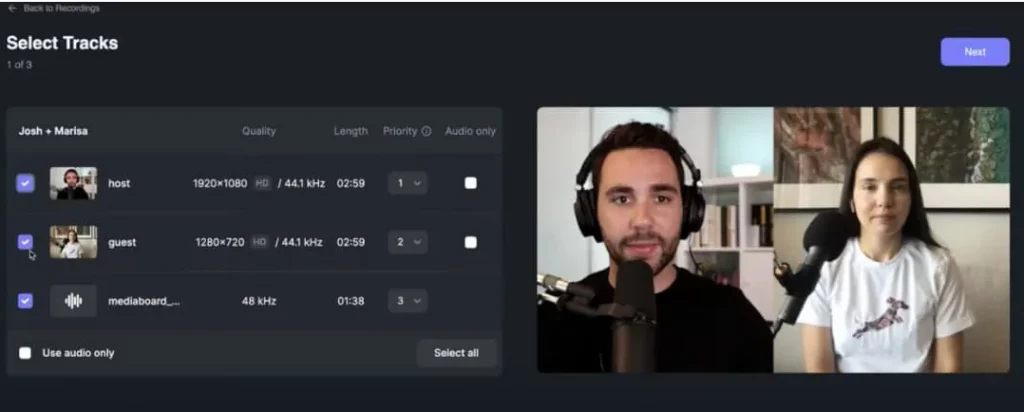
From the poll, the most popular recording software was Riverside, so let’s dig deeper into how it works. Riverside is a recording platform accessible from within your browser, or as a mobile app. It records all participants locally, meaning there won’t be any freezing or choppiness due to poor connection.
Cost
Reading Time: 19 minutes Everything you need to know about podcast scripts eg what they are, should you use them, how to write them PLUS free templates to use!
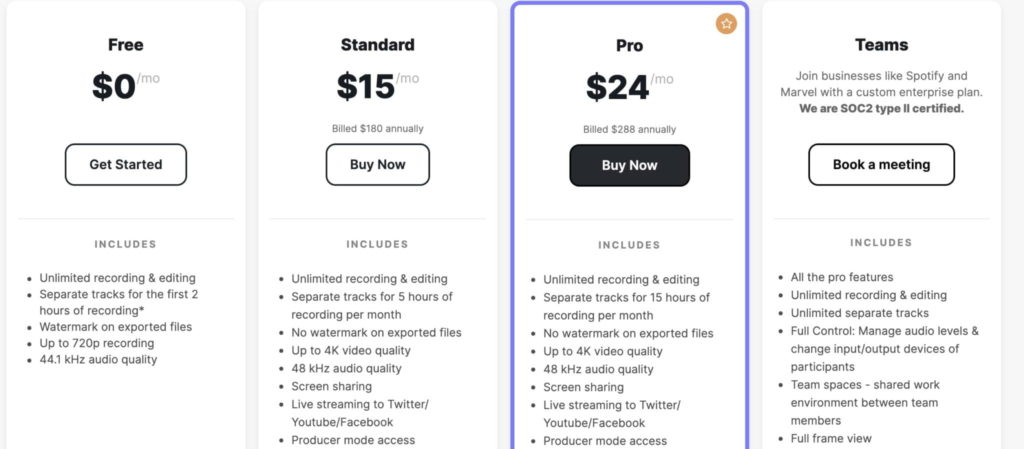
Riverside has a number of plans, ranging from free (which includes unlimited recording and editing, but limits separate tracks to the first 2 hours of recording & video quality to 720p) to Pro (which ups the separate tracks to 15 hours/month, quality to 4k and allows call-ins and transcription).
Pro costs $29/month – if you pay annually this is $24/month.
Features
Features do scale with plans, so we’ll assume you’re going for the Pro plan here. Riverside records in 4K, and allows 15 hours of separate tracks per month. These separate video and audio tracks allow for much easier editing later on.
Audio is uncompressed and in 48kHz WAV quality. You can also record on the go from their iOS app.
Pros
Cons
Pro tip
Riverside allows you to easily clip up snippets of your video and audio files, allowing for a great social media post to entice potential listeners to check out your show.
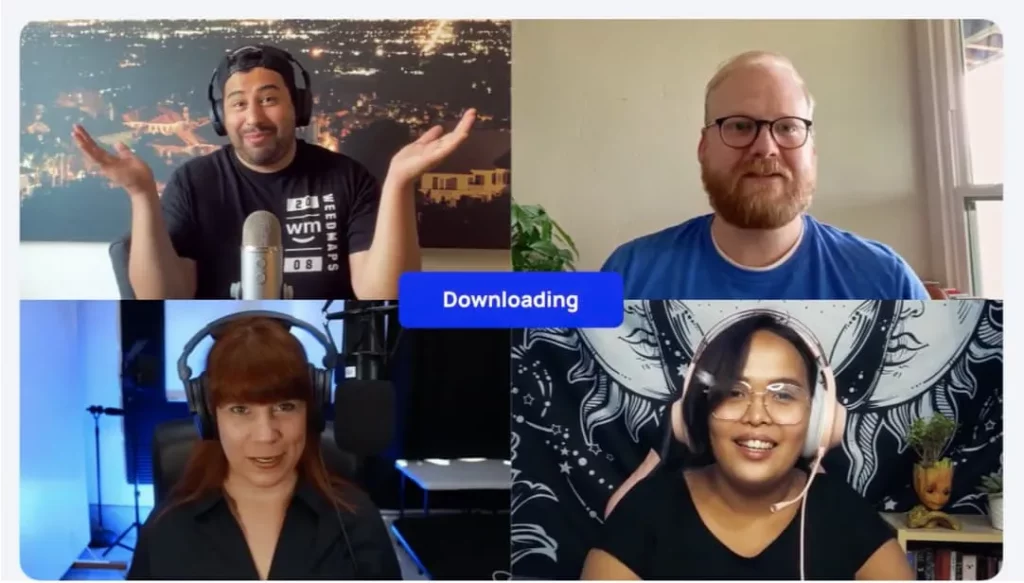
Zencastr was a close second, and is very similar to Riverside. It’s all web-based: you just send a hyperlink to a guest, and in clicking it they can access your meeting room and participate in your recording. Separate tracks are recorded for each participant, and you can record video as well as audio.
Cost
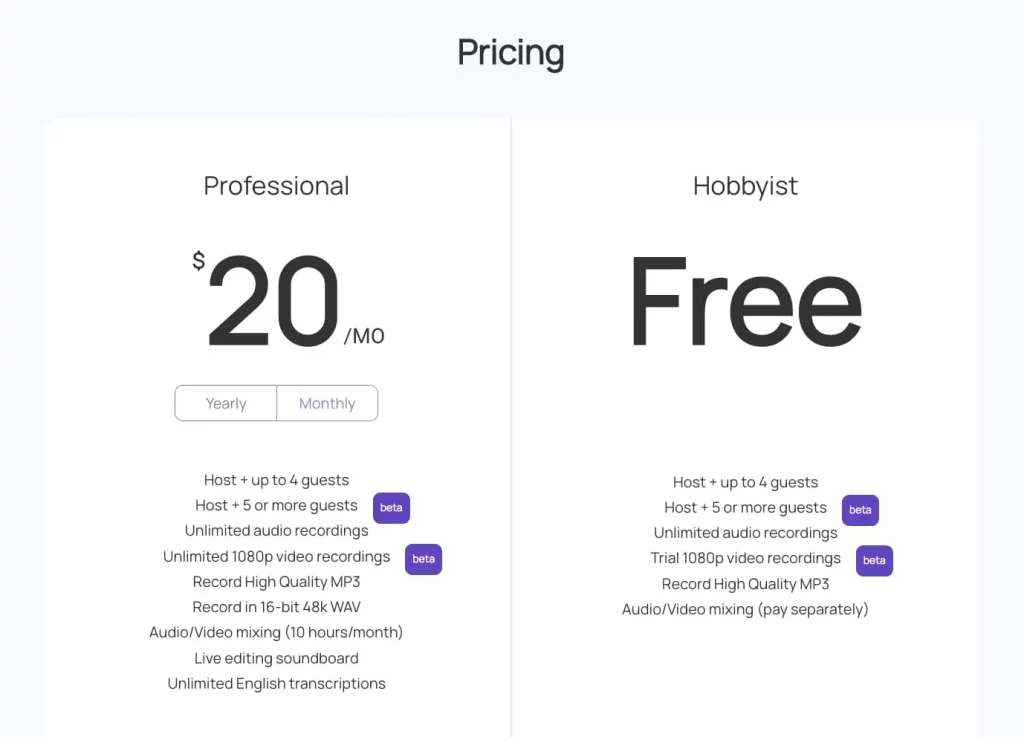
Zencastr has a free plan, which includes unlimited audio recording to mp3, hosting of up to 4 guests and a limited amount of video recording.
For $20/month, you get unlimited video recording, the option to export audio as wav as well as mp3, and access to their editing options.
Features
High quality audio and video recording, an automatic mixing feature to get “studio quality” audio after recording and access to Zencastr’s live editing soundboard are their flagship features. The paid plan features unlimited transcription, too, which is great for your accessibility and SEO!
Pros
Cons
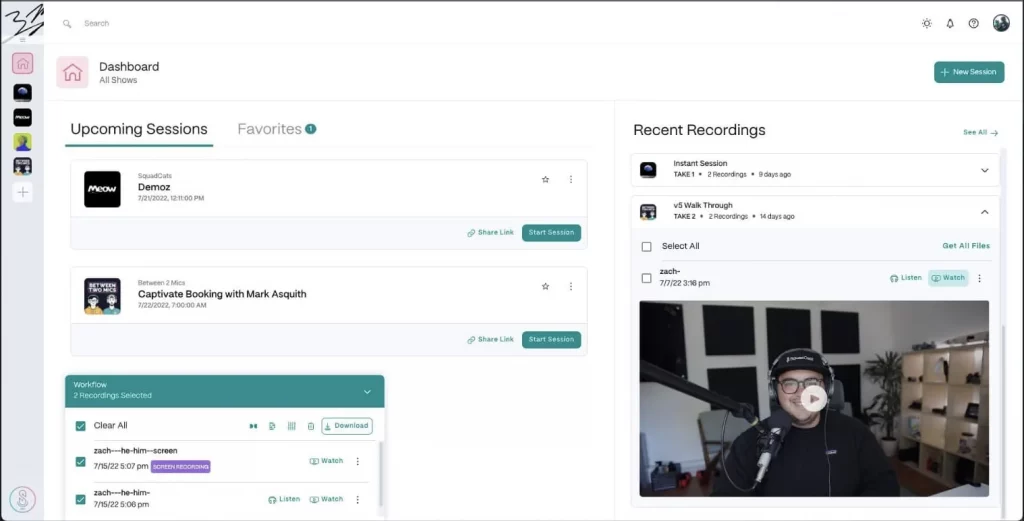
Technically, compared with Zencastr and Riverside, SquadCast did receive the least votes. However, a lot of people mentioned them in the Twitter thread, suggesting they clicked ‘Other’. Plus over 10k customers trust them (including big names such as Microsoft, Spotify, ESPN etc).
It’s very similar to Riverside and Zencastr, with its main focus being on high-quality audio and video recording and easily accommodating remote guests. It’s all local recording for guests, so lag or poor connection won’t scupper your perfect recording.
Cost
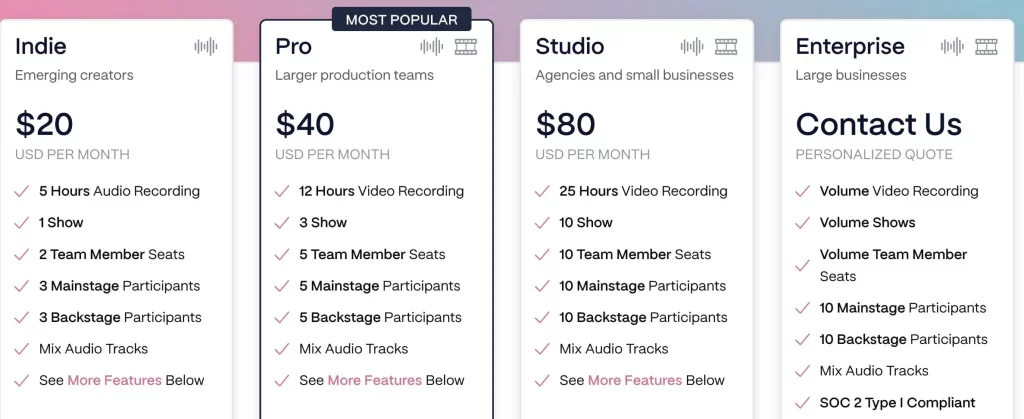
SquadCast doesn’t have a free plan, but their most budget option is reasonable at $20/month, which gets you 5 hours of recording plus other benefits and features. For $40/month you get 12 hours and $80 you get 25 hours.
When you compare plans based on the number of recording hours with the likes of Riverside and Zencastr, SquadCast is more expensive, but this should not be a deciding factor as each tool has differing additional features and of course USPs.
They did recently change their pricing model which affected the entry plan not including video recording (you need to be on at least the $40 per month plan).
Pros
Cons
Reading Time: 6 minutes We dive into the best podcast microphone setups for beginners on a budget (all under $100!) Read our honest reviews and learn about the best types of microphone for quality audio every time.
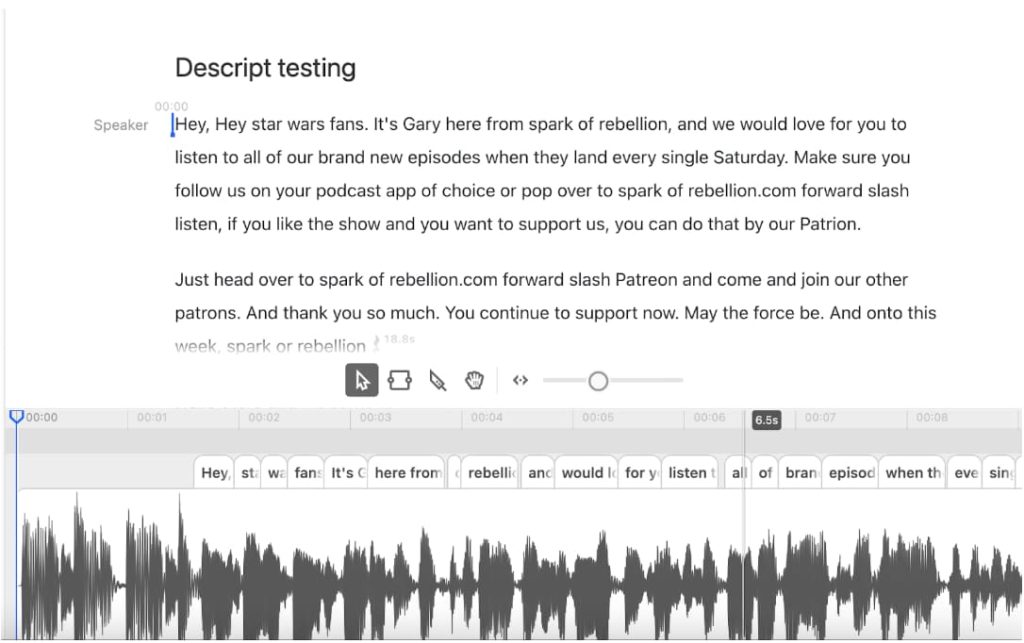
Recording and editing software is a pretty saturated market (as this list proves), so it pays to have USP. Look no further for proof of that than Descript, an intuitive recording and editing platform that automatically creates a transcript for any uploaded audio or video file, and allows you to edit the file itself by just editing the transcript text.
Cost
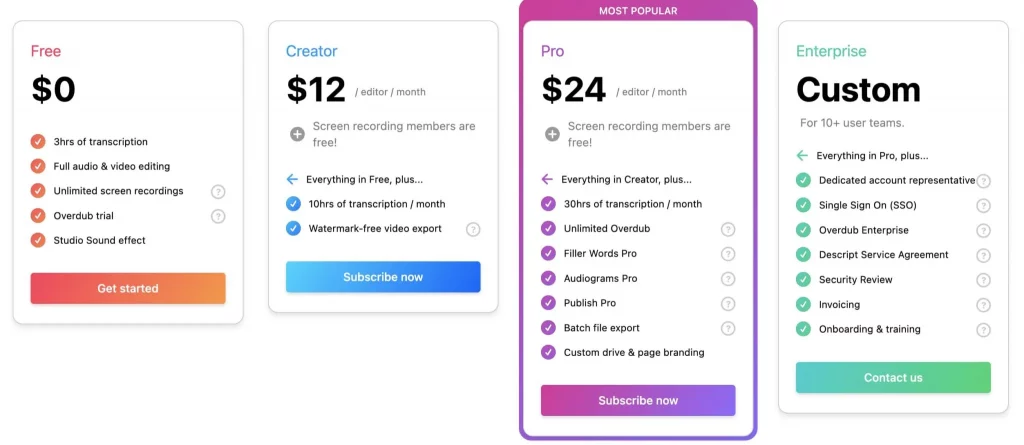
Descript has a free plan, which allows users unlimited video and audio editing, but caps out the transcription to 3 hours. They also have a $12/month plan, which ups the transcription to 10 hours each month.
To get the full feature set, you really want to be going for the $24/month Pro plan, which ups that transcription to 30 hours per month and gets you access to their amazing Overdub feature – more info below!
Features
Pros
Cons
Pro tip:
Descript integrates in many ways with Captivate, one being the ability to edit episode files you’ve already published directly from within the Captivate dashboard! This means you can correct mistakes, update ad campaigns and update transcripts to episodes already on streaming services with just a few clicks, without losing any analytics data.
As well as that, Descript allows you to publish directly to Captivate – no need to download the file from them, they export it straight to us. If you’re not a Captivate member, sign up for a free trial here!
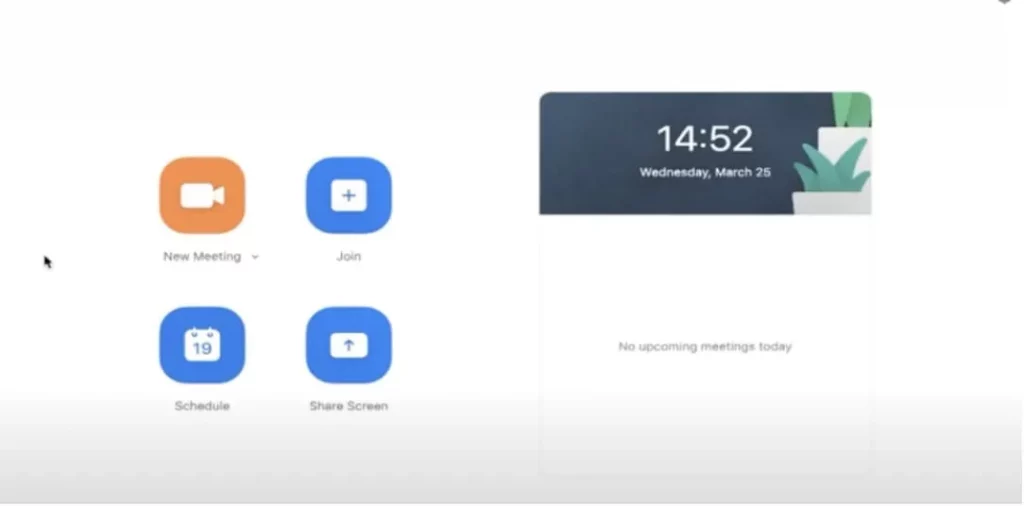
In the Twitter thread lots of podcasters saying they use Zoom, which is interesting as this is an app usually far more associated with video calls than podcasting. It boasts some useful recording features, though, and has the great benefit that most people are now very familiar with it, making it great for recording with guests.
Cost
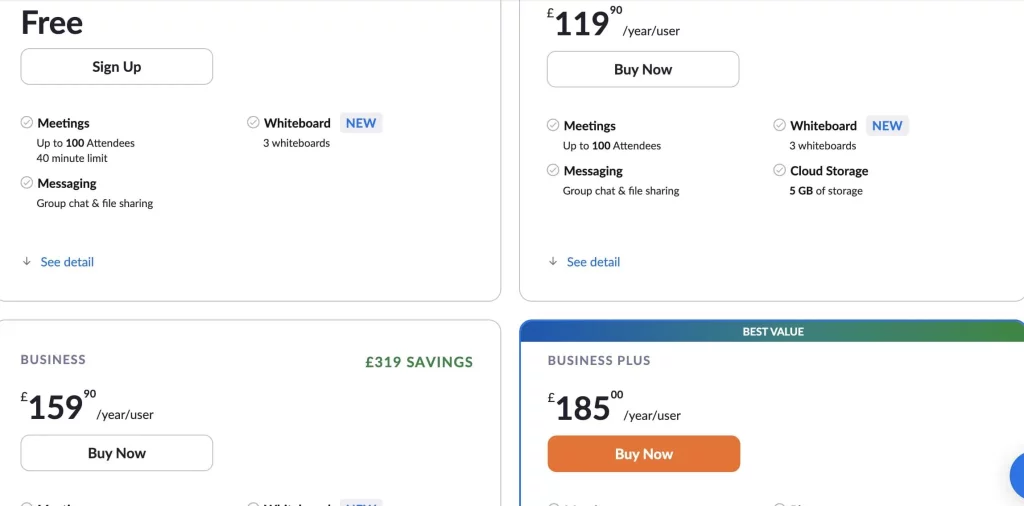
Zoom does have a free plan, but to use the recording functions you’ll need to be on the £119/year plan. This is good value, working out at very slightly under £10 each month.
Features
Pros
Cons
Pro Tip
If you’re recording using a decent quality microphone, enable Zoom’s Original Sound. This removes the echo-cancellation and audio enhancement features that Zoom automatically uses, instead allowing your microphone and editing software to take care of these.
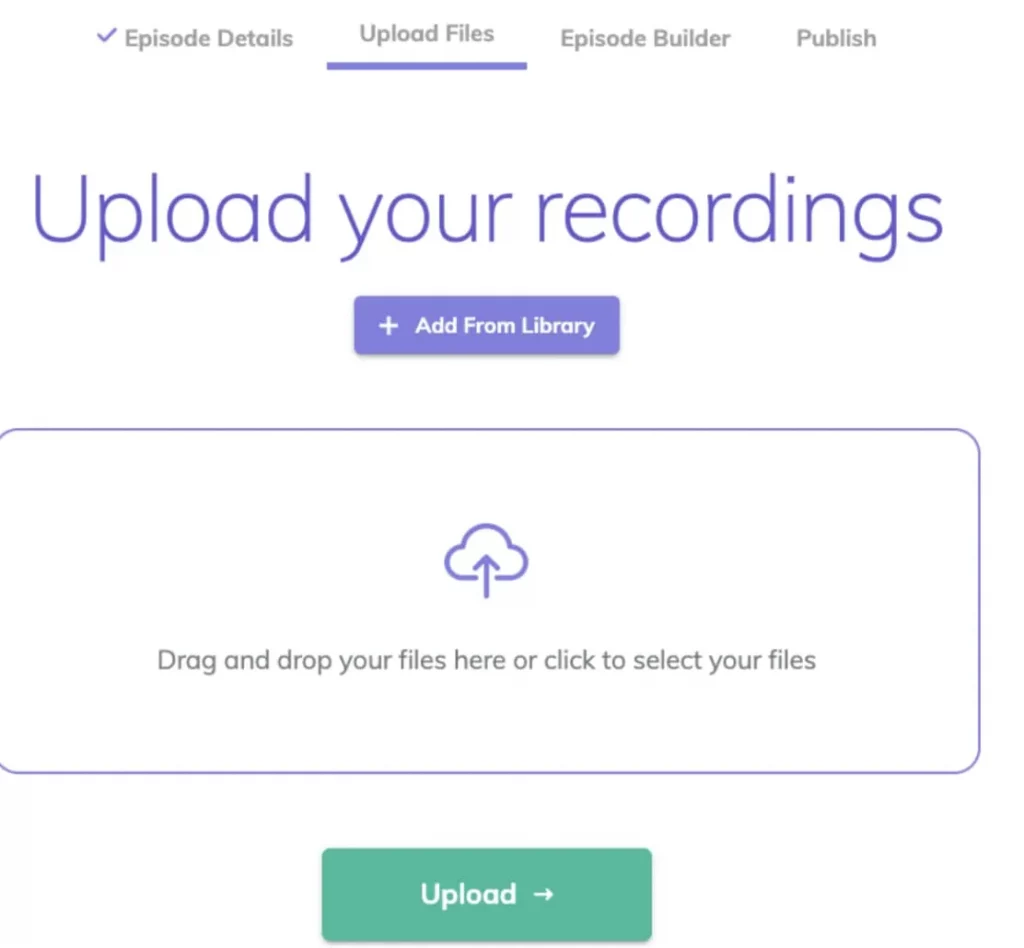
Alitu is a recording and editing platform with a simple UI, allowing you to easily edit your episodes without a learning curve. It automates mastering audio levels and allows for remote guests with call recording.
Cost
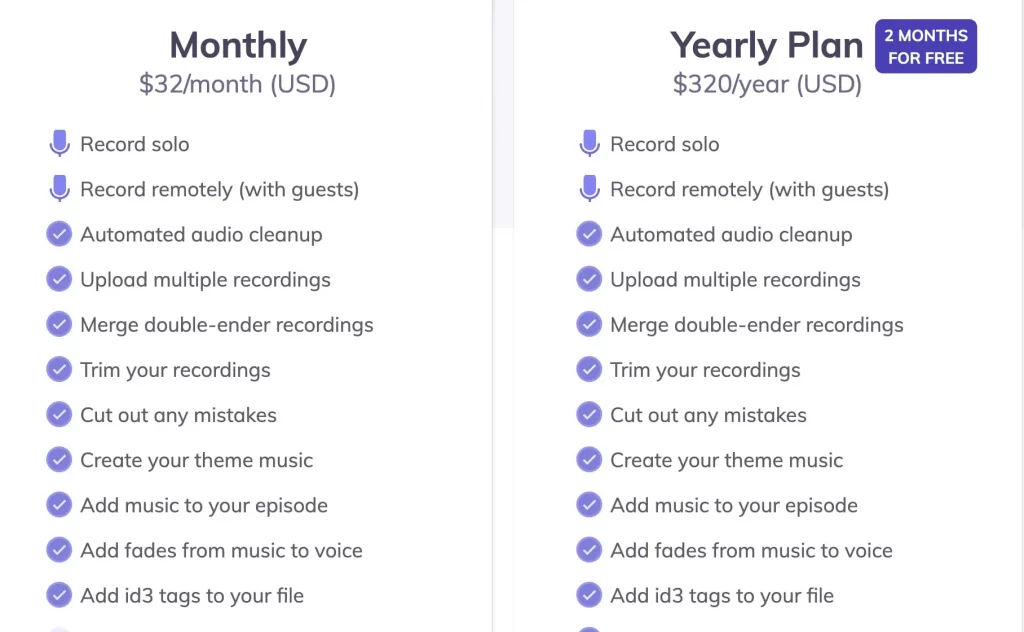
Alitu clocks in at $32/month, or you get a discount when paid annually at $320/year. Both monthly and annual plans come with a 7-day free trial.
Features
The big ones that set Alitu apart from the other available options are the mastering automation, which allows for professional quality audio without the hassle, and access to their music library – this includes royalty free songs you can use in your podcast. Alongside these, there’s also call recording for remote guests, a great editing UI and support of the vast majority of file formats.
Pros
Reading Time: 19 minutes Everything you need to know about podcast scripts eg what they are, should you use them, how to write them PLUS free templates to use!
Cons
Pro Tip
Alitu integrates directly with Captivate, meaning you can export your episode to us with one click!
Check out our article where we did a review of Alitu.
A Mac-exclusive live streaming and video production platform, Ecamm offers 4k streaming and capability to stream to loads of video hosting platforms. It offers a standard plan, $16/month, and a pro plan at $32/month.
Melon app offers a very similar service, streaming live video to video hosting platforms like Youtube, Facebook, Twitch and Twitter. With recording capabilities and the ability to involve multiple guests on your live stream, Melon offers a free plan, a $15/month plan and a $49/month pro plan.
Boomcaster is a platform for hosting, recording and streaming video, with an emphasis on interview based video podcasts. It has one plan, $20/month which includes 5 hours of recording and live streaming – you’re then charged $0.07 per additional minute used. Boomcaster offers separate wav files, local recording, up to 4k video, Dolby.io support, live streaming, and a branded green room.
A Mac-exclusive audio recording platform, Audio Hijack boasts the abilities to live stream and broadcast your audio across the internet as well as the standard recording and exporting. It offers a free version, or can be purchased for a one time payment of $77.
Similar to Riverside, Cleanfeed is a remote recording platform, allowing you to connect with guests from across the globe to record high quality audio. It offers a free plan and a pro plan at $22/month.
At time of writing, there was no mention of the old-school classic, which is of course Ringr. Apparently, they officially began in 2014 over chicken sandwiches, man and cheese, and Dr Pepper. Pretty awesome right?
You can use their remote recording platform on desktop or on mobile via an app. Their basic plan is $7.99 per month or you can upgrade to medium for $18.99.
There’s also Welder that didn’t get a mention, but we couldn’t not mention this tool. Think of Welder as a hybrid of Riverside and Descript. They market themselves as a single tool which allows you to go live, edit and repurpose your video content.
Welder acts like a regular video call software, but records local files from your computer giving you a high quality podcast recording. They offer a free plan but you can upgrade to $20 per month which removes watermarks and gives you access to Discord.
Important to note – Welder stopped local recording in February 2022, so it’s all browser-based (which could impact quality if low internet connection strength).
A fair few people who work at Captivate are also podcasters. So, what do they use for recording podcasts? Let’s see images of their podcast recording setups.
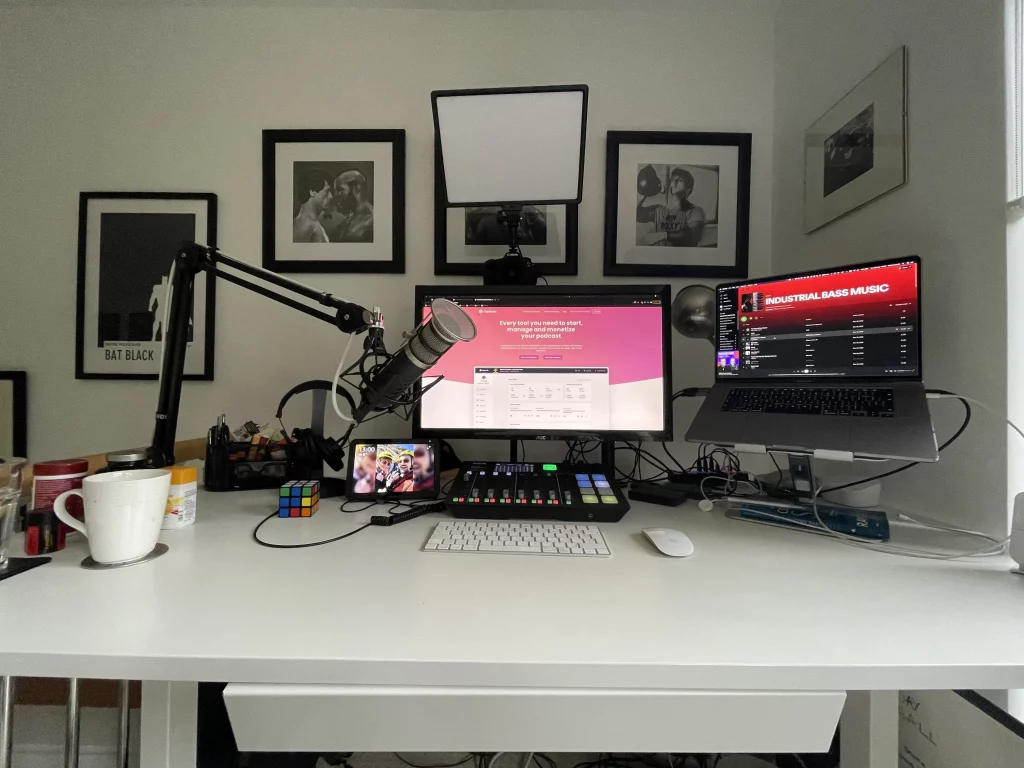
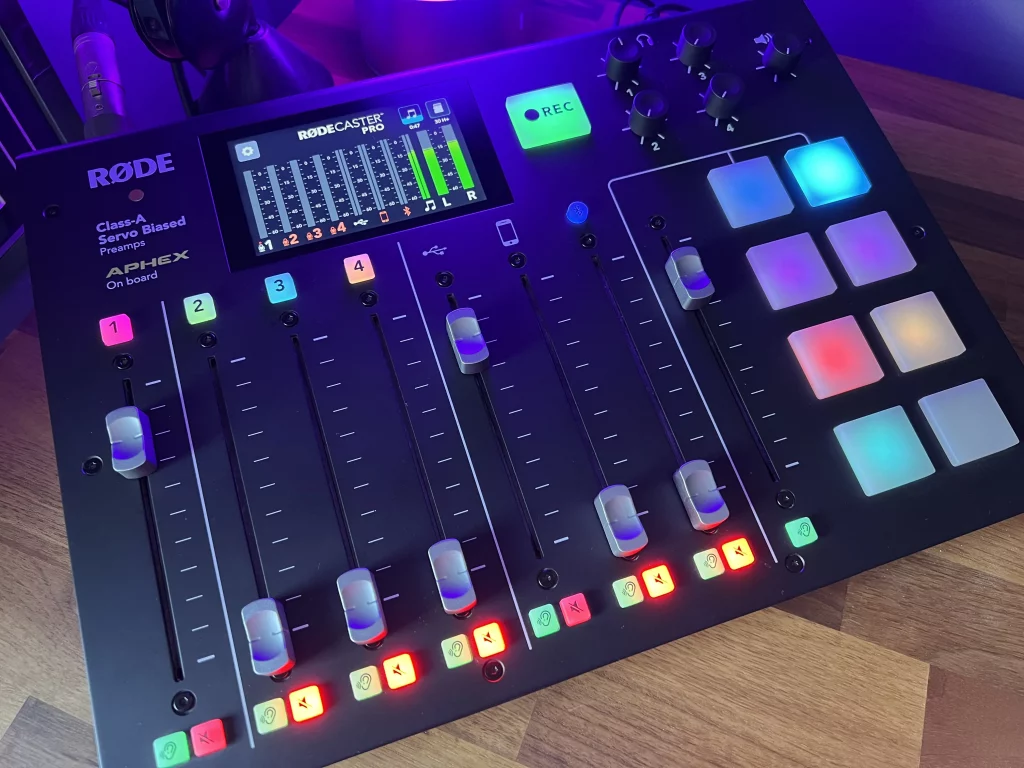
As you can see he uses the Rode Rodecaster Pro interface to record and is a fan of Riverside for recording with remote guests.
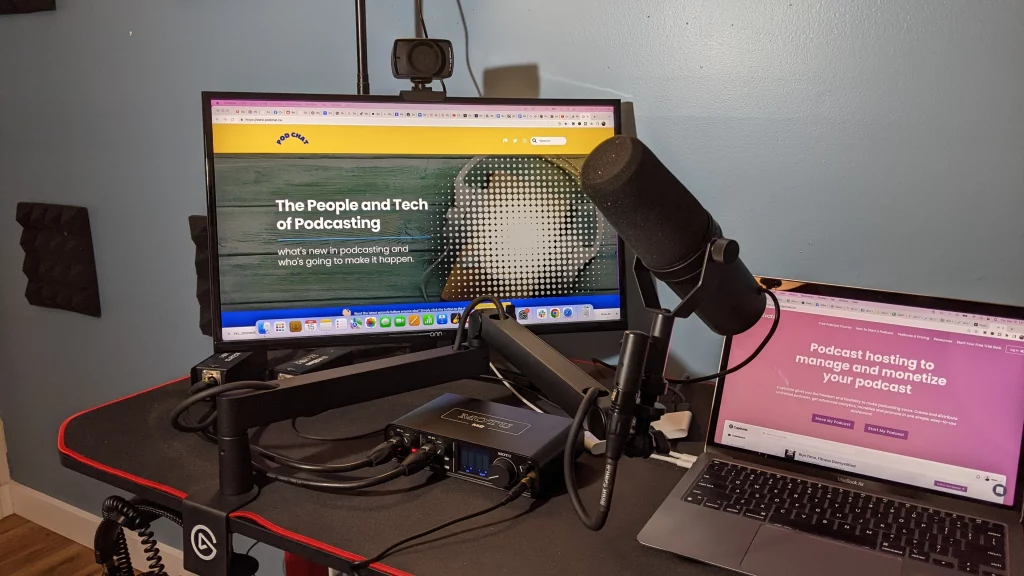
“I use the Shure SM7B microphone because it has great sound quality making editing easy due to the flat/neutral tone. I have my microphone hooked up to a MOTU M2 interface, and find that it gives super clear sound and dynamic range for any microphone. I love my Sony MDR-7506 headphones, they’re great and offer neutral sound for picking up sound nuance with no bias towards high or low ends etc.”
“If I am solo recording I like to use Hindenburg Pro as it’sits super easy to use, plus it has an auto normalizer and great export options to ensure the rightensure right sound level to meet podcasting standards of -16 LUFs.”
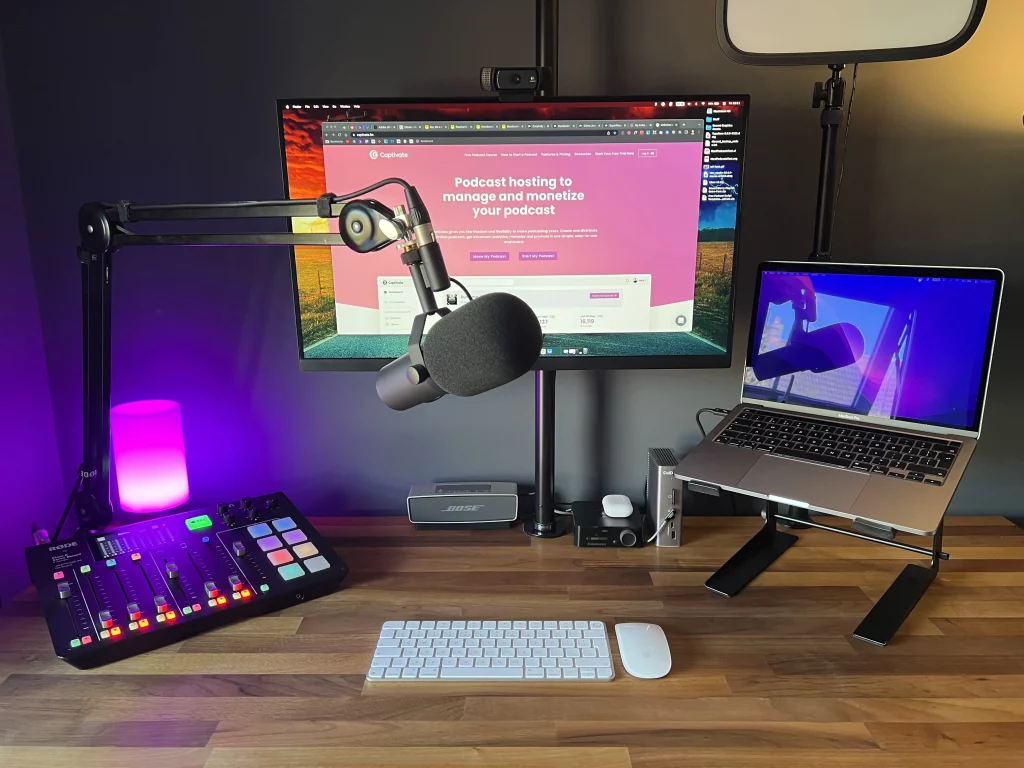
“I am the same as Danny, I love the Shure SM7B microphone, it’s a great sounding mic and suits my voice well. I also use the same Sony MDR-7406 headphones as they offer a clean and neutral sound without the bass push you get with most consumer models.”
“My interface of choice is the Rode Rodecaster Pro – a podcasting (and streaming) workhouse that allows me to record locally or with remote guests easily (mix-minus etc), plus I can do on-the-fly adjustments, sound pads audio and voice eq if needed. This is a great piece of kit, as you have everything you need podcast in one unit.”
“When I am interviewing guests for my shows I use Riverside, super easy to use plus I find I get a decent high qualityualitu wav file with a backup locally from the Rodecaster Pro.”
There’s no one-size-fits-all answer when it comes to podcast recording and editing software, it comes down to each individual podcaster’s individual needs. We hope this blog goes some way to helping you pick!
Free or the more budget options certainly do the job to a high enough standard – and they allow you to save your money to spend on other things, like hardware and equipment.
If you do have the budget, this is something that we would recommend you invest in for your podcast, as it will help with the success and growth of your show. All the tools mentioned above have their strengths and USPs, so pick the one that suits what you need, right now.
Here’s a couple of pointers to help you choose which software to use when recording podcast episodes:
Reading Time: 6 minutes We dive into the best podcast microphone setups for beginners on a budget (all under $100!) Read our honest reviews and learn about the best types of microphone for quality audio every time.
No, not all examples from this list offer editing capabilities, such as Riverside and SquadCast. Riverside does make outsourcing this easy with three simple clicks and has a Magic Editor which automatically stitches together the separate audio/video tracks. SquadCast on the other hand allows you to integrate with editing tools and software.
Zoom does offer some editing but it’s limited when compared with the likes of something like Descript. You can trim the beginning or end using the built-in editing features, but anything more advanced you’ll have to use another tool.
Yes it’s handy if you want to be able to do everything in one place, but not having editing capabilities shouldn’t necessarily be a deciding factor, if a particular tool ticks all of your other boxes.
There’s many editing tools and software out there, some free, others will cost you – and again this will depend on how much you want to spend.
If you’re not comfortable with editing, then you can also outsource this to places such as (but not limited to) fiverr, podigy or Pro Podcast Solutions. Seriously, have a Google, and see what’s out there!
We have an article that lists the best editing tools and software – check it out!
Getting a great quality recording is one of the very first things you need to get right in your podcasting workflow – it lends credibility and gravitas to your work. No one’s going to trust work recorded on a tin can!
Something else to consider is if your audio isn’t up to scratch and it’s not enjoyable for your listeners then they won’t be sticking around or engaged with what you are saying.
It’s worth saying that you don’t need to spend crazy amounts of money for great-sounding audio. Pick a tool or method that is within your budget. If you don’t have the budget, some of the tools we will talk about offer a free version, but it’s often limited to how many hours a month you can record or the number of guests.
On the flipside if you do have a large budget there are tools out there that have a bigger price tag which offer more features etc. At the end of the day it all comes down to what you can afford.
It’s not just recording software that goes into making a high-quality podcast. Here’s other things that you need to consider:
Here’s an article breaking down everything you could possibly need, including Amazon store links by our Co-Founder Mark Aquith, who shares his own picks!
It’s all well and good perfecting your own setup, but if you have guests then this is only half the story. We can’t expect podcast guests to spend money or time on equipment or downloading and learning software – they’re already doing us a favour by agreeing to participate. With that said, here’s how you can prepare them:
It can be a tricky decision, picking the recording and editing platform(s) that suit your needs, and you may well end up trying out a few before you find your perfect fit.
We could never cover everything out there, but you should have a good idea of what a good free option looks like, and what’s worth spending your money on – different paid options do different niches extremely well, whether that’s transcripts or high-quality remote recording.
If you’ve not already, sign up for a free Captivate trial to get your podcast out there and make use of our incredible growth-centred features and content, helping you to grow your podcast and your podcasting community.
此内容由惯性聚合(RSS阅读器)自动聚合整理,仅供阅读参考。 原文来自 — 版权归原作者所有。