



惯性聚合 高效追踪和阅读你感兴趣的博客、新闻、科技资讯
阅读原文 在惯性聚合中打开

推荐订阅源

有赞技术团队
有赞技术团队
MyScale Blog
MyScale Blog
Cyberwarzone
Cyberwarzone
Schneier on Security
I
Intezer
Cisco Talos Blog
Cisco Talos Blog
Cloudbric
Cloudbric
Exploit-DB.com RSS Feed
NISL@THU
NISL@THU
博客园 - Franky
F
Fortinet All Blogs
Google DeepMind News
Jina AI
Jina AI
T
The Exploit Database - CXSecurity.com
P
Proofpoint News Feed
N
News and Events Feed by Topic
cs.AI updates on arXiv.org
F
Full Disclosure
T
Troy Hunt's Blog
D
Darknet – Hacking Tools, Hacker News & Cyber Security
Project Zero
Project Zero
P
Palo Alto Networks Blog
Recorded Future
Recorded Future
美团技术团队
D
Docker
PCI Perspectives
PCI Perspectives
Microsoft Azure Blog
MongoDB | Blog
MongoDB | Blog
L
LINUX DO - 最新话题
Recent Announcements
Hacker News: Ask HN
Hacker News: Ask HN
人人都是产品经理
人人都是产品经理
月光博客
月光博客
D
DataBreaches.Net
The Hacker News
The Hacker News
爱范儿
爱范儿
V
Visual Studio Blog
Engineering at Meta
Engineering at Meta
SecWiki News
SecWiki News
cs.CV updates on arXiv.org
A
About on SuperTechFans
Latest news
Latest news
GbyAI
GbyAI
T
Tor Project blog
L
LINUX DO - 热门话题
Security Latest
Security Latest
博客园 - 聂微东
Y
Y Combinator Blog
AI
AI
M
MIT News - Artificial intelligence

博客园 - Donal

docker命令 NLP | 自然语言处理 - 语言模型(Language Modeling) windows: Python安装scipy,scikit-image时提示"no lapack/blas resources found"的解决方法 Sense2vec with spaCy and Gensim python 去停用词 nohup command > myout.file 2>&1 & NLTK vs SKLearn vs Gensim vs TextBlob vs spaCy Gensim进阶教程:训练word2vec与doc2vec模型 Gensim入门教程 使用pdb调试python git只clone仓库中指定子目录 转:深度学习与自然语言处理之五:从RNN到LSTM 转:如何构建爬虫代理服务? RHEL7下安装使用TensorFlow和kcws RHEL7 -- Linux搭建FTP虚拟用户 forward和redirect 的区别 RHEL7磁盘分区挂载和格式化 Spring注解 100 open source Big Data architecture papers for data professionals
解决windows10搜索不到内容的问题
Donal · 2016-07-14 · via 博客园 - Donal

 windows 10的搜索突然搜不到程序了,
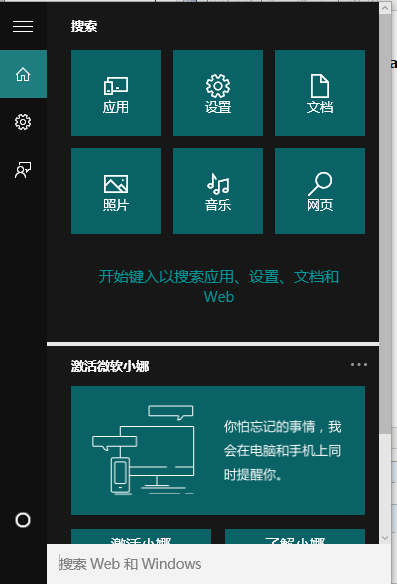
网上查询说要重建索引,方法如下:

1.按ctr+R键,输入%LocalAppData%\Packages\windows.immersivecontrolpanel_cw5n1h2txyewy\LocalState

2.右键打开Indexed文件夹的属性,选择高级属性,勾选掉“除了文件属性外,还运行索引此文件夹中文件的内容”,应用后再勾选上

但是操作后还是搜索不到,后来官网上说可以Kill and restart the Cortana process,于是在任务管理器中将cortana进程杀掉(它会自动重启)

OK,搜索功能又回来啦!