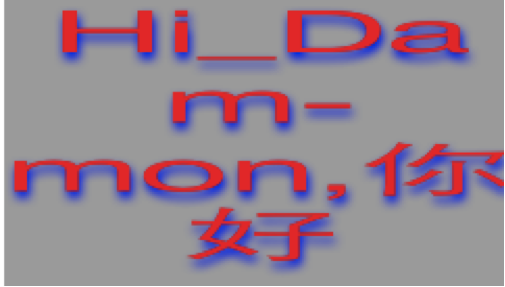
惯性聚合 高效追踪和阅读你感兴趣的博客、新闻、科技资讯
阅读原文 在惯性聚合中打开

推荐订阅源

GbyAI
GbyAI
Exploit-DB.com RSS Feed
Security Archives - TechRepublic
H
Heimdal Security Blog
T
Tenable Blog
Webroot Blog
Webroot Blog
Cisco Talos Blog
Cisco Talos Blog
NISL@THU
NISL@THU
Help Net Security
Help Net Security
W
WeLiveSecurity
量子位
Stack Overflow Blog
Stack Overflow Blog
Schneier on Security
Simon Willison's Weblog
Recorded Future
Recorded Future
Martin Fowler
Martin Fowler
K
KPMG report finds enterprise disconnect between AI and its ROI | CIO
L
Lohrmann on Cybersecurity
SecWiki News
SecWiki News
Blog — PlanetScale
Blog — PlanetScale
F
Full Disclosure
Recent Commits to openclaw:main
小众软件
小众软件
Cyberwarzone
Cyberwarzone
S
Security Affairs
L
LangChain Blog
Hacker News - Newest:
Hacker News - Newest: "LLM"
V
V2EX
WordPress大学
WordPress大学
爱范儿
爱范儿
让小产品的独立变现更简单 - ezindie.com
L
LINUX DO - 热门话题
Forbes - Security
Forbes - Security
Engineering at Meta
Engineering at Meta
博客园 - 三生石上(FineUI控件)
Scott Helme
Scott Helme
H
Help Net Security
www.infosecurity-magazine.com
C
Cyber Attacks, Cyber Crime and Cyber Security
有赞技术团队
有赞技术团队
IT之家
IT之家
G
Google Developers Blog
cs.CV updates on arXiv.org
S
Schneier on Security
Google DeepMind News
freeCodeCamp Programming Tutorials: Python, JavaScript, Git & More
月光博客
月光博客
Hacker News: Ask HN
Hacker News: Ask HN
O
OpenAI News
宝玉的分享
宝玉的分享

博客园 - zhoup

文鹏教育_jmeter培训_逻辑控制器_循环取样器 02 jmeter性能测试系列_JForum测试论坛的环境搭建 01 jmeter性能测试系列_Jmeter的体系结构 NSTimer的使用[zhuang] 实战p12文件转pem文件 UIViewContentMode各类型效果 IOS 设置导航栏全局样式 iOS 在tableView上添加button导致按钮没有点击效果和不能滑动的 zhuang xcode 插件地址 AFNnetworking详解 NSRunLoop详解 利用SQL注入漏洞登录后台的实现方法 Xcode 7免证书真机调试 [转]CABasicAnimation用法 zhuang 定制iOS 7中的导航栏和状态栏 zhuang 自定义Xcode代码模板:Code Snippet [zhang] ViewController的生命周期分析和使用 iOS开发--一些UITabBarItem属性的设置[转] UINavigationItem UINavigationBar 关系分析[转]
给iOS开发新手送点福利,简述文本属性Attributes的用法
zhoup · 2016-01-20 · via 博客园 - zhoup

文本属性Attributes

1.NSKernAttributeName: @10 调整字句 kerning 字句调整

2.NSFontAttributeName : [UIFont systemFontOfSize:_fontSize] 设置字体

3.NSForegroundColorAttributeName :[UIColor redColor] 设置文字颜色

4.NSParagraphStyleAttributeName : paragraph 设置段落样式

5.NSMutableParagraphStyle *paragraph = [[NSMutableParagraphStyle alloc] init];

paragraph.alignment = NSTextAlignmentCenter;

6.NSBackgroundColorAttributeName: [UIColor blackColor] 设置背景颜色

7.NSStrokeColorAttributeName设置文字描边颜色,需要和NSStrokeWidthAttributeName设置描边宽度,这样就能使文字空心.

NSStrokeWidthAttributeName这个属性所对应的值是一个 NSNumber 对象(小数)。该值改变描边宽度(相对于字体size 的百分比)。默认为 0,即不改变。正数只改变描边宽度。负数同时改变文字的描边和填充宽度。例如,对于常见的空心字,这个值通常为3.0。

同时设置了空心的两个属性,并且NSStrokeWidthAttributeName属性设置为整数,文字前景色就无效果了

 

效果:

  

效果:

 

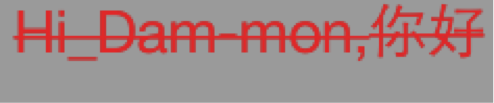
8. NSStrikethroughStyleAttributeName 添加删除线,strikethrough删除线

 

效果:
 

9. NSUnderlineStyleAttributeName 添加下划线

 

效果:

 

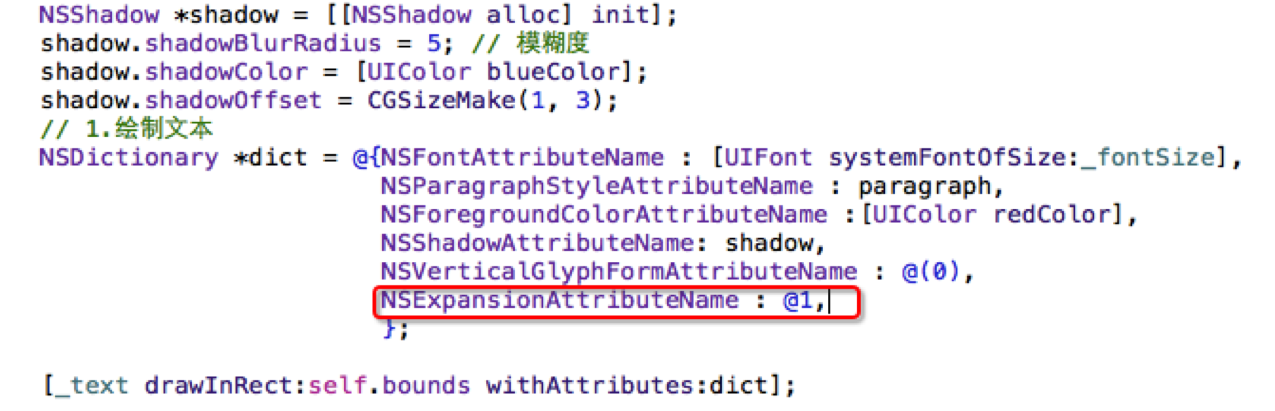
10. NSShadowAttributeName 设置阴影,单独设置不好使,必须和其他属性搭配才好使。

和这三个任一个都好使,NSVerticalGlyphFormAttributeName,NSObliquenessAttributeName,NSExpansionAttributeName

11.NSVerticalGlyphFormAttributeName

该属性所对应的值是一个 NSNumber 对象(整数)。0 表示横排文本。1 表示竖排文本。在 iOS 中,总是使用横排文本,0 以外的值都未定义。
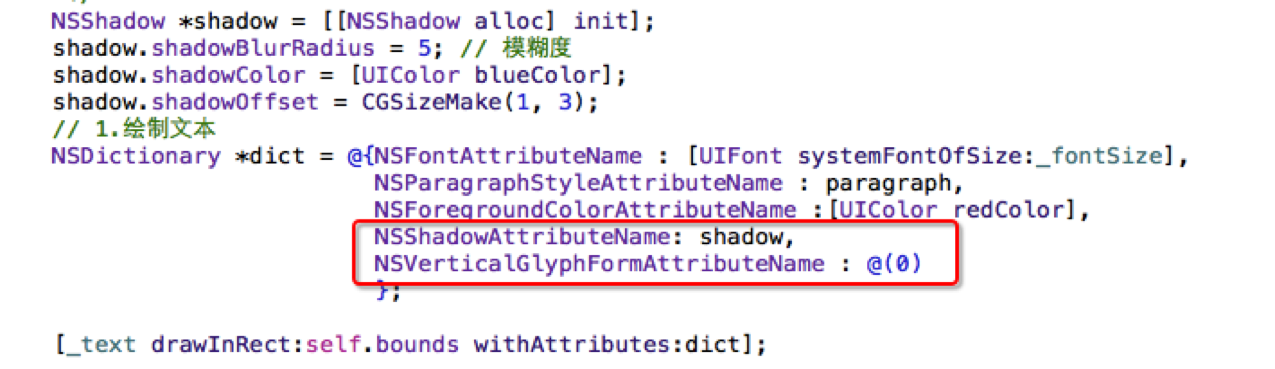
 

效果:

 

12. NSObliquenessAttributeName设置字体倾斜。Skew 斜
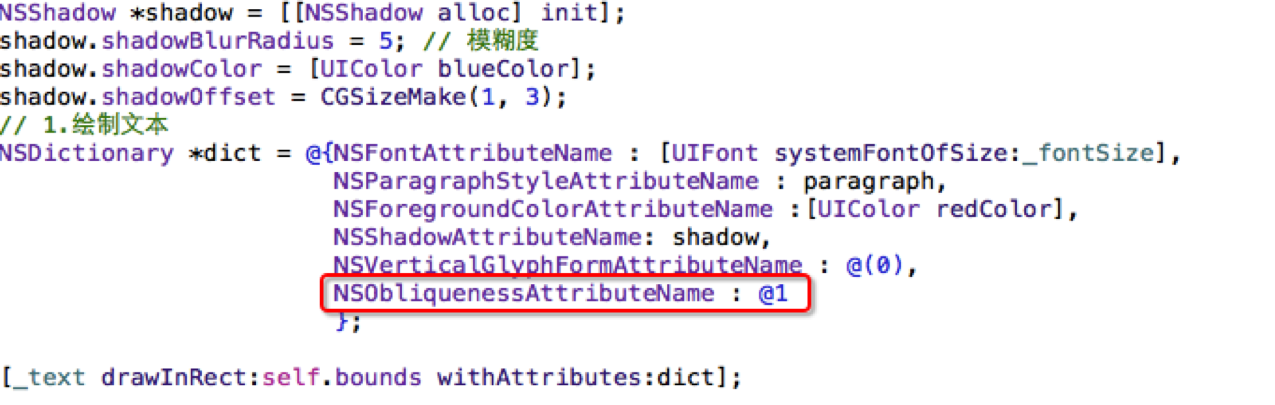
 

效果:


13. NSExpansionAttributeName 设置文本扁平化
 

效果: