








本文摘自:https://www.cnblogs.com/schblog/p/12450893.html
前言
如果下载fisheye,则是单纯的代码深度检查工具,如果需添加CodeReview评论功能模块,则需要安装的是Crucible(集成了fisheye),而不是fisheye工具;尽管Crucible集成了fisheye,但是在安装的过程中仍然需要crucible和fisheye两个独立的license号。
一、安装、破解fisheye最新版4.8.0 所需文件
环境准备:jdk1.8
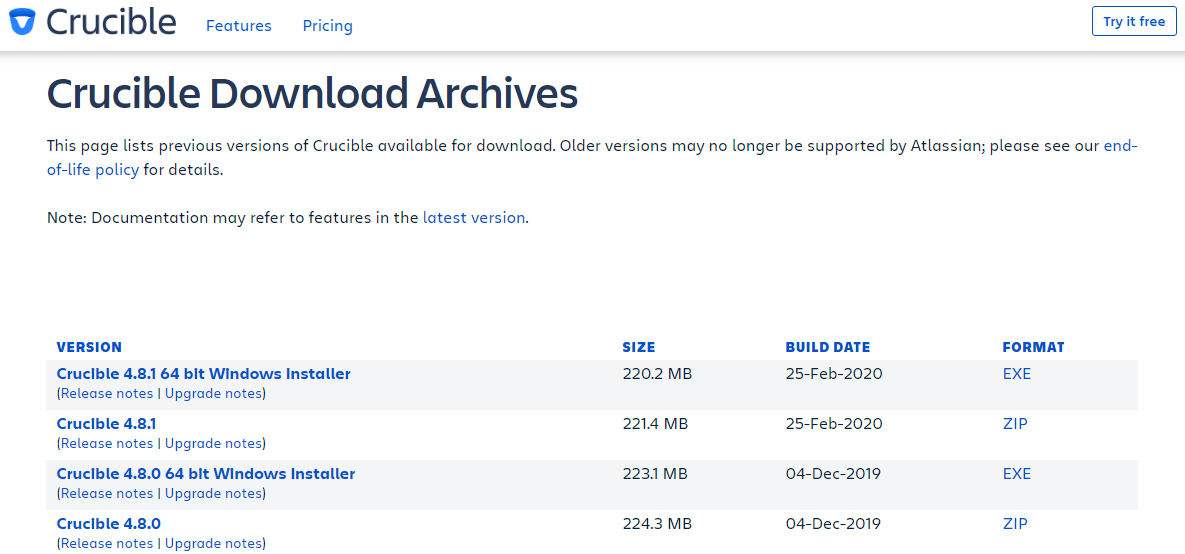
1.下载Crucible。
https://www.atlassian.com/software/crucible/download 最新版本链接
https://www.atlassian.com/software/crucible/download-archives 以前版本链接
2.下载所需要的破解文件 “fisheye2以上破解文件.7z”
链接: https://pan.baidu.com/s/1f3KdoTv0wI2cRRlywbkyXg 提取码: dst9
百度网盘分享,快速免费下载。
二、破解步骤
解压下载好的文件,解压好了以后,注意!不要立马双击"D:\crucible\crucible-4.8.0\fecru-4.8.0\bin\run.bat"启动crucible.
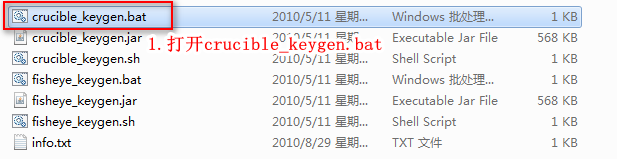
1.打开“fisheye2以上破解文件\crucible_keygen.bat”
如下图所示:
2.找到crucible-4.8.0\fecru-4.8.0\lib\atlassian-extras-2.5.jar 文件
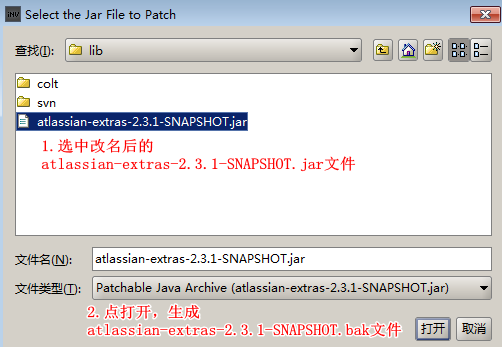
将atlassian-extras-2.5.jar文件先备份atlassian-extras-2.5-副本.jar,更改atlassian-extras-2.5.jar为atlassian-extras-2.3.1-SNAPSHOT.jar,因为破解程序目前我只找到2.3.1的破解,改名才能继续往下走!
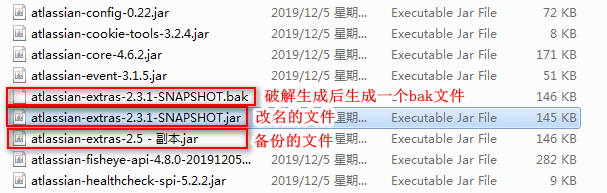
3.进入D:\crucible\crucible-4.8.0\fecru-4.8.0\binn目录下
双击run.bat 即可启动Crucible,

4.浏览器中输入http://localhost:8060/

6.生成http://localhost:8060页面中需要填充的Crucible和fisheye序列号。
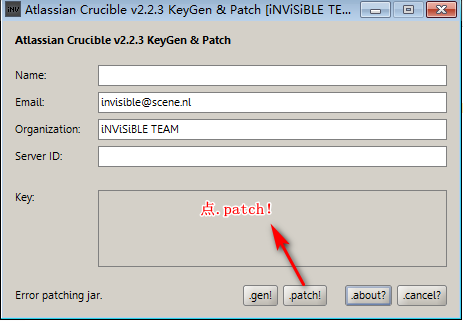
(1)打开crucible_keygen.bat,选中lib中改名后的atlassian-extras-2.3.1-SNAPSHOT.jar,生成Crucible的license序列号
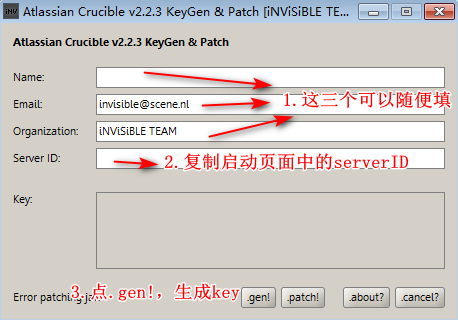
将生成的key填充至步骤4中的license中,然后点击下一步进入页面Inclusions中。
(2)打开fisheye_keygen.bat,选中lib中改名后的atlassian-extras-2.3.1-SNAPSHOT.jar,生成fisheye的license序列号
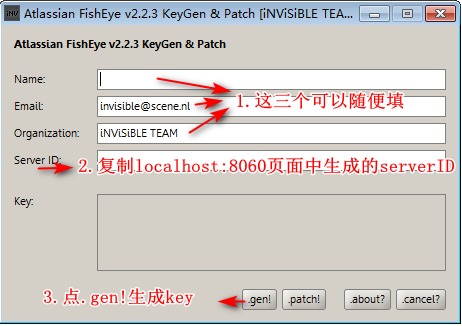
将生成的key填充至页面Inclusions中license中。至此Crucible和fisheye已破解完毕。剩下的配置按需填充个即可。
7.Crucible自带的数据库不可用作生产环境,需替换数据库,这里我替换为mysql数据库,mysql下载地址为:https://downloads.mysql.com/archives/installer/
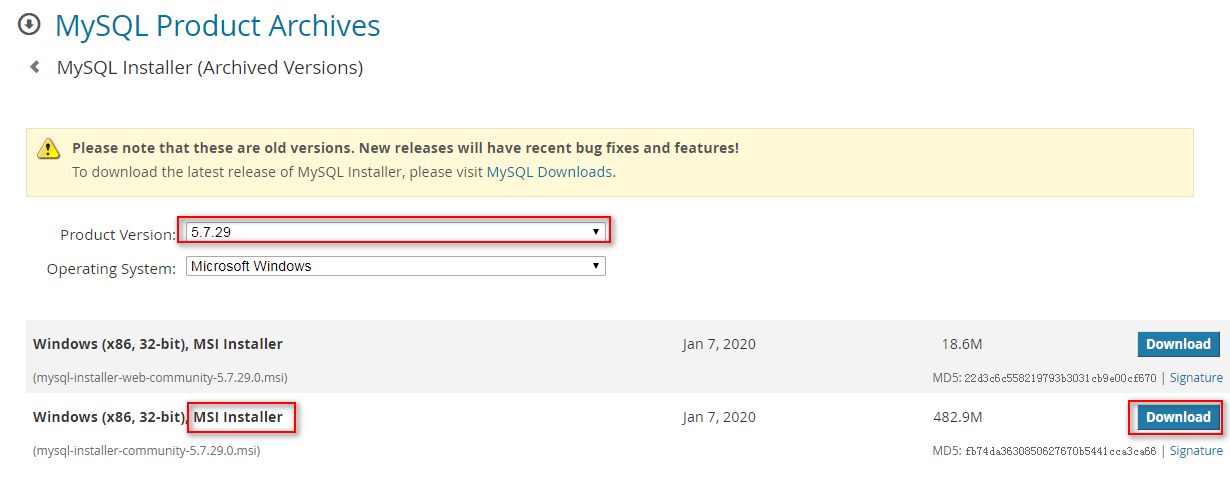
我使用的是5.7.29版本,对应的sql驱动下载地址:https://dev.mysql.com/downloads/connector/j/5.1.html
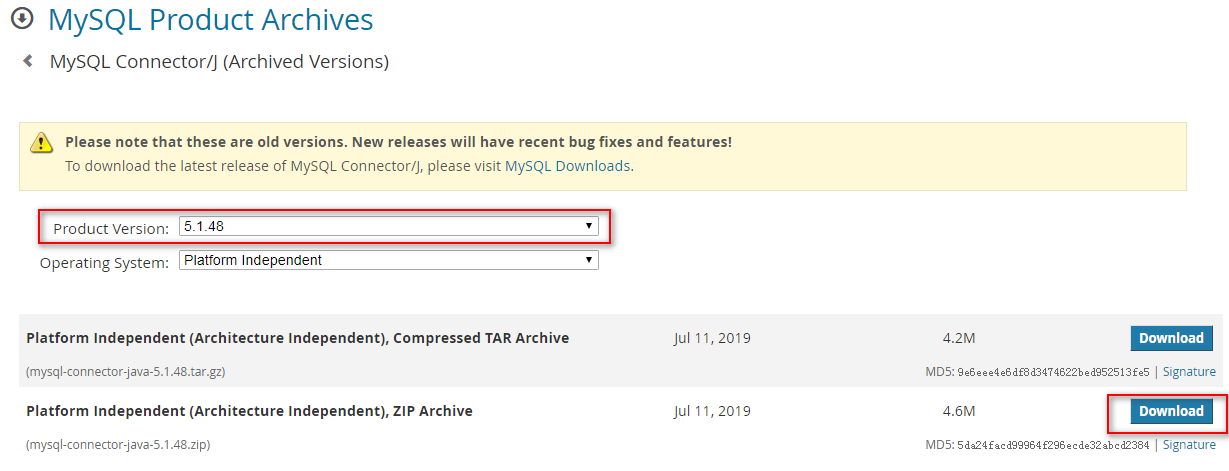
将下载下来的sql驱动放到Crucible的lib库中,然后重启服务。
8.安装mysql数据库,为Crucible创建专有数据库,然后修改Crucible数据库为mysql。
注:本人环境为win7+jdk 1.8(64位)(bai),安装的为4.8.1版本fisheye。
摘自:https://www.cnblogs.com/amosli/p/3427990.html
二、可能遇到的问题
可能出现的问题就是,双击run.bat打不开,那么请参考此文章:
fisheye下载好了之后,解压后怎么运行run.bat都报错误,错误提示如下:
D:\developsoft\fisheye-3.1.5\fecru-3.1.5>bin\run.bat --debug
Error occurred during initialization of VM
Could not reserve enough space for object heap
Error: Could not create the Java Virtual Machine.
Error: A fatal exception has occurred. Program will exit.
请按任意键继续. . .
网上搜索了很久,最后试了很多,终于找到解决方法了!哈哈!
在 控制面板\系统和安全\系统--->高级系统设置----》系统属性-----》高级----》环境变量-----》系统变量----》新建
变量名:FISHEYE_OPTS
变量值:-Xms128m -Xmx512m -XX:MaxPermSize=256m
再点击确定--》确定
即可。
原因分析:我的电脑4g内存,win7(32位),jdk 1.7(32位),因为是32位的系统,所以原则上4G内存只能读2G左右,但是fisheye默认值为
|
RAM |
1GB minimum, 2GB will provide performance "headroom". Your Java heap should be sized at 512MB with theFISHEYE_OPTS environment variable, adjustable up to 1024MB depending on performance. |
它是建议最好1G以上,2G为推荐值,但是jdk默认值最好关于fisheye的预留值要512M以上,如果你的内存没有那么大,那么手动把MaxPermSize调小即可。
重新双击run.bat,然后在浏览器中输入localhost:8060即可打开fisheye,fisheye的默认端口为8060。
此内容由惯性聚合(RSS阅读器)自动聚合整理,仅供阅读参考。 原文来自 — 版权归原作者所有。