惯性聚合 高效追踪和阅读你感兴趣的博客、新闻、科技资讯
阅读原文 在惯性聚合中打开

推荐订阅源

人人都是产品经理
人人都是产品经理
Blog — PlanetScale
Blog — PlanetScale
MyScale Blog
MyScale Blog
Cyber Security Advisories - MS-ISAC
WordPress大学
WordPress大学
Vercel News
Vercel News
D
Docker
博客园 - 聂微东
T
Tailwind CSS Blog
aimingoo的专栏
aimingoo的专栏
云风的 BLOG
云风的 BLOG
D
DataBreaches.Net
B
Blog RSS Feed
酷 壳 – CoolShell
酷 壳 – CoolShell
博客园 - Franky
Microsoft Security Blog
美团技术团队
F
Fortinet All Blogs
MongoDB | Blog
MongoDB | Blog
T
The Blog of Author Tim Ferriss
GbyAI
GbyAI
N
Netflix TechBlog - Medium
G
Google Developers Blog
腾讯CDC

博客园 - ZHK的博客

在IIS Express中配置和启动web site 在File Explorer的当前路径上直接打开VS Code windows 下运行angualr/material2 项目 vs2017中生成.Net Standard Libarary的Nuget Package 使用nginx 的反向代理 给 kibana加上basic的身份认证 Hyper-V 虚拟网络设置 docker for windows & dotnet core app 使用performance monitor 查看 每一个cpu core的cpu time Ubuntu安装Python2.7,nodejs,Redis Ubuntu 16 安装ElasticSearch Ubuntu 16 安装JDK1.8 Ubuntu 14 安装 .Net Core AngularJS2 + ASP.NET MVC项目 Visual Studio Code 调试 nodeJS 固定Table的头部和左边的列-在Knockout Js使用场景下 Jquery UI - DatePicker 在Dialog中无法自动隐藏的解决思路 基于空项目模板创建使用Owin来host的WebApi项目 ABP源码分析四十七:ABP中的异常处理 ABP源码分析四十六:ABP ZERO中的Ldap模块
Visual Studio Code + live-server编辑和浏览HTML网页
ZHK的博客 · 2016-07-23 · via 博客园 - ZHK的博客

第一步: 安装Visual Studio Code + Node.JS

第二步:通过如下命令行安装live-server

npm install -g live-server

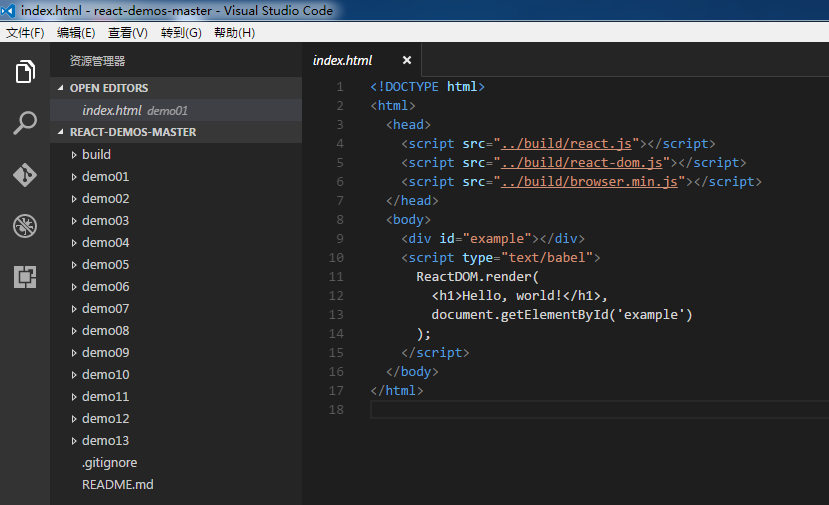
第三步:打开Visual Studio Code编写HTML代码,保存。

第四步:右击HTML文件所在的文件夹,选择“在命令提示符中打开”

第五步:输入live-server命令

第六步:选择HTML页面浏览即可