





惯性聚合 高效追踪和阅读你感兴趣的博客、新闻、科技资讯
阅读原文 在惯性聚合中打开

推荐订阅源

WordPress大学
WordPress大学
H
Help Net Security
Jina AI
Jina AI
V
V2EX
G
Google Developers Blog
B
Blog
GbyAI
GbyAI
U
Unit 42
爱范儿
爱范儿
腾讯CDC
Engineering at Meta
Engineering at Meta
酷 壳 – CoolShell
酷 壳 – CoolShell
博客园 - 三生石上(FineUI控件)
宝玉的分享
宝玉的分享
小众软件
小众软件
D
DataBreaches.Net
OSCHINA 社区最新新闻
OSCHINA 社区最新新闻
博客园 - Franky
博客园 - 聂微东
The Cloudflare Blog
I
InfoQ
Microsoft Azure Blog
Hugging Face - Blog
Hugging Face - Blog
大猫的无限游戏
大猫的无限游戏

博客园 - 泡面 @ 幸福

nodejs&wsl&vscode&docker开发环境搭建 python中list数组指定类型 windows10安装Trading View出错解决办法 windows or linux 64位安装ta-lib包 在centos7开启SSH服务 在centos7升级nodejs到最新版本 一张自画的RBAC用户、组、角色、权限、指令、资源图 JSON树形格式从子级获取所有父级ID JSON数据格式生成无限级树结构 MYSQL查询上级和下级 码云push时提示 DeployKey does not support push code fatal: Could not read from remote repository. git常用命令 登陆服务器提示“You need to run "nvm install N/A" to install it before using it.” CentOS 7.x 用shell增加、删除端口 CentOS 7.X 安全手记 Centos 7.x nginx隐藏版本号 centos7磁盘挂载及取消 CentOS 7.4上网速度慢,修改DNS! Centos7.4 安装Docker
thinkjs框架发布上线PM2管理,静态资源访问配置
泡面 @ 幸福 · 2019-06-13 · via 博客园 - 泡面 @ 幸福

一、环境:thinkjs + pm2

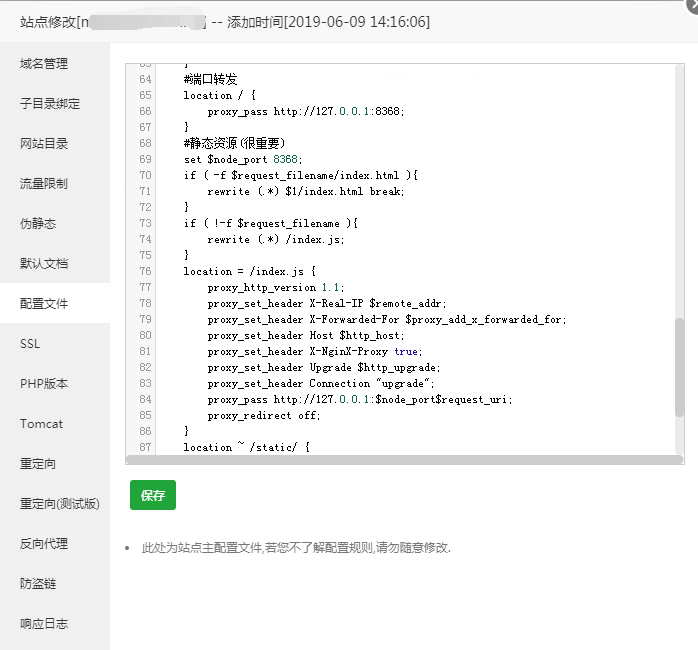
二、网站配置:

    #端口转发
  	location / {
        proxy_pass http://127.0.0.1:8368;
    }
    #静态资源(很重要)
	set $node_port 8368;
    if ( -f $request_filename/index.html ){
        rewrite (.*) $1/index.html break;
    }
    if ( !-f $request_filename ){
        rewrite (.*) /index.js;
    }
    location = /index.js {
        proxy_http_version 1.1;
        proxy_set_header X-Real-IP $remote_addr;
        proxy_set_header X-Forwarded-For $proxy_add_x_forwarded_for;
        proxy_set_header Host $http_host;
        proxy_set_header X-NginX-Proxy true;
        proxy_set_header Upgrade $http_upgrade;
        proxy_set_header Connection "upgrade";
        proxy_pass http://127.0.0.1:$node_port$request_uri;
        proxy_redirect off;
    }
    location ~ /static/ {
        etag         on;
        expires      max;
    }
    #静态资源结束
  

posted @ 2019-06-13 15:18  泡面 @ 幸福  阅读(828)  评论()    收藏  举报