








Follow ZDNET: Add us as a preferred source on Google.
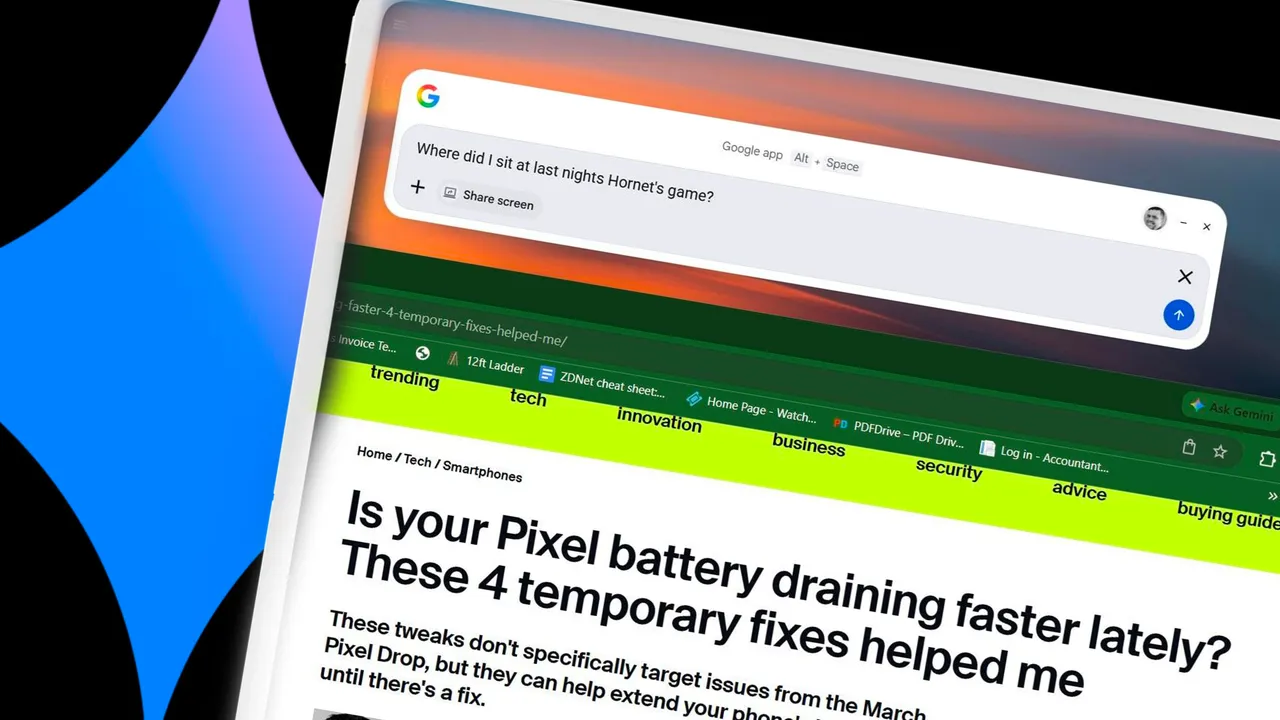
Last fall, Google introduced an experimental Windows version of its app that ZDNET's Lance Whitney called "your next big productivity hack." That app is now available to all Windows users, and after spending a morning with it, I can tell you it's worth a download.
At its core, this is just a faster way to access tools like Gemini, Lens, and Search. That doesn't mean it's not useful, though.
You open the Google desktop app with Alt-Space, which is quicker than opening a browser to search and even quicker than opening a new tab. A bubble pops up over top of what you're working on, and you don't even have to click into it when you start typing. Even if the app were just Search, this aspect alone makes it worth a download because of how quick and easy it is to use.
But it gets better.
The app connects your Gmail, Drive, and other Google products. I started with some basic questions, and it easily handled several queries about documents and messages in my email. I asked, "Where were my seats at the Hornets game last night?" and it quickly replied with my section, row, and seat number.
I asked, "When is doughnuts with dad at my son's school?" and it replied with the date, time, and place, and noted that I had replied to confirm my attendance. It was able to find not only info in emails but in attached PDFs, too.
All that information isn't hard to find, but I found it a lot more quickly with this app than searching through my email on my own.
Also: I tested Gemini on Android Auto, and now I can't stop talking to it: 5 tasks it nails
The Lens feature was useful, too. When you click it, you then highlight a part of your screen. You can search for an image, copy text from an image, find where a product is sold, and more. I tried copying text from a photo of a document, and it easily grabbed several dozen lines of text I could paste elsewhere.
You can also share your screen to learn more about something. I was helping my son with his math homework (as a journalism major, math was never my forte), and I couldn't remember how to convert a fraction to a decimal or several other elementary-school math processes. I pulled up his assignment on a browser and used the screen-sharing feature to ask how to solve these problems without giving us the answer.
Photos integration worked well. I asked it to find the most recent photos I took of me and my cousin (he's named in my Google Photos People collection), and it identified snapshots I took at the aforementioned basketball game last night.
Finally, the app can track down files on your computer. It can't handle things like "Where's that PDF I just downloaded" or "Can you find the permission slip form for my kid's field trip?" from my experience, but if you type the name of a file, you'll see it at the bottom. Having the capability to do the former would be nice, but if you know the name of the file you're looking for, this is an easy way to find out where it is.
It can't do everything, though - and like all AI-powered tools, it sometimes gets things wrong.
I asked it to list the ingredients from the chocolate chip cookie recipe I have saved in Drive. It listed ingredients from a recipe that's definitely not in my Drive -- I double-checked to be sure. I clarified that wasn't right, and that I was looking for a Word document. The app claimed to find that document, but again listed totally wrong ingredients. When I settled for "Find my chocolate chip cookie recipe in Drive," it found what I was looking for immediately; I just had to click through to see the ingredients.
Also: If you care about productivity, it's time you learn how to 'context-prompt' your Google Drive
The desktop Google app doesn't add any new functionality, but it lets you access Google tools much more quickly. The super-fast access to Search makes it worth your time, but you'll probably keep finding other ways to use it too. You can download the app here.
此内容由惯性聚合(RSS阅读器)自动聚合整理,仅供阅读参考。 原文来自 — 版权归原作者所有。