


惯性聚合 高效追踪和阅读你感兴趣的博客、新闻、科技资讯
阅读原文 在惯性聚合中打开

推荐订阅源

宝玉的分享
宝玉的分享
Apple Machine Learning Research
J
Java Code Geeks
V2EX - 技术
V2EX - 技术
Hacker News: Ask HN
Hacker News: Ask HN
T
Tailwind CSS Blog
V
Visual Studio Blog
cs.CV updates on arXiv.org
月光博客
月光博客
H
Hacker News: Front Page
D
DataBreaches.Net
GbyAI
GbyAI
Recorded Future
Recorded Future
IT之家
IT之家
H
Heimdal Security Blog
K
KPMG report finds enterprise disconnect between AI and its ROI | CIO
Schneier on Security
P
Privacy International News Feed
cs.CL updates on arXiv.org
S
Security Affairs
博客园 - 三生石上(FineUI控件)
M
MIT News - Artificial intelligence
Google Online Security Blog
L
LINUX DO - 最新话题
Google DeepMind News
The Cloudflare Blog
L
LangChain Blog
cs.AI updates on arXiv.org
腾讯CDC
The Last Watchdog
The Last Watchdog
I
Intezer
钛媒体:引领未来商业与生活新知
钛媒体:引领未来商业与生活新知
Hacker News - Newest:
Hacker News - Newest: "LLM"
Stack Overflow Blog
Stack Overflow Blog
C
Cyber Attacks, Cyber Crime and Cyber Security
U
Unit 42
H
Help Net Security
Simon Willison's Weblog
Y
Y Combinator Blog
C
CXSECURITY Database RSS Feed - CXSecurity.com
S
Schneier on Security
T
Tenable Blog
TaoSecurity Blog
TaoSecurity Blog
CTFtime.org: upcoming CTF events
小众软件
小众软件
B
Blog
S
Security @ Cisco Blogs
A
About on SuperTechFans
V
V2EX
T
The Exploit Database - CXSecurity.com

博客园 - birdshome

围观腾讯云输入法如何回发用户输入 《死了都要TRY》——迎接2010 Windows Server 2008 hang up问题 低功耗Atom下载机兼Home Server咯 这里的Windows 3.1你注意到了吗? EeePC 901换装Windows XP的步骤 在Windows 2003下使用QuickCam 自己动手DIY了一个内存散热棒棒糖 微软2008发布会,英雄由{此}诞生! 要参加微软2008三驾车发布的冒个泡 将Nokia 6300 Firmware升级到5.5 别太迷信GMap了,其实YMap也不错 .NET缘,源自.NET,我的2007回顾 你还敢使用window.open弹广告吗? 技术上根本不思进取的金山词霸2007 北京TechEd 2007 及《微软360度》 2007微软技术大会(TechEd)开幕式 将Banner美观的放置于博客首页上 ASP.NET 2.0揭秘(中文版)国庆献礼
Visual Studio 2008如此改进了图标
birdshome · 2007-12-21 · via 博客园 - birdshome

    我在使用Visual Studio 2005 Beta2的时候,曾经给它提过一个UI上的改进建议,希望正式版的VS 2005能提供48x48的图标,以便于在系统的大图标模式下有较好的显示效果。结果很失望,VS 2005没有在正式版中响应这一建议。结果前几天装上Visual Studio 2008后发现,2008居然提供了256x256的图标!

    虽然只是一少部分。不过这么巨大的图标,一时让人对这个改进彻底无语了。下面就是Visual Studio 2008提供的,32bits带alpha通道256x256的真彩巨型图标:
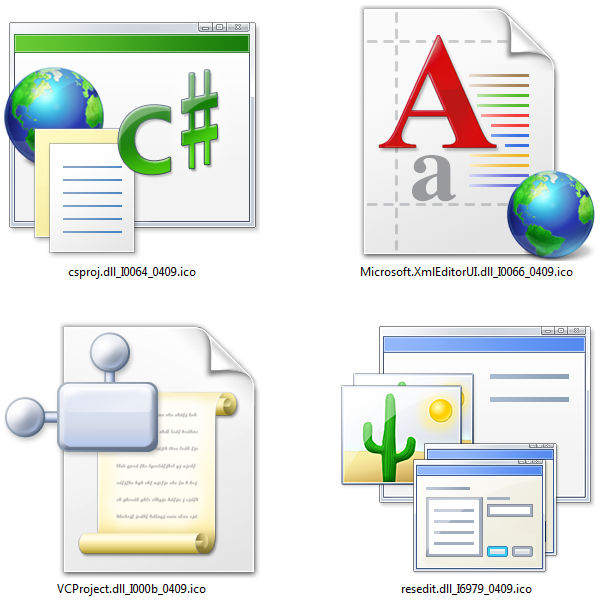
    4icons.png

    图标设计在整个UI设计中往往有着画龙点睛的作用,决不是一个普通的工作。大公司的产品图标很多都是外包给专业的公司去做,比如:IconFactory之类的。Visual Studio 2008这次一共提供了68个256x256的巨型图标,可以在此下载所有。这么大的图标,鼠标放上去太渺小了,直叫人有用手去戳的冲动。不过只可惜目前的显示屏不是iPhone也不是Surface啊,呵呵。

    相关文章:
    · 迄今为止最全Office 2003图标大集会
    · 希望VS.NET 2005能提供48x48的图标