惯性聚合 高效追踪和阅读你感兴趣的博客、新闻、科技资讯
阅读原文 在惯性聚合中打开

推荐订阅源

Recorded Future
Recorded Future
S
Secure Thoughts
D
Docker
The GitHub Blog
The GitHub Blog
Y
Y Combinator Blog
雷峰网
雷峰网
T
The Blog of Author Tim Ferriss
D
DataBreaches.Net
F
Fortinet All Blogs
月光博客
月光博客
S
Security @ Cisco Blogs
AI
AI
IT之家
IT之家
P
Proofpoint News Feed
Stack Overflow Blog
Stack Overflow Blog
大猫的无限游戏
大猫的无限游戏
N
News and Events Feed by Topic
Hacker News: Ask HN
Hacker News: Ask HN
人人都是产品经理
人人都是产品经理
Recent Announcements
Exploit-DB.com RSS Feed
Google Online Security Blog
K
Kaspersky official blog
Application and Cybersecurity Blog
P
Proofpoint News Feed
Latest news
Latest news
Webroot Blog
Webroot Blog
GbyAI
GbyAI
L
Lohrmann on Cybersecurity
T
Threat Research - Cisco Blogs
S
Schneier on Security
G
Google Developers Blog
N
News | PayPal Newsroom
C
Check Point Blog
T
Tenable Blog
L
LINUX DO - 最新话题
C
CERT Recently Published Vulnerability Notes
T
Troy Hunt's Blog
Know Your Adversary
Know Your Adversary
SecWiki News
SecWiki News
TaoSecurity Blog
TaoSecurity Blog
Recent Commits to openclaw:main
爱范儿
爱范儿
W
WeLiveSecurity
Project Zero
Project Zero
M
MIT News - Artificial intelligence
H
Hacker News: Front Page
Apple Machine Learning Research
V
V2EX
C
Cyber Attacks, Cyber Crime and Cyber Security

博客园 - limeiky

无法打开 物理 文件 XXX.mdf"。操作系统错误 5:"5(拒绝访问。)"的解决办法 【2026】最简单的白嫖百度文库方法 如何做到子DIV相对DIV底部对齐 idea 连接 MySQL 8.0 以上遇到 Access denied for user ‘root‘@‘localhost‘ (using password: YES)密码错误的问题 idea解决程序包不存在报错 正则表达式解析 ant design vue 中的表单校验 v-decorator的使用 SQL更新固定时间显示格式的时间字段 Vue中 let _this = this的作用 vue中的箭头函数 => vue-router 基本使用 如何限制同一用户同时在不同客户端登录? c:forEach 标签中遍历map集合 qrcode.js插件,将文字内容转换成二维码格式 JS生成一维码(条形码)功能示例 qrcode.js插件,将文字内容转换成二维码格式 在一个DaoImpl实现中调用另一个DaoImpl中的方法 echarts柱状图坐标文字显示不完整解决方式 Myeclipse在debug模式下没加断点程序卡住,start模式下可以正常启动
Vue之slot插槽和作用域插槽
limeiky · 2022-02-21 · via 博客园 - limeiky

转自:《Vue之slot插槽和作用域插槽》

文章目录

    没有插槽的情况
    Vue2.x 插槽
        有插槽的情况
        具名插槽
        没有slot属性
        插槽简单实例应用
        作用域插槽 ( 2.1.0 新增 )
    Vue3.x 插槽
        插槽
        作用域插槽

没有插槽的情况
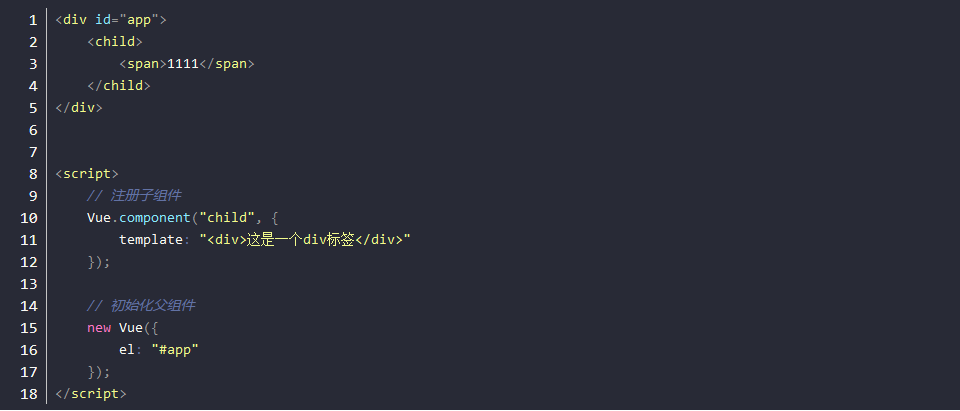
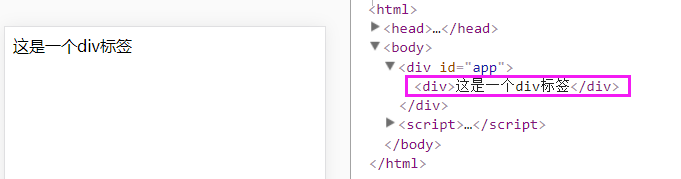
模版里的 span标签 会被替代成 “<div>这是一个div标签</div>” 如下图:
 

Vue2.x 插槽
有插槽的情况

简单来说,使用 slot标签 ,可以将<span>1111</span>,放到子组件中想让他显示的地方。如下图:
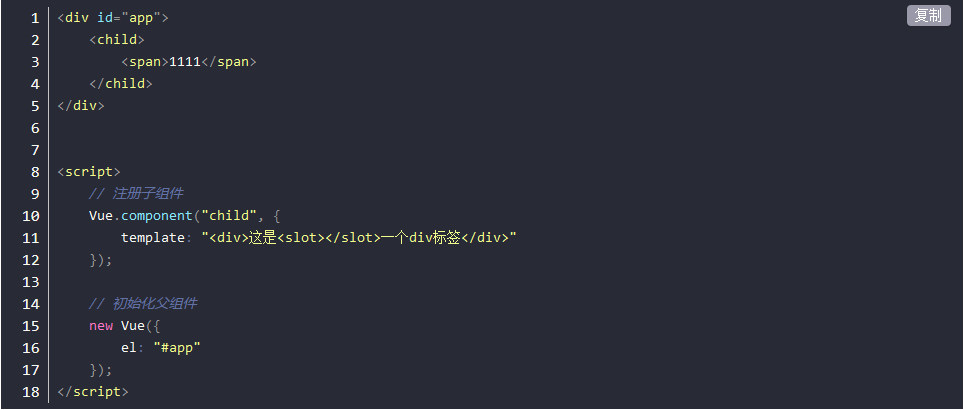
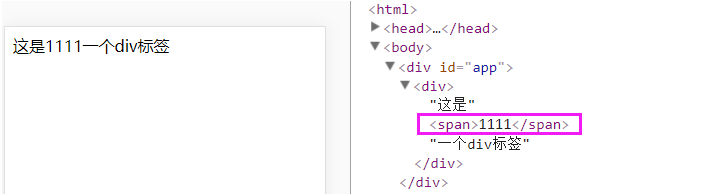


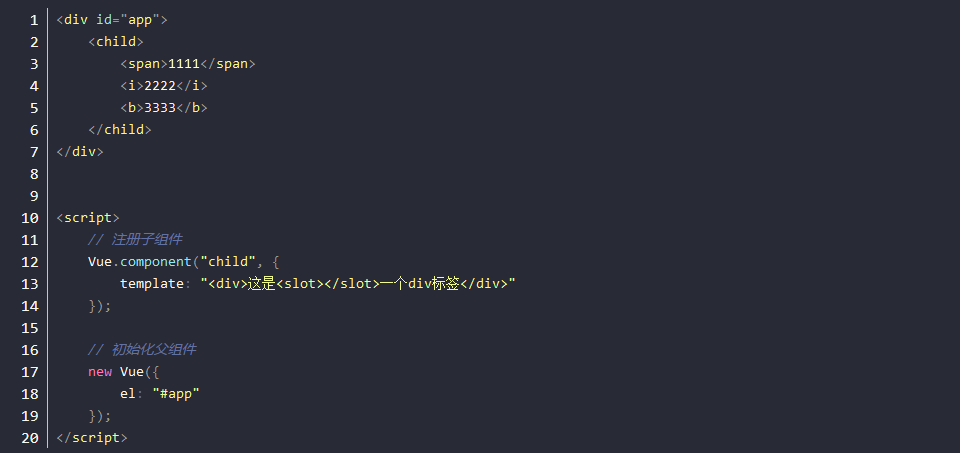
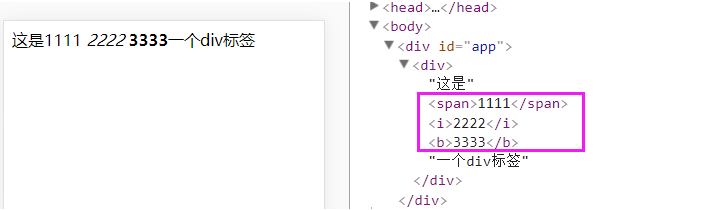
即使有多个标签,会一起被插入,相当于用父组件放在子组件里的标签,替换了<slot></slot>这个标签。如下图:


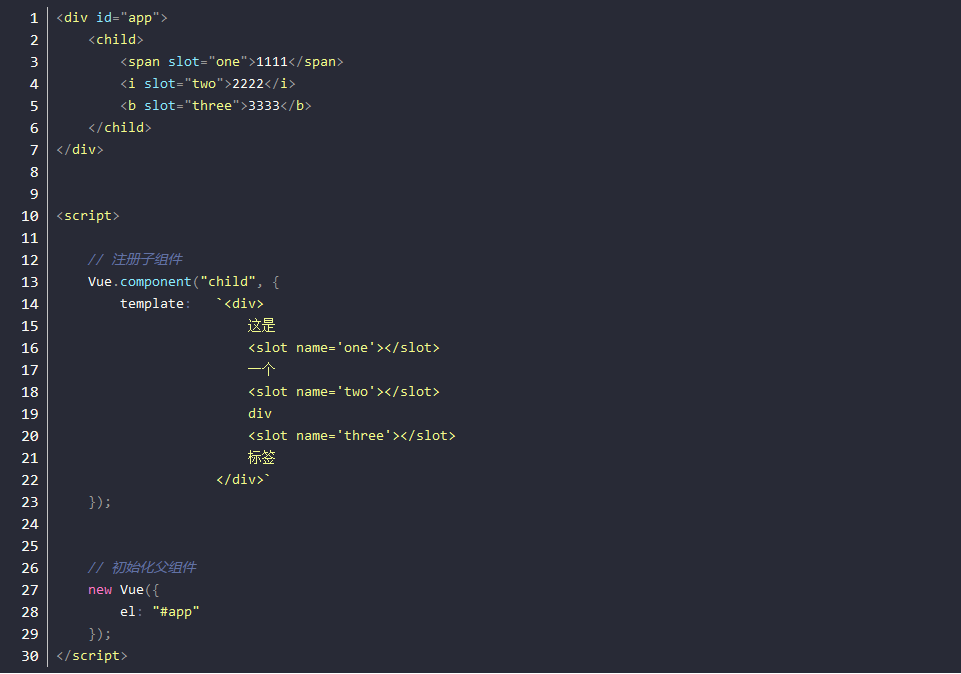
具名插槽

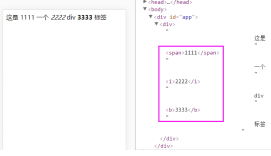
    1. 父组件在要分发的标签里添加 slot="xxx" 属性
    2.子组件在对应分发的位置的 slot标签 里,添加 name="xxx" 属性
    3.然后就会将对应的标签放在对应的位置了。如下图:
 

没有slot属性

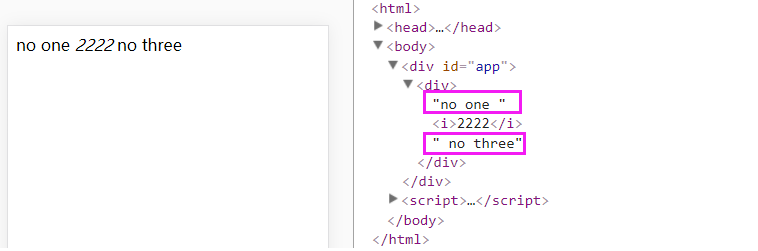
如果子组件标签中没有slot属性,将会显示默认的值。
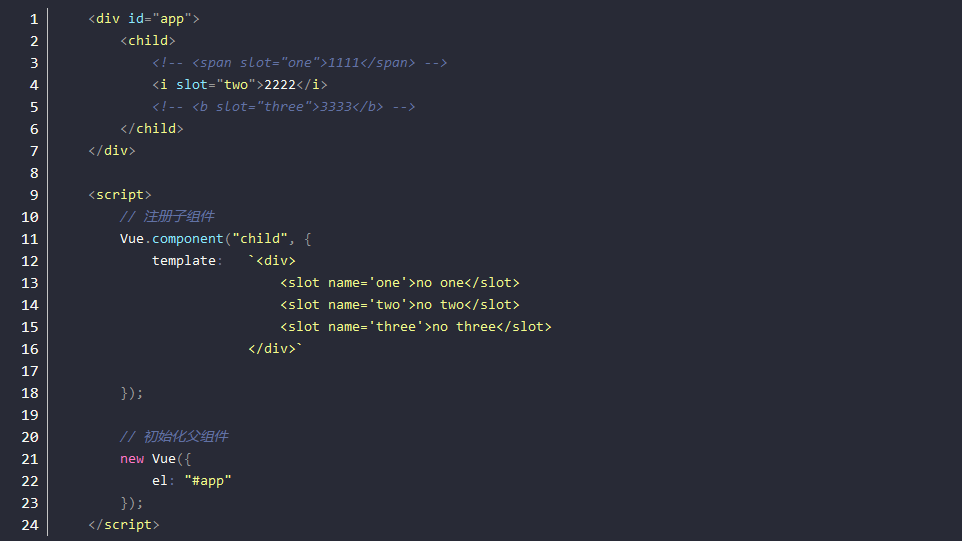
slot="two" 就被插到固定的位置上,如下图:
插槽简单实例应用

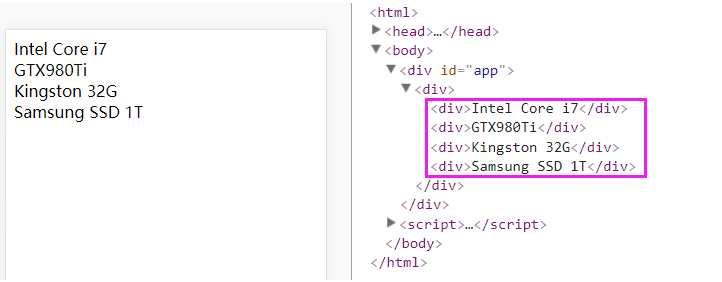
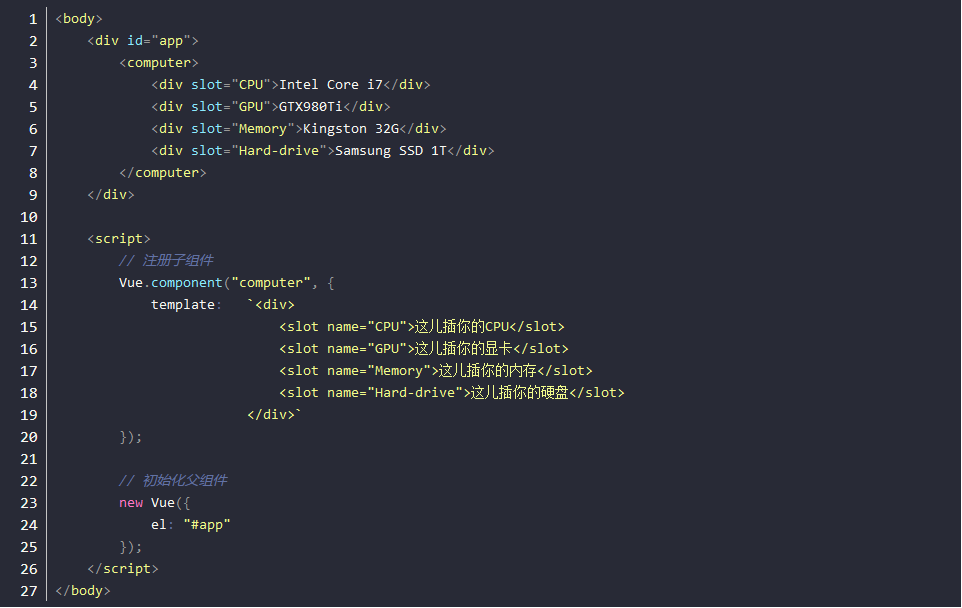
想想你的电脑主板上的各种插槽,有插CPU的,有插显卡的,有插内存的,有插硬盘的,所以假设有个组件是computer,其模板是template ,如下:
 

作用域插槽 ( 2.1.0 新增 )

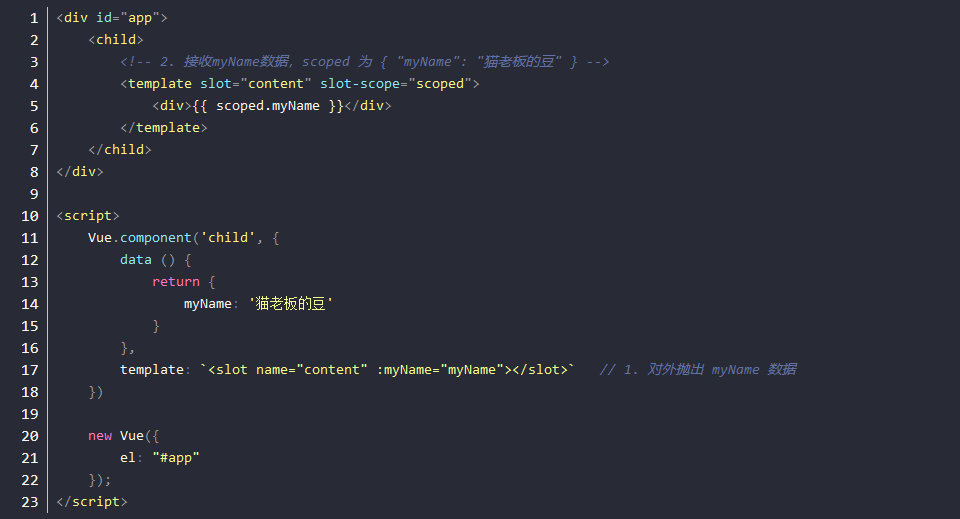
作用域插槽是一种特殊类型的插槽,用作一个 (能被传递数据的) 可重用模板,来代替已经渲染好的元素。

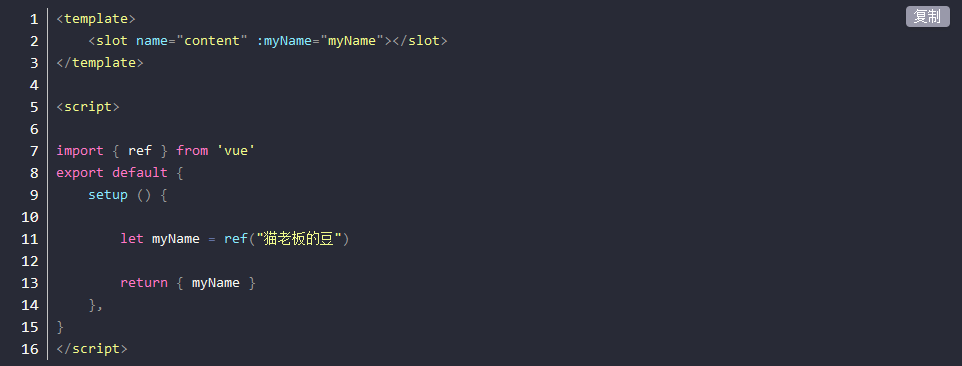
    在子组件中,只需将数据传递到插槽,就像你将 prop 传递给组件一样。
    在父组件中,通过 slot-scope="scoped" 的形式,获取子组件传递过来的数据,该数据对象的别名为 scoped。这就是作用域插槽的模板。
Vue3.x 插槽
插槽
作用域插槽

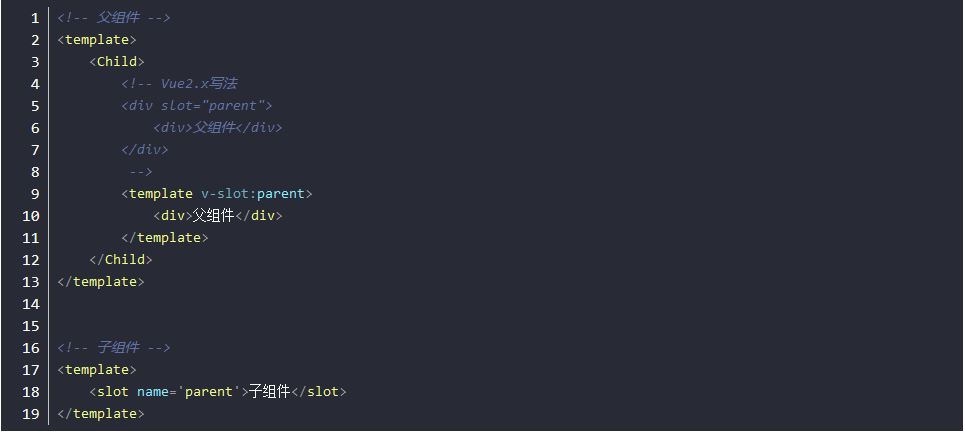
在 Vue2.x 中具名插槽和作用域插槽分别使用 slot 和 slot-scope 来实现, 在 Vue3.x 中将 slot 和 slot-scope进行了合并统一使用。

父组件:

 
子组件: