惯性聚合 高效追踪和阅读你感兴趣的博客、新闻、科技资讯
阅读原文 在惯性聚合中打开

推荐订阅源

Security Archives - TechRepublic
D
Docker
D
DataBreaches.Net
V
Vulnerabilities – Threatpost
P
Palo Alto Networks Blog
cs.CL updates on arXiv.org
CTFtime.org: upcoming CTF events
奇客Solidot–传递最新科技情报
奇客Solidot–传递最新科技情报
IT之家
IT之家
L
LINUX DO - 热门话题
T
The Blog of Author Tim Ferriss
雷峰网
雷峰网
Project Zero
Project Zero
T
Threatpost
D
Darknet – Hacking Tools, Hacker News & Cyber Security
宝玉的分享
宝玉的分享
Stack Overflow Blog
Stack Overflow Blog
Cyber Security Advisories - MS-ISAC
C
CXSECURITY Database RSS Feed - CXSecurity.com
S
Securelist
Cisco Talos Blog
Cisco Talos Blog
Google DeepMind News
Scott Helme
Scott Helme
The Cloudflare Blog
Know Your Adversary
Know Your Adversary
T
Tor Project blog
博客园_首页
人人都是产品经理
人人都是产品经理
博客园 - 叶小钗
Security Latest
Security Latest
Cyberwarzone
Cyberwarzone
S
Schneier on Security
T
The Exploit Database - CXSecurity.com
H
Help Net Security
Simon Willison's Weblog
阮一峰的网络日志
阮一峰的网络日志
C
Cyber Attacks, Cyber Crime and Cyber Security
P
Proofpoint News Feed
AWS News Blog
AWS News Blog
The GitHub Blog
The GitHub Blog
P
Proofpoint News Feed
T
Troy Hunt's Blog
量子位
G
GRAHAM CLULEY
O
OpenAI News
Engineering at Meta
Engineering at Meta
博客园 - Franky
SecWiki News
SecWiki News
F
Fortinet All Blogs
让小产品的独立变现更简单 - ezindie.com

博客园 - 此夏_唯美

新概念英语3单词表 git回滚代码 git常用命令大全 element动态表单验证一 vue+element+Cascader 级联选择器任意一级选项,去掉单选框radio vue+wangEditor编辑器,上传图片请求后台接口 vue3+vant4+vuex4入门案例 vue3+vant3封装省市区组件 前端工具vscode将英文设置中文简单方便 vue3打包后一片空白控制台报错 element-ui跨行 Element-ui树形控件el-tree鼠标移入显示隐藏效果超简单 vue表格拖拽使用Sortable插件库 Vue+Element+Table表格动态跨列文章 vue框架文字滚动插件 vue项目浏览器ioc小图标 vue搭建项目iview+axios+less vue移动端在线签名 Vue中的input输入框无法输入强制渲染
vue实现自定义字体库
此夏_唯美 · 2022-12-08 · via 博客园 - 此夏_唯美

    先看效果是不是你所需要的,再看具体如何实现。

     效果如下图所示:


    有些字体需要下载,用图片就会变得很不清楚,这样我们就需要去下载字体库,操作步骤如下:

  1. 首先找到需要下载的字体库
  2. 然后放在项目里面
  3. 然后定义字体库名
  4. 最后引用字体库名

     第一步:通过第一字体库链接下载字体库,https://www.diyiziti.com/,找到自己对应的自己库

 直接点击下载即可
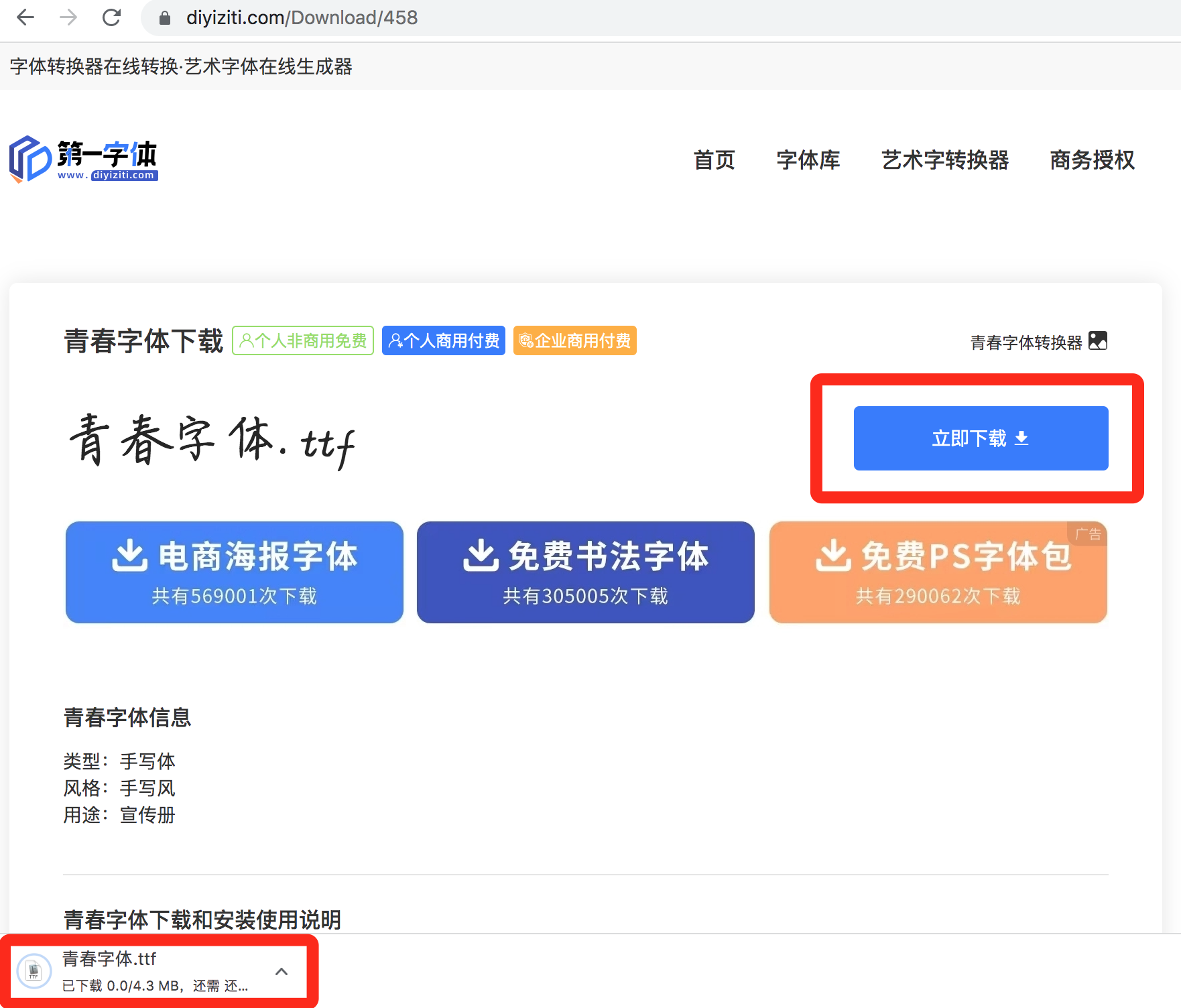
第二步:在src/assets/下面,创建font文件夹,将下载好的字体放进去
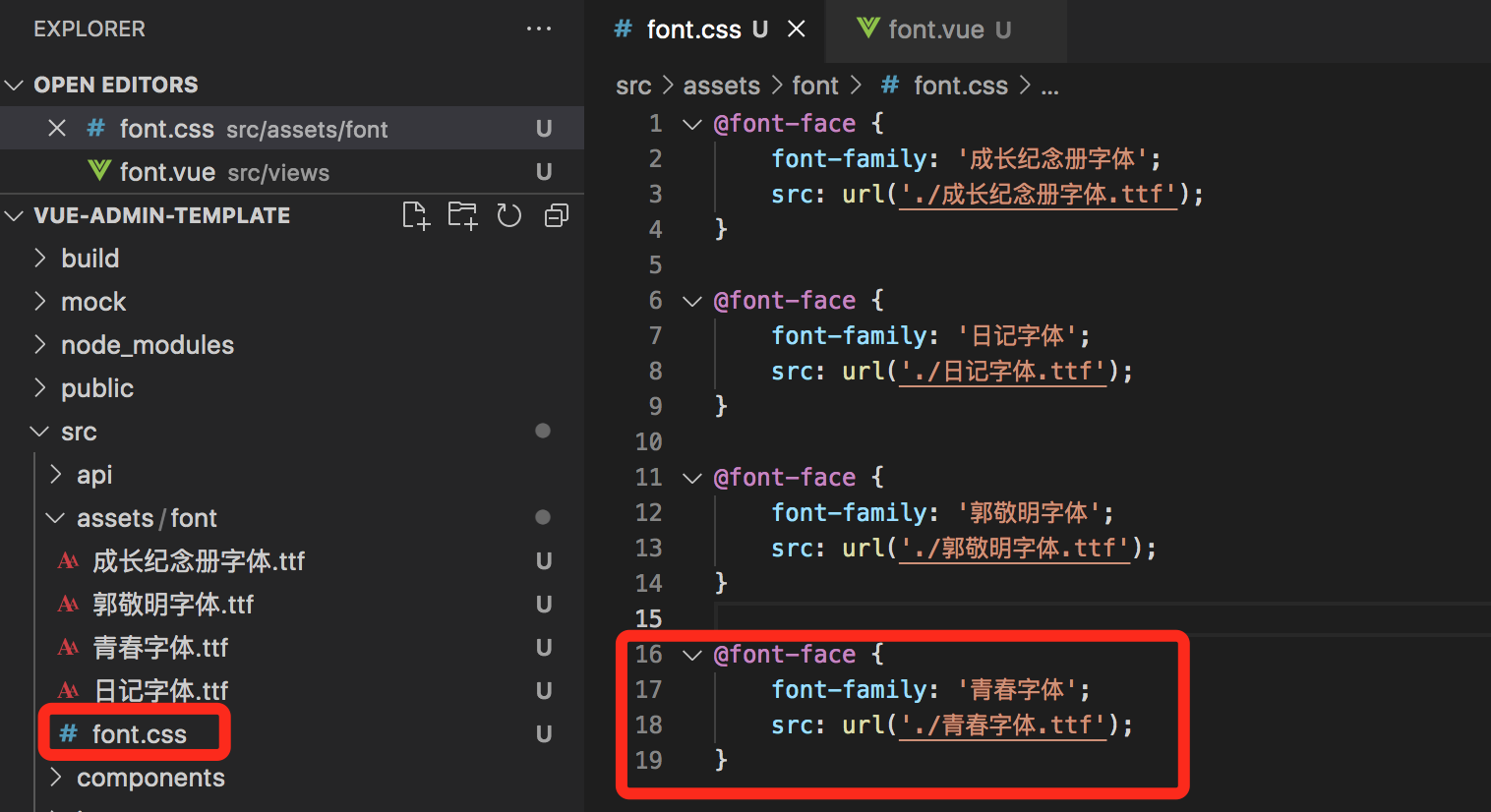
 创建font.css,定义字体名字,并添加字体路径

@font-face {
    font-family: '青春字体';
    src: url('./青春字体.ttf');
}

第三步:在需要使用字体库的时候,引用字体库css,并且在当前class类中使用字体名,注意要一致,不然不起效果
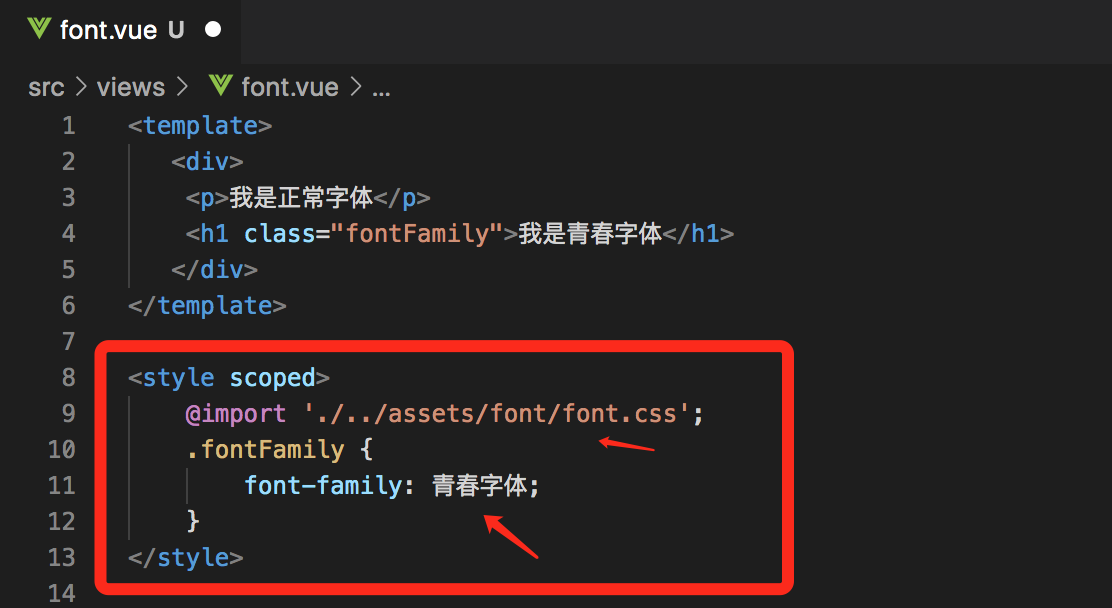
 代码如下:

<template>
   <div>
    <p>我是正常字体</p>
    <h1 class="fontFamily">我是青春字体</h1>
   </div>
</template>

<style scoped>
    @import './../assets/font/font.css';
    .fontFamily {
        font-family: 青春字体;
    }
</style>


 所有的代码如下:

路径 src/assets/font.css
@font-face {
    font-family: '青春字体';
    src: url('./青春字体.ttf');
}

需要使用字体vue页面代码:

<template> <div> <p>我是正常字体</p> <h1 class="fontFamily">我是青春字体</h1> </div> </template> <style scoped> @import './../assets/font/font.css'; .fontFamily { font-family: 青春字体; } </style>

vue逆袭群,希望能够帮助到大家!

群号:659182980