




惯性聚合 高效追踪和阅读你感兴趣的博客、新闻、科技资讯
阅读原文 在惯性聚合中打开

推荐订阅源

GbyAI
GbyAI
O
OpenAI News
Jina AI
Jina AI
腾讯CDC
让小产品的独立变现更简单 - ezindie.com
MongoDB | Blog
MongoDB | Blog
J
Java Code Geeks
钛媒体:引领未来商业与生活新知
钛媒体:引领未来商业与生活新知
T
Tailwind CSS Blog
CTFtime.org: upcoming CTF events
WordPress大学
WordPress大学
F
Full Disclosure
Microsoft Azure Blog
I
InfoQ
Cyber Security Advisories - MS-ISAC
www.infosecurity-magazine.com
SecWiki News
SecWiki News
F
Fortinet All Blogs
C
Check Point Blog
H
Hacker News: Front Page
H
Help Net Security
G
Google Developers Blog
The Cloudflare Blog
Google Online Security Blog
K
KPMG report finds enterprise disconnect between AI and its ROI | CIO
A
About on SuperTechFans
S
Secure Thoughts
U
Unit 42
L
LINUX DO - 最新话题
博客园 - 【当耐特】
量子位
酷 壳 – CoolShell
酷 壳 – CoolShell
博客园 - 叶小钗
TaoSecurity Blog
TaoSecurity Blog
Recorded Future
Recorded Future
Apple Machine Learning Research
AI
AI
aimingoo的专栏
aimingoo的专栏
Security Archives - TechRepublic
H
Heimdal Security Blog
Y
Y Combinator Blog
月光博客
月光博客
Hacker News: Ask HN
Hacker News: Ask HN
D
DataBreaches.Net
Webroot Blog
Webroot Blog
T
Troy Hunt's Blog
Exploit-DB.com RSS Feed
Schneier on Security
Cisco Talos Blog
Cisco Talos Blog
Last Week in AI
Last Week in AI

博客园 - 倾听-静轩水月

Mysql优化笔记 Arthas使用 vue2.0和vue3.0同时使用 零基础尝试mybatis-plus读写分离 零基础尝试搭建docker和nacos环境 零基础尝试mysql主从复制 mybatis-plus 批量插入示例 找回windows应用商店 linux 开放端口 小白零基础在 Centos 7 中安装 mysql http转向https 内存不够导致编译报错:Information:java: java.lang.OutOfMemoryError: GC overhead limit exceeded docker常用命令 CentOS7使用命令行安装Oracle11GR2 使用Xshell连接VMware上的Linux虚拟机 mysql免安装版初次使用 微信小程序支付证书及SSL证书使用 javaweb学习--javabean javaweb学习--jsp
SqlServer无备份下误删数据恢复
倾听-静轩水月 · 2018-11-28 · via 博客园 - 倾听-静轩水月

系统已上线,给客户修改bug的时候,使用delete语句删表数据,没想到库没切换成测试库。误删了正式库的数据,而且一次备份都没有做过,玩大了

不扯了,进入主题

网上很多方法,都是针对至少有一次备份的情况下进行数据恢复的,没有备份就基本上只能找数据恢复公司了。本章将通过日志来恢复误删的数据,若是日志文件都没有了,那就真的玩大了

步骤:

1、下载恢复工具,提取码:u1dv。注:本人使用的库是2008r2,网上说此工具只能支持到2012版本。本章并未进行测试

2、解压进入ApexSQLLog2014文件夹,运行ApexSQLLog.exe文件
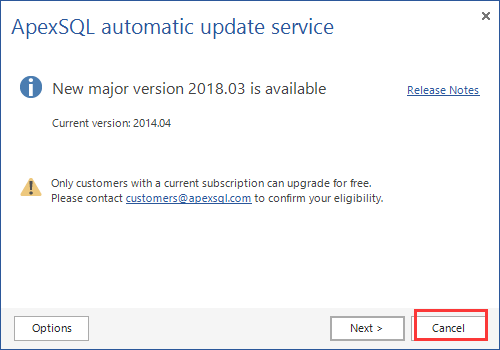
3、输入数据库连接信息,选择指定数据库

4、等待加载日志文件,点击下一步

5、选择误操作时间

6、选择操作方式,这边测试的是delete

7、选择要误操作的表

选择好后,直接点击Next

8、选择open results in grid
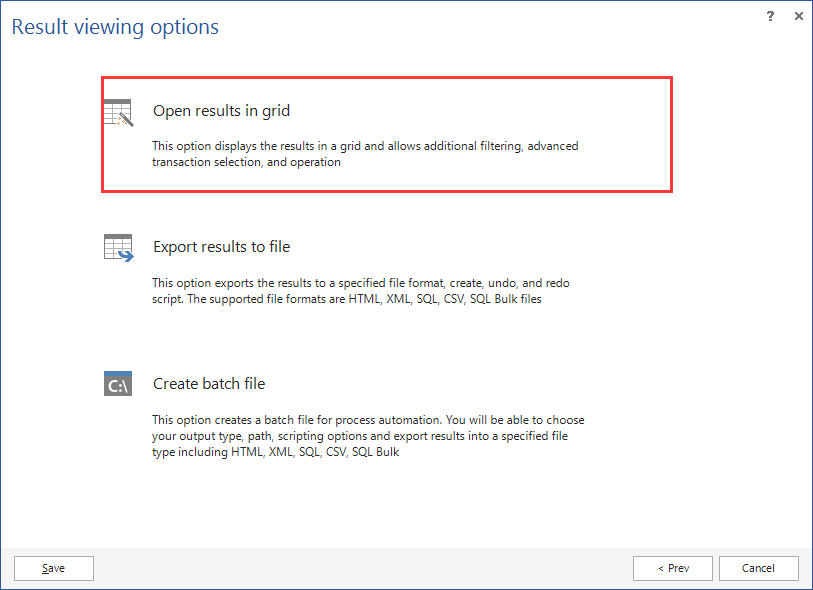
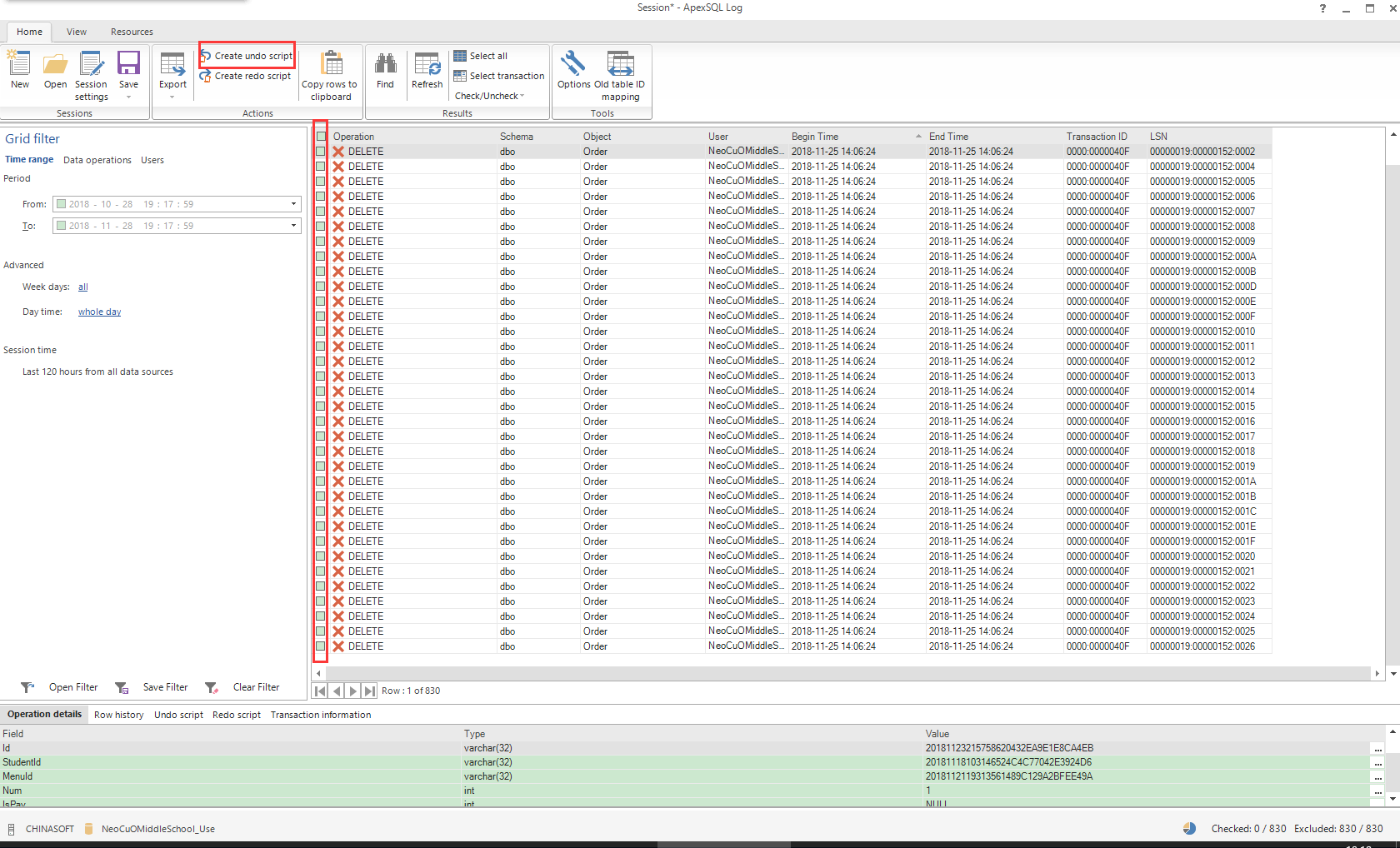
9、等待加载出误操作的日志信息列表

10、选择要恢复的数据,点击Create undo script
9、生成的脚本文件就是误删的数据了
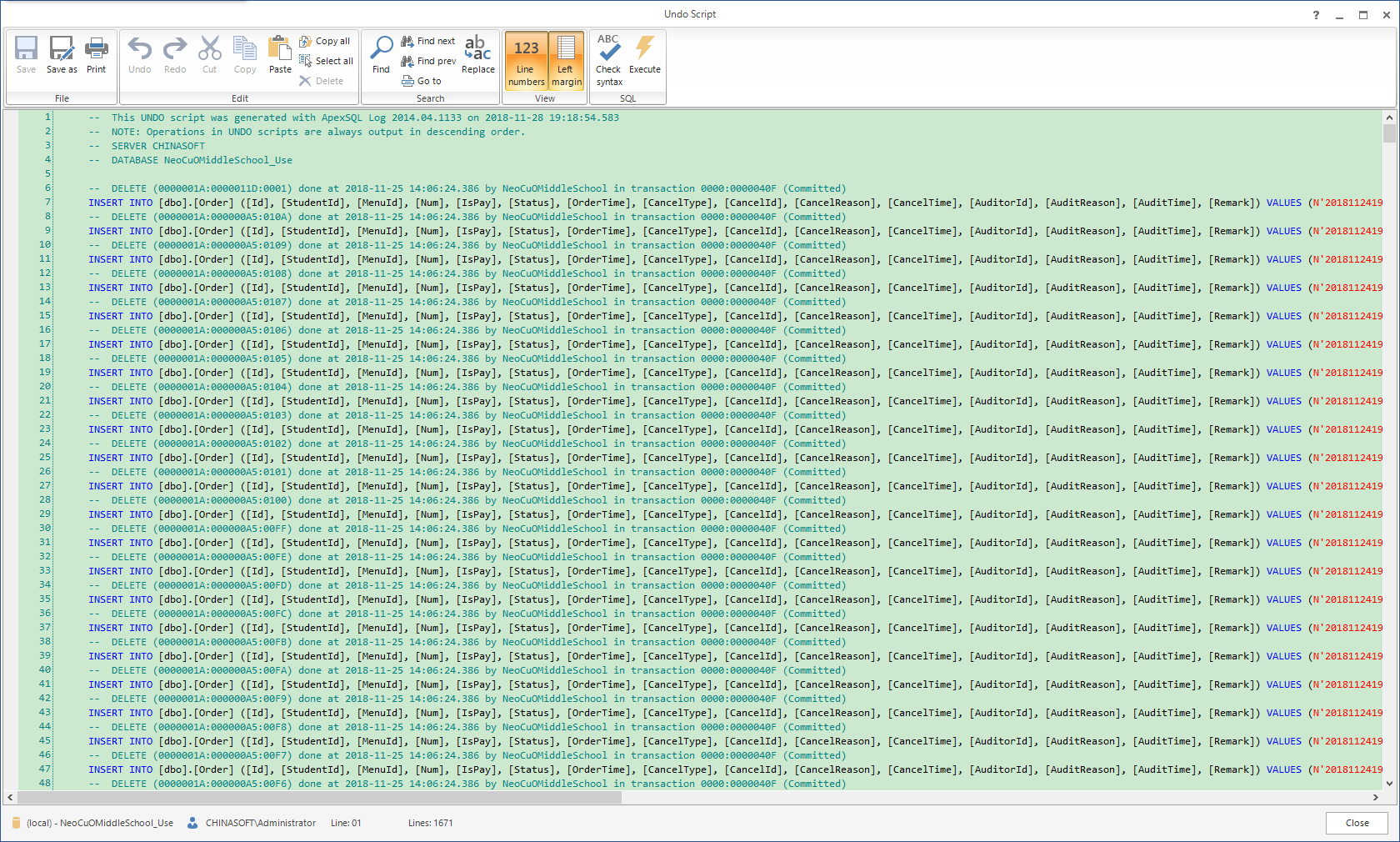
至此找回误删数据的所有步骤已经完成