








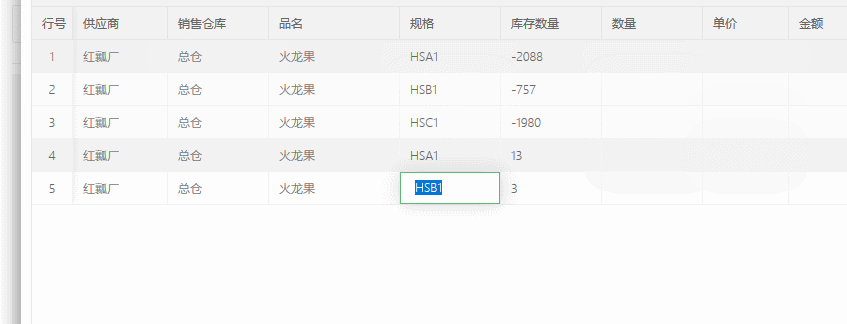
最近使用layui的框架时,发现table插件不支持键盘快捷键切换单元格,花了点时间实现此功能。
分享给有需要的朋友们~~~

   /*
    *编辑数据表格,键盘快捷键方法。
    *可跳过无编辑属性的列
    *tab 右边一个单元格
    *shift + tab 左边一个单元格
    *enter 下一行的单元格
    *shift + enter 上一行的单元格
    */
    //支持tab+enter 的切换
    //$(document).on('keydown keyup', '.layui-input',
    //    function (event) {
    //        var td = $(this).parent('td'),
    //            index = td.index(),
    //            tr = td.parent('tr'),
    //            isShift = $(document).data('shift'),
    //            isKeydown = (event.type == "keydown");
    //        switch (event.key) {
    //            case "Shift":
    //                $(document).data('shift', isKeydown);
    //                break;
    //            case "Tab":
    //                event.preventDefault();
    //                isKeydown && td[isShift ? 'prevAll' : 'nextAll']('[data-edit="text"]:first').click();
    //                break;
    //            case "Enter":
    //                isKeydown && tr[isShift ? 'prev' : 'next']().children('td').eq(index).click();
    //                break;
    //        }
    //    });
    //方向键的切换
    $(document).on('keydown', '.layui-table-edit', function (e) {
        var td = $(this).parent('td'),
            tr = td.parent('tr'),
            trs = tr.parent().parent().find("tr")
        tr_index = tr.index(),
            td_index = td.index(),
            td_last_index = tr.find('[data-edid="text"]:last').index(),
            td_first_index = tr.find('[data-edid="text"]:first').index();

        switch (e.keyCode) {
            case 13:
            case 39:
                td.nextAll('[data-edit="text"]:first').click();
                if (td_index == td_last_index) {
                    tr.next().find('td').eq(td_first_index).click();
                    if (tr_index == trs.length - 1) {
                        trs.eq(0).find('td').eq(td_first_index).click()
                    }
                }
                setTimeout(function () {
                    $('.last-table-edit').select()
                }, 0)
                break;
            case 37:
                td.prevAll('[data-edit="text"]:first').click();
                setTimeout(function () {
                    $('.last-table-edit').select()
                }, 0)
                break;
            case 38:
                tr.prev().find('td').eq(td_index).click();
                setTimeout(function () {
                    $('.last-table-edit').select()
                }, 0)
                break;
            case 40:
                tr.next().find('td').eq(td_index).click();
                setTimeout(function () {
                    $('.last-table-edit').select()
                }, 0)
                break;
        }
    });
View Code
此内容由惯性聚合(RSS阅读器)自动聚合整理,仅供阅读参考。 原文来自 — 版权归原作者所有。