


惯性聚合 高效追踪和阅读你感兴趣的博客、新闻、科技资讯
阅读原文 在惯性聚合中打开

推荐订阅源

Recent Commits to openclaw:main
U
Unit 42
WordPress大学
WordPress大学
Microsoft Azure Blog
Martin Fowler
Martin Fowler
人人都是产品经理
人人都是产品经理
Microsoft Security Blog
T
The Blog of Author Tim Ferriss
博客园 - Franky
云风的 BLOG
云风的 BLOG
酷 壳 – CoolShell
酷 壳 – CoolShell
P
Palo Alto Networks Blog
NISL@THU
NISL@THU
cs.CL updates on arXiv.org
Vercel News
Vercel News
Threat Intelligence Blog | Flashpoint
P
Privacy & Cybersecurity Law Blog
C
Cyber Attacks, Cyber Crime and Cyber Security
J
Java Code Geeks
Google DeepMind News
C
Cisco Blogs
OSCHINA 社区最新新闻
OSCHINA 社区最新新闻
Spread Privacy
Spread Privacy
小众软件
小众软件
T
Threat Research - Cisco Blogs
Project Zero
Project Zero
博客园 - 三生石上(FineUI控件)
D
Darknet – Hacking Tools, Hacker News & Cyber Security
The Register - Security
The Hacker News
The Hacker News
F
Fortinet All Blogs
Security Latest
Security Latest
Cisco Talos Blog
Cisco Talos Blog
The GitHub Blog
The GitHub Blog
Stack Overflow Blog
Stack Overflow Blog
T
The Exploit Database - CXSecurity.com
量子位
Blog — PlanetScale
Blog — PlanetScale
奇客Solidot–传递最新科技情报
奇客Solidot–传递最新科技情报
P
Proofpoint News Feed
G
GRAHAM CLULEY
D
DataBreaches.Net
P
Privacy International News Feed
Y
Y Combinator Blog
Simon Willison's Weblog
H
Hackread – Cybersecurity News, Data Breaches, AI and More
I
InfoQ
CTFtime.org: upcoming CTF events
Recent Announcements
P
Proofpoint News Feed

博客园 - 骨月枫🍁

使用vLLM部署Qwen/Qwen3.5-35B-A3B-FP8并且在DIFY中调用 记录个人数组、字符串自己常忘记的方法,以及ES常用处理方式 解决webpack vue 项目打包生成的文件,资源文件均404问题 记录下工作中使用的pdf.js 记录下jplayer的简单demo js 函数节流 用ajax与fetch调用阿里云免费接口 简要谈谈javascript bind 方法 h5启动原生APP总结 mac上安装mongoDb以及简单使用 mac快捷键整理以及node的基本使用 html5视频video积累 整理下PC和移动获取点击、移动坐标的代码和坑 html5 实现简单的上传 canvas基础学习(四) canvas基础学习(三) canvas基础学习(二) canvas基础学习(一) 移动端使用百度分享代码
js 复制粘贴功能记录
骨月枫🍁 · 2017-11-23 · via 博客园 - 骨月枫🍁

最近工作中需要在前端页面中使用代码完成剪贴板的读写,网上搜索了下相应的资料,记录下...

这个功能有两个办法一个是js方式,一个是使用flash

一、JS方法

1、复制

首先复制的过程分为两步曲,无论是使用手工还是代码,先来看看手工的

a、使用光标选中内容    b、通过ctrl + c 进行复制

其实在代码端也是一样,以此用这个步骤来,html代码如下

1 <html>
2     <head>
3         <title></title>
4     </head>
5     <body>
6         <input id="content" value="我是内容君" />
7     </body>
8 </html>

上面ID为content的input,其中的内容就是我们要复制的

第一步:选中它,代码如下

1 var range = document.createRange();
2 range.selectNode(document.getElementById("content"));
3 window.getSelection().addRange(range);

然后就是这样的效果
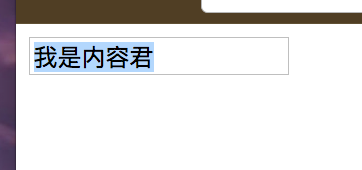
第二步:执行ctrl + c的操作

1 document.execCommand("copy");

代码就一行,返回值为true 表示成功

2、读取

这个也就是ctrl + v的功能了,只有一行代码

1 window.getSelection().toString();

效果如下
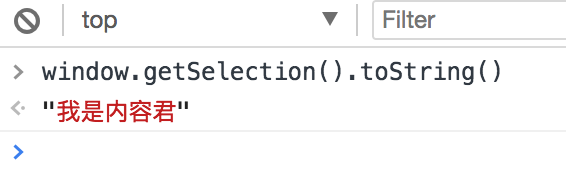
 

3、校验兼容性

由于安全相关考虑,很多浏览器都不支持在浏览器中操作剪贴板,所以为了兼容性,可以直接在浏览器中使用如下代码

1 document.execCommand("copy");

如果返回true,则表示浏览器支持,如果返回false则表示不支持

二、使用flash插件

flash这边权限比较大,可以完成复制粘贴的过程,但是也有很大的局限性,比如移动端就不支持flash,然后就是IE和火狐也不支持。

这边的demo使用的是zeroclipboard,git上的网页是https://github.com/zeroclipboard/zeroclipboard,官方demo和效果图如下

1 <html>
2   <body>
3     <button id="copy-button" data-clipboard-text="Copy Me!" title="Click to copy me.">Copy to Clipboard</button>
4     <script src="ZeroClipboard.js"></script>
5     <script src="main.js"></script>
6   </body>
7 </html>
var client = new ZeroClipboard( document.getElementById("copy-button") );

client.on( "ready", function( readyEvent ) {
  // alert( "ZeroClipboard SWF is ready!" );

  client.on( "aftercopy", function( event ) {
    // `this` === `client`
    // `event.target` === the element that was clicked
    event.target.style.display = "none";
    alert("Copied text to clipboard: " + event.data["text/plain"] );
  } );
} );
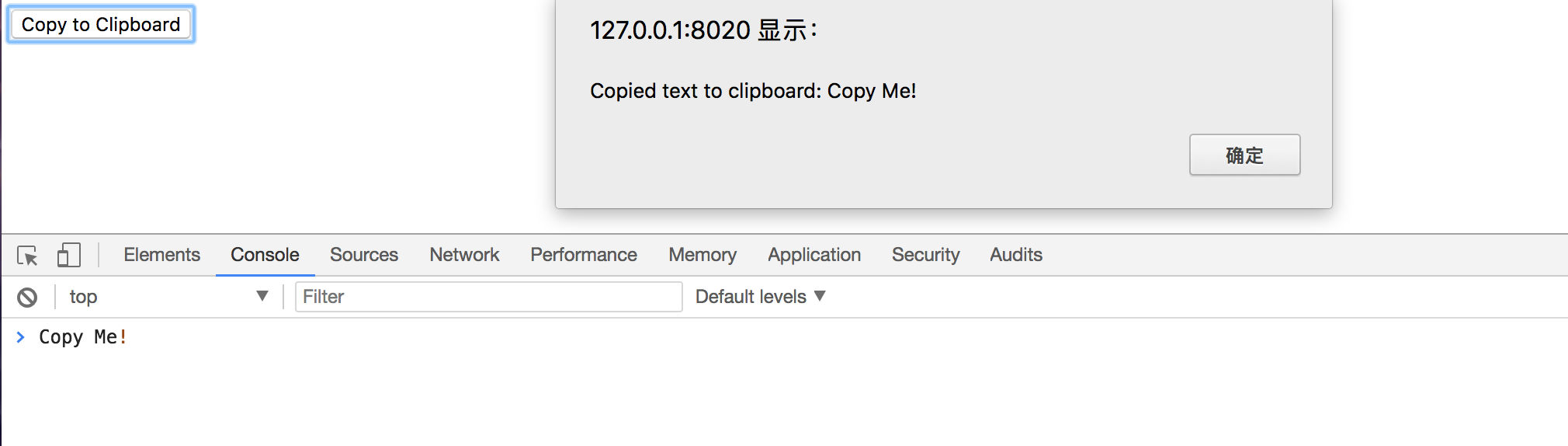
差不多就是以上效果,但是我觉得还是不咋地,毕竟前端只是在浏览器中写的代码,并不是一个完全的C/S程序.....总之在浏览器中进行剪切板上的操作没有十全十美的。。。。。

搞定!!!!!!