惯性聚合 高效追踪和阅读你感兴趣的博客、新闻、科技资讯
阅读原文 在惯性聚合中打开

推荐订阅源

Engineering at Meta
Engineering at Meta
Cloudbric
Cloudbric
云风的 BLOG
云风的 BLOG
A
About on SuperTechFans
The GitHub Blog
The GitHub Blog
IT之家
IT之家
F
Full Disclosure
B
Blog RSS Feed
奇客Solidot–传递最新科技情报
奇客Solidot–传递最新科技情报
Hugging Face - Blog
Hugging Face - Blog
B
Blog
H
Help Net Security
The Cloudflare Blog
Recorded Future
Recorded Future
P
Proofpoint News Feed
P
Proofpoint News Feed
C
Cisco Blogs
T
Tailwind CSS Blog
P
Palo Alto Networks Blog
D
Docker
爱范儿
爱范儿
Know Your Adversary
Know Your Adversary
博客园 - 聂微东
D
Darknet – Hacking Tools, Hacker News & Cyber Security
Y
Y Combinator Blog
雷峰网
雷峰网
AWS News Blog
AWS News Blog
D
DataBreaches.Net
博客园 - 司徒正美
Threat Intelligence Blog | Flashpoint
博客园 - Franky
C
Cybersecurity and Infrastructure Security Agency CISA
Blog — PlanetScale
Blog — PlanetScale
cs.CL updates on arXiv.org
Latest news
Latest news
Google DeepMind News
Martin Fowler
Martin Fowler
MongoDB | Blog
MongoDB | Blog
C
CERT Recently Published Vulnerability Notes
阮一峰的网络日志
阮一峰的网络日志
K
KPMG report finds enterprise disconnect between AI and its ROI | CIO
C
CXSECURITY Database RSS Feed - CXSecurity.com
酷 壳 – CoolShell
酷 壳 – CoolShell
C
Cyber Attacks, Cyber Crime and Cyber Security
腾讯CDC
小众软件
小众软件
G
Google Developers Blog
Hacker News - Newest:
Hacker News - Newest: "LLM"
Scott Helme
Scott Helme
O
OpenAI News

博客园 - _海阔天空

七牛云如何设置视频外链 GitHub项目推荐--GStack:将Claude Code转变为按需召唤的专业团队 openclaw安装 谷歌开源命令行神器 Gemini CLI 给 Claude Code 加了个状态栏,效率真的不一样!! claude hooks钩子使用 Windows下 claude skills superpowers、planning-with-files安装 Claude Code需求分析 Apifox 发请求时如何自动获取Cookie 和 token answer问答平台安装流程 torch轮子下载 Claude Code GLM-4.7 Trae oh my zsh 安装参考 Windows 解决PowerShell使用wget/curl出现二义性错误 解决rm: cannot remove `.user.ini’: Operation not permitted错误 deepseek使用集合 浏览器扩展 Zotero Connector 使用Ollama本机部署Deepseek R1:14b sudo: apt-get: command not found
使用Trae配置MySQL MCP智能体进行数据库
_海阔天空 · 2026-01-20 · via 博客园 - _海阔天空

https://blog.csdn.net/m0_37867238/article/details/152224936

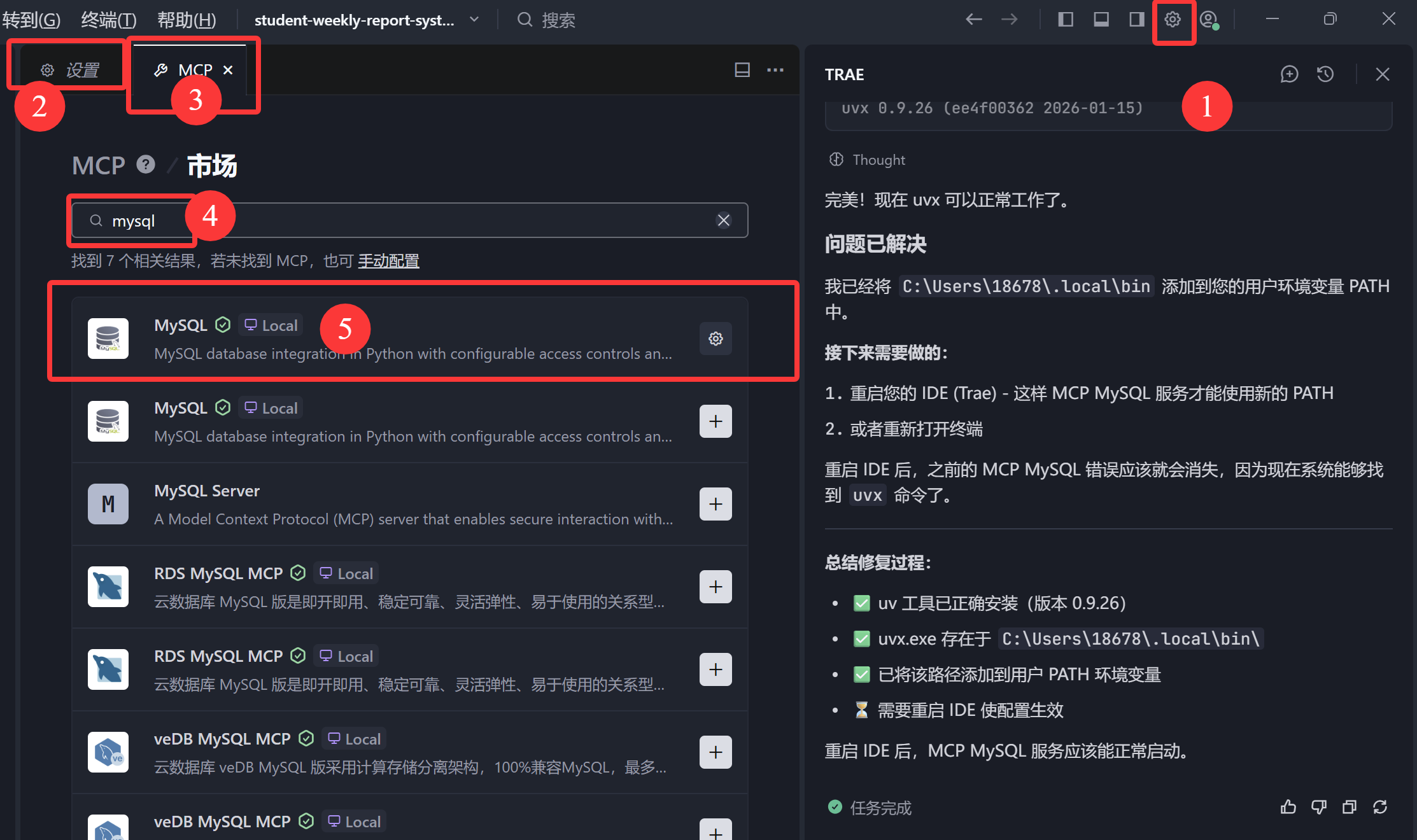
1.Trae主界面右上角,设置-MCP-市场添加,搜索mysql
1

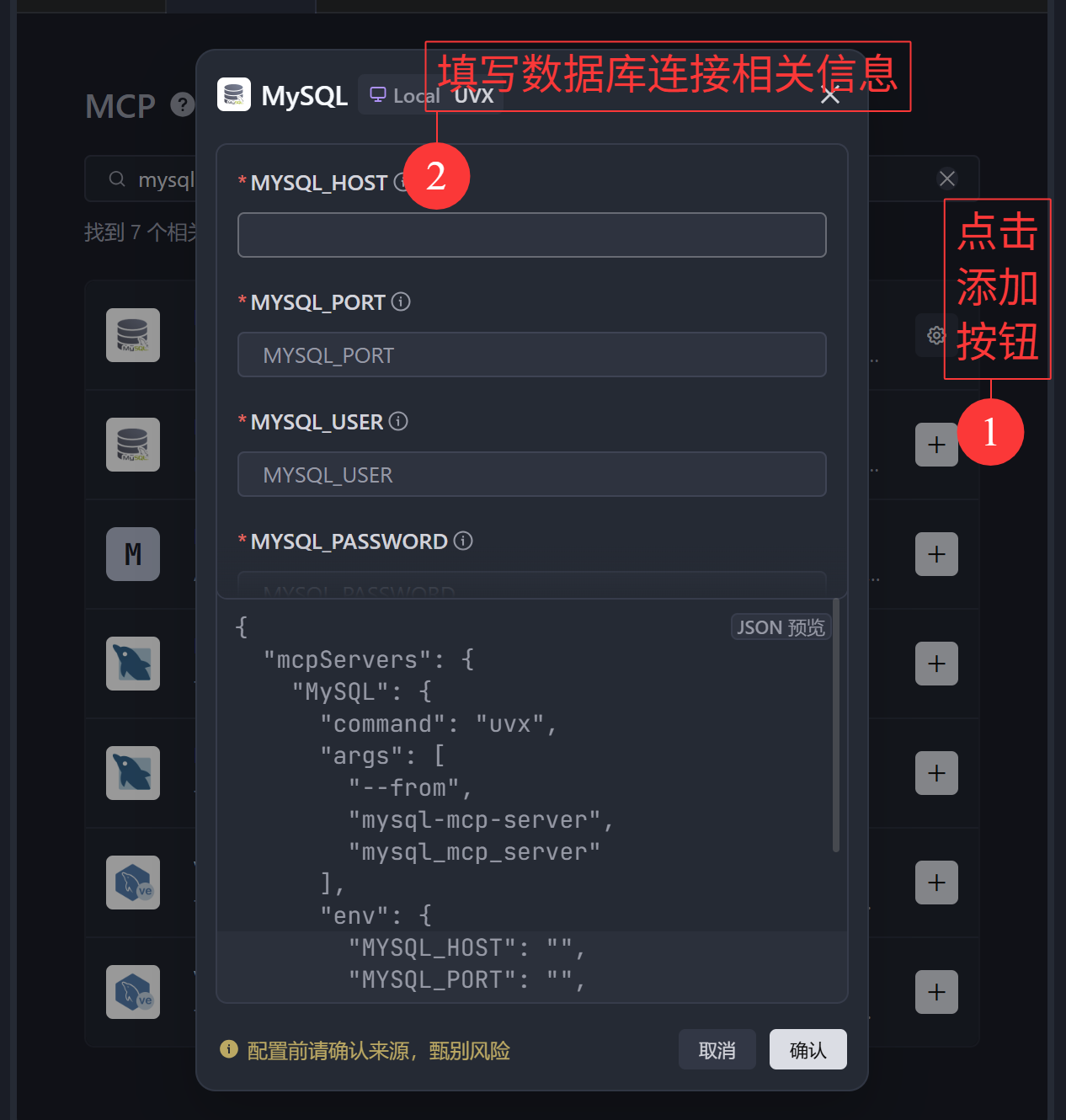
2.点击添加并配置数据库连接信息

1

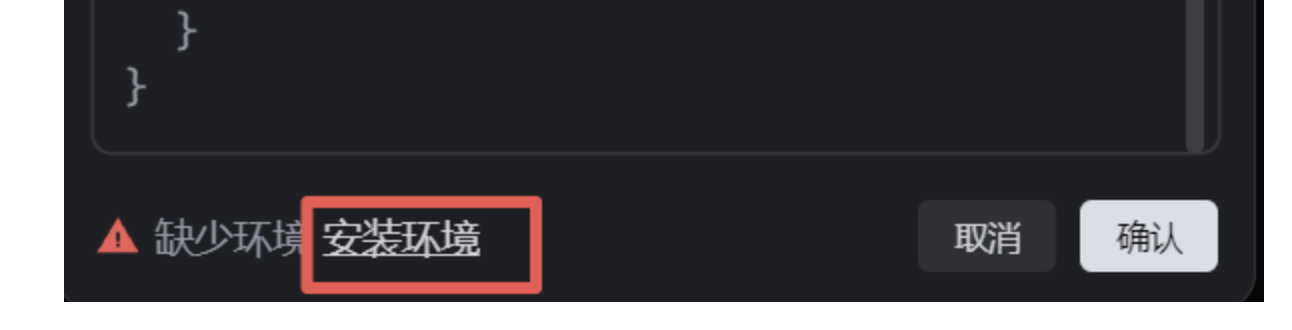
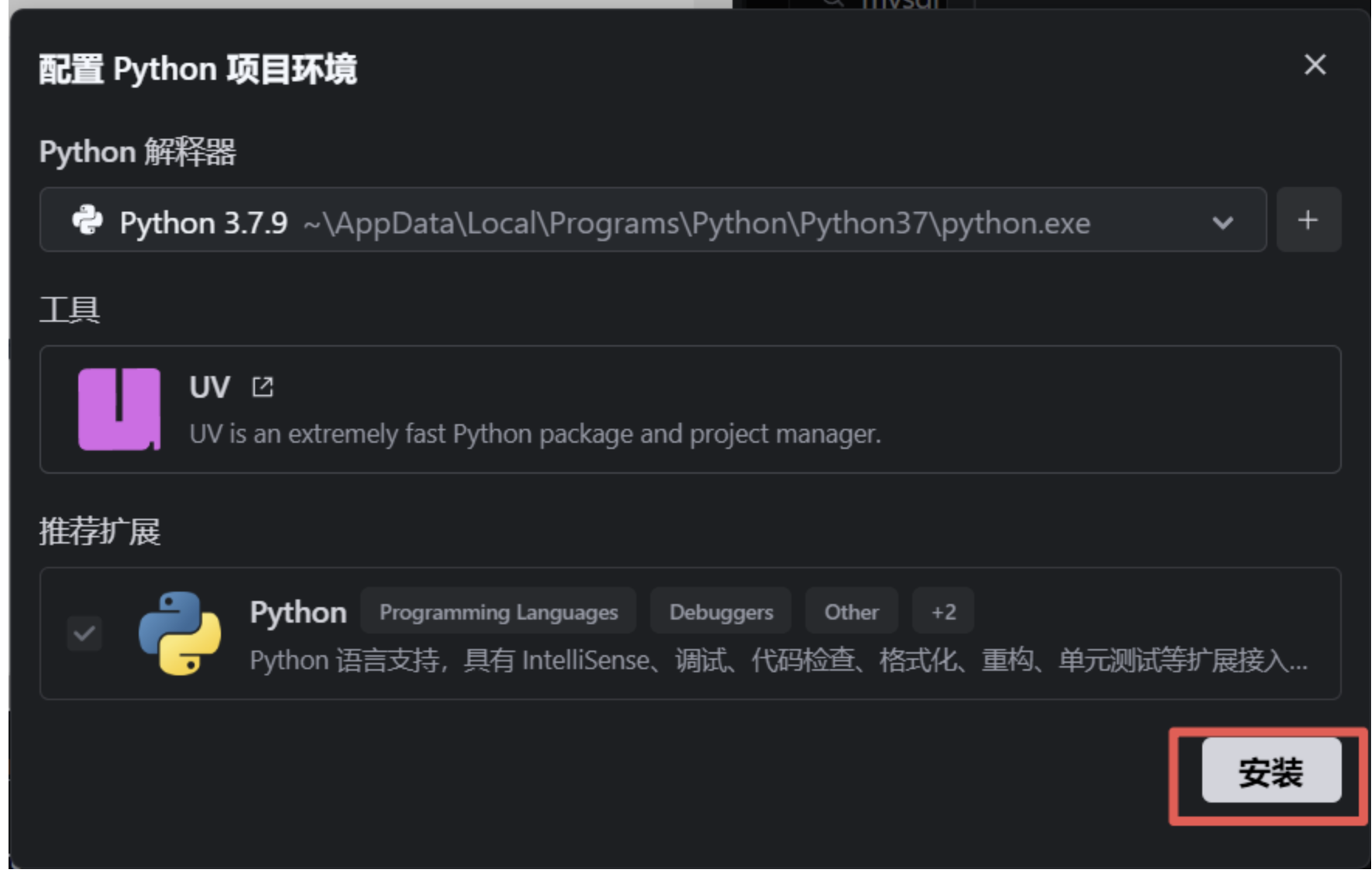
3.提示缺少环境,点击安装

1

1

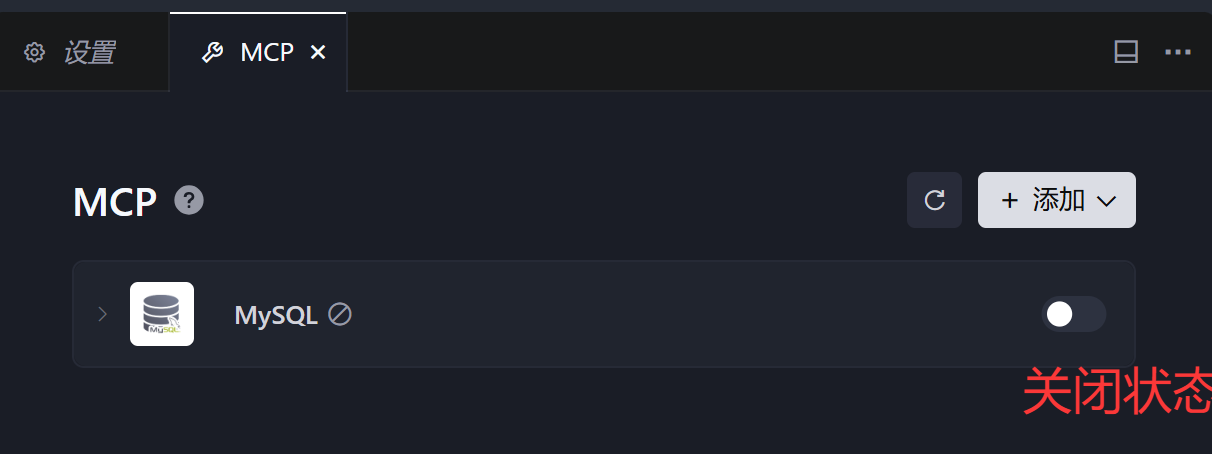
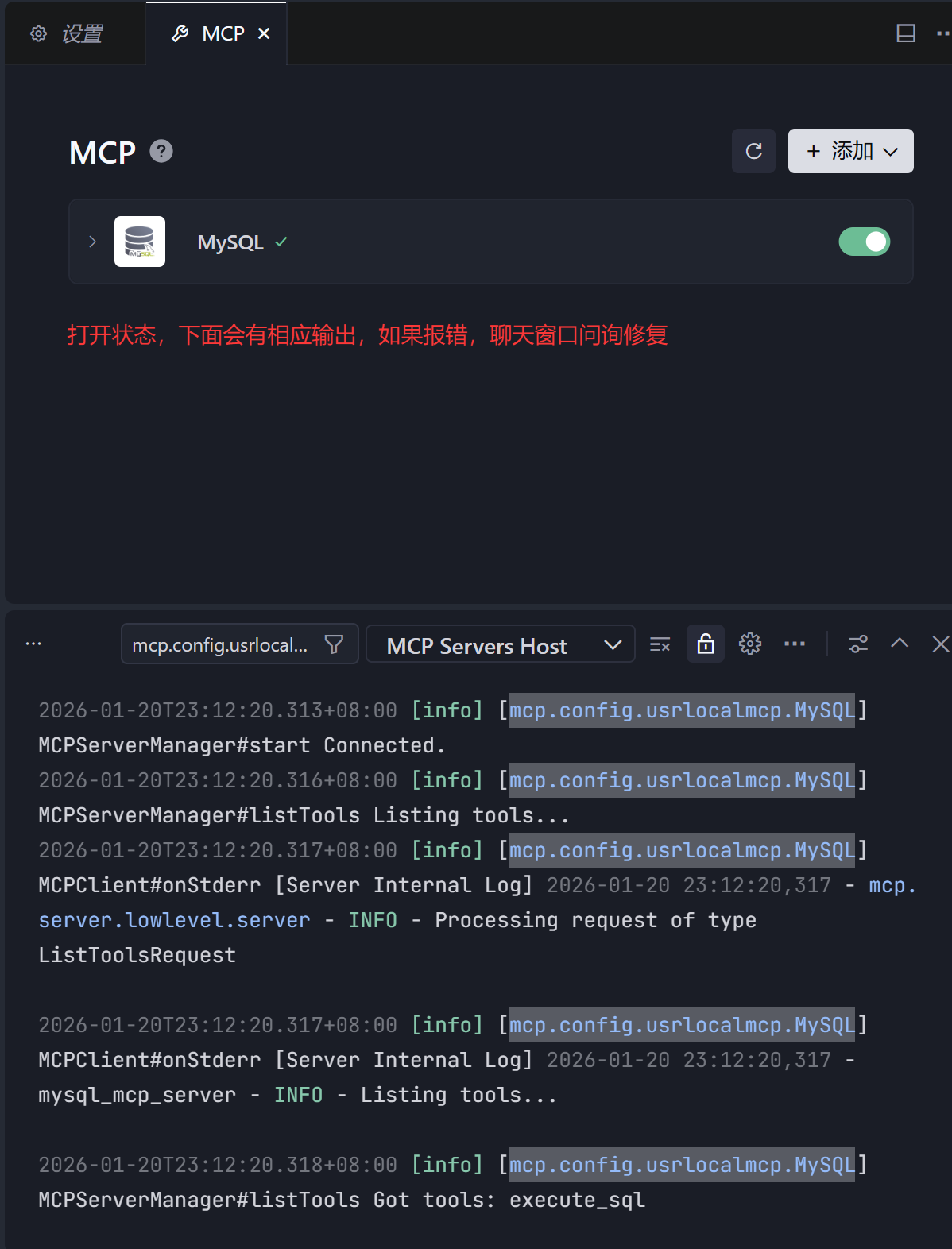
4.安装成功的话可以打开或者关闭该MCP

image

image

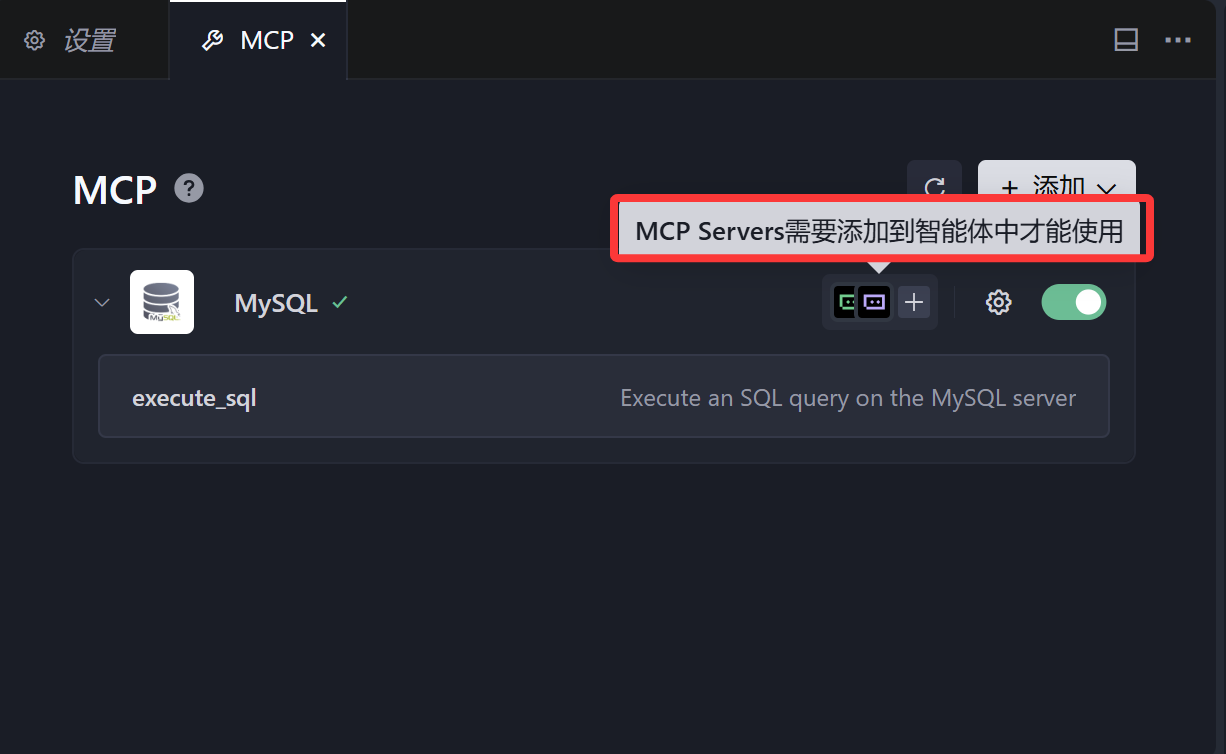
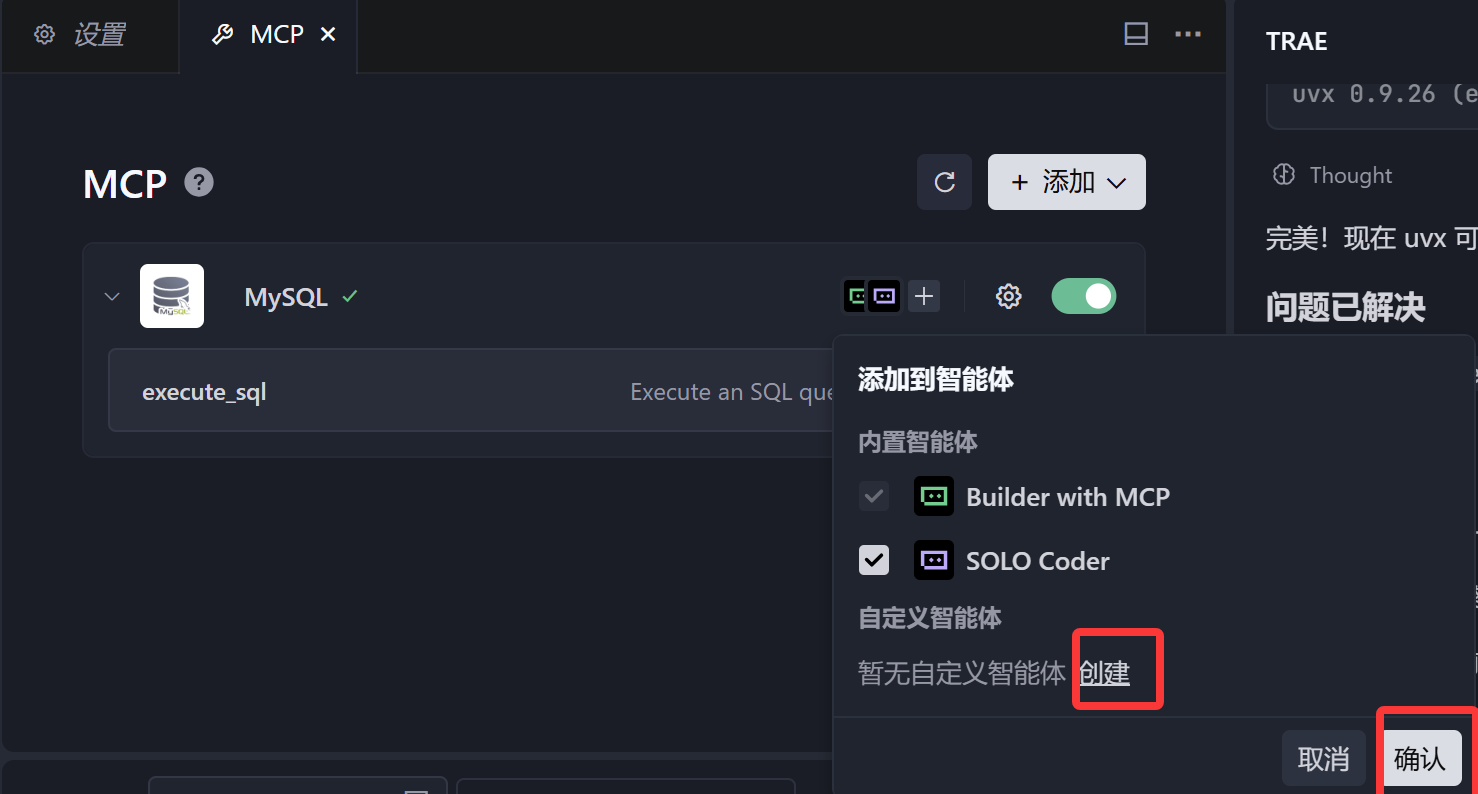
 5.MCPServers需要添加到智能体中才能使用

image

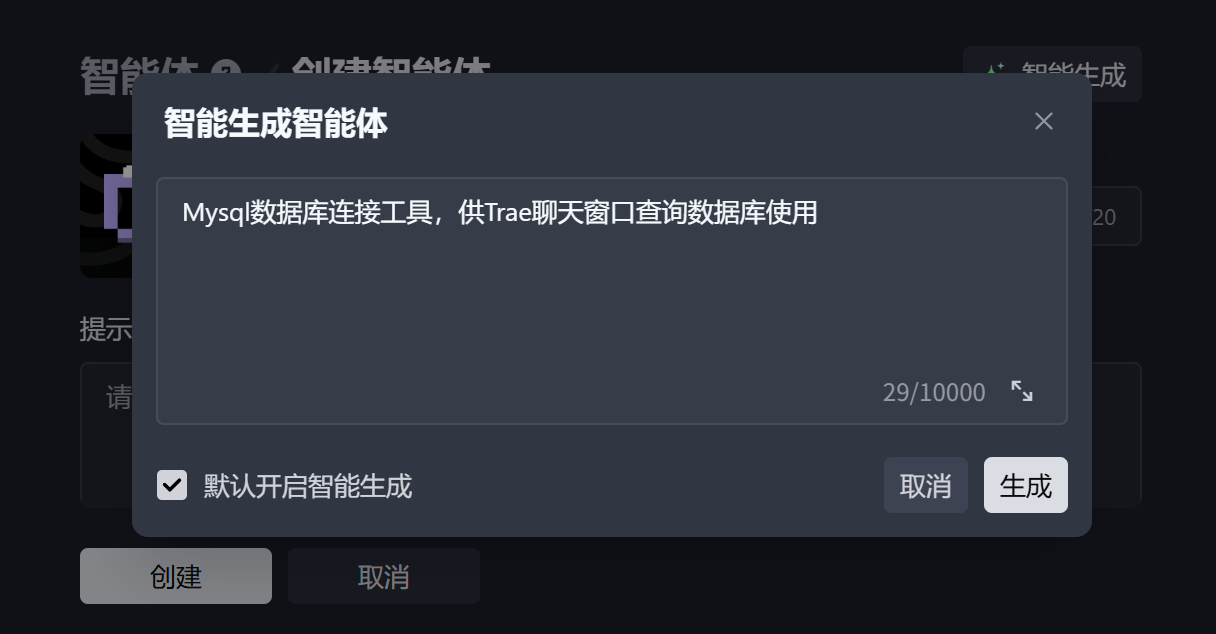
 创建智能体

image

image

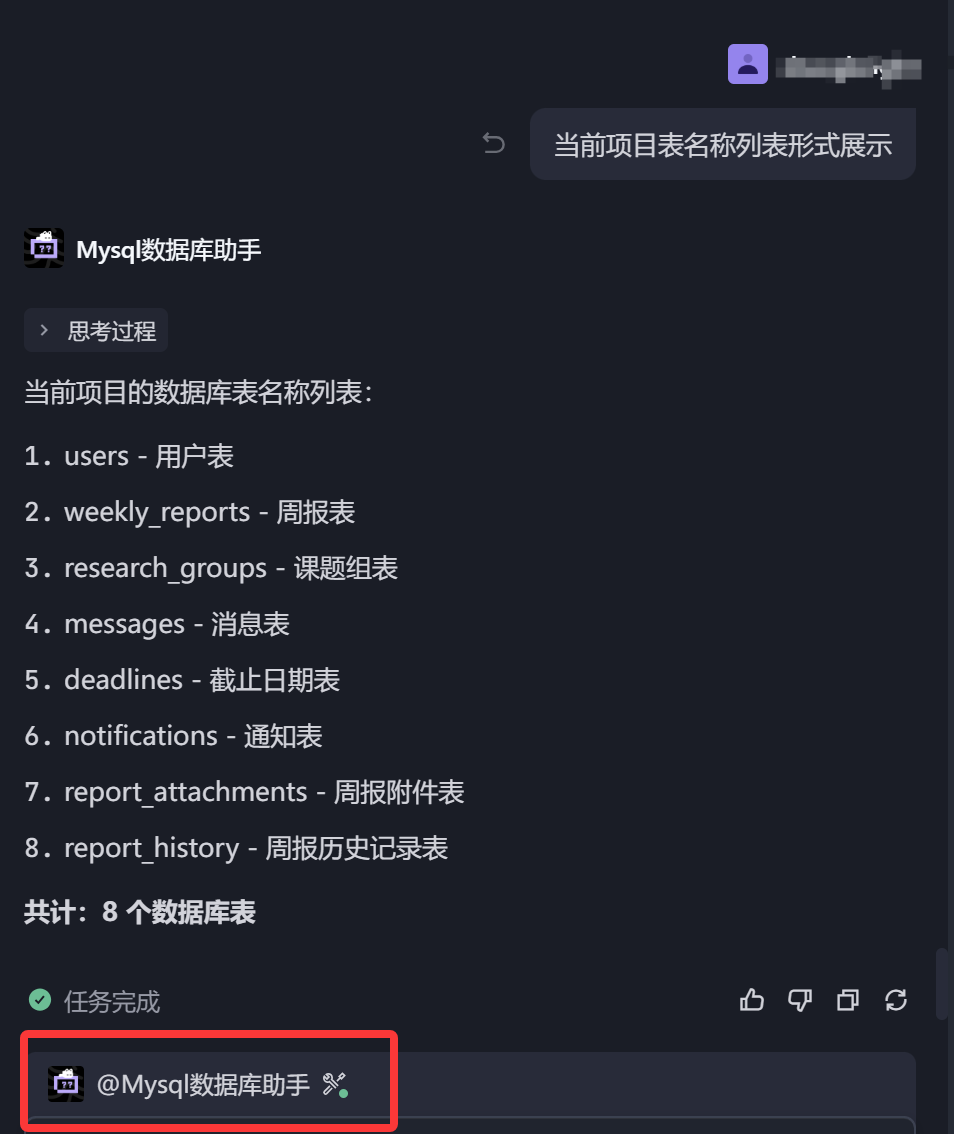
6创建完成可以进行查询

image

posted @ 2026-01-20 23:23  _海阔天空  阅读(1785)  评论(1)    收藏  举报

刷新页面返回顶部