







我们都知道在C#中可以通过Environment.OSVersion来判断当前操作系统,下面是操作系统和主次版本的对应关系:
|
操作系统 |
主版本.次版本 |
| Windows 10 | 10.0* |
| Windows Server 2016 Technical Preview | 10.0* |
| Windows 8.1 | 6.3* |
| Windows Server 2012 R2 | 6.3* |
| Windows 8 | 6.2 |
| Windows Server 2012 | 6.2 |
| Windows 7 | 6.1 |
| Windows Server 2008 R2 | 6.1 |
| Windows Server 2008 | 6 |
| Windows Vista | 6 |
| Windows Server 2003 R2 | 5.2 |
| Windows Server 2003 | 5.2 |
| Windows XP 64-Bit Edition | 5.2 |
| Windows XP | 5.1 |
| Windows 2000 | 5 |
我们可以用Environment.OSVersion来判断当前操作系统
public static bool IsWin7 => Environment.OSVersion.Version.Major == 6
                       && Environment.OSVersion.Version.Minor == 1;
public static bool IsWin10 => Environment.OSVersion.Version.Major == 10;
For applications that have been manifested for Windows 8.1 or Windows 10. Applications not manifested for Windows 8.1 or Windows 10 will return the Windows 8 OS version value (6.2). To manifest your applications for Windows 8.1 or Windows 10, refer to Targeting your application for Windows.
现在需要一个程序清单文件
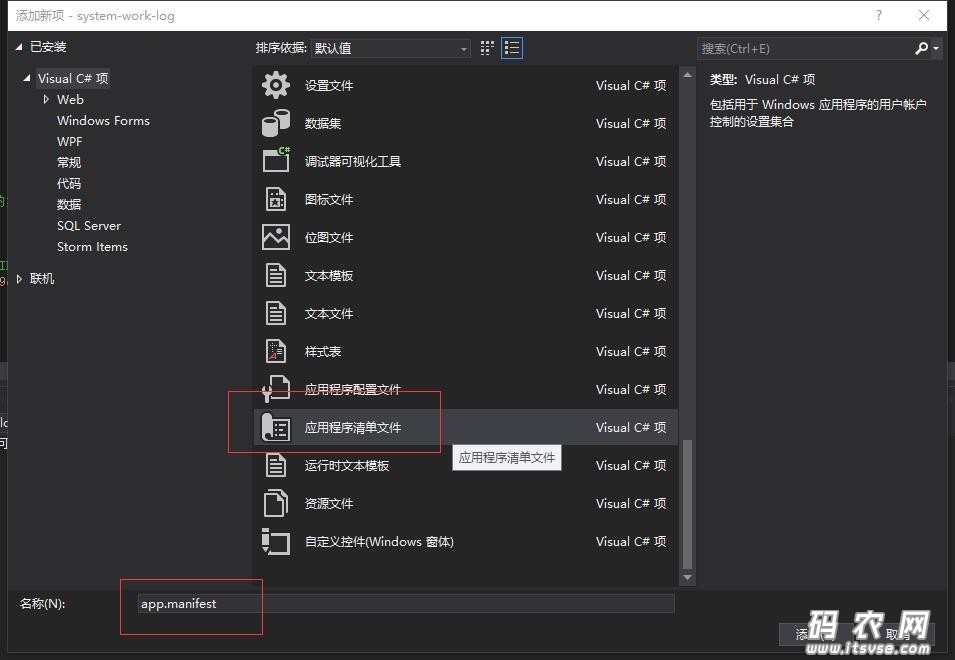
然后把下面的注释去掉,就可以返回10.0.***了
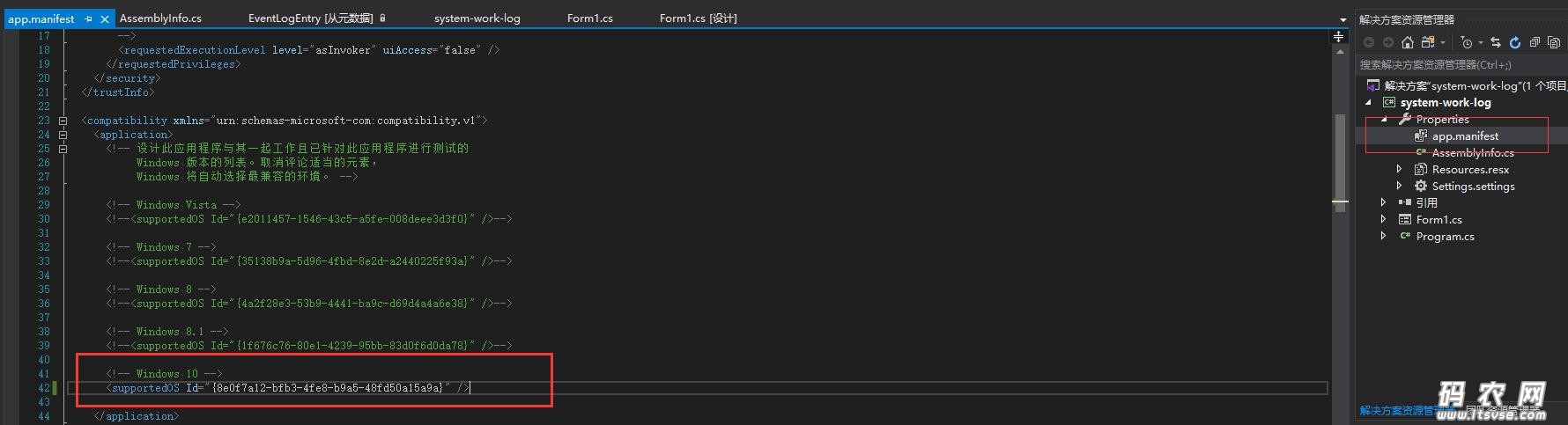
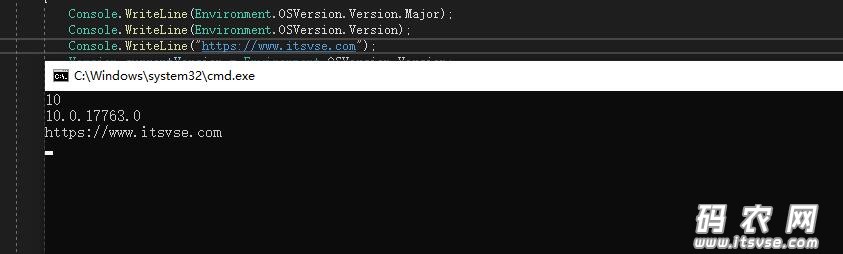
还有另外一种方法如下。
利用C#判断当前操作系统是否为Win8系统(此方法不需要添加程序清单文件)
代码:
using System;

namespace GetOSVersionExp
{
  class Program
  {
    static void Main(string[] args)
    {
      Version currentVersion = Environment.OSVersion.Version;
      Version compareToVersion = new Version("6.2");
      if (currentVersion.CompareTo(compareToVersion) >= 0)
      {//win8及其以上版本的系统
        Console.WriteLine("当前系统是WIN8及以上版本系统。");
      }
      else
      {
        Console.WriteLine("当前系统不是WIN8及以上版本系统。");
      }
    }
  }
}
此内容由惯性聚合(RSS阅读器)自动聚合整理,仅供阅读参考。 原文来自 — 版权归原作者所有。