惯性聚合 高效追踪和阅读你感兴趣的博客、新闻、科技资讯
阅读原文 在惯性聚合中打开

推荐订阅源

Security Archives - TechRepublic
博客园 - 三生石上(FineUI控件)
云风的 BLOG
云风的 BLOG
C
Check Point Blog
Engineering at Meta
Engineering at Meta
Y
Y Combinator Blog
cs.CV updates on arXiv.org
Forbes - Security
Forbes - Security
IT之家
IT之家
L
LINUX DO - 最新话题
N
News and Events Feed by Topic
Exploit-DB.com RSS Feed
雷峰网
雷峰网
N
News | PayPal Newsroom
The Last Watchdog
The Last Watchdog
V
Visual Studio Blog
月光博客
月光博客
Microsoft Azure Blog
钛媒体:引领未来商业与生活新知
钛媒体:引领未来商业与生活新知
Webroot Blog
Webroot Blog
TaoSecurity Blog
TaoSecurity Blog
CTFtime.org: upcoming CTF events
Schneier on Security
P
Privacy International News Feed
G
Google Developers Blog
博客园 - 聂微东
博客园 - 叶小钗
M
MIT News - Artificial intelligence
Apple Machine Learning Research
cs.AI updates on arXiv.org
WordPress大学
WordPress大学
OSCHINA 社区最新新闻
OSCHINA 社区最新新闻
Simon Willison's Weblog
Cyber Security Advisories - MS-ISAC
宝玉的分享
宝玉的分享
H
Hacker News: Front Page
Martin Fowler
Martin Fowler
L
Lohrmann on Cybersecurity
G
GRAHAM CLULEY
酷 壳 – CoolShell
酷 壳 – CoolShell
罗磊的独立博客
T
The Exploit Database - CXSecurity.com
S
Security @ Cisco Blogs
博客园_首页
AWS News Blog
AWS News Blog
P
Proofpoint News Feed
人人都是产品经理
人人都是产品经理
Help Net Security
Help Net Security
Google DeepMind News
T
Threatpost

博客园 - 朕也就是个普通人

毕业快11年了,我仍是程序猿 平凡的生活~ 反思亲子相处~ cxf RESTful service client Python + sqlalchemy + Pandas + Mysql 实现自动创建表,插入数据 cucumber 加油 重新学习python爬虫 python 网址 《高兴》 贾平凹 摘抄 funny python ML 算法 tensorflow 机器学习(Machine Learning) Eureka 注册中心 和 Config中心 配置 最近的日子-2019/8/12 工作上的态度 保持运动 对心情很重要 我的老妈挺可爱 看看书
读《Linux命令行与shell脚本编程大全.第3版》
朕也就是个普通人 · 2019-05-09 · via 博客园 - 朕也就是个普通人

1 ls 命令

ls -l 显示详细信息

ls -i 显示inode编号 

可以用来判断是否是链接文件

ps 硬链接和符号链接区别

http://www.cnblogs.com/itech/archive/2009/04/10/1433052.html

ls -FR 显示文件 子文件信息

  • -F 在列出的文件名称后加一符号;例如可执行档则加 "*", 目录则加 "/"
  • -R 若目录下有文件,则以下之文件亦皆依序列出

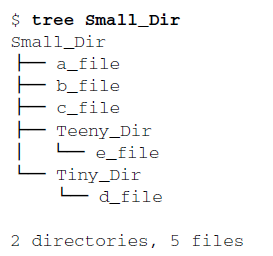
tree 命令 功能同上

2 mkdir -p 根据需要批量地创建目录和子目录

3 rm -i 删除前显示确认信息

4 file 命令 显示文件信息

5 查看文件内容命令

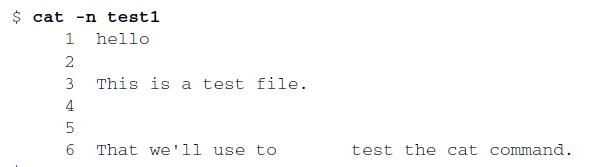
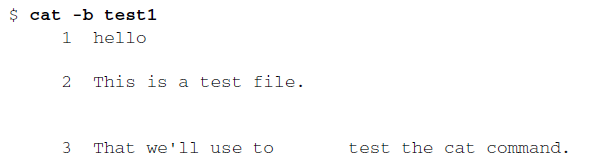
(1)cat

-n 参数会给所有的行加上行号
-b 只想给有文本的行加上行号
(2) more

(3) less 书上说比more强大,可以用man命令去了解,尝试下

(4) tail

-n Number 从 Number 行位置读取指定文件

-f 参数是tail命令的一个突出特性。它允许你在其他进程使用该文件时查看文件的内容。
tail命令会保持活动状态,并不断显示添加到文件中的内容。这是实时监测系统日志的绝妙
方式。

6 探查进程process

ps -ef 显示所有进程pid

ps -l 

7 实时监测进程

top

 

8 杀进程

kill pid

killall 命令非常强大,它支持通过进程名而不是PID来结束进程。也支持通

配符,这在系统因负载过大而变得很慢时很有用。

kill -9 pid 彻底杀死进程 

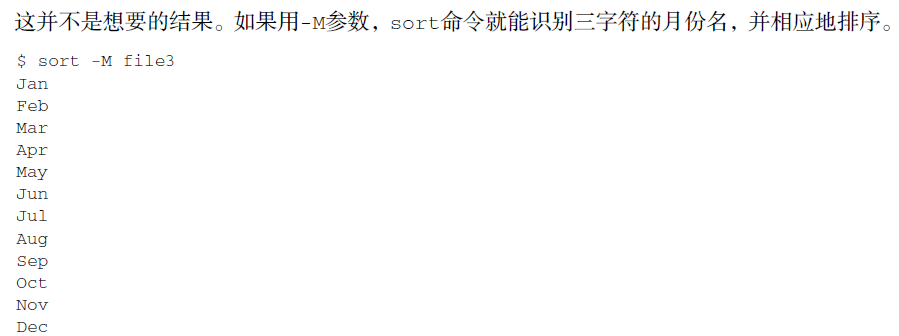
9 sort 命令 排序文本内容

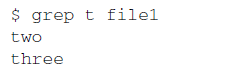
 10 grep 搜索数据
 11 history 显示历史命令

!20 唤回历史列表