惯性聚合 高效追踪和阅读你感兴趣的博客、新闻、科技资讯
阅读原文 在惯性聚合中打开

推荐订阅源

Security Latest
Security Latest
Know Your Adversary
Know Your Adversary
S
Schneier on Security
K
Kaspersky official blog
cs.CL updates on arXiv.org
Google DeepMind News
Project Zero
Project Zero
Recorded Future
Recorded Future
T
The Blog of Author Tim Ferriss
P
Palo Alto Networks Blog
Engineering at Meta
Engineering at Meta
MyScale Blog
MyScale Blog
L
LINUX DO - 热门话题
The Register - Security
B
Blog
V
Vulnerabilities – Threatpost
M
MIT News - Artificial intelligence
P
Proofpoint News Feed
Cyberwarzone
Cyberwarzone
Latest news
Latest news
Webroot Blog
Webroot Blog
Cyber Security Advisories - MS-ISAC
美团技术团队
奇客Solidot–传递最新科技情报
奇客Solidot–传递最新科技情报
C
CXSECURITY Database RSS Feed - CXSecurity.com
L
LINUX DO - 最新话题
K
KPMG report finds enterprise disconnect between AI and its ROI | CIO
B
Blog RSS Feed
aimingoo的专栏
aimingoo的专栏
The GitHub Blog
The GitHub Blog
D
Docker
G
Google Developers Blog
T
Threatpost
F
Full Disclosure
Attack and Defense Labs
L
Lohrmann on Cybersecurity
Application and Cybersecurity Blog
月光博客
月光博客
D
DataBreaches.Net
WordPress大学
WordPress大学
F
Fortinet All Blogs
S
Secure Thoughts
Y
Y Combinator Blog
博客园 - Franky
Scott Helme
Scott Helme
Apple Machine Learning Research
Hacker News: Ask HN
Hacker News: Ask HN
酷 壳 – CoolShell
酷 壳 – CoolShell
Cloudbric
Cloudbric
N
News | PayPal Newsroom

博客园 - 夏天/isummer

vcpkg的安装,配置vs2022, 全局使用,清单使用 wsGLCanvas中的OnPaint和OnSize的调用顺序 Visual Studio 2022中配置Eigen.Natvis文件,实现Debug查看:Eigen库查看矩阵与向量的值 “模型法线到视图法线”的变换矩阵(normal matrix)的计算和作用 C++ 无法从“const char [ ]”转换为“char *” 根据文件内存字节数,返回文件占用内存大小:单位:T,G,M,K,B 泛洪算法(Flood fill Algorithm):符号洪水填充算法 opengl中的glDrawElements 用法和glDrawArray opengl中的VBO,IBO,VAO,EBO总结: OpenGL着色器Shader小结 VS2022 在编译大型项目出现:c/c++ intellance 操作-优化VS2022,提高Intellance速度 用VS2022创建空桌面程序【Empty】运行wxWidgets应用,报错:MSVCRTD.lib(exe_main.obj) : error LNK2019: 无法解析的外部符号 main VS下使用全局配置的方式使用VCPKG vcpkg 安装过程中install的参数: ApriTags应用 【/MT、/MTd、/MD、/MDd】C++ 出现异常“.... \debug_heap.cpp Line:980 Expression:__acrt_first_block==header"【已解决】 - 夏天/isummer QString的tostdstring问题-提示堆栈内存溢出(2024.12) vsftpd和FileZiler配置:本地登录,支持上传-下载-删除文件和目录-添加文件和目录 PyQt开发-mkvirtualenv虚拟环境 线程池ThreadPool, C++ github 命令git下载失败: Failed to connect to github.com port 443 解决方案,解决CMAKE中下载其他库失败的问题
python 用control库绘制自动控制原理中的根轨迹:
夏天/isummer · 2025-10-31 · via 博客园 - 夏天/isummer

  用Python虚拟环境,避免库冲突

1. 新建文件夹 my_project 

mkdir my_project && cd my_project
然后:
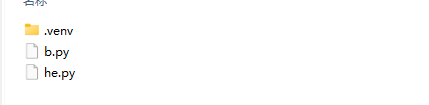
python -m venv .venv

  在当前文件夹下,创建虚拟环境。.venv
image

 2. 安装库文件

在:VSCode中的控制台下,执行:

则安装所有依赖库

3. 新建python文件

import control as ctrl
import matplotlib.pyplot as plt
import numpy as np

# 定义一个传递函数模型
# 例如,一个二阶系统的传递函数 H(s) = (s^2 + 2s + 1) / (s^2 + 3s + 2)
num = [1, 2, 1]  # 分子系数
den = [1, 3, 2]  # 分母系数
sys = ctrl.TransferFunction(num, den)

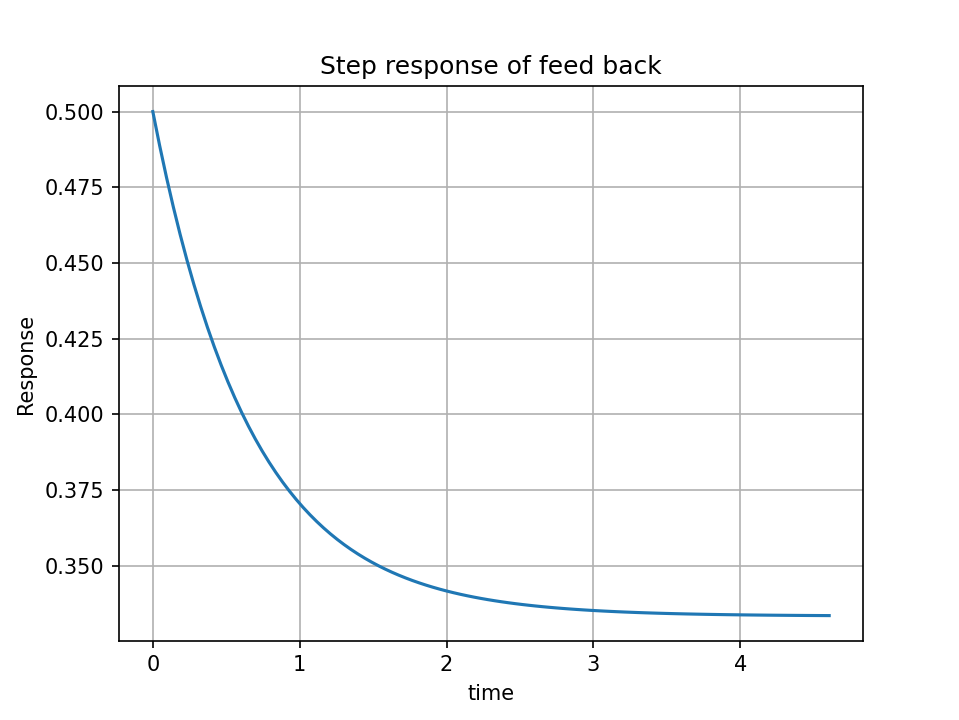
feedbacksystem = ctrl.feedback(sys)

time, response = ctrl.step_response(feedbacksystem)
plt.plot(time, response)
plt.title("Step response of feed back")
plt.xlabel("time")
plt.ylabel("Response")
plt.grid()
plt.show()

# 绘制根轨迹图
# fig, ax = ctrl.root_locus(sys, Plot=True)
# plt.grid(True)
# plt.xlabel('Real axis')
# plt.ylabel('Imaginary axis')
# plt.title('Root Locus Plot')
# plt.show()

4. 运行,出现错误:

(1)提示:

image

vscode切换虚拟环境报错无法加载文件 E:\Python_project\shop_env\Scripts\Activate.ps1,因为在此系统上禁止运行 脚本。

则:管理员身份运行:Powershell 程序,并执行

 set-executionpolicy remotesigned,

问题解决。

image

(2)提示:VSCode  Can't find a usable init.tcl in the following directories:

  说明:Tcl/Tk 是作为 Python 的一个可选组件安装的。你可以通过重新运行 Python 安装程序来添加它。

  Tck/Tk组建没有被合适安装。

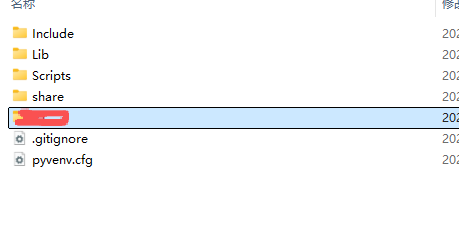
  注意:因为此处是使用了虚拟环境,因此部分内容没有被拷贝进来,
image

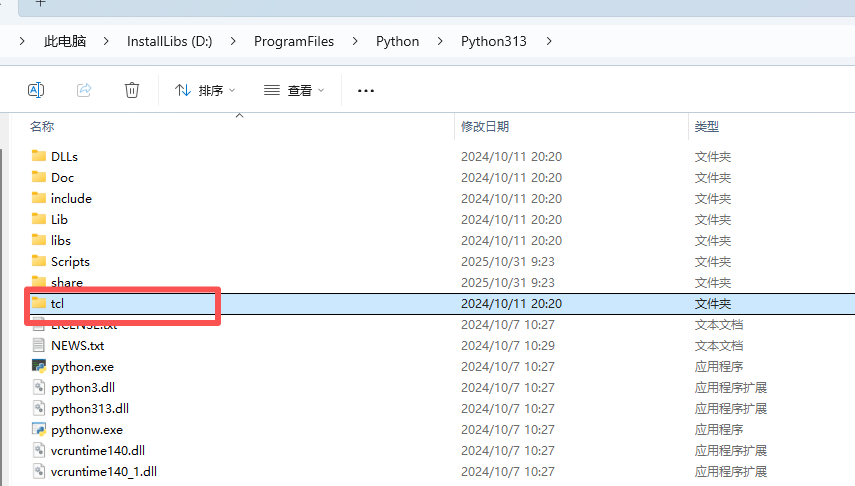
因此,需要在python的安装目录,将tcl拷贝至创建的虚拟目录文件夹即可。
image

重新运行:

image

 没有报任何错误

image