








阿里云百炼地址:https://bailian.console.aliyun.com/#/home
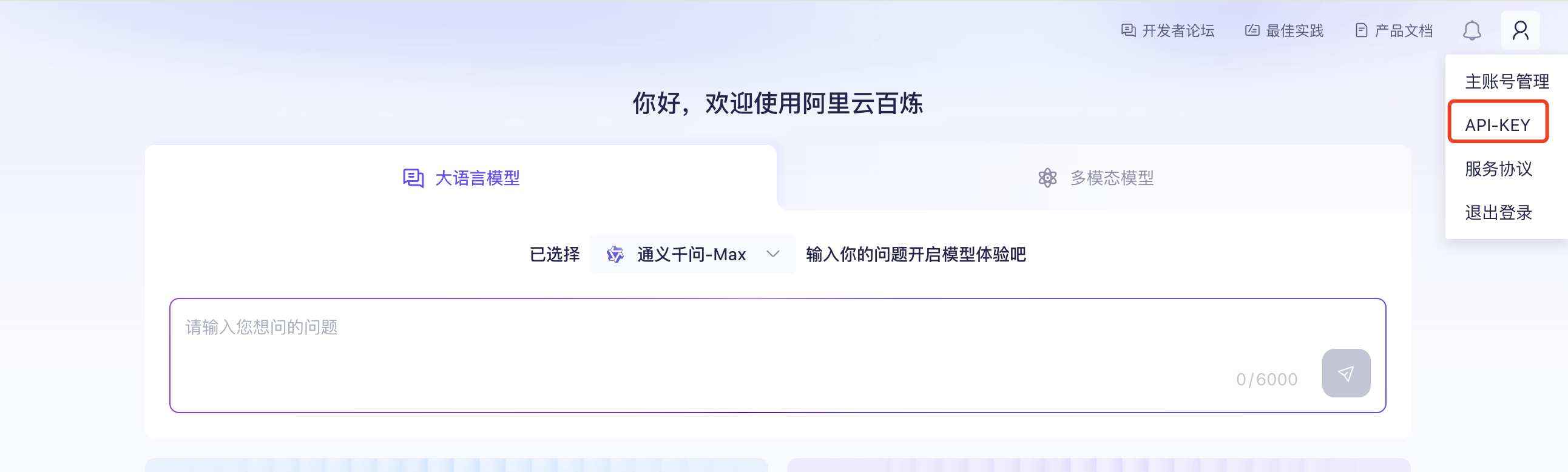
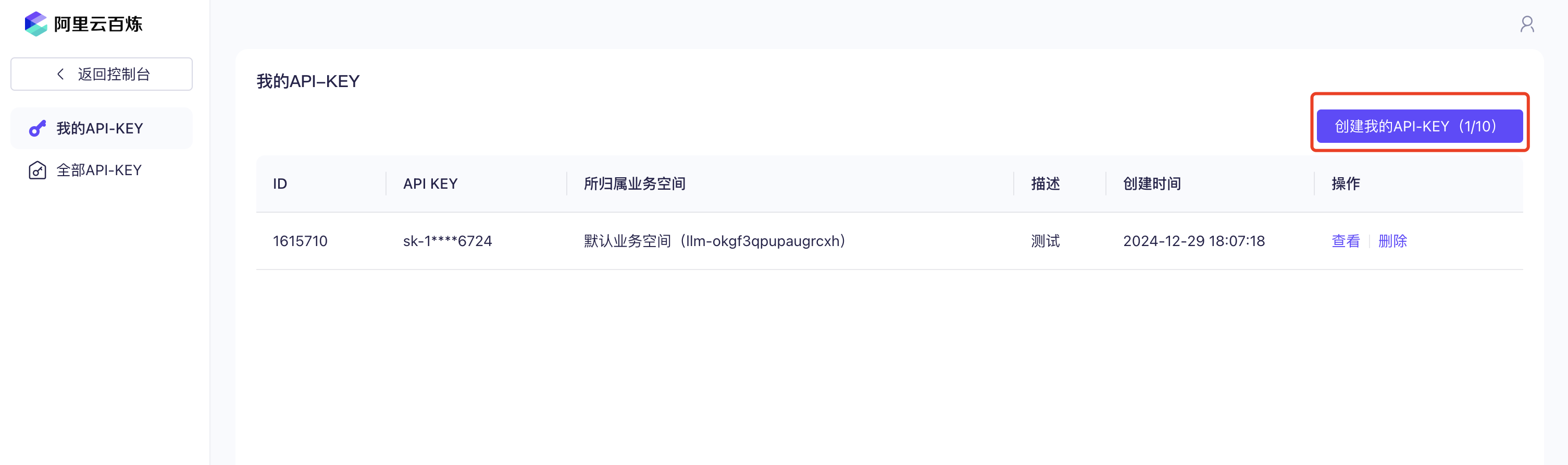
在百炼模型服务控制台的右上角鼠标悬浮在人物图标上,选择API-KEY,然后创建API Key,用于通过API调用大模型。
php 控制器端


//ajax发起请求
    public function ajaxSendAskQuestion(){
        if (!$this->request->isPost()) {
            $this->error('非法操作');
        }
        $content        = $this->request->post('content','','trim');
        if ($content == '') {
            $this->error('请输入您要提问的问题');
        }


        return json([
            'code' => 1,
            'message' => 'SSE stream initialized',
            'sse_url' => $this->domain_uri . '/TongyiAi/sseRequestQuestion?ask_question='. urlencode($content)
        ]);
    }


    //该方法可以get访问,浏览器端会sse方式持续输出内容
    public function sseRequestQuestion($ask_question = ''){
        set_time_limit(0);
        if ($ask_question == '') {
            http_response_code(400);
            echo json_encode(['error' => 'No question provided']);
            exit;
        }

        $question = $_GET['ask_question'];

        TongyiAiService::service()->requestQuestion($question);
        ob_flush();
        flush();
    }
php service

<?php

namespace app\common\service;


use GatewayWorker\Lib\Gateway;
use think\Env;
use think\Log;

/**
 * socket service
 */
class TongyiAiService extends BaseService
{

    public static function service($className = __CLASS__)
    {
        return parent::service($className);
    }

    const API_URL   = 'https://dashscope.aliyuncs.com/api/v1/services/aigc/text-generation/generation';

    const API_KEY   = 'sk-xxxxxx';


    //发起提问
    public function requestQuestion($ask_question = ''){


        $app_key        = self::API_KEY;
        $app_url        = self::API_URL;
        $model          = 'qwen-plus';

        $model          = 'qwen-max';
        // 设置请求体
        // 模型列表:https://help.aliyun.com/zh/model-studio/getting-started/models
        //文档地址:https://help.aliyun.com/zh/model-studio/developer-reference/error-code
        //剩余次数 计费详情
        //https://bailian.console.aliyun.com/?spm=a2c4g.11186623.0.0.136955efmZn66H#/model-market/detail/qwen-plus

        header('Content-Type: text/event-stream');
        header('Cache-Control: no-cache');
        header('X-Accel-Buffering: no');
        header('Connection: keep-alive');
        header('Access-Control-Allow-Origin: *');


        set_time_limit(0);
        ob_end_clean();
        ob_implicit_flush(1);


        $headers = [
            'Authorization: Bearer ' . $app_key,
            'Content-Type: application/json',
            'X-DashScope-SSE: enable'
        ];
        $params =  [
            'model' => $model,
            'input' => ['messages' => []],
            'parameters' => [
                'result_format'=>'message',
                'incremental_output'=>true
            ],
        ];
        $params['input']['messages'][] = [
            'role' => 'user',
            'content' => $ask_question
        ];


        $ch = curl_init($app_url);
        curl_setopt($ch, CURLOPT_HTTPHEADER, $headers);
        curl_setopt($ch, CURLOPT_POSTFIELDS, json_encode($params));
        curl_setopt($ch, CURLOPT_HEADER, 0);
        curl_setopt($ch, CURLOPT_TIMEOUT, 0);
        curl_setopt($ch, CURLOPT_RETURNTRANSFER, true);//有时候希望返回的内容作为变量储存,而不是直接输出。这个时候就必需设置curl的CURLOPT_RETURNTRANSFER选项为1或true。
        curl_setopt($ch, CURLOPT_FOLLOWLOCATION, true);//设置这个选项为一个非零值(象 “Location: “)的头,服务器会把它当做HTTP头的一部分发送(注意这是递归的,PHP将发送形如 “Location: “的头)。
        curl_setopt($ch, CURLOPT_SSL_VERIFYPEER, false);//curl_exec()获取的信息以文件流的形式返回,而不是直接输出
        curl_setopt($ch, CURLOPT_SSL_VERIFYHOST, false);
        curl_setopt($ch, CURLOPT_HTTP_VERSION, CURL_HTTP_VERSION_1_1);
        curl_setopt($ch, CURLOPT_WRITEFUNCTION, function ($ch, $data) {
            $res = substr(explode("\n",$data)[3],5);
            $res = json_decode($res,true);
            if($res['output']){
                echo "data: " . $res['output']['choices'][0]['message']['content']. "\n\n";
                flush(); // 立即将输出发送到客户端
            }else{
                echo $res['message']. "\n\n";
                flush(); // 立即将输出发送到客户端
            }
            return strlen($data);
        });
        curl_exec($ch);
        curl_close($ch);
    }
}
js 端


$(document).on('click','#send',function(){
                var content = $('#ask_question_content').val();
                if (content.trim() === '' || content == undefined || content == '') {
                    window.top.notify.error('请输入您要提问的问题');
                    return false;
                }
                Fast.api.ajax({
                    url: 'TongyiAi/ajaxSendAskQuestion',
                    data: {content: content}
                }, function (data,ret) {
                    if (ret.code === 1) {
                        $('#answer_div').addClass('hide');
                        $('#answer_content').html('');
                        startSseStream(ret.sse_url);
                    } else {
                        window.top.notify.error('操作失败,请稍后再试');
                    }
                }, function (data, ret) {
                    window.top.notify.error('操作失败');
                    return false;
                });
            })

            function startSseStream(sse_url) {
                if (typeof(EventSource) !== "undefined") {
                    var source = new EventSource(sse_url);
                    source.onmessage = function(event) {
                        // 每次接收到消息时更新页面
                        $('#answer_div').removeClass('hide');
                        $('#answer_content').append(event.data);
                    };

                    source.onerror = function(event) {
                        console.error("EventSource failed:", event);
                        source.close(); // 关闭连接以防无限重试;
                    }
                } else {
                    $('#answer_content').text("抱歉,您的浏览器不支持该功能,请使用谷歌浏览器");
                }

            }
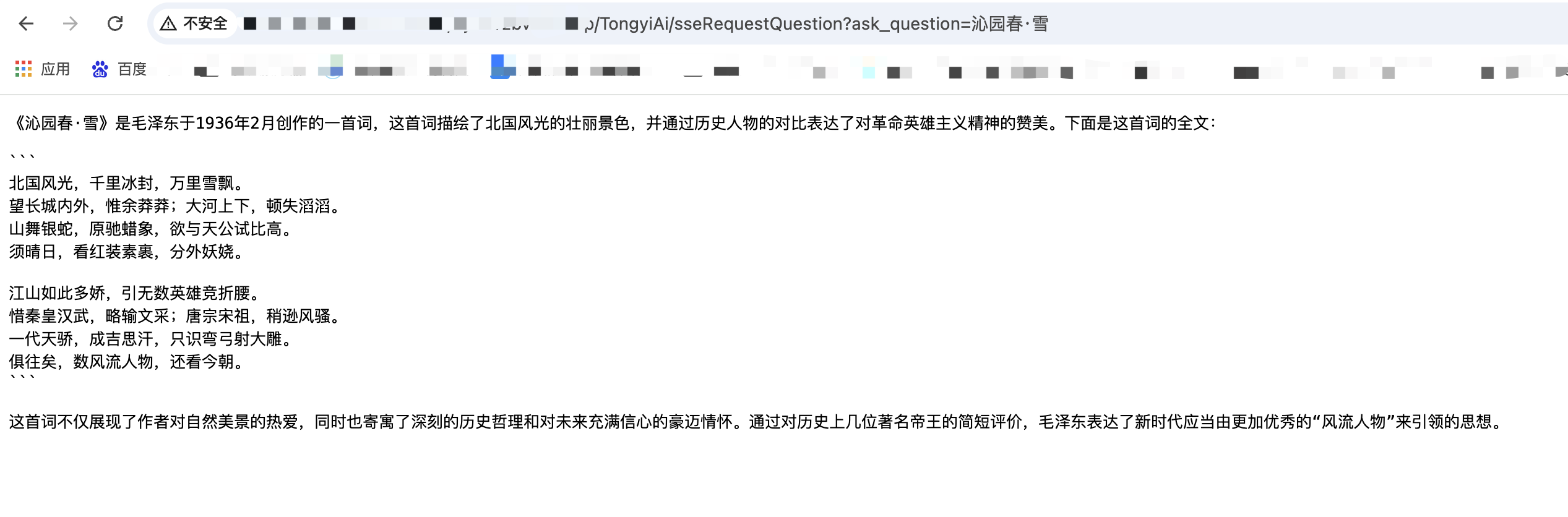
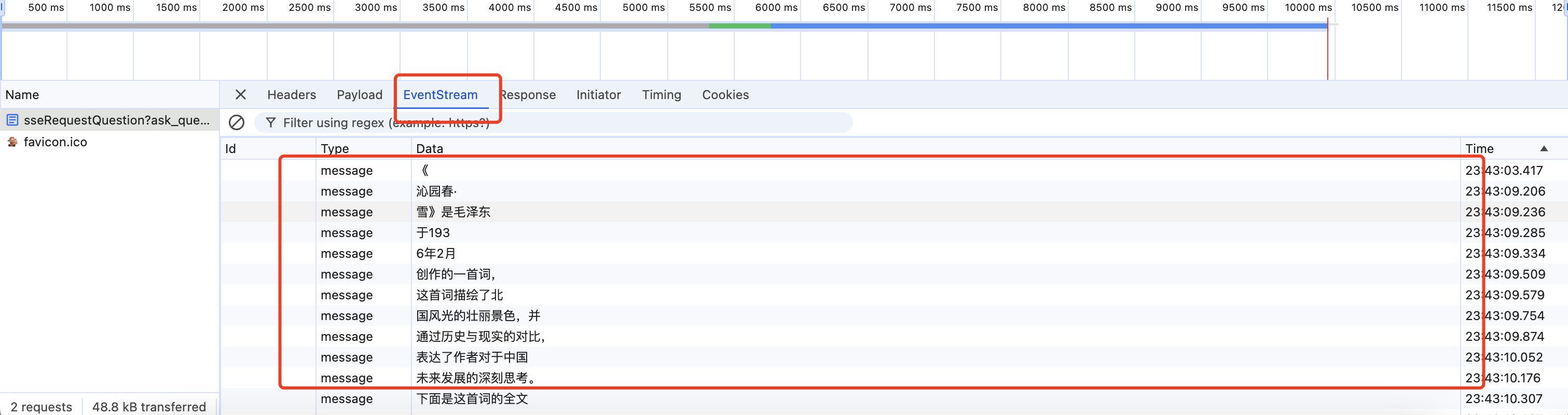
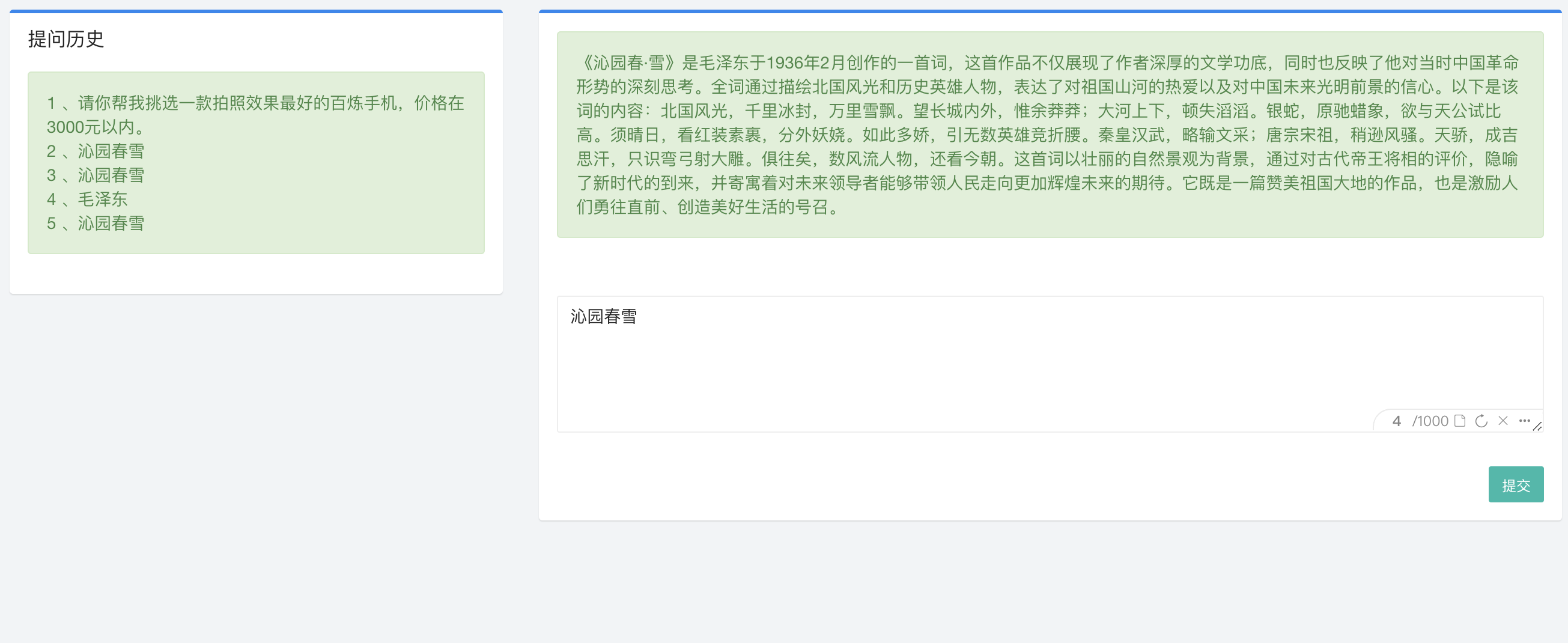
浏览器访问效果,会持续输出
ajax实现效果
此内容由惯性聚合(RSS阅读器)自动聚合整理,仅供阅读参考。 原文来自 — 版权归原作者所有。