





公司使用了阿里云的服务,其中可以在项目中使用全链路监测,最近要排查慢响应,所以就在 Node 项目中接了一下 SkyWalking。
本文还会记录在使用时遇到的问题,以及解决思路。
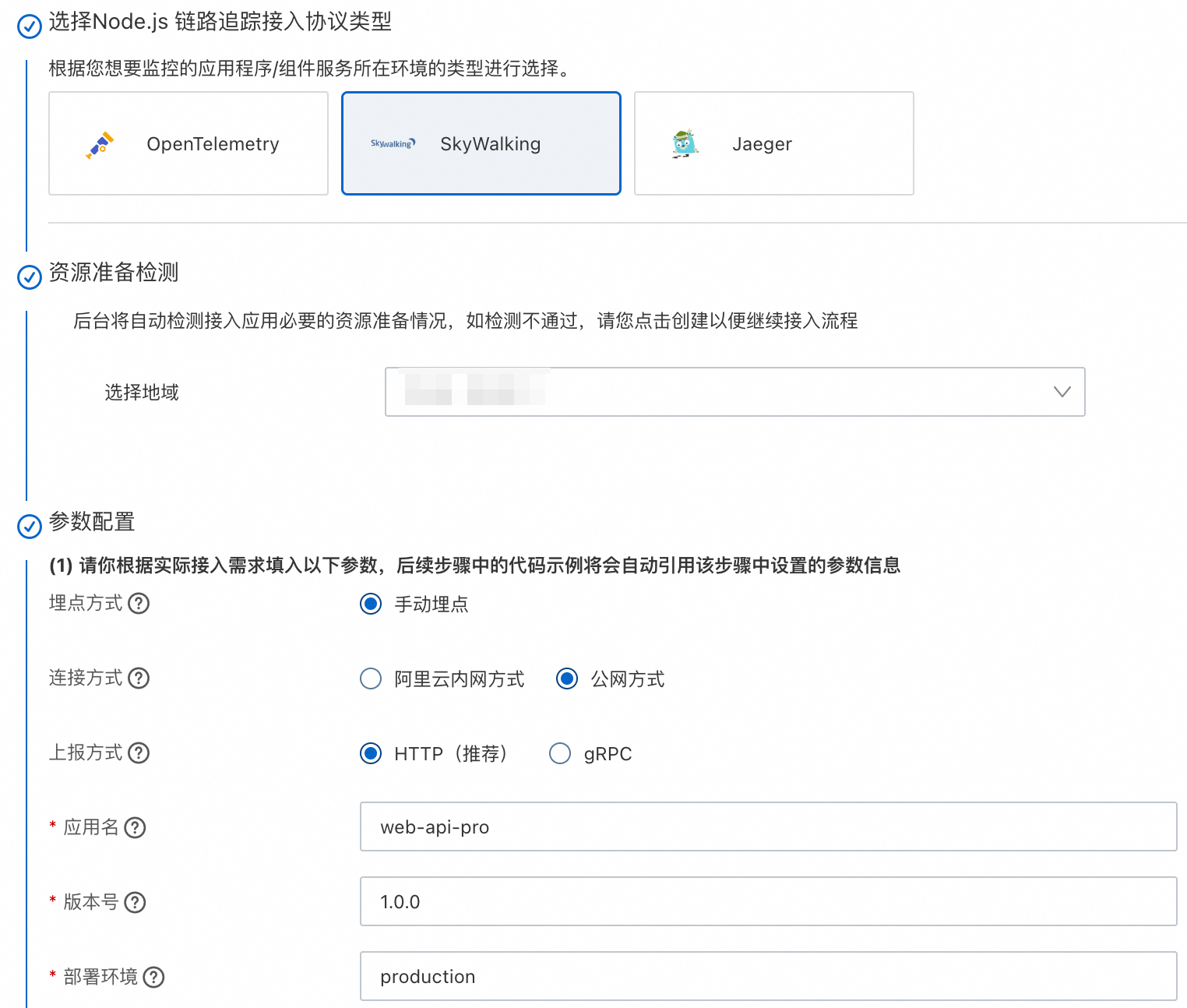
1)参数配置
SkyWalking支持自动埋点和手动埋点,自动埋点只要初始化后,就可以开始工作,很便捷。
2)下载依赖
下载 SkyWalking Node.js Agent
npm install --save skywalking-backend-js
3)初始化
在项目的 app.js 中配置和启用 SkyWalking。
const {default: agent} = require("skywalking-backend-js");

agent.start({
    serviceName: 'web-api-pro',
    collectorAddress: 'xxx',
    authorization: 'xxx'
});
1)应用概览
在应用列表,选择web-api进入后,就能看到如下的分析页面。
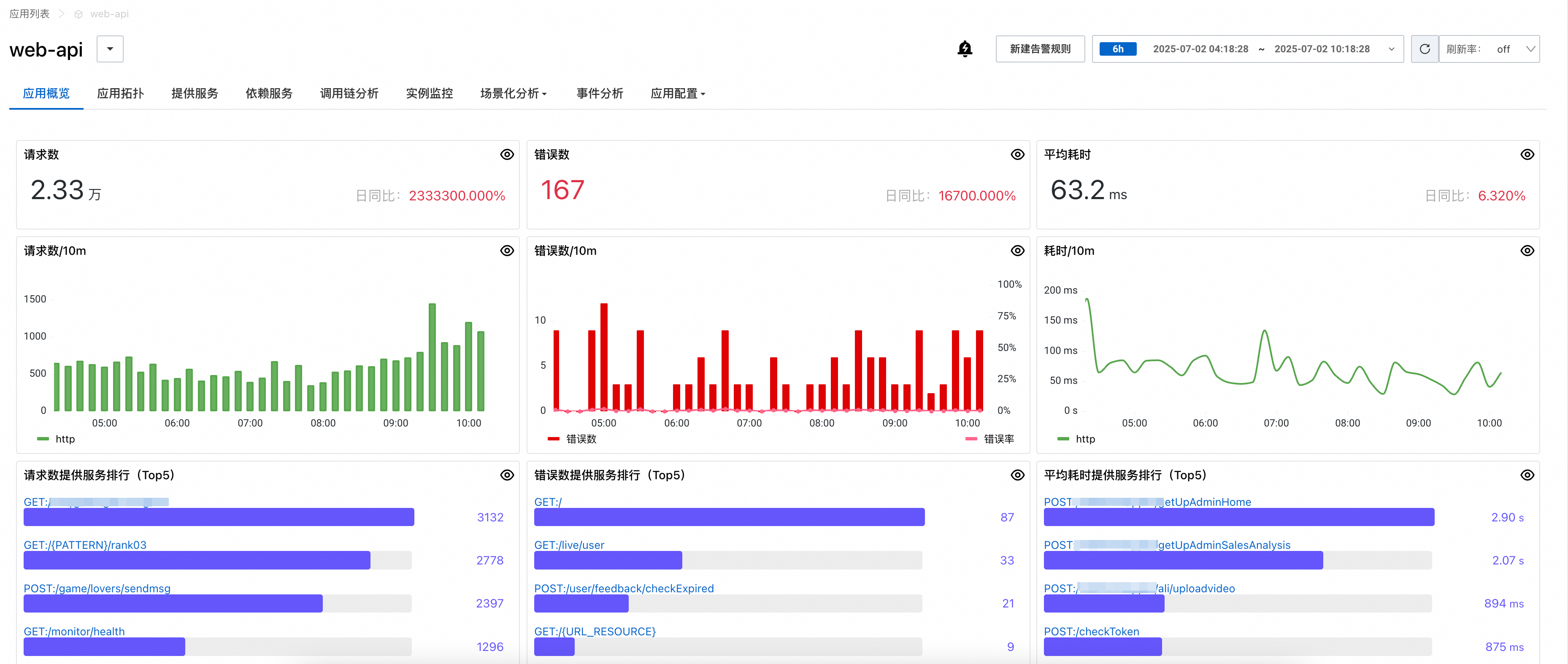
SkyWalking默认会上报项目内的所有接口通信、MySQL查询、MongoDB查询等。
但这样会增加存储成本,所以我需要将不相关的接口过滤去除。
2)过滤接口
翻阅官方文档,发现有个参数有这个过滤作用,字符串类型,默认是空字符串。
| SW_TRACE_IGNORE_PATH | The paths of endpoints that will be ignored (not traced), comma separated | `` |
而跳转到源码中,也发现了对应的字段:traceIgnorePath。
export declare type AgentConfig = {
    serviceName?: string;
    collectorAddress?: string;
    authorization?: string;
    ignoreSuffix?: string;
    traceIgnorePath?: string;
    reIgnoreOperation?: RegExp;
};
在 deepseek 上提问,AI 给了我如何使用参数的示例,通配符的作用也详细的说明了。
traceIgnorePath: "/healthcheck/*,/static/**"
但是,提交到测试环境后,并没有像预想的那样,将指定路径的接口过滤掉。
在将配置路径,翻来覆去的更改后,仍然不见效,遂去查看源码,在源码中的确包含 traceIgnorePath 参数。
3)求助阿里云
由于这是阿里云提供的可选类型,所以就去阿里云上创建工单。

马上就自动创建了一个小群,与对方的人员语音沟通了下,并且共享了屏幕代码。
他表示需要花点时间,自己操作一下,在此期间,我自己也继续查看源码,最终发现了端倪。
阿里云的响应还是很快的,特别及时。
4)源码分析
在 node_modules 目录中的文件,也可以打印日志,我将传入的参数都打印了出来。
serviceName: 'web-api',
serviceInstance: 'MacBook-Pro.local',
collectorAddress: 'xxxx',
authorization: 'xxxx',
ignoreSuffix: '.gif',
traceIgnorePath: '/audiostream/audit/callback',
reIgnoreOperation: /^.+(?:\.gif)$|^(?:\/audiostream\/audit\/callback)$/,
看到 reIgnoreOperation 参数被赋值了,一段正则,这个很关键,过滤接口,其实就是匹配正则。
用 reIgnoreOperation 搜索,搜到了被使用的一段代码,operation 是一个传递进来的参数。
SpanContext.prototype.ignoreCheck = function (operation, type, carrier) {
 if (operation.match(AgentConfig_1.default.reIgnoreOperation) ||
    (carrier && !carrier.isValid()))
    return DummySpan_1.default.create();
  return undefined;
};
然后再用用 traceIgnorePath 去搜索代码,并没有得到有用的信息,于是将关键字改成 Ignore。
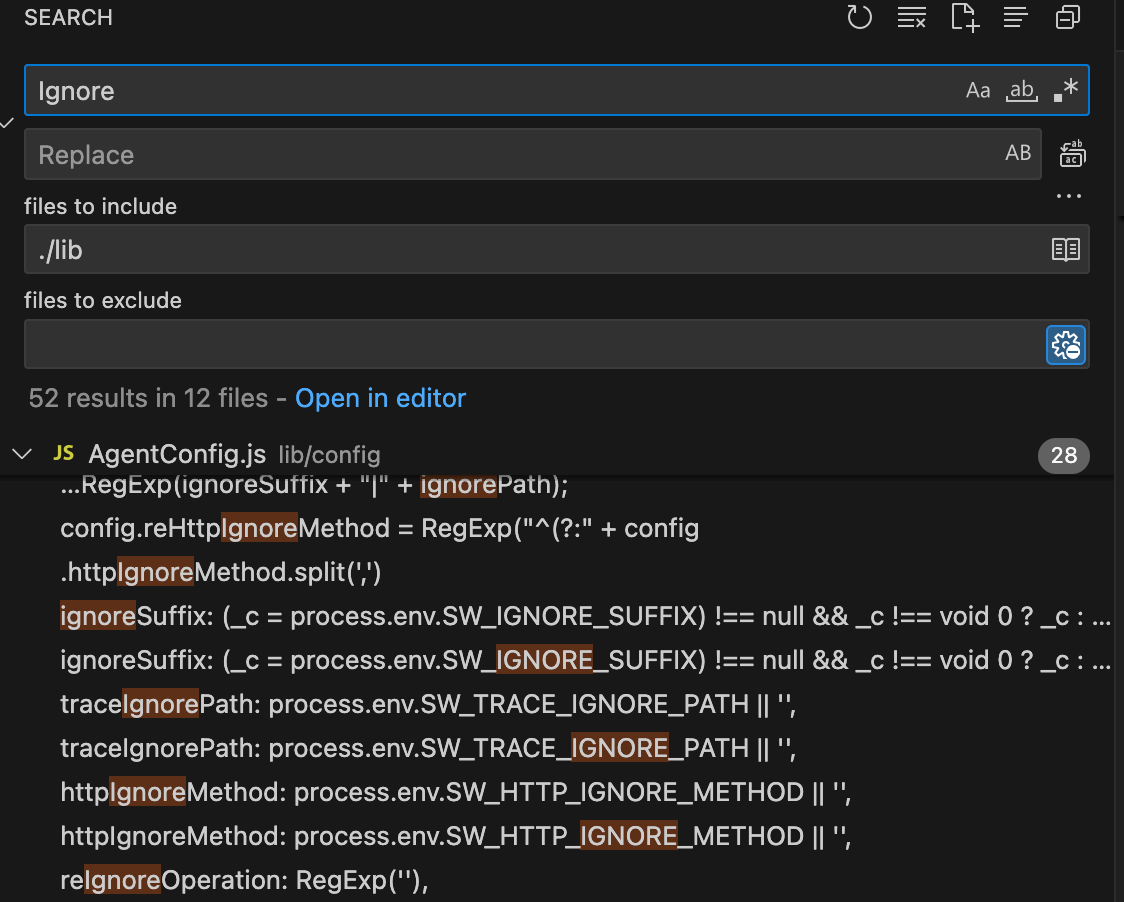
果然找到了合适的代码,在 HttpPlugin.prototype.interceptServerRequest 方法中,找到一段创建 span 的代码。
var operation = reqMethod + ':' + (req.url || '/').replace(/\?.*/g, '');
var span = AgentConfig_1.ignoreHttpMethodCheck(reqMethod)
   ? DummySpan_1.default.create()
   : ContextManager_1.default.current.newEntrySpan(operation, carrier);
链路(即链路追踪)可深入了解请求路径、性能瓶颈和系统依赖关系,多个处理数据的片段(也叫 span,跨度)通过链路 ID 进行串联,组成一条链路追踪。
span 中有个三目运算,经过测试发现,如果没有配置要过滤的请求方法,那么就是 false。
所以会进入到 newEntrySpan() 方法中,而在此方法中,恰恰会调用 ignoreCheck() 方法。
那么其传入的 operation,其实就是要匹配的路径值,原来我配错了,官方需要带请求方法,如下所示。
traceIgnorePath: 'POST:/audiostream/audit/callback',
不要过渡依赖 AI,我这次就非常相信 AI 给的示例,结果绕了大弯。
5)运行原理
在执行 start() 方法时,会进行参数合并,参数修改等操作。
Agent.prototype.start = function (options) {
  // 传入参数和默认参数合并
  Object.assign(AgentConfig_1.default, options);
  // 初始化参数,例如拼接正则等
  AgentConfig_1.finalizeConfig(AgentConfig_1.default);
  // 挂载插件,就是注入链路代码
  new PluginInstaller_1.default().install();
  // 上报
  this.protocol = new GrpcProtocol_1.default().heartbeat().report();
  this.started = true;
};
其中在 report() 中,会创建一个定时任务,每秒运行一次。
setTimeout(this.reportFunction.bind(this), 1000).unref();
.unref() 告诉 Node.js 事件循环:“此定时器不重要,如果它是唯一剩余的任务,可以忽略它并退出进程”。
优化进程生命周期管理,避免无关任务阻塞退出。
最核心的插件有HttpPlugin、IORedisPlugin、MongoosePlugin、AxiosPlugin、MySQLPlugin 等。
以 HttpPlugin 为例,在 install() 时,会调用 interceptServerRequest() 方法注入链路操作。
HttpPlugin.prototype.install = function () {
  var http = require('http');
  this.interceptServerRequest(http, 'http');
};
在 interceptServerRequest() 中,会修改 addListener()、on() 方法,并且会包装响应。
HttpPlugin.prototype.interceptServerRequest = function (module, protocol) {
  var plugin = this;
  var _addListener = module.Server.prototype.addListener;
  module.Server.prototype.addListener = module.Server.prototype.on =
  function (event, handler) {
    var addArgs = [];
    // 复制参数
    for (var _i = 2; _i < arguments.length; _i++) {
      addArgs[_i - 2] = arguments[_i];
    }
    // 执行事件
    return _addListener.call.apply(
       _addListener,
       tslib_1.__spreadArrays([this, event,
         event === 'request'
         ? _sw_request
         : handler
       ],
       addArgs)
    );
    function _sw_request(req, res) {
       var _this = this;
       var _a;
       var reqArgs = [];
       // 复制参数
       for (var _i = 2; _i < arguments.length; _i++) {
         reqArgs[_i - 2] = arguments[_i];
       }
       var carrier = ContextCarrier_1.ContextCarrier.from(req.headers || {});
       var reqMethod = (_a = req.method) !== null && _a !== void 0 ? _a : 'GET';
       // 拼接请求方法和接口路径
       var operation = reqMethod + ':' + (req.url || '/').replace(/\?.*/g, '');
       var span = AgentConfig_1.ignoreHttpMethodCheck(reqMethod)
           ? DummySpan_1.default.create()
           : ContextManager_1.default.current.newEntrySpan(operation, carrier);
       span.component = Component_1.Component.HTTP_SERVER;
       span.tag(Tag_1.default.httpURL(protocol + '://' + (req.headers.host || '') + req.url));
       // 包装响应信息
       return plugin.wrapHttpResponse(span, req, res, function () {
         return handler.call.apply(
            handler,
            tslib_1.__spreadArrays([_this, req, res], reqArgs)
         );
       });
     }
   };
};
不过在上线后,发生了意想不到的意外,就是原先可以链式调用的 Mongoose 的方法:
this.liveApplyRecord.find({ userId }).sort({ createTime: -1 });
在调用时会出现报错:
this.liveApplyRecord.find(...).sort is not a function
此内容由惯性聚合(RSS阅读器)自动聚合整理,仅供阅读参考。 原文来自 — 版权归原作者所有。