惯性聚合 高效追踪和阅读你感兴趣的博客、新闻、科技资讯
阅读原文 在惯性聚合中打开

推荐订阅源

B
Blog RSS Feed
D
Darknet – Hacking Tools, Hacker News & Cyber Security
让小产品的独立变现更简单 - ezindie.com
G
Google Developers Blog
MyScale Blog
MyScale Blog
Google DeepMind News
J
Java Code Geeks
奇客Solidot–传递最新科技情报
奇客Solidot–传递最新科技情报
C
Check Point Blog
Cyber Security Advisories - MS-ISAC
P
Proofpoint News Feed
D
Docker
Jina AI
Jina AI
博客园 - 三生石上(FineUI控件)
Threat Intelligence Blog | Flashpoint
Help Net Security
Help Net Security
Google DeepMind News
L
LINUX DO - 最新话题
T
Tailwind CSS Blog
N
Netflix TechBlog - Medium
Forbes - Security
Forbes - Security
MongoDB | Blog
MongoDB | Blog
Attack and Defense Labs
Webroot Blog
Webroot Blog
A
About on SuperTechFans
Schneier on Security
Hacker News - Newest:
Hacker News - Newest: "LLM"
Microsoft Azure Blog
F
Fortinet All Blogs
IT之家
IT之家
The Last Watchdog
The Last Watchdog
腾讯CDC
Microsoft Security Blog
Project Zero
Project Zero
B
Blog
Recorded Future
Recorded Future
博客园_首页
cs.AI updates on arXiv.org
S
SegmentFault 最新的问题
Security Archives - TechRepublic
钛媒体:引领未来商业与生活新知
钛媒体:引领未来商业与生活新知
H
Hacker News: Front Page
T
Threatpost
H
Heimdal Security Blog
Cloudbric
Cloudbric
Google Online Security Blog
OSCHINA 社区最新新闻
OSCHINA 社区最新新闻
V
V2EX
云风的 BLOG
云风的 BLOG
V
Visual Studio Blog

博客园 - ZXJ~佳

openclaw错误之令牌过期 openclaw 常用操作命令 windows10本地部署openclaw windows部署ruoyiAI应用-nginx配置后台管理端和用户管理端 Windows安装向量数据库weaviate java冒泡排序 js中Enter切换文本框,方便快捷输入 前端密码加密后端解密保证登录安全 java面试题 mysql8新特性CTE递归实现30天时间日期 Vala之入门篇(二)Vala安装 Vala之入门篇(一)Vala简介 Mybatis—Generator使用教程 JAVA8十大新特性详解 博客主题 nideshop小程序商城部署 Eclipse创建Maven多模块工程Module开发(图文教程) 将博客搬至CSDN
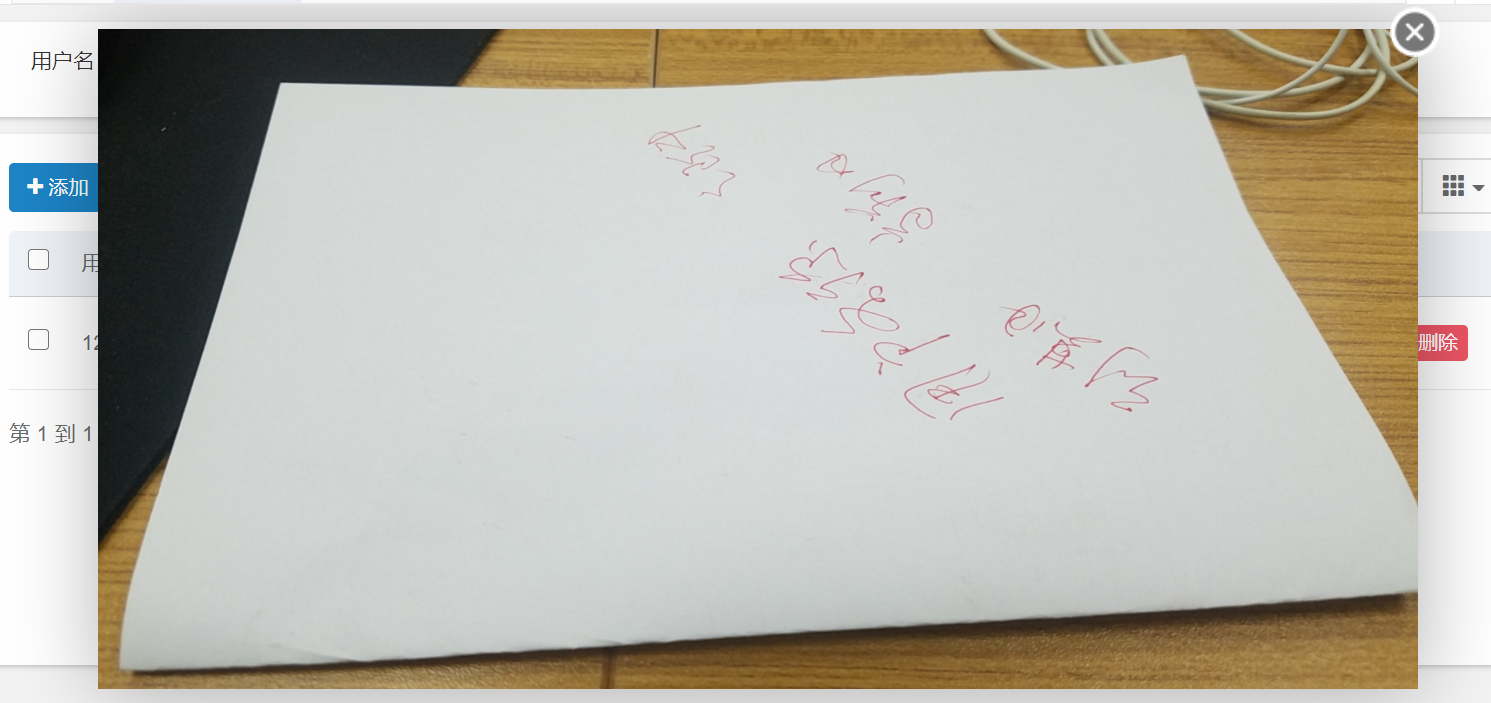
layer实现表格大图预览功能
ZXJ~佳 · 2021-06-01 · via 博客园 - ZXJ~佳

表格增加formatter

  formatter: function (value, row, index) {
                        return '<img src="' + value + '" width="80" height="40" onclick="avatar(this)">';
                    }

js实现点击图片放大预览

  /*查看图片*/
        function avatar(url) {
    
            var img_infor = "<img src='" + url.src + "'  width='800' height='400' />";
             layer.open({  
                 type: 1, 
                 closeBtn: 1,
                 shade: false,  
                 title: false, //不显示标题
                 skin: 'layui-layer-nobg', //没有背景色
                 shadeClose: false,
                 area:['800px','400px'],   
                 content: img_infor //捕获的元素,注意:最好该指定的元素要存放在body最外层,否则可能被其它的相对元素所影响  
               
               }); 
        }

显示效果:

 点击图片放大效果: