




来源:https://cloud.tencent.com/developer/article/2528010
mkdir -p /root/workspace/harry
mkdir -p /root/workspace/sally svn checkout svn://192.168.70.140/pro_oa ./录中的内容。
svn commit -m "xxx" [文件名]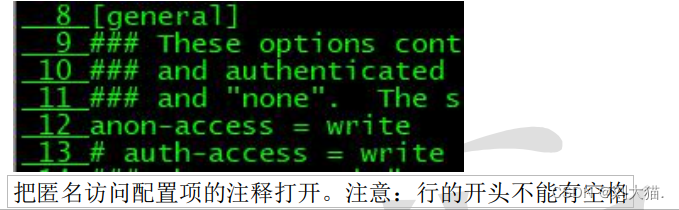
[root@rich harry]# svn commit hello.txt
svn:提交失败(细节如下):svn:“/root/workspace/harry/hello.txt”尚未纳入版本控制
[root@rich harry]# svn add hello.txt
A hello.txt
[root@rich harry]# svn commit hello.txt
svn:提交失败(细节如下):
svn:无法使用外部编辑器获得日志信息;考虑设置环境变量 $SVN_EDITOR,或者使用--message (-m)或 --file (-F)选项
svn:没有设置 SVN_EDITOR,VISUAL或 EDITOR环境变量,运行时的配置参数中也没有“editor-cmd”选项
[root@rich harry]# svn commit -m "My first commit" hello.txt
svn:提交失败(细节如下):
svn:认证失败
[root@rich harry]# svn commit -m "My first commit" hello.txt
增加 hello.txt
传输文件数据.
提交后的版本为 1。[root@rich harry]# svn list svn://192.168.70.140/pro_oa
good.log
hello.txt文件才允许提交。
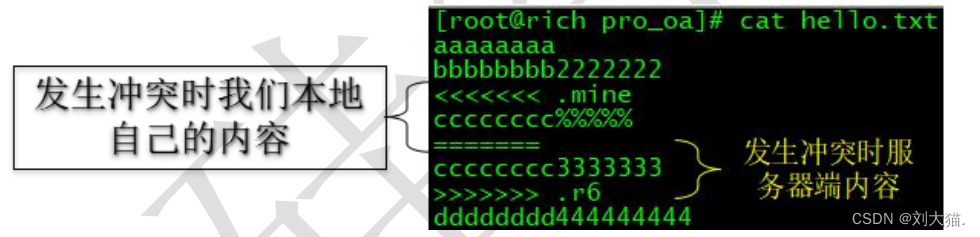
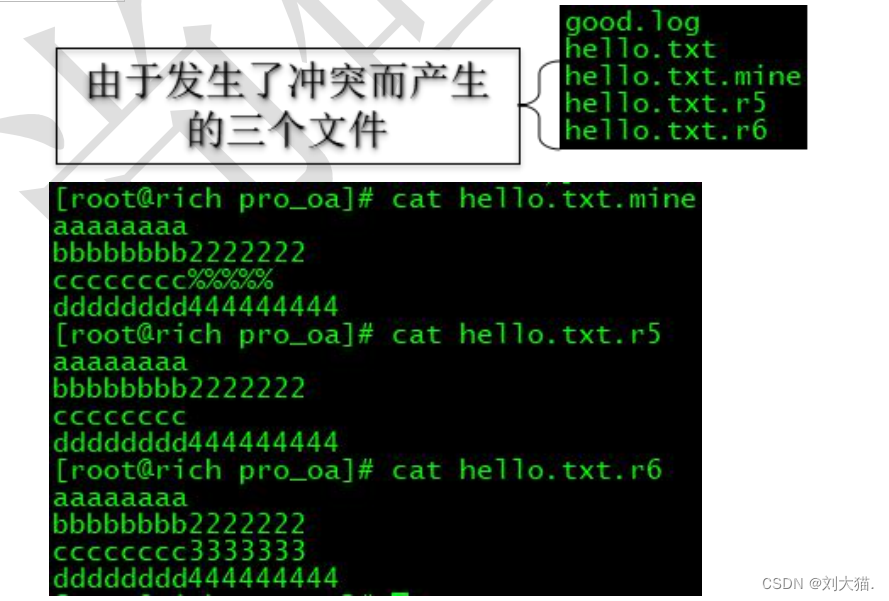
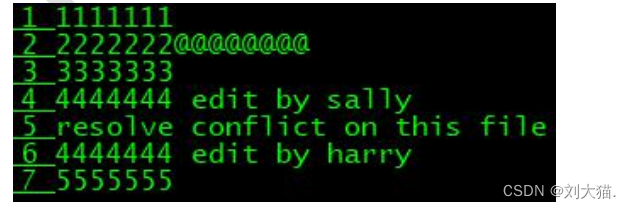
xxx.mine文件:发生冲突时本地文件内容
xxx.r[小版本号]文件:发生冲突前文件内容
xxx.r[大版本号]文件:发生冲突时服务器端文件内容
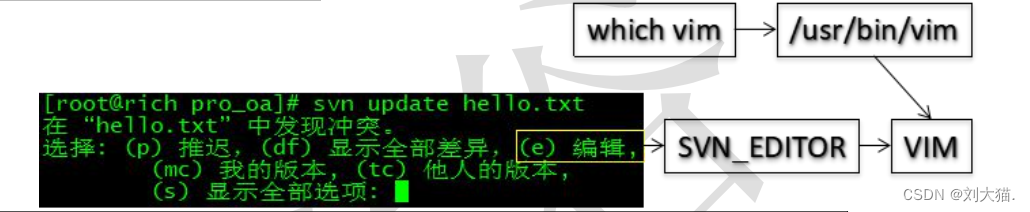
vim /etc/profile
-------------------------------------------
SVN_EDITOR=/usr/bin/vim
export SVN_EDITOR
-------------------------------------------
source /etc/profileecho $SVN_EDITOR

此内容由惯性聚合(RSS阅读器)自动聚合整理,仅供阅读参考。 原文来自 — 版权归原作者所有。