








在以往几篇文章里面,大家都可以看到各种录制的GIF效果图,把gif放在文章开始,不仅可以减少很多冗余的解释白话文,更可以让读者一览无余看到文章大概要义。
以往都是使用“LicEcap”来录制的,那么我们是否能自己实现一个这样的工具呢?一方面国庆假期结束,练练代码手感,另一方面可以根据自己需求扩展需要的功能。
01介绍软件UI及操作
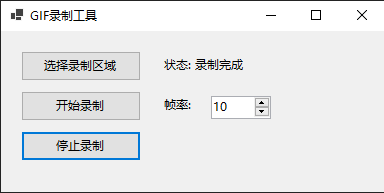
操作比较简单,以下是运行界面:
选择录制区域,绘制需要录制的ROI区域
点击开始录制
录制结束后,停止录制即可.弹出保存路径保存gif
02效果图
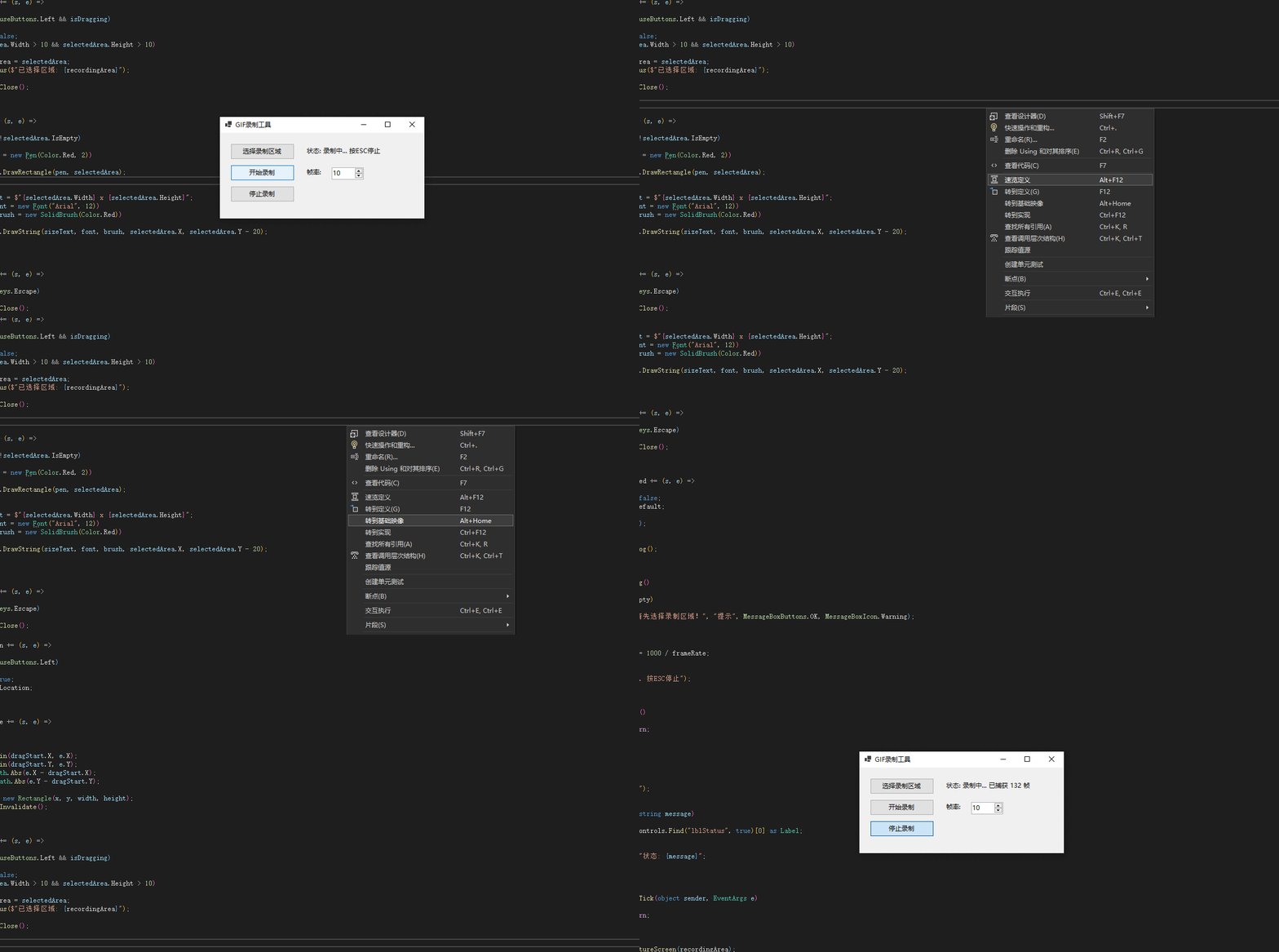
整个运行作业图
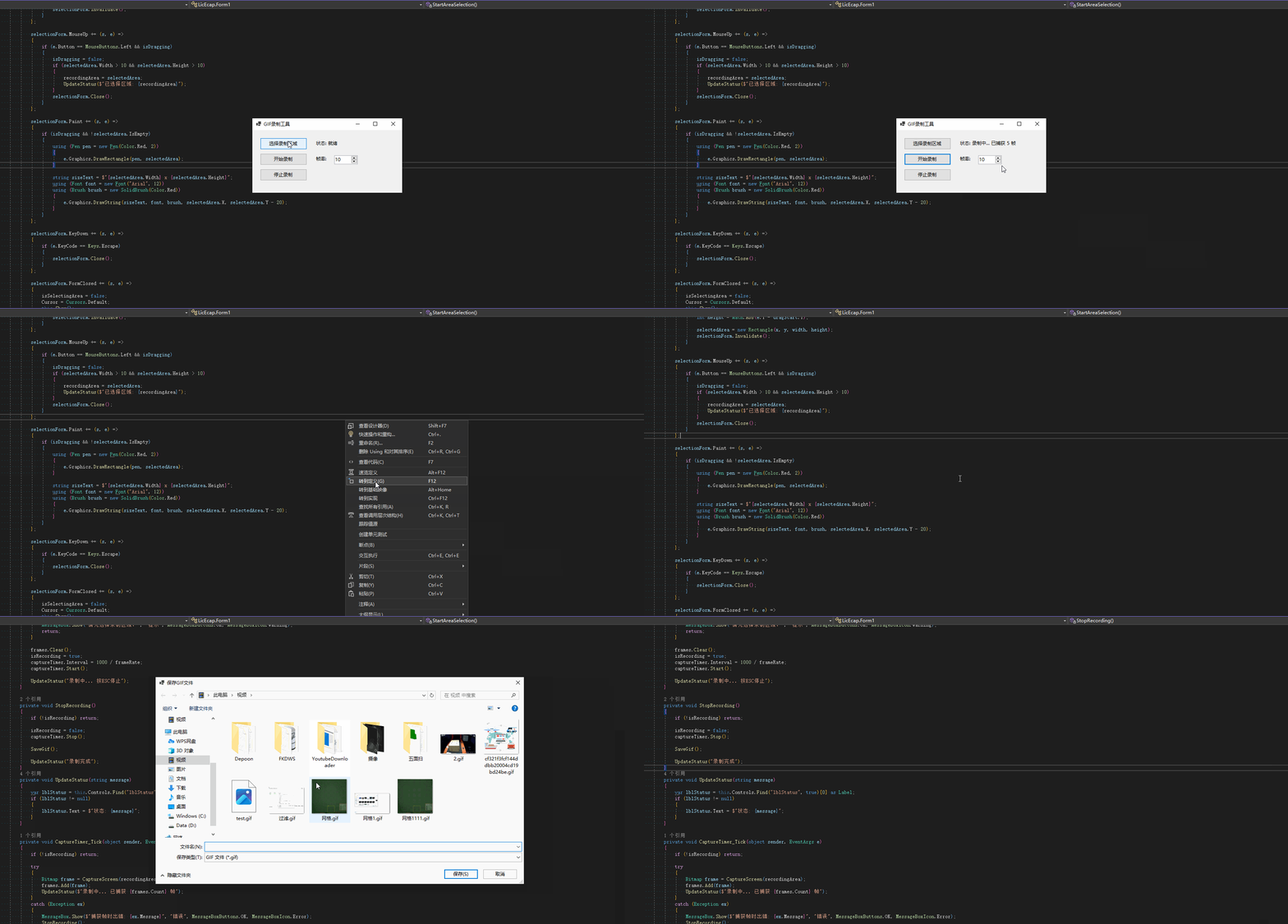
实际录屏的ROI区域效果GIF
03源码介绍

private void InitializeComponents()
 {
     this.Text = "GIF录制工具";
     this.Size = new Size(400, 200);
     this.StartPosition = FormStartPosition.CenterScreen;     // 选择区域按钮
     Button btnSelectArea = new Button();
     btnSelectArea.Text = "选择录制区域";
     btnSelectArea.Size = new Size(120, 30);
     btnSelectArea.Location = new Point(20, 20);
     btnSelectArea.Click += BtnSelectArea_Click;
     this.Controls.Add(btnSelectArea);     // 开始录制按钮
     Button btnStart = new Button();
     btnStart.Text = "开始录制";
     btnStart.Size = new Size(120, 30);
     btnStart.Location = new Point(20, 60);
     btnStart.Click += BtnStart_Click;
     this.Controls.Add(btnStart);     // 停止录制按钮
     Button btnStop = new Button();
     btnStop.Text = "停止录制";
     btnStop.Size = new Size(120, 30);
     btnStop.Location = new Point(20, 100);
     btnStop.Click += BtnStop_Click;
     this.Controls.Add(btnStop);     // 帧率选择
     Label lblFrameRate = new Label();
     lblFrameRate.Text = "帧率:";
     lblFrameRate.Location = new Point(160, 65);
     lblFrameRate.Size = new Size(50, 20);
     this.Controls.Add(lblFrameRate);     NumericUpDown numFrameRate = new NumericUpDown();
     numFrameRate.Value = frameRate;
     numFrameRate.Minimum = 1;
     numFrameRate.Maximum = 30;
     numFrameRate.Location = new Point(210, 65);
     numFrameRate.Size = new Size(60, 20);
     numFrameRate.ValueChanged += (s, e) => { frameRate = (int)numFrameRate.Value; };
     this.Controls.Add(numFrameRate);     // 状态标签
     Label lblStatus = new Label();
     lblStatus.Text = "状态: 就绪";
     lblStatus.Location = new Point(160, 25);
     lblStatus.Size = new Size(200, 20);
     lblStatus.Name = "lblStatus";
     this.Controls.Add(lblStatus);     // 录制计时器
     captureTimer = new System.Windows.Forms.Timer();
     captureTimer.Tick += CaptureTimer_Tick;
 }
选择ROI录屏区域
private void StartAreaSelection()
 {
     this.Hide();
     Thread.Sleep(500); // 等待窗体隐藏     isSelectingArea = true;
     Cursor = Cursors.Cross;     // 创建全屏透明窗体用于区域选择
     Form selectionForm = new Form();
     selectionForm.WindowState = FormWindowState.Maximized;
     selectionForm.FormBorderStyle = FormBorderStyle.None;
     selectionForm.BackColor = Color.Black;
     selectionForm.Opacity = 0.3;
     selectionForm.TopMost = true;
     selectionForm.Cursor = Cursors.Cross;     Rectangle selectedArea = Rectangle.Empty;
     bool isDragging = false;
     Point dragStart = Point.Empty;     selectionForm.MouseDown += (s, e) =>
     {
         if (e.Button == MouseButtons.Left)
         {
             isDragging = true;
             dragStart = e.Location;
         }
     };     selectionForm.MouseMove += (s, e) =>
     {
         if (isDragging)
         {
             int x = Math.Min(dragStart.X, e.X);
             int y = Math.Min(dragStart.Y, e.Y);
             int width = Math.Abs(e.X - dragStart.X);
             int height = Math.Abs(e.Y - dragStart.Y);             selectedArea = new Rectangle(x, y, width, height);
             selectionForm.Invalidate();
         }
     };     selectionForm.MouseUp += (s, e) =>
     {
         if (e.Button == MouseButtons.Left && isDragging)
         {
             isDragging = false;
             if (selectedArea.Width > 10 && selectedArea.Height > 10)
             {
                 recordingArea = selectedArea;
                 UpdateStatus($"已选择区域: {recordingArea}");
             }
             selectionForm.Close();
         }
     };     selectionForm.Paint += (s, e) =>
     {
         if (isDragging && !selectedArea.IsEmpty)
         {
             using (Pen pen = new Pen(Color.Red, 2))
             {
                 e.Graphics.DrawRectangle(pen, selectedArea);
             }             string sizeText = $"{selectedArea.Width} x {selectedArea.Height}";
             using (Font font = new Font("Arial", 12))
             using (Brush brush = new SolidBrush(Color.Red))
             {
                 e.Graphics.DrawString(sizeText, font, brush, selectedArea.X, selectedArea.Y - 20);
             }
         }
     };     selectionForm.KeyDown += (s, e) =>
     {
         if (e.KeyCode == Keys.Escape)
         {
             selectionForm.Close();
         }
     };     selectionForm.FormClosed += (s, e) =>
     {
         isSelectingArea = false;
         Cursor = Cursors.Default;
         this.Show();
         this.BringToFront();
     };     selectionForm.ShowDialog();
 }
录制结束,保存GIF
private void SaveGif()
  {
      if (frames.Count == 0)
      {
          MessageBox.Show("没有可保存的帧!", "提示", MessageBoxButtons.OK, MessageBoxIcon.Information);
          return;
      }      using (SaveFileDialog saveDialog = new SaveFileDialog())
      {
          saveDialog.Filter = "GIF 文件|*.gif";
          saveDialog.Title = "保存GIF文件";
          saveDialog.DefaultExt = "gif";          if (saveDialog.ShowDialog() == DialogResult.OK)
          {
              try
              {
                  // 使用GifBitmapEncoder替代方案
                  SaveFramesAsGif(frames, saveDialog.FileName, frameRate);
                  MessageBox.Show($"GIF保存成功!\n文件: {saveDialog.FileName}\n帧数: {frames.Count}", "成功",
                      MessageBoxButtons.OK, MessageBoxIcon.Information);
              }
              catch (Exception ex)
              {
                  MessageBox.Show($"保存GIF时出错: {ex.Message}", "错误", MessageBoxButtons.OK, MessageBoxIcon.Error);
              }
          }
      }      // 清理资源
      foreach (var frame in frames)
      {
          frame.Dispose();
      }
      frames.Clear();
  }
private void SaveFramesAsGif(List<Bitmap> frames, string filePath, int frameRate)
  {
      using (var collection = new MagickImageCollection())
      {
          foreach (var frame in frames)
          {
              using (var memoryStream = new MemoryStream())
              {
                  frame.Save(memoryStream, ImageFormat.Bmp);
                  memoryStream.Position = 0;                  var image = new MagickImage(memoryStream);
                  image.AnimationDelay =Convert.ToUInt32( 100 / frameRate); // 设置帧延迟
                  collection.Add(image);
              }
          }          // 优化GIF
          collection.Optimize();
          collection.Write(filePath);
      }
  }
主要用到第三方nuget包
AnimatedGif
Magick.NET-Q16-AnyCPU
结束语
感谢各位耐心查阅! 如果您有更好的想法欢迎一起交流,有不懂的也可以微信公众号联系博主,作者公众号会经常发一些实用的小工具和demo源码,需要的可以去看看!另外,如果觉得本篇博文对您或者身边朋友有帮助的,麻烦点个关注!赠人玫瑰,手留余香,您的支持就是我写作最大的动力,感谢您的关注,期待和您一起探讨!再会!
此内容由惯性聚合(RSS阅读器)自动聚合整理,仅供阅读参考。 原文来自 — 版权归原作者所有。