


Mobile app development is a highly lucrative industry, so every day we see hundreds of new applications and, at the same time, tools that simplify the process of creating an app. In other words, nowadays, with a bit of dedication and the right application development platform, this process is becoming more and more accessible.
To create a successful app, developers need to use a mobile application development platform that provides them with everything they need to integrate the multiple components that make up an app. In line with this, Google and Apple both offer exceptional development platforms, Android Studio and Xcode, respectively.
So, let’s take a look at the benefits of using these platforms for custom application development, as well as the differences between both platforms.
- What is an Application Platform?
- Benefits of Using an Application Development Platform
- Android Studio vs. Xcode
- Pros and Cons of Android Studio development
- Pros and Cons of Xcode development
- Don’t forget it! 👉 Is Your App Protected?
First let’s look in detail at what is an application development platform 👀 →
What is an Application Platform?
An application development platform is a tool or a framework of services that provides developers with everything they need to create a mobile app, including an integrated development environment (IDE), programming languages, and frameworks.
These platforms simplify and optimize the app development process by providing developers with pre-built components, libraries, and templates to create their apps more easily and efficiently.
With the rise of mobile devices and the increasing demand for mobile apps, application development platforms have become essential tools for developers. They allow developers to focus on creating unique and innovative apps, rather than spending time on building basic functionalities from scratch.
Benefits of Using an Application Development Platform
- Saves Time and Effort
An application development platform provides developers with pre-built components and templates, which significantly reduce the amount of time and effort required to create an app from scratch. This is especially true for low code application development platforms, which offer a drag-and-drop interface that makes app development even easier.
- Offers High-Quality Development Tools
An application development platform provides a wide range of high-quality tools that developers can use to create complex apps. This includes code editors, debugging tools, and emulators. Developers can also access documentation and community forums to get help and guidance on how to use these tools.
- Provides Excellent User Experience
An application development platform guarantees the creation of high-quality, bug-free apps that deliver an excellent user experience. Developers can utilize the platform to optimize their apps for the specific platform, maintain a consistent user interface, and design a seamless user experience.
🔍 Want to more about planning and creating a mobile game? Check out our beginner’s guide here.
Application Development Platform: Android Studio vs. Xcode
Now let’s take a closer look at the two most popular mobile application development platforms: Android Studio and Xcode.
📌 Android Studio
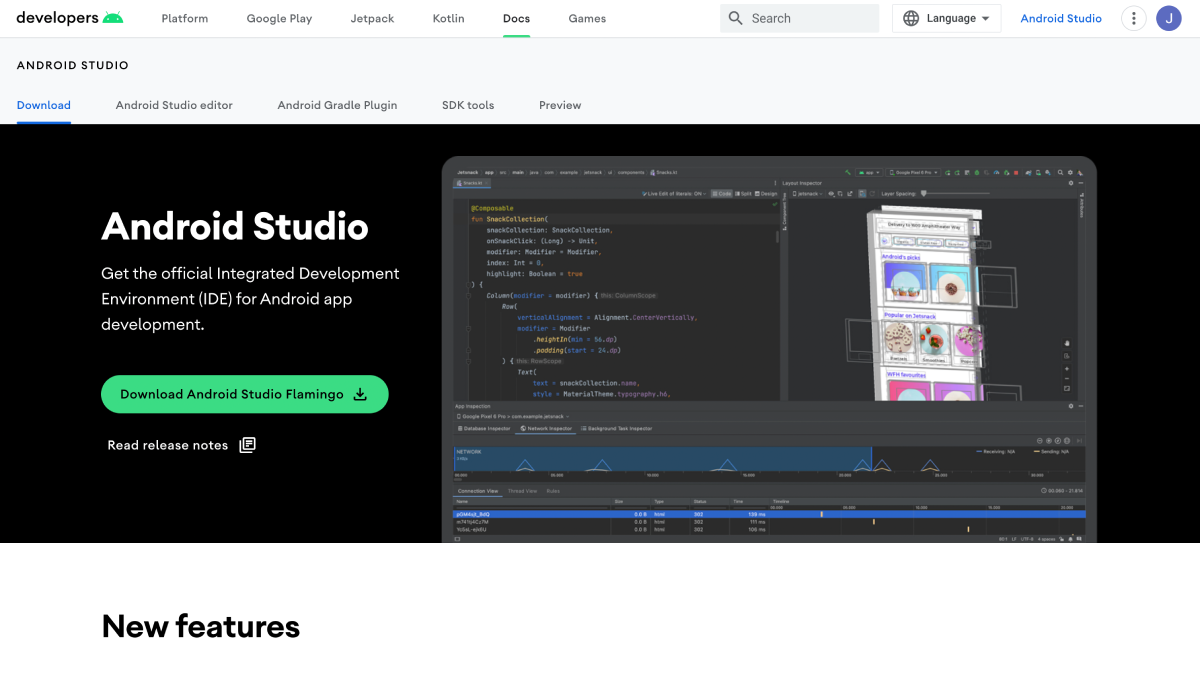
Android Studio is Google’s official IDE for developing Android apps. It is a powerful tool that offers a wide range of features to help developers create high-quality apps.
Android Studio is built on top of the IntelliJ IDEA platform and includes a variety of tools for developing, testing, and debugging Android apps. It also includes an Android emulator, which allows developers to test their apps on different devices and screen sizes.
✅ Pros of Android Studio development
- Integrated development environment: Android Studio provides an all-in-one development environment with a code editor, visual layout editor, and debugging tools, making it easier to develop and test Android apps.
- Open-source platform: Android is an open-source platform, which means developers have access to the source code and can modify it to suit their needs.
- Large user base: Android has a larger user base than iOS, which means there is a wider market for Android apps.
- Integration with Google services: Android Studio seamlessly integrates with Google services such as Firebase and Google Play, making it easier to incorporate these services into apps.
- Cost-effective: Android Studio is free to use, which makes it a cost-effective option for app development.
❌ Cons of Android Studio development
- Fragmentation: Due to the variety of Android devices and versions in the market, developers may have to deal with fragmentation issues while developing apps.
- Steep learning curve: Android Studio has a steep learning curve, which means developers may need some time to get used to its features and functionality.
- Security concerns: Android devices are more vulnerable to security threats, which means developers need to take extra precautions to ensure the security of their apps.
📌 Xcode
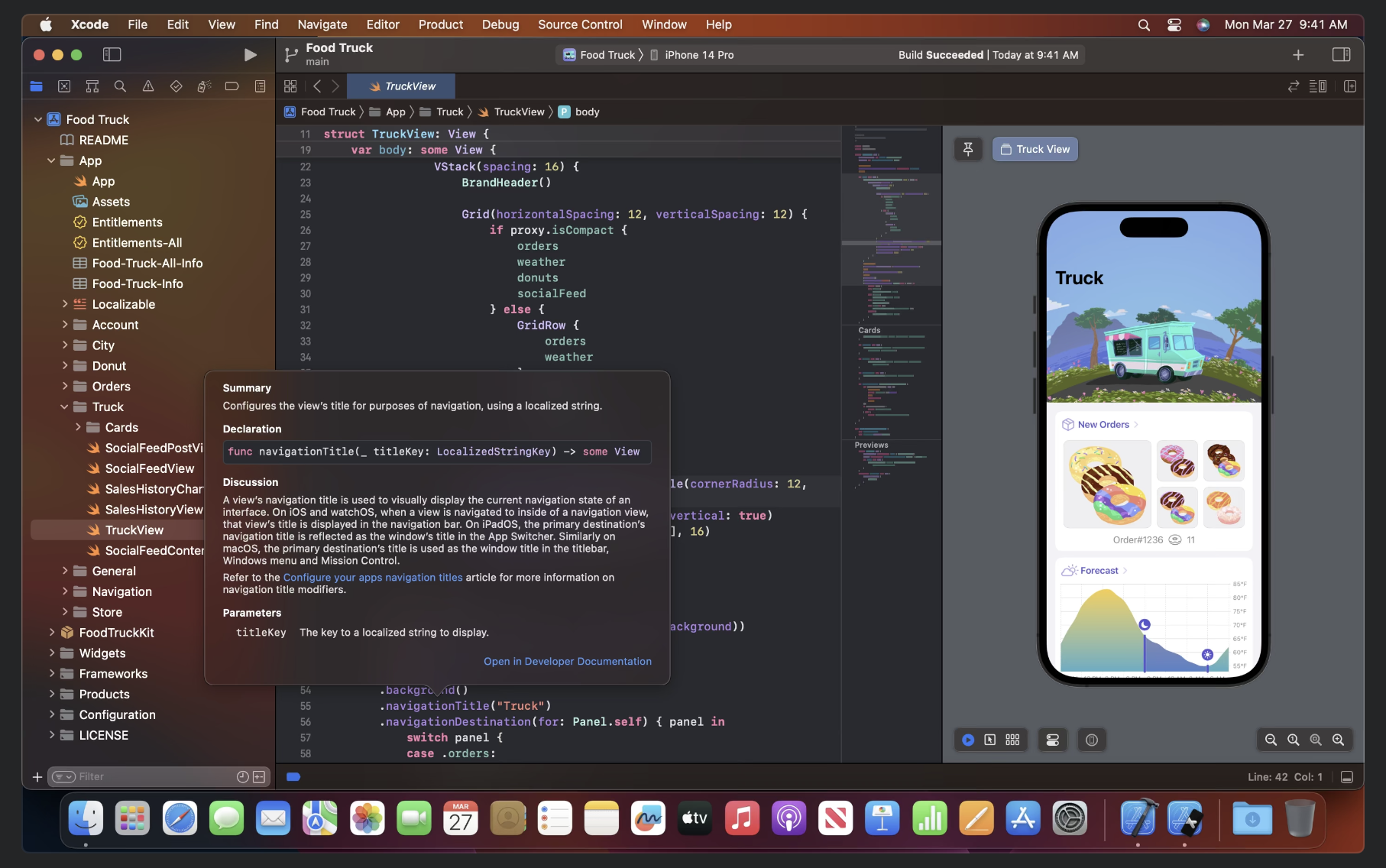
Xcode is Apple’s official IDE for developing iOS apps. It is a comprehensive tool that includes everything developers need to create high-quality apps for iOS devices. Xcode includes a code editor, a graphical interface designer, a debugger, and an iOS simulator. It also includes a wide range of tools for testing, profiling, and optimizing apps.
✅ Pros of Xcode development
- Integrated development environment: Xcode provides a comprehensive development environment with a code editor, visual layout editor, and debugging tools, making it easier to develop and test iOS apps.
- Tight integration with Apple services: Xcode seamlessly integrates with Apple services such as App Store Connect, making it easier to upload apps to the App Store.
- High-quality user experience: iOS apps are known for their high-quality user experience, which can help apps stand out in the market.
- Security: iOS devices are less vulnerable to security threats, which means apps developed on Xcode are more secure.
- Simplified app development process: Xcode offers a simplified app development process with features such as Interface Builder, which allows developers to create user interfaces without writing code.
❌ Cons of Xcode development
- Limited market share: iOS has a smaller market share than Android, which means there is a smaller audience for iOS apps.
- Limited hardware options: iOS devices are limited to Apple devices, which means developers need to ensure their apps work seamlessly across all supported devices.
- Closed platform: iOS is a closed platform, which means developers have limited access to the source code and may face restrictions while developing apps.
In conclusion, both Android Studio and Xcode are excellent mobile application development platforms that offer a wide range of benefits to developers. While Android Studio is better suited for developing Android apps and has stronger integration with Google services, Xcode is the go-to platform for iOS app development and offers seamless integration with Apple services.
Ultimately, the choice between the two depends on the developer’s preference and the app’s target platform. No matter which platform a developer chooses, using an application development platform can significantly simplify the app development process and lead to the creation of high-quality apps.
Finally, don’t overlook this last recommendation no matter which platform you choose! 👇🏽
💡Is Your App Protected? 👉 If you don’t have a privacy policy in place, you risk getting rejected from app stores
Google Play Store and Apple App Store are also companies that are subject to privacy laws and must comply as everyone else. As a result, they require app developers to comply with applicable law and provide a valid privacy policy when submitting their app.
Not having a proper privacy in place will not only be a violation of their terms, but will also likely result in app store rejection.
Don’t risk your app being rejected by app stores
About us

Attorney-level solutions to make your websites and apps compliant with the law across multiple countries and legislations.