





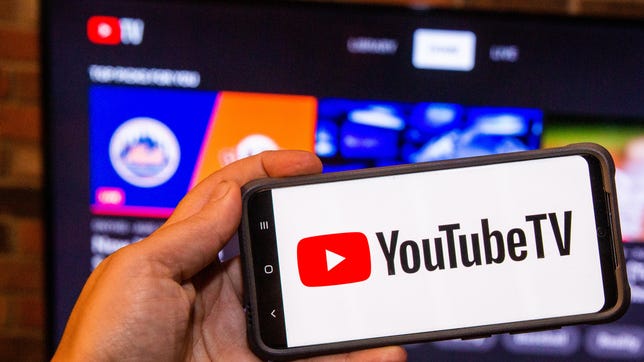
YouTube TV
Pros
- More popular channels than any competitor
- Superb cloud DVR
- Excellent on-screen interface and handy search bar
Cons
- $10 upgrade doesn't include much 4K content
Editors' Note: Although competition among cord-free live TV streaming platforms has gotten stiffer during the past year due to pricing, mergers, channel lineups and carriage disputes, YouTube TV remains a front-runner as a premium service. We like its interface, reliability and its channel roster (despite the recent feud with Disney) compared to its rivals, which is why we're giving it a CNET Editors' Choice award in 2025.
YouTube TV has solidified its reputation as one of the best live TV streaming services available. The Google-owned platform features an extensive array of channels and is known for its easy-to-navigate user experience. These are important details to highlight, considering the fact that the streamer has steadily increased its price over the years. It now costs $83 a month, which is more than twice its original cost. It may feel like the overall value of the service isn't as clear-cut as it once was, but its price is lower than its closest rival, Hulu Plus Live TV.
YouTube TV's main strength for cord-cutters is its sheer number of channels. It now offers 78 of the top 100 networks, the most of any streaming service, a count that includes numerous cable staples plus all four local networks -- ABC, CBS, Fox and NBC -- and local PBS stations nationwide.

Beyond channels, YouTube TV is easy to use: It's slick and speedy on a variety of TVs and mobile devices. Its cloud DVR is also one of the best, with unlimited storage and pretty much all the capabilities of a hardware DVR. The service also offers a 4K streaming upgrade -- for an additional $10 monthly -- which, importantly, includes unlimited simultaneous streams and downloadable DVR recordings.
The big snag is the price, and if you're a cord-cutter, the trimmed-down Sling TV Blue at $46 a month is the best way to save money. At the other end of the spectrum, the $90 Hulu Plus Live TV base plan offers a similar mix of channels, but the addition of the modified Disney Bundle that gives you access to on-demand Hulu, ESPN Plus and Disney Plus, brings some extra value. If you're wanting to stick with a familiar cable TV experience, the myriad channels and unlimited DVR feature offered by YouTube TV makes the $83 price tag well worth the money. It's still a good deal for what you're getting.
Read more: Best Streaming Devices
What do you get?
YouTube TV is different from YouTube, the free video service with more than 2.5 billion users a month. YouTube TV offers an experience similar to cable TV, with live channels and on-demand content available on a variety of devices. It works with Apple TV, Roku, Android TV, Chromecast and Amazon Fire TV, along with numerous smart TVs, phones, tablets, game consoles and web browsers.
Premium services compared
| YouTube TV | Hulu with Live TV | Fubo | Sling | Sling Orange & Blue | DirecTV | |
|---|---|---|---|---|---|---|
| Monthly Price | $83 | $90 | $85 | $46 | $61 | $90 |
| Total Channels | 100+ | 95+ | 150+ | 34+ | 46+ | 90+ |
| RSNs? | Limited | Limited | Yes | No | No | Yes |
| Number of simultaneous streams | 3 | 2 (Pay an extra $10/month unlimited) | 10 at home (3 outside home) | 1 for Sling Orange, 3 for Sling Blue | 4 | Unlimited at home (3 outside home) |
| Cloud DVR | Unlimited | Unlimited | Unlimited | 50 hours (pay $5/month for unlimited) | 50 hours (pay $5/month for unlimited) | Unlimited |
YouTube TV's channel selection is excellent, with more from CNET's list of 100 top channels than any other competitor (although Hulu isn't too far behind). More channels don't necessarily mean more of what you want. Some services, such as Fubo, lean heavily on sports, while others are increasingly expansive. It's best to check the list at the end of this article, which compares individual channels across services, to ensure you're getting the channels you want. While competitors include several channel upgrade packages, YouTube TV includes everything for one price, with one exception explained below.
The service also includes 5.1 surround sound, where available, for all subscribers (most competitors are only in stereo) and an expansion of the DVR search, which can now pick out specific sports, which is most useful for events such as the Olympics.
What's it like to use?
Compared to some services with multilevel interfaces, YouTube TV is fairly simple. There are three main tabs at the top of the interface: Library, Home and Live (on mobile, these tabs are located at the bottom). Library is where your DVR content lives, and Home is where featured and live thumbnails appear. The Live tab is a familiar-looking program grid that displays both currently playing and upcoming shows. You can search for content from the top of any page, making it relatively easy to jump straight to the programming you want. Additionally, viewers can customize the live guide with their favorite channels, or set it to be sorted alphabetically or by the most-watched channels.
There's also a button at the top that offers the ability to buy add-on packages and rent or buy movies within the app. A search icon allows you to type in networks or what you want to watch, and we should note that YouTube TV uses your search history for its recommendation engine. If you want, you can delete your searches.
You can also perform searches with a compatible voice remote or Google Assistant. This is easier if you have an Android TV streamer, you could also perform searches on your Google Nest Mini and play it on a Roku, for example.
The DVR works as you'd expect -- both time-shifting live content and playing back recorded shows -- and the system assigns your recorded content to manageable categories, such as recently recorded and most viewed. The DVR also includes the ability to rewind and fast-forward freely through recordings, even ones that aren't yet completed. The Roku interface offers a 15-second skip by default, while the Apple TV's control system via the Siri remote is even better. You can use the touchpad to scroll through videos and it's glorious. It's so much fun, and auto-generated thumbnails make it relatively easy to get to the part you want.
In the past, when a show appeared in a network's on-demand library, it would automatically replace the version in your cloud DVR, meaning you'd lose the ability to fast-forward through commercials though Google says this should no longer occur. Additionally, YouTube TV's DVR isn't truly unlimited; the shows will expire after nine months (just like Hulu), but this is still much longer than the 30 days you get with most rivals.

YouTube TV rolled out a multiview feature in 2023, enabling subscribers to watch up to four separate sports streams on one screen. The functionality has since been expanded to include news and weather channels with the option to watch either two or four streams at a time. It works on smart TVs as well as phones, and all you have to do is scroll to the "Watch in Multiview" section on the home screen.
On a mobile phone, the YouTube TV app operates as smoothly as the TV version. I was able to filter by channel and genre to comb through content, and the multiview feature is available on my phone as well. If your phone is connected to a smart TV or media player, you can cast YouTube TV to those devices, which can come in handy if you're watching while away from home. It's also easy to download TV show episodes and movies on the mobile app and stream them right on your phone.

Although Google used to integrate YouTube into YouTube TV -- with trailers and related content on a show's About page -- this appears to no longer be the case. The company is continually tweaking the interface, and we may see YouTube content appear again at some point.
Is it worth the $10 for 4K?

It depends. The $10 4K Plus upgrade could be useful if you're looking to stream 4K sporting events and on-demand programming, but the amount of content available in 4K is still limited. There is one new feature that may prove the most useful, especially for travelers, and that's the ability to view an unlimited number of simultaneous streams, and the option to save DVR recordings for offline mobile viewing. If you're a frequent flyer or subway rider, the ability to watch prerecorded shows without an active connection is an attractive feature.
As per YouTube TV's 4K page, the additional content includes shows from Discovery, ESPN, Fox Sports, FX, NBA TV, Nat Geo, NBC Sports and Tastemade. If you want to watch certain premium content (e.g. South Park), you may need to subscribe separately to premium add-ons for Max, Peacock and other services.
The interface includes a 4K button to help find content, but at present, this doesn't constitute enough to stick around for. In addition to a handful of shows, there's Thursday Night Football, "live" Premier League soccer and college football on ESPN. The NCAA adds a bunch of 4K content, but if you want football, 4K or a combination of the two, Fubo offers even more sports for a $90 price tag.
The 4K content that is available with the basic subscription, such as the cooking show Make This Tonight or the travel competition show Basic Versus Baller, does look good, with better contrast and color than regular broadcast TV. In context, the top tier of Netflix costs substantially more at $25 per month, but it offers thousands of hours of 4K content alone, plus offline viewing.
Think of YouTube TV as a cable replacement
When it originally appeared for $35, YouTube TV was an exceedingly attractive way to save money over cable. But as the service has piled on more channels, it's added further costs. When you take that $83 monthly fee and apply it to the $55 you're probably already paying for internet service, it means you're paying over $130 a month. Many cable TV providers will give you a TV and internet bundle for around the same money.
Prices vary a lot, of course, and with cable, you probably have to pay rental equipment fees, taxes and other extras. Cable providers usually reserve the best bundle pricing for people who sign a contract. The same goes for "streaming" offerings, such as Comcast's StreamSaver, which can be paired with its NOW TV offering. The reason you want to cut cable in the first place remains.
Read more here: Streaming vs. Cable: Which One Saves You More Money?
Like Hulu with Live TV, Sling TV and others, YouTube TV is contract-free, so you can cancel anytime. Streaming services also have other advantages over cable. They're easier to watch on phones and tablets, for example. At $83 per month, you'll have to be coming from a relatively expensive cable bill to realize substantial savings with YouTube TV.

Should you get YouTube TV?
If price is no object, YouTube TV goes neck and neck with Hulu Plus Live TV as the premier live TV streaming service, with a huge array of entertainment options and one of the best DVR/search combos on the market. It offers more channels than anyone else and its 5.1 surround is great for sports and movie fans. If you don't want to be beholden to a traditional cable company, it's a great alternative.
Though $83 a month is a tough expenditure for some people, without a contract to worry about, you're free to jump ship to a better deal at any time. The extra $10 is still too much for so little 4K content, even if unlimited streams and DVR downloads are useful for extended families or travelers. If you want more on-demand content for your buck, then Hulu Plus Live TV's Disney bundle is fairly unbeatable.
Lastly, if you're a hard-core cord-cutter and determined to save money, Sling TV Blue offers a compelling alternative, especially when paired with an antenna or an AirTV 2.
Below, you'll find a comparison of the top 100 channels offered by a few of YouTube TV's competitors. For more information and comparisons with additional services, check out the full article.
Live TV channel comparison
| Channel | Philo ($33) | Sling Orange ($46) | Sling Blue ($46) | YouTube TV ($83) | Fubo ($85) | DirecTV ($90) | Hulu with Live TV ($90) |
|---|---|---|---|---|---|---|---|
| Total channels: | 42 | 24 | 34 | 78 | 46 | 55 | 75 |
| ABC | No | No | No | Yes | Yes | Yes | Yes |
| CBS | No | No | No | Yes | Yes | Yes | Yes |
| Fox | No | No | Yes | Yes | Yes | Yes | Yes |
| NBC | No | No | Yes (some markets) | Yes | Yes | Yes | Yes |
| PBS | No | No | No | Yes | No | Yes | Yes |
| CW | No | No | No | Yes | Yes | Yes (limited) | Yes |
| MyNetworkTV | No | No | No | Yes | No | Yes | Yes |
| Channel | Philo ($33) | Sling Orange ($46) | Sling Blue ($46) | YouTube TV ($83) | Fubo ($85) | DirecTV ($90) | Hulu with Live TV ($90) |
| A&E | Yes | Yes | Yes | No | No | $ | Yes |
| ACC Network | No | $ | No | Yes | Yes | $ | Yes |
| Accuweather | Yes | No | No | No | Yes | Yes | No |
| AMC | Yes | Yes | Yes | Yes | No | Yes | No |
| Animal Planet | Yes | No | No | Yes | No | Yes | Yes |
| BBC America | Yes | Yes | Yes | Yes | No | Yes | No |
| BBC World News | Yes | $ | $ | Yes | No | $ | No |
| BET | Yes | Yes | Yes | Yes | Yes | Yes | Yes |
| Big Ten Network | No | No | $ | Yes | Yes | $ | Yes |
| Bloomberg TV | No | Yes | Yes | No | Yes | Yes | Yes |
| Boomerang | No | $ | $ | No | No | Yes | $ |
| Bravo | No | No | Yes | Yes | Yes | Yes | Yes |
| Channel | Philo ($33) | Sling Orange ($46) | Sling Blue ($46) | YouTube TV ($83) | Fubo ($85) | DirecTV ($90) | Hulu with Live TV ($90) |
| Cartoon Network | No | Yes | Yes | Yes | No | Yes | Yes |
| CBS Sports Network | No | No | No | Yes | Yes | $ | Yes |
| Cheddar | Yes | No | No | Yes | Yes | Yes | Yes |
| Cinemax | No | No | No | $ | No | $ | $ |
| CMT | Yes | $ | $ | Yes | Yes | Yes | Yes |
| CNBC | No | No | $ | Yes | Yes | Yes | Yes |
| CNN | No | Yes | Yes | Yes | No | Yes | Yes |
| Comedy Central | Yes | Yes | Yes | Yes | Yes | Yes | Yes |
| Cooking Channel | Yes | $ | $ | No | $ | $ | $ |
| Destination America | Yes | $ | $ | No | $ | $ | $ |
| Discovery Channel | Yes | No | Yes | Yes | No | Yes | Yes |
| Disney Channel | No | Yes | No | Yes | Yes | Yes | Yes |
| Disney Junior | No | $ | No | Yes | Yes | Yes | Yes |
| Disney XD | No | $ | No | Yes | Yes | Yes | Yes |
| E! | No | No | Yes | Yes | Yes | Yes | Yes |
| ESPN | No | Yes | No | Yes | Yes | Yes | Yes |
| ESPN 2 | No | Yes | No | Yes | Yes | Yes | Yes |
| ESPNEWS | No | $ | No | Yes | $ | $ | Yes |
| ESPNU | No | $ | No | Yes | $ | $ | Yes |
| Channel | Philo ($33) | Sling Orange ($46) | Sling Blue ($46) | YouTube TV ($83) | Fubo ($85) | DirecTV ($90) | Hulu with Live TV ($90) |
| Food Network | Yes | Yes | Yes | Yes | No | Yes | Yes |
| Fox Business | No | No | $ | Yes | Yes | Yes | Yes |
| Fox News | No | No | Yes | Yes | Yes | Yes | Yes |
| FS1 | No | No | Yes | Yes | Yes | Yes | Yes |
| FS2 | No | No | $ | Yes | Yes | $ | Yes |
| Freeform | No | Yes | No | Yes | Yes | Yes | Yes |
| FX | No | No | Yes | Yes | Yes | Yes | Yes |
| FX Movies | No | No | $ | Yes | $ | $ | Yes |
| FXX | No | No | $ | Yes | Yes | Yes | Yes |
| FYI | Yes | $ | $ | No | No | $ | Yes |
| Golf Channel | No | No | $ | Yes | Yes | $ | Yes |
| Hallmark | Yes | $ | $ | Yes | Yes | Yes | Yes |
| HBO/Max | No | No | No | $ | No | $ | $ |
| HGTV | Yes | Yes | Yes | Yes | No | Yes | Yes |
| History | Yes | Yes | Yes | No | No | $ | Yes |
| HLN | No | $ | Yes | Yes | No | Yes | Yes |
| IFC | Yes | Yes | Yes | Yes | No | Yes | No |
| Investigation Discovery | Yes | Yes | Yes | Yes | No | Yes | Yes |
| Lifetime | Yes | Yes | Yes | No | No | $ | Yes |
| Lifetime Movie Network | Yes | $ | $ | No | No | $ | Yes |
| Channel | Philo ($33) | Sling Orange ($46) | Sling Blue ($46) | YouTube TV ($83) | FuboTV ($85) | DirecTV ($90) | Hulu with Live TV ($90) |
| Magnolia Network | Yes | $ | $ | Yes | No | $ | Yes |
| MGM+ | $ | $ | $ | $ | No | $ | No |
| MLB Network | No | $ | $ | No | $ | $ | Yes |
| Motor Trend | Yes | Yes | No | Yes | No | Yes | Yes |
| MSNBC | No | No | Yes | Yes | Yes | Yes | Yes |
| MTV | Yes | $ | $ | Yes | Yes | Yes | Yes |
| MTV2 | Yes | $ | $ | Yes | $ | Yes | $ |
| National Geographic | No | No | Yes | Yes | Yes | No | Yes |
| Nat Geo Wild | No | No | $ | Yes | $ | $ | Yes |
| NBA TV | No | $ | $ | Yes | $ | $ | No |
| NFL Network | No | No | Yes | Yes | Yes | $ | Yes |
| NFL Red Zone | No | No | $ | $ | $ | No | $ |
| NHL Network | No | $ | $ | No | $ | $ | No |
| Nickelodeon | Yes | No | No | Yes | Yes | Yes | Yes |
| Nick Jr. | Yes | Yes | Yes | Yes | Yes | $ | Yes |
| Nicktoons | Yes | $ | $ | Yes | $ | $ | $ |
| OWN | Yes | No | No | Yes | No | $ | Yes |
| Oxygen | No | No | $ | Yes | Yes | $ | Yes |
| Paramount Network | Yes | $ | $ | Yes | Yes | Yes | Yes |
| Science | Yes | $ | $ | No | $ | $ | $ |
| Channel | Philo ($33) | Sling Orange ($46) | Sling Blue ($46) | YouTube TV ($83) | FuboTV ($85) | DirecTV ($90) | Hulu with Live TV ($90) |
| SEC Network | No | $ | No | Yes | $ | $ | Yes |
| Showtime | No | $ | $ | $ | $ | $ | $ |
| Smithsonian | Yes | No | No | Yes | Yes | $ | Yes |
| Starz | $ | $ | $ | $ | $ | $ | $ |
| Sundance TV | Yes | $ | $ | Yes | No | Yes | No |
| Syfy | No | No | Yes | Yes | Yes | Yes | Yes |
| Tastemade | Yes | $ | $ | Yes | Yes | $ | No |
| TBS | No | Yes | Yes | Yes | No | Yes | Yes |
| TCM | No | $ | $ | Yes | No | $ | Yes |
| TeenNick | Yes | $ | $ | Yes | $ | Yes | $ |
| Telemundo | No | No | No | Yes | Yes | $ | Yes |
| Tennis Channel | No | $ | $ | No | $ | $ | No |
| TLC | Yes | No | Yes | Yes | No | Yes | Yes |
| TNT | No | Yes | Yes | Yes | No | Yes | Yes |
| Travel Channel | Yes | Yes | Yes | Yes | No | $ | Yes |
| TruTV | No | $ | Yes | Yes | No | $ | Yes |
| TV Land | Yes | $ | $ | Yes | Yes | Yes | Yes |
| USA Network | No | No | Yes | Yes | Yes | Yes | Yes |
| VH1 | Yes | $ | $ | Yes | Yes | Yes | Yes |
| Vice | Yes | Yes | Yes | No | No | $ | Yes |
| WE tv | Yes | $ | $ | Yes | No | Yes | No |
| Channel | Philo ($33) | Sling Orange ($46) | Sling Blue ($46) | YouTube TV ($83) | FuboTV ($85) | DirecTV ($90) | Hulu with Live TV ($90) |
- Yes = The channel is available on the cheapest pricing tier.
- No = The channel isn't available at all on that service.
- $ = The channel is available for an extra fee, either a la carte or as part of a more expensive package or add-on.
- Not every channel a service carries is listed, just the "top 100" as determined by CNET's editors. Minor channels such as AXS TV, CNBC World, Discovery Life, GSN, POP and Universal Kids didn't make the cut.
- Regional sports networks -- channels devoted to showing regular-season games of particular pro baseball, basketball and hockey teams -- aren't listed.