








While running a retail business, the most crucial task is to convert a visitor into a buyer, whether it's an offline store or an online e-commerce store. And to make a conversion, these online stores try almost everything from creating a perfect home page to implementing a smooth checkout process.
As more and more buyers are now choosing to purchase online, the e-commerce websites have also geared up for this shift. The competition in acquiring these shoppers has also been increased. In such a competitive market, even a slight improvement in conversion rate matters.
So, what is helpful in increasing conversions on a Shopify store?
First, let’s focus on the product page of your store. The product page is the most critical place where you can turn a visitor into your customer. Here your visitor gets acquainted with the product and tries to make up their mind for purchasing. So, if your product page solves all the queries and wins the trust of the potential buyer, then it’s working. If not, you should work on your product page.
So, let’s deep dive into some tactics which can help you create a perfect product page, and in increasing conversions on your Shopify store.
Add Multiple Images of Product
When you shop online, you check the product’s appearance by clicking on its pictures. Unlike offline stores, you can’t touch, feel, or try the product while buying.
When you visit a shop, you can physically analyze the look and feel of the product and then can make your decision. But, when you buy something online, the first thing that you encounter is the image of the product. You see the pictures, examine its look, and then take the next step. So, it’s essential to add beautiful and real images of your products on the product page.
Click pictures of your product from different angles so that your buyer can see each and every corner of your product. Always use a white background so that your product looks bright and bold. You can also add a video of your product to interpret its usage and style better. A simple video without any audio showcasing the product would work better. You can easily embed a video in your Shopify store. Make sure that the real product and its images or video are not different. Always use actual pictures of the product. Do not try to show something else and sell something else. Trust is hard to gain once lost.
Beautiful product images serve the purpose of showcasing your products, but at the same time introduce a new set of performance problems. That doesn't mean you should shy away from using beautiful pictures, learn more about this on our blog post on how to optimize images in your Shopify store.
Allow Customer Reviews
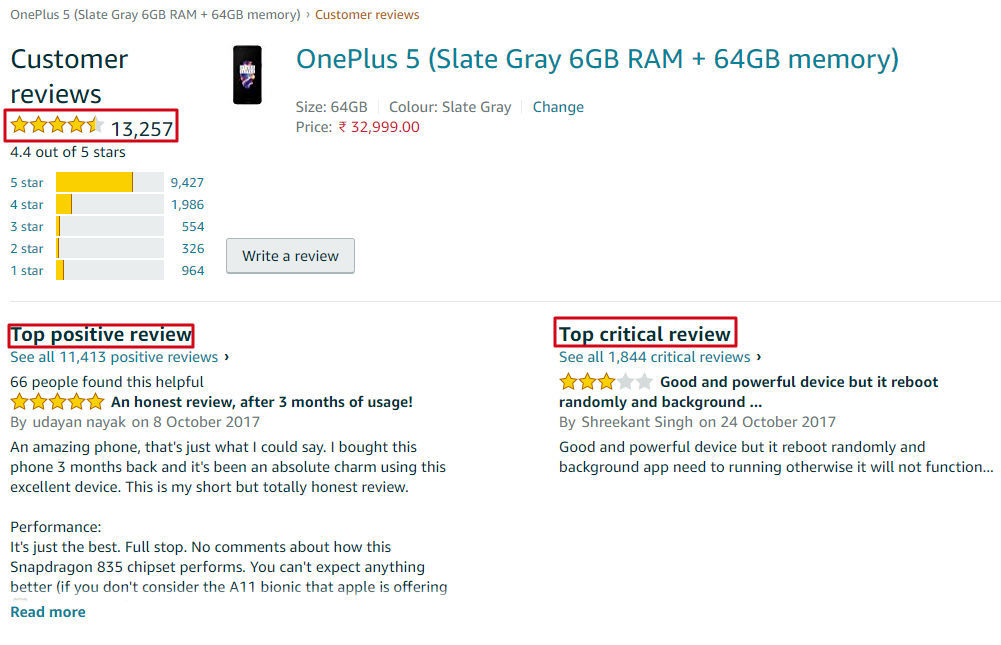
Customer reviews can do wonders for your products. A long list of features and promises is not valid if there is no social proof of your services.
When a prospective buyer visits your product page, checks out the images and features, then they want to validate the same story by checking the reviews. Customer reviews speak for the degree of excellence of your services.
Do you deliver your promises? Does the product fulfil all that you have written about it there?
Your buyers can get all these answers by checking what other people are saying about that product. These reviews are the best way to gain trust of the customers. This shows the transparency of the seller and other people’s opinion about their services.
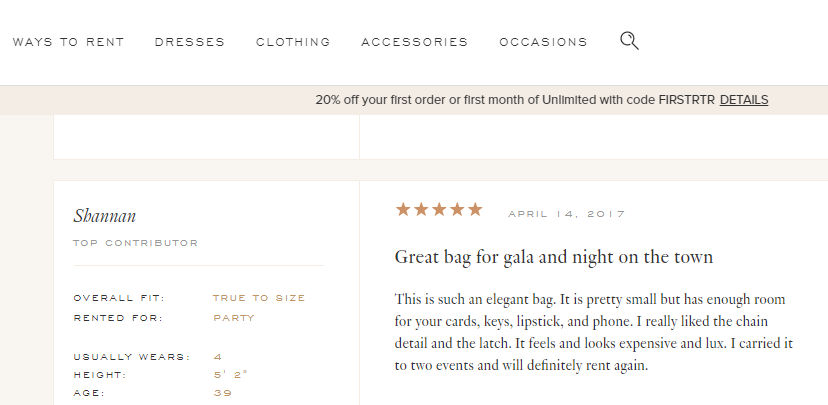
Most of the e-commerce websites allow customers to leave the reviews. Customers can share their experience by adding an image or video also.
Customer reviews are also the best way to generate user content. User-generated content also impacts the ranking of your website, and you grab some SEO benefits.
These reviews also make your brand’s social appearance strong. A good number of reviews is a useful indicator of how many people are interested in what you are selling. If you have just started your online store, you can personally ask your customers to share their feedback after purchase.
Add Frequently Asked Questions
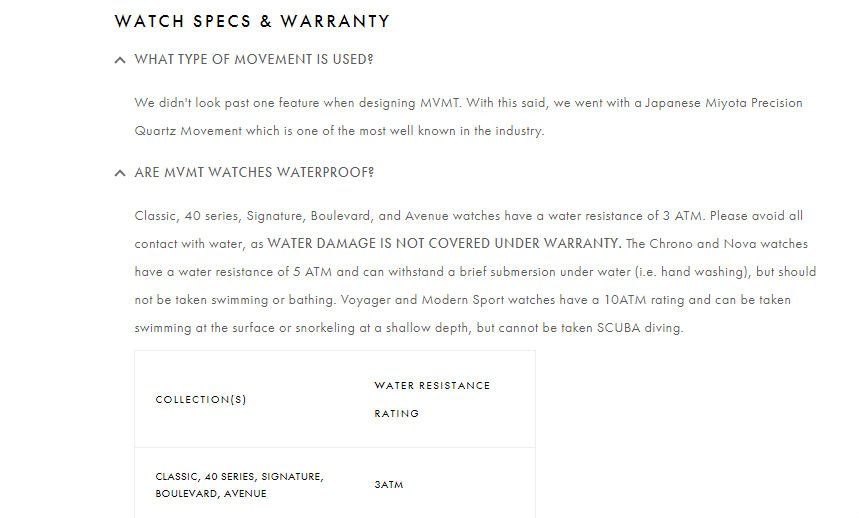
If a customer has queries or doubts about a product while buying at an offline store, he or she can ask those questions from the salesperson and get all the answers there and then. But when you provide an online shopping platform, you aren’t physically present there to answer any queries your customers may have.
So, if your customers resist buying a product because of some unanswered doubts, then you may lose a lot of conversions. To resolve this dilemma of your customers, you can provide answers to their queries by adding an FAQ section in your product page. Include some frequently asked questions and their answers, and help your customers in making a purchase which will boost the conversions of your Shopify store.
Offer an Easy Way to Contact You
Always offer your customers an easy way to contact you. It can be a customer support number, a support email, or a live chat option.
If your customers are finding any difficulty while making a purchase, they should be able to contact you easily. Some businesses do not feel the necessity of having a live chat option. But it can do wonders for your conversion numbers. According to Forrester, the conversions of Wells Fargo increased by double-digits when they integrated live chat to their website.
Contacting a customer support number, waiting on the line, or sending an email are time-consuming processes when compared to live chat. Also, these are mostly suitable for serious issues, but if a customer is having a short query or some doubts about your policies, then live conversation is the best way to get connected.
Live chat is a prompt and easily accessible way to post a query and get that resolved. It makes your customers feel your presence all through their buyer journey, giving them a sense of security and confidence. There are plenty of live chat options in the Shopify App Store, you can easily integrate one into your website.

A Convenient Return Policy
While buying online, a customer often debates the many points influencing his decision to purchase, and the return policy is one of them.
When you buy online, you put your faith in the services of an online seller and order the product without even trying it. So, it’s vital for the e-commerce sites to have an easy-to-understand and convenient return policy to win the trust of customers. You should explicitly display your return policy, or money back guarantee terms on your product page. It shows that you are confident about the quality of your services and products. Your customers should trust your services and should not feel any uncertainty while buying from your store.
In the return policy, you can offer a complete 100% refund to your customers if you don’t deliver the promised services, or you can provide an exchange policy. This will assure your customers and encourage them to proceed towards check out.
Let’s take an example of AO.com. AO or Appliances Online is one of the largest online retailers dealing mainly in appliances. It offers a convenient return policy to its customers including different ways to return a product, like providing a full refund, product exchange, get customer care support, etc.

The e-commerce industry is growing tremendously, and competition is increasing day by day. Thus, being a seller, you should keep experimenting with your product pages to provide an excellent shopping experience to your customers. Sometimes, even a small change can make a huge impact. Your goal should be to remove all hurdles from the path of your customers while they are in the process of making a purchase. It's best to keep experimenting to stay ahead. Stay tuned to ImageKit for such amazing tips. Check out Shopify SEO Tips for some more useful ideas.