





Let's start from the start — What's Brotli?
In 2013, Brotli was launched for the offline compression of web fonts. Later, In 2015, Google released a version for generic lossless data compression, keeping in mind the use for HTTP compression in particular.
It's open source, it outperforms gzip, and it's supported by most browsers. And here's why you should be using it.
Brotli Compressions are Smaller
As found by CertSimple, Brotli performance when compared to gzip is:
- 14% smaller for JavaScript
- 21% smaller for HTML
- 17% smaller for CSS
Significant difference, wouldn't you say?
Compresses Faster Than Gzip
A common misconception in the circuit is that Brotli is slower than gzip. That's just not true!
The following graph, which was generated from Squash benchmark results, paints a clearer picture.
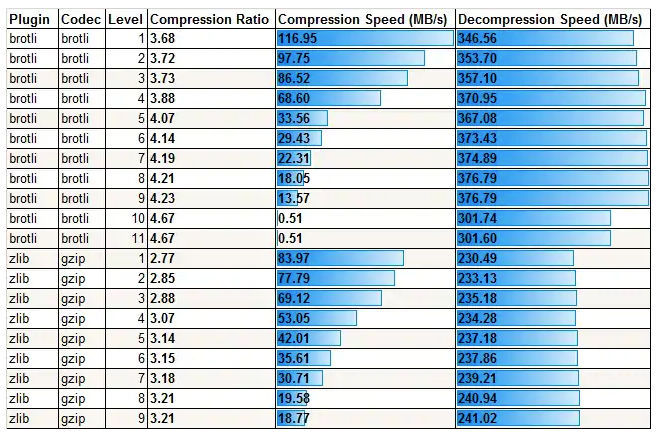
Gzip and Brotli, both have variable levels of compression. What makes the difference, and need your attention, are the default settings.
Brotli is set up to max by default. And that's what needs to be manipulated to optimize the compression speed. Leverage it.
Faster Page Load, Faster Website
When the data of a website gets compressed faster and to a much smaller size, it takes up less bandwidth to load. Reduced bandwidth consumption translates to a faster page load.
With its previously mentioned advantages, using Brotli for your data compressions would essentially lead to a significant reduction in the page load time of your website.

And what does that translate to for your website? That's right, a faster website!
A faster website gets a better search ranking and reflects higher in search results.
Better User Experience
With the file sizes compressing faster, reducing the page load time and making for a speedier website, means a happy user.
An efficient and fast loading website performs better and provides a better user experience. Something every business out there is striving for.
Browser Support
In its initial phase, Brotli wasn't supported by most browsers. Now that that has changed and you can roll out Brotli compressions on most browsers, there's really no excuse not to give it a go.
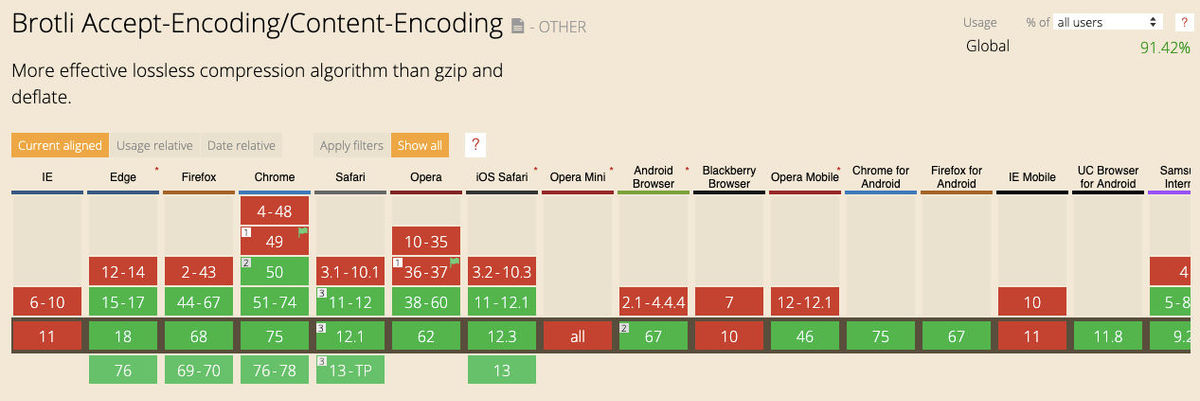
If the browser in use supports Brotli, the Accept-Encoding response header would include "br".

If the resources on the website have been compressed using Brotli, the value for Content-Encoding response header will be "br",
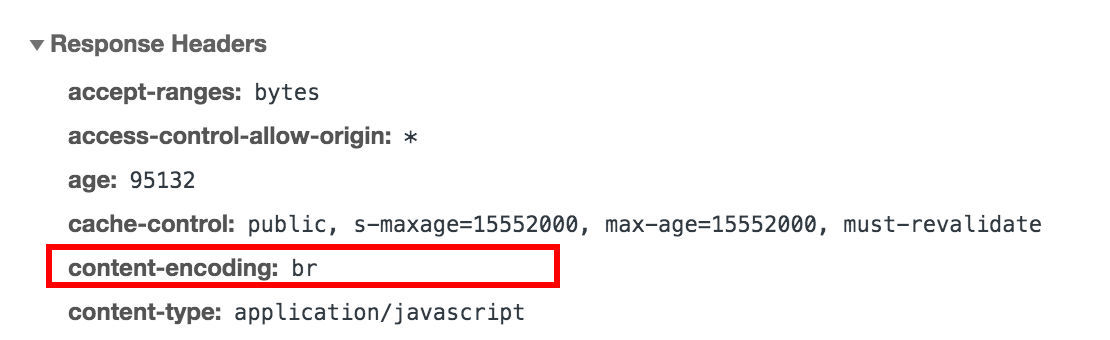
and not gzip.
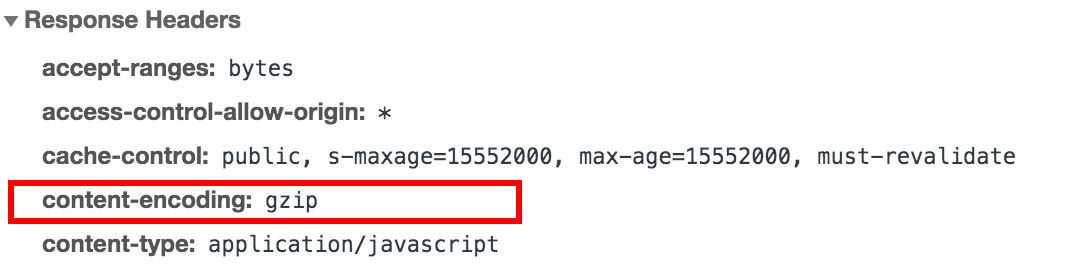
The server can be configured in the way that it automatically falls back on gzip for the rare cases where the browser doesn't support Brotli.
So Why Hasn't it Gained Momentum?
Developers spend hours building the perfect webpage. And usually within tight deadlines.
When enabling Brotli for static compressions, the assets need to be compressed with every build. In cases where higher compression levels are used, the build time taken can spike up significantly.
When enabling Brotli for dynamic compressions, as the assets get compressed on the fly as and when they are requested by the browser, the files being compressed at higher levels for better compression ratios will take longer, leading to a higher load time. This lag can affect website performance and user experience.
Setting Up Brotli
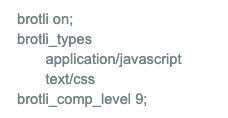
Let's take an instance where we use an nginx server with the Brotli compression module provided by Google.
It can be easily turned on selectively for particular file types by checking for the mime type value.
In the example below, we have selectively turned it on for Brotli compressions for JS (application/javascript) and CSS (text/css) file types while setting the Brotli compression level at 9.
Here is an excellent guide for cases where Brotli compression is to be used during the build process, and not real-time, using a tool like webpack.
Final Thoughts
While there are many formats to choose from, very few offer the kind of data quality post compression, while being supported by most browsers. Brotli may not be as popular yet, but with its list of pros, the teeny bit of effort it needs to be setup is well worth it.
Many CDNs do not support Brotli. ImageKit, with its global CDN, has rolled out Brotli data compressions served through its servers, and you can get started with it for free here.