








FILE PHOTO: The Apple Inc. logo is seen hanging at the entrance to the Apple store | Photo Credit: Reuters
Few days after introducing the Oceanic+ app to Watch Ultra, Apple has now introduced ski and snowboard detection to the watch.
Apple’s Watch Ultra got more options for workout detection with the help of a third-party app Slopes.
Once Slopes is installed, the watch is capable to track ski or snowboard exercises, and can identify the resort one is in. The extra perks in Apple Watch Ultra are limited to paying subscribers.
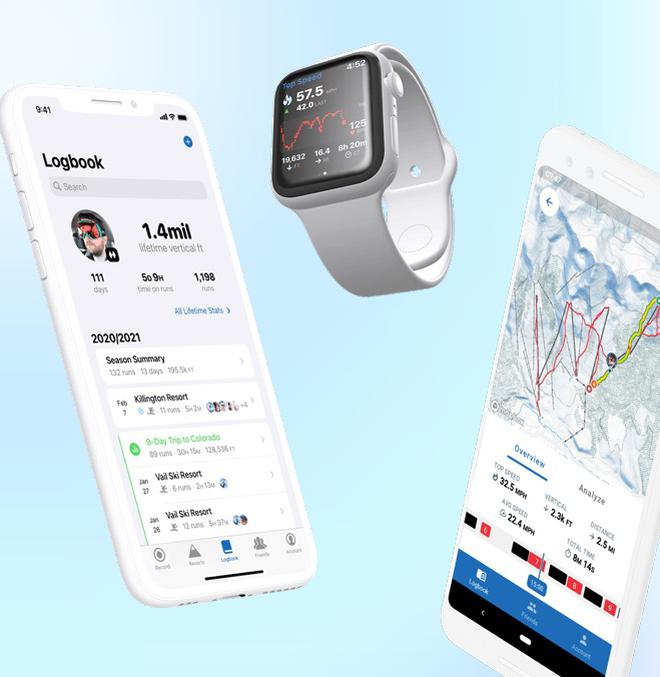
Slopes app for Apple Watch Ultra
To activate Slopes on Apple Watch Ultra, users can use the Action button. One can also assign specific a button to start workout detection mode through Slopes with a single tap.
Pausing Slopes from detecting workout actions needs one to press the Action button and the Side button simultaneously. The Slopes app works with Siri as well as voice commands are listed under the menu.
Furthermore, Apple Watch devices can switch to water lock mode when Slopes app is running to prevent accidental touches on the display with all that snow around. One can exit the water lock mode by pressing down and holding the Digital Crown for a few seconds.

Published on November 30, 2022
此内容由惯性聚合(RSS阅读器)自动聚合整理,仅供阅读参考。 原文来自 — 版权归原作者所有。