


Pablo Picasso once said, “Our goals can only be reached through the vehicle of a plan. There is no other route to success.” In the production world, every component depends on a clear, well-organized timeline. With the dawn of the online timeline creator, crew members can now easily structure and navigate the complex elements of a project.
Here’s what you need to know about the film, photo and video production timeline. We’ll show you how to make a timeline and a provide a video production timeline sample.
Try out StudioBinder's free online production timeline template right here.
Okay, you’ve heard the phrase tossed about, but what is the production timeline definition? A film, photo and video production timeline is essentially a Gantt chart that displays milestones scheduled over a specific period of time. This isn't too unlike google slides.
According to recent research, 86% of project managers request platforms with project planning tools.
Production timelines are useful for projects of all sizes and help to prioritize the many tasks comprising them.
Take a look at StudioBinder’s photo and video timeline software. Another name for this, is the production calendar. The left side of its online timeline creator contains a list of activities, and along the top is the appropriate timescale.
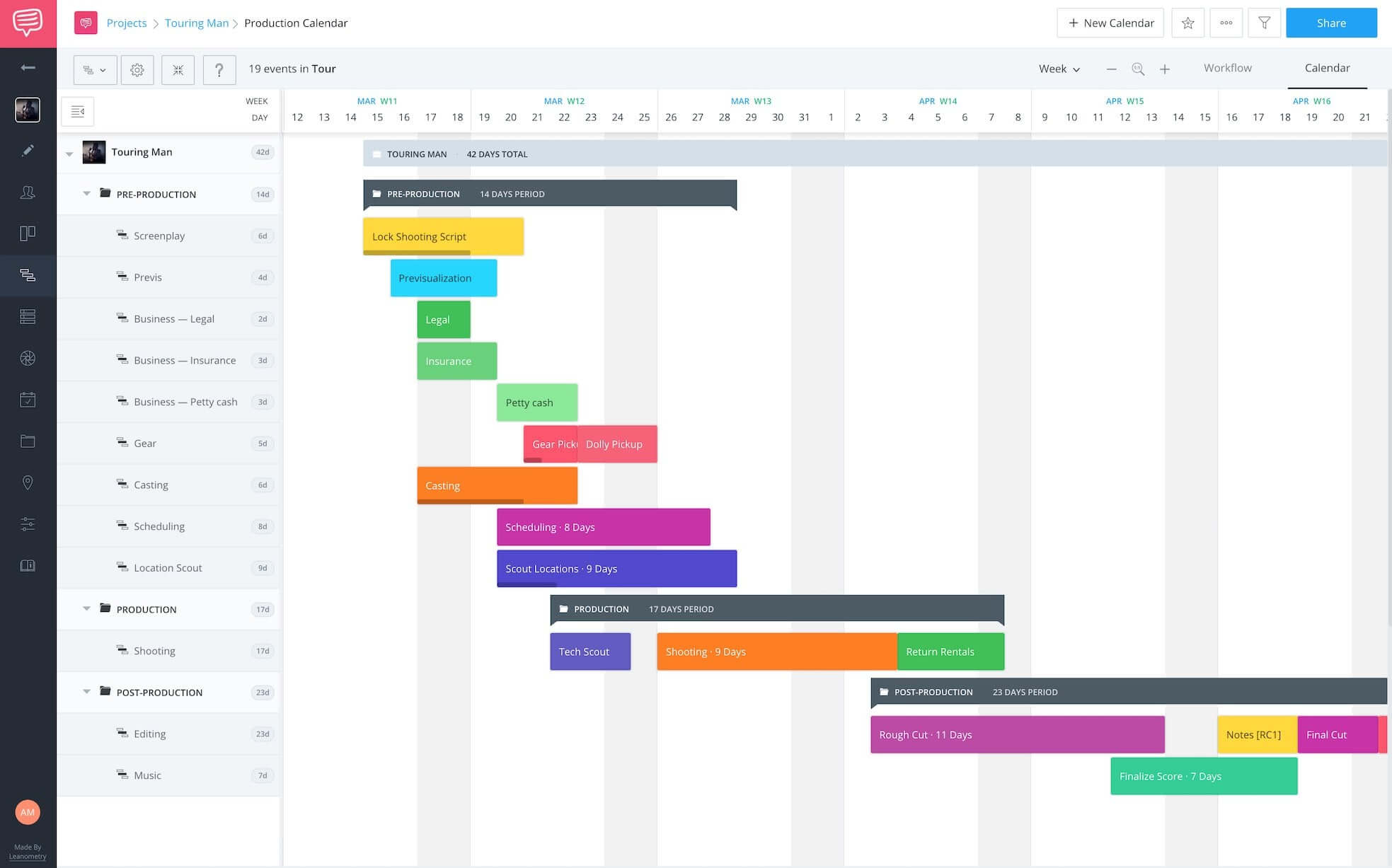
Timeline software in chronological order like this allows an individual to view:
Unlike a basic templates, an online timeline creator enables viewers to better see the relationships between tasks with “dependencies” (little arrows that connect separate events).
For example, you may have an event labeled “Rehearsals” that has a dependency to “Casting” since you’d need to first cast before you can rehearse.
Furthermore, interactive timeline software also displays how each task has progressed and what resources have been used. It's a preservation of historical events in a way. Ultimately, a film, photo and video production timeline shows what has to be done and when.
Images and videos are how we parcel information, so a video production timeline is vital for any video project manager or UPM:
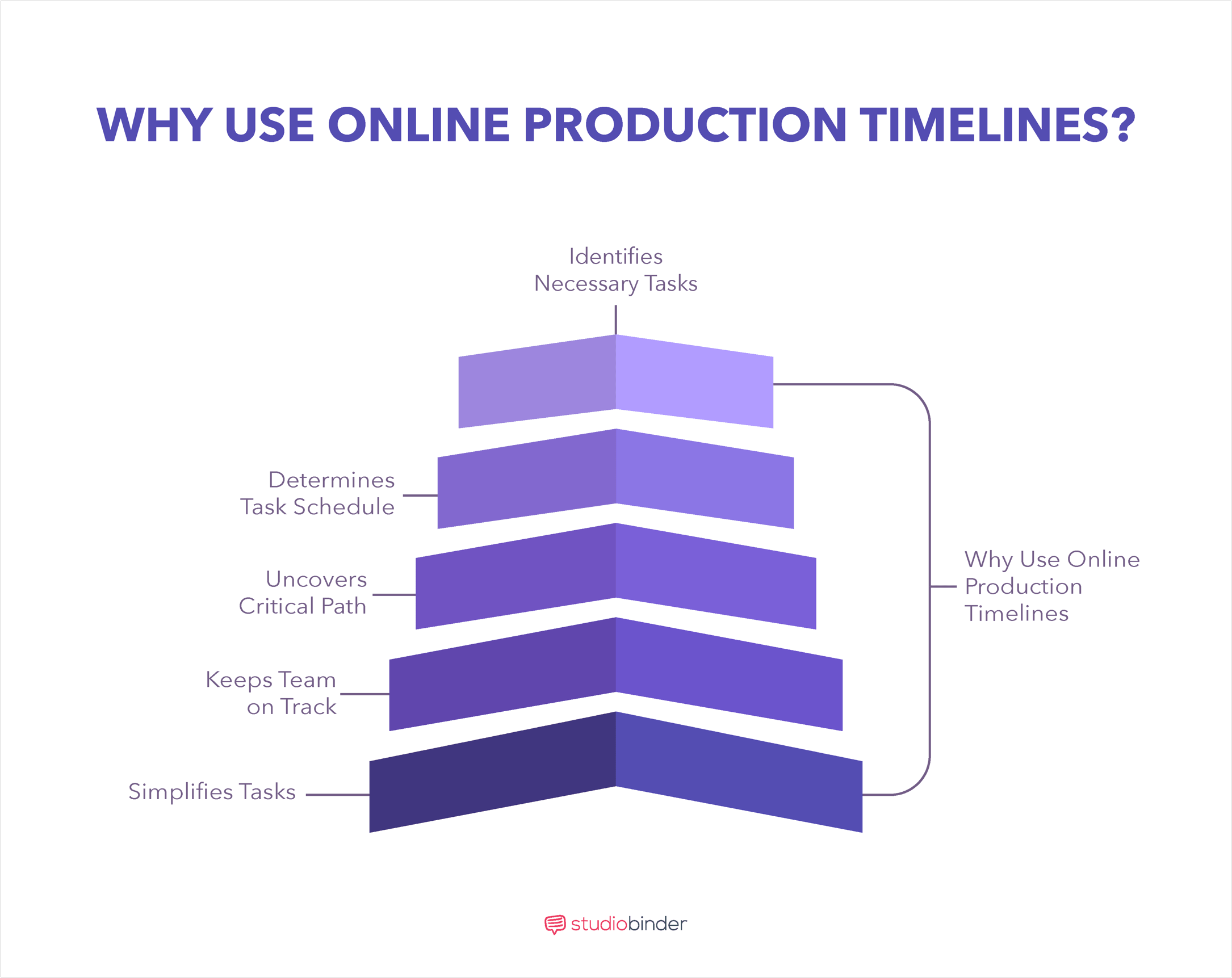
Timeline software helps to improve the visibility of intricate projects and keeps team members on schedule regarding sequence of events.
Here are some important reasons why a timeline tool is beneficial:
One thing that can complicate a project is a lack of clarity.
Rather than diving into a project with no direction, the online timeline creator enables users to thoroughly contemplate each task on a film, photo and video production timeline.
This process allows team members to better define the overall scope and objective of the project.
There’s nothing worse than having confusion about when tasks are due.
The entire production process can go off the rails if objectives are not prioritized appropriately.
An online timeline creator combats this confusion by utilizing dependencies.
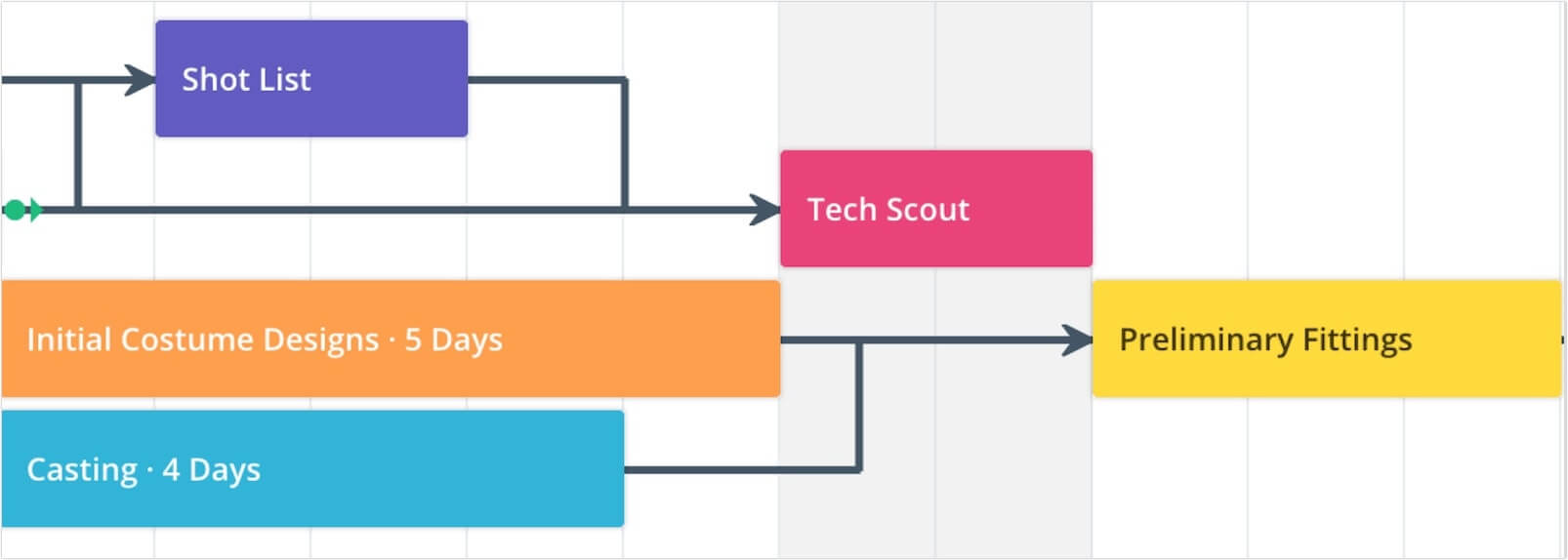
Dependencies are the relationships of the preceding tasks (Predecessors) to the succeeding tasks (Successors).
There are four types of dependency relationships within an interactive timeline:
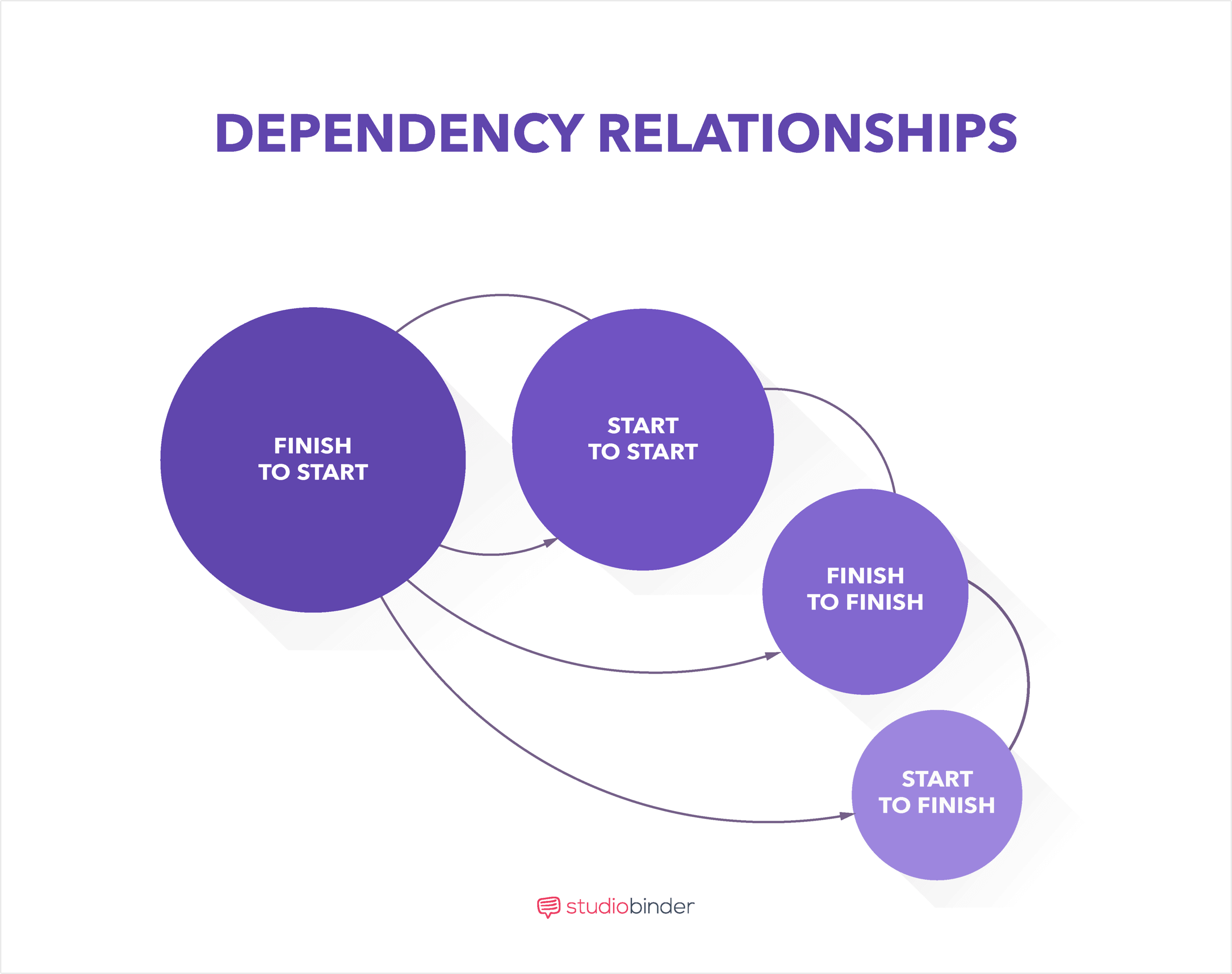
With an online timeline maker, it’s possible for tasks to have multiple preceding and succeeding tasks.
The most common of these dependencies is finish to start.
Adding these dependencies to a film/photo/video production timeline improves the prioritization of workflow.
Timeline software also allows a user to identify the critical path.
The critical path is the longest sequence of activities that must be finished in order for a project to meet its due date.
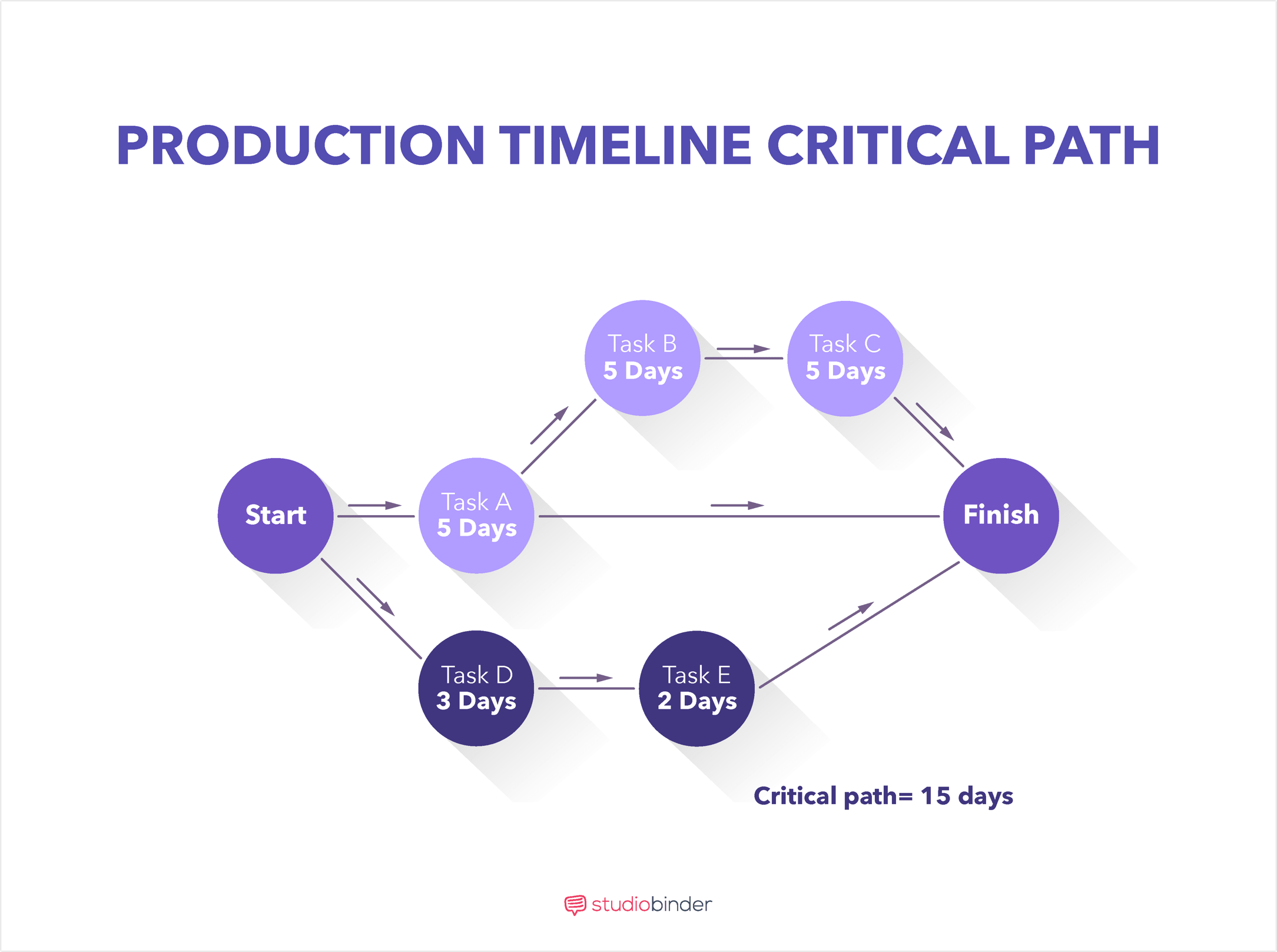
Through the critical path, a project manager can identify the most important tasks of a timeline.
This is vital because if just one task in the critical path is incomplete, it can delay the entire project.
Once you have determined the critical path using the interactive timeline, you can properly assess the time frames of each task.
Identifying the critical path with the film, photo and video production timeline is essential in meeting project milestones and due dates.
As you can imagine, time is of the essence in projects.
Unnecessary meetings regarding status updates can stall workflow significantly.
The visual nature of the online timeline creator allows team members to see the progress of tasks in real-time.
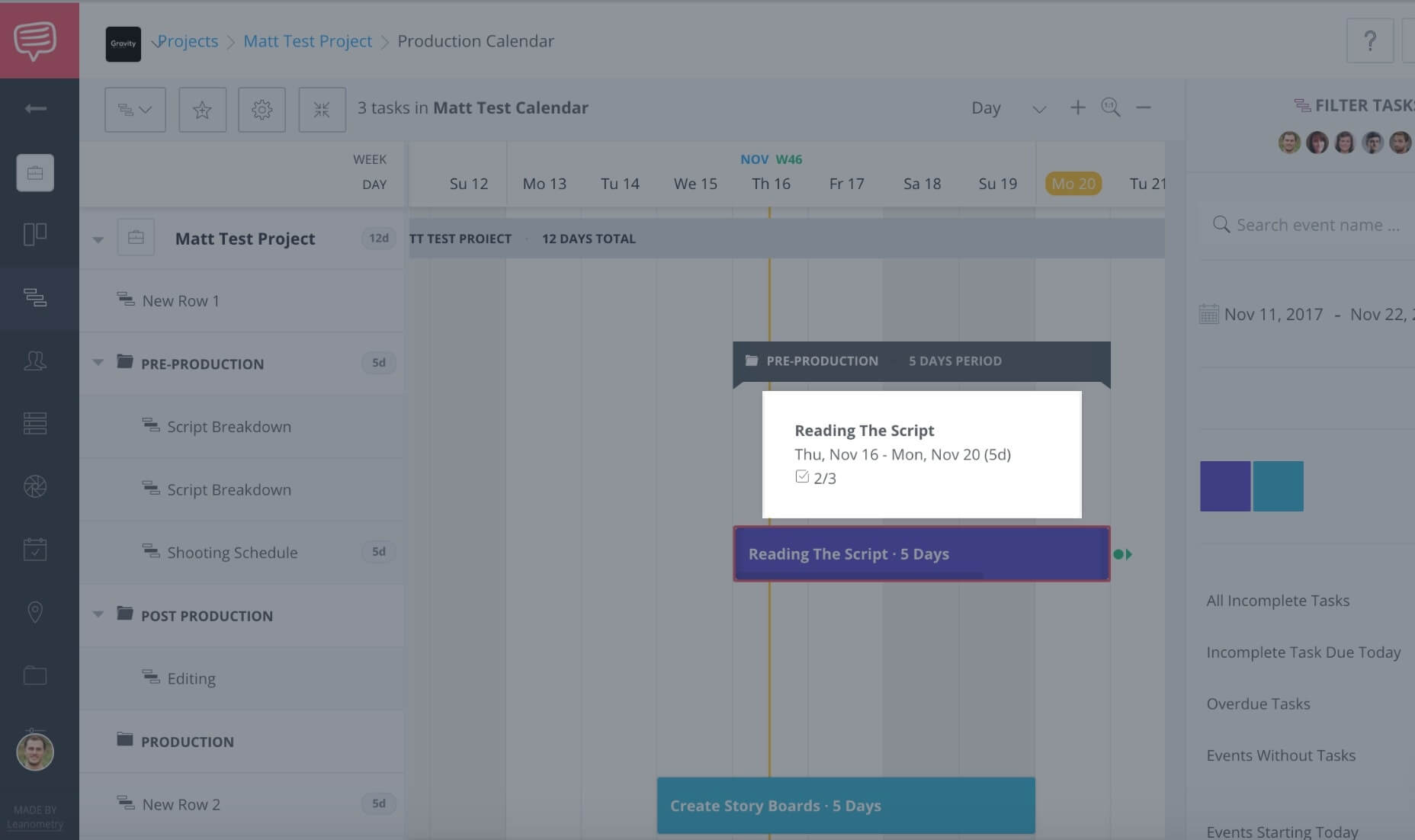
In StudioBinder’s online timeline maker, the interactive timeline allows team members to accurately communicate their progress in a concise and effective manner.
Let’s face it, projects can become chaotic.
With hundreds of tasks to manage and keep track of, it’s easy for a team to lose focus. Rather than presenting a hard-to-read list, the film, photo and video production timeline, (or production calendar), uses its visual advantages in simplifying information. It is the visual makeup of this timeline tool that allows you to digest information easier.
Many people are familiar with creating a film, photo and video production timeline in Microsoft Excel.
There are also many free timeline maker tools and film timeline templates out there you can use.
You may be wondering: Okay, so where can I download a good film timeline template? We have you covered!
Use StudioBinder's free online production timeline template right here.
But the timeline tool in Excel is limiting for a variety of reasons. It can be difficult to collaborate, for example.
That’s why knowing how to make a timeline online is so vital to the production process. Online timeline software permits users to edit tasks simultaneously.
As soon as a user completes a task, adds a comment or attaches a file, the online timeline creator immediately updates in real time.
This process is far more effective in communicating with team members the progress of events and tasks.
Here are some of the major benefits of online timeline software vs. a free film timeline template:
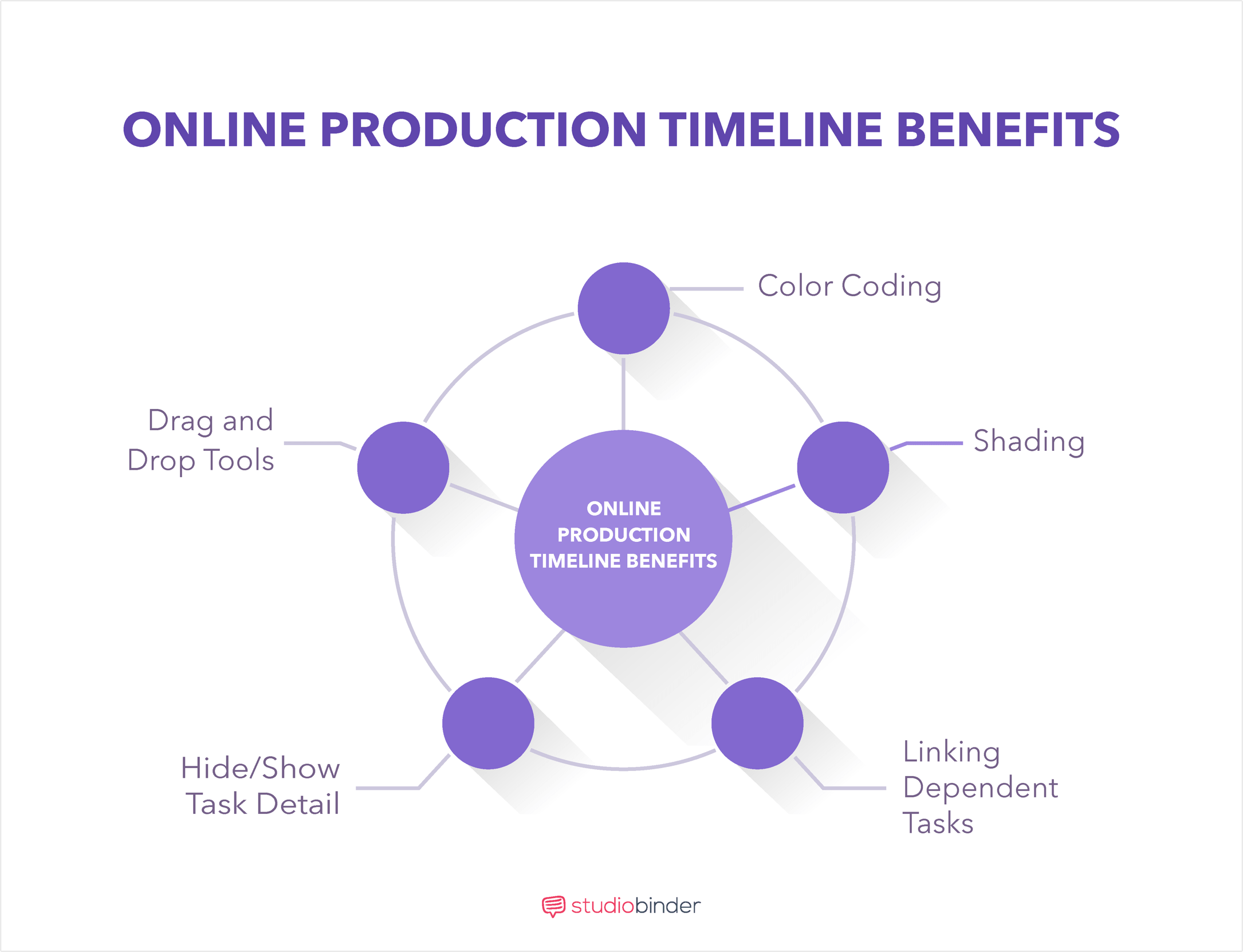
Online video production timeline software is effective for helping to visualize tasks. Because of its structure and functionality, it is ideal for a number of professionals including:
Although traditionally the film, photo and video production timeline was the tool of project managers, the convenience afforded by online timeline software has allowed almost anyone to create one.
Alright, the moment you’ve been waiting for: How to make a timeline.
Using StudioBinder’s online timeline maker as an example, here are the steps in creating a film, photo and video production timeline.
Download StudioBinder's free online production timeline template right here.
To begin creating an interactive timeline, log into the timeline software and look for the create new project button.
In StudioBinder, this is located in the upper right corner as “+ New Project.”
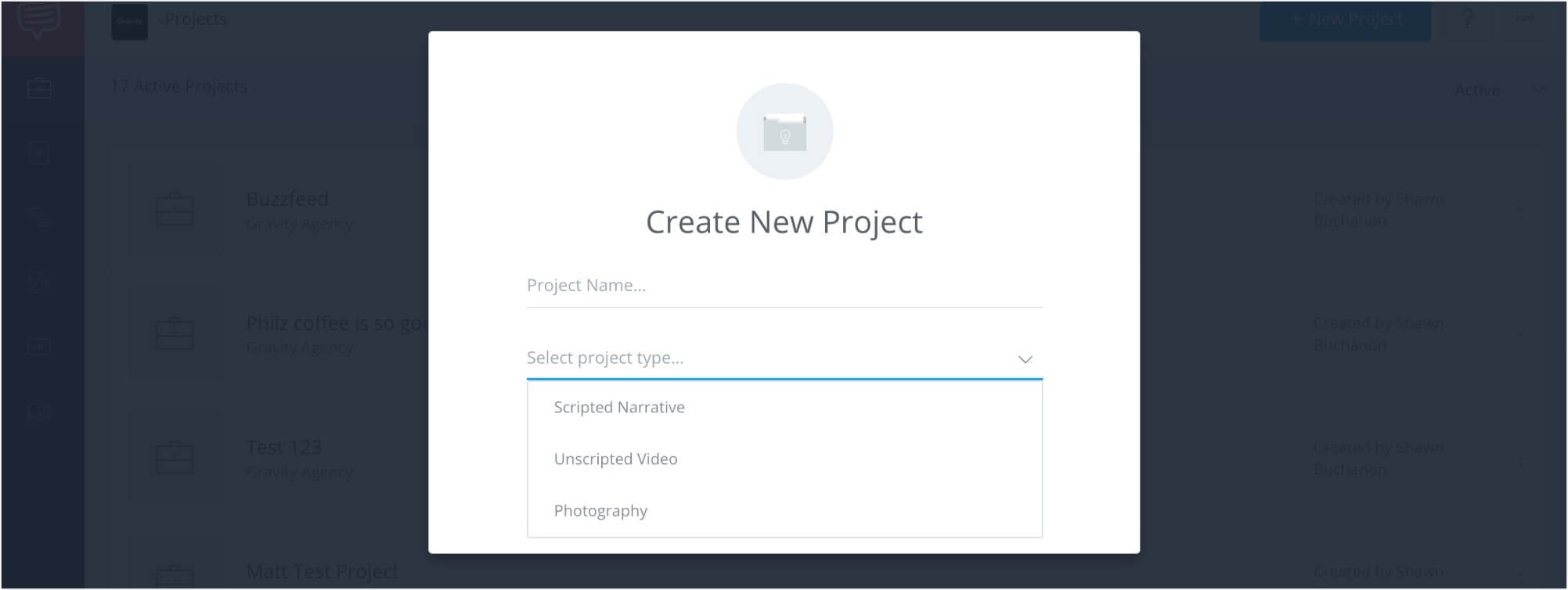
This section acts as your online timeline creator.
Once there, you will be able to fill out the project name and project type.
In this case, the selections include scripted narrative, unscripted video, and photography.
When you’ve made your selections, click create, and the timeline software will generate a production timeline.
Now that your timeline tool has created an interactive timeline, the next step is to add groups to the project.
These groups will be the stages of production involved in the process. In a video production timeline, for example, these might include Pre-Production, Production, and Post-Production
StudioBinder organizes groups on the far left side of the timeline.
Using the planning tools of the interactive timeline, team members then have the ability to add new groups and rows.
Rows are the sub-elements that each phase of production controls (Locations, Casting, etc.), and where events and tasks will be placed into.
After you’ve created groups and rows it’s time to add events to the film, photo and video production timeline.
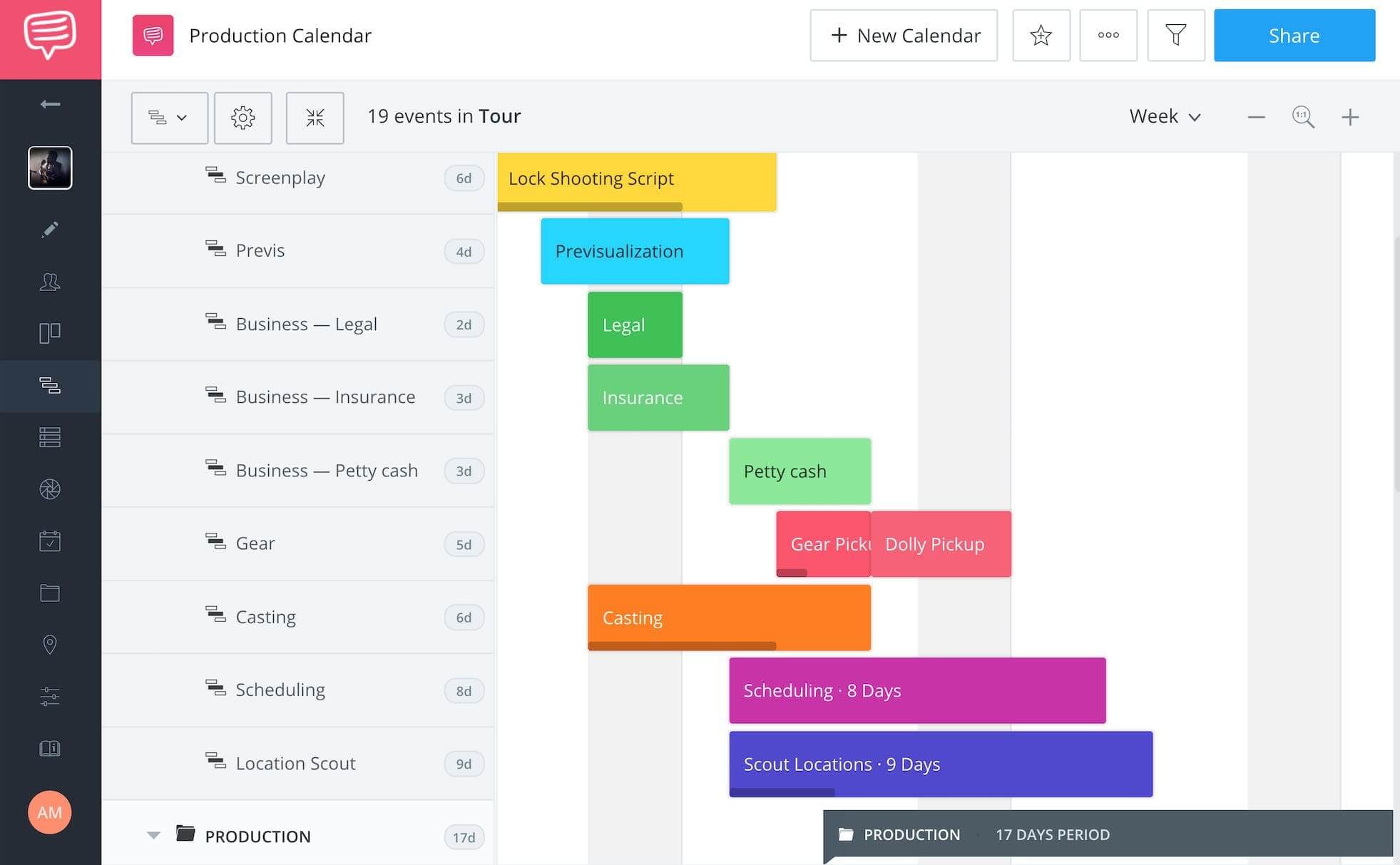
In StudioBinder, events correspond to their appropriate row elements.
In the example above, the Costuming row contains events for Initial Costume Designs and the Preliminary Fitting.
To create an event, click to the right of the row and drag the cursor across the interactive timeline.
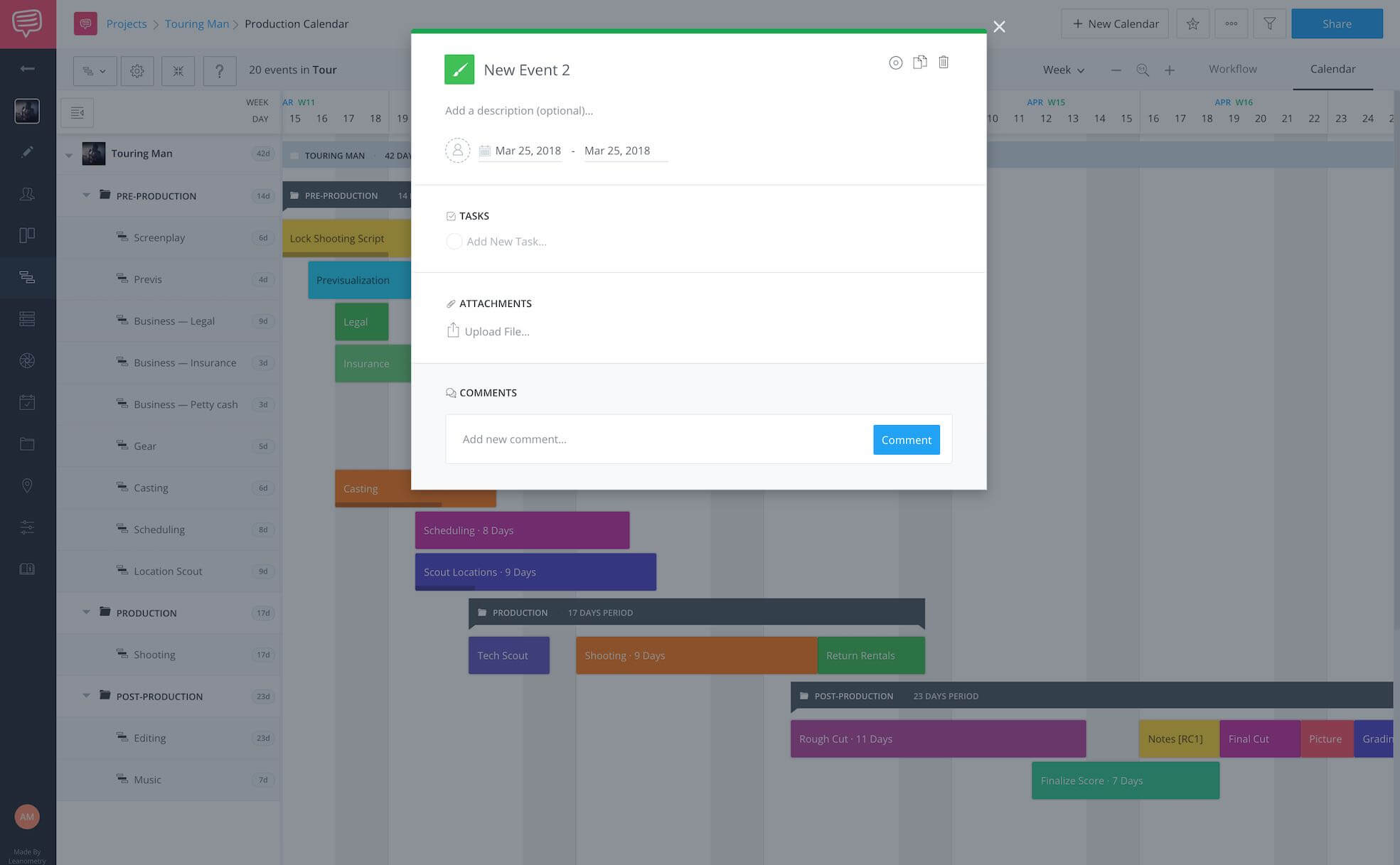
The timeline software will then display a new event block.
Once the new event block appears, you will then have the ability to name the event, and continue with creating tasks and due dates.
Now that you’ve created the event, it’s important to determine what the tasks for the particular event will be.
In the StudioBinder example below, the event is “Reading the Script,” and the tasks specify what that will entail.
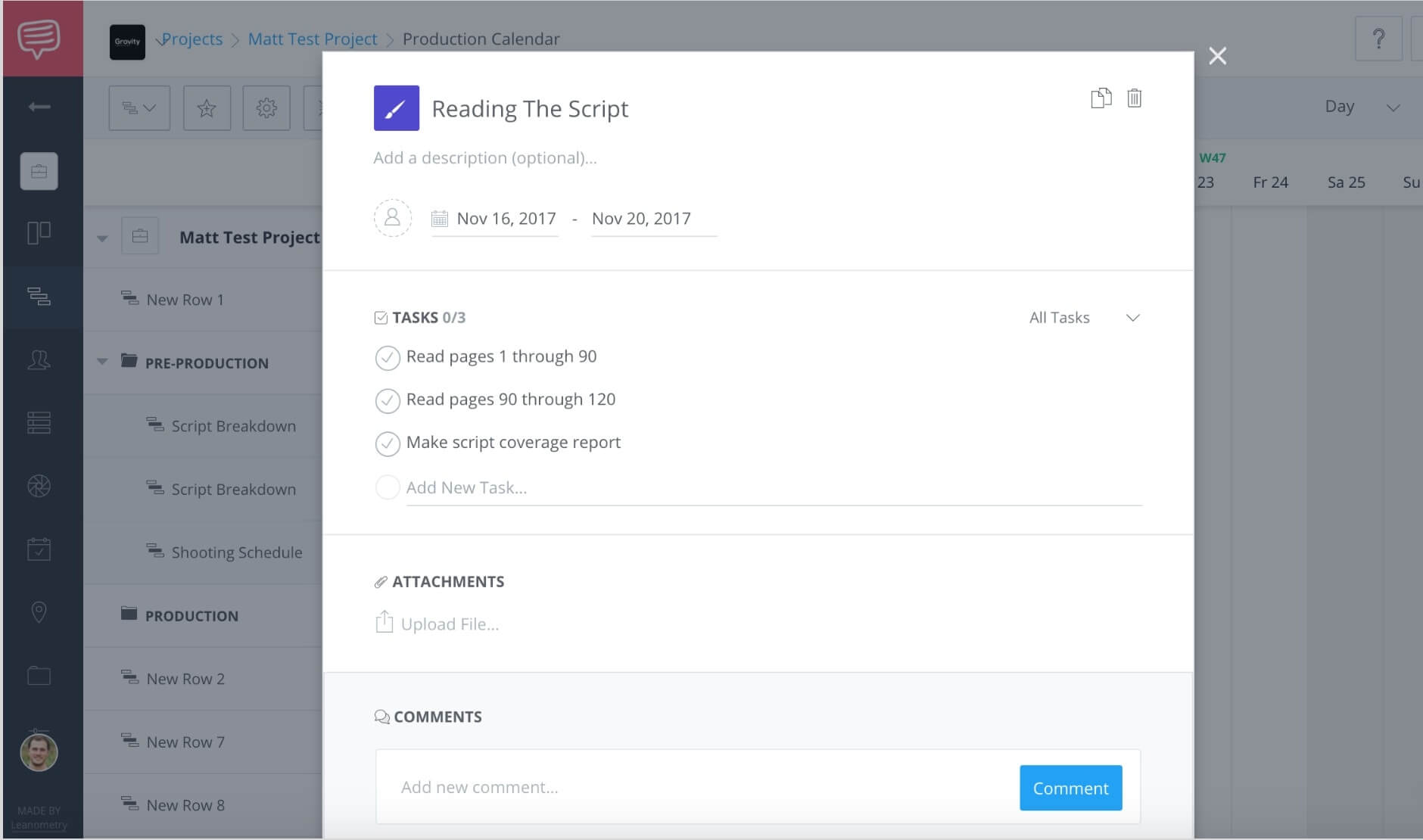
In this case, the tasks of reading and script coverage need to be completed.
Users can click on the check marks to update the rest of the team what tasks have been completed and which are still outstanding.
This is another important benefit of an online film, photo and video production timeline.
It is also important to make sure that every event has been designated a due date.
In StudioBinder, this is located directly above the tasks section.
Once a date is chosen, it will then display on event’s block.

Timeline software such as StudioBInder allows the entire team to easily identify the start and end dates for an event.
Of course you can’t just create events without assigning them to specific team members. Another perk of the film/photo/video production timeline is that you can assign multiple team members to certain tasks.
In StudioBinder, member avatars will appear next to the date range section.
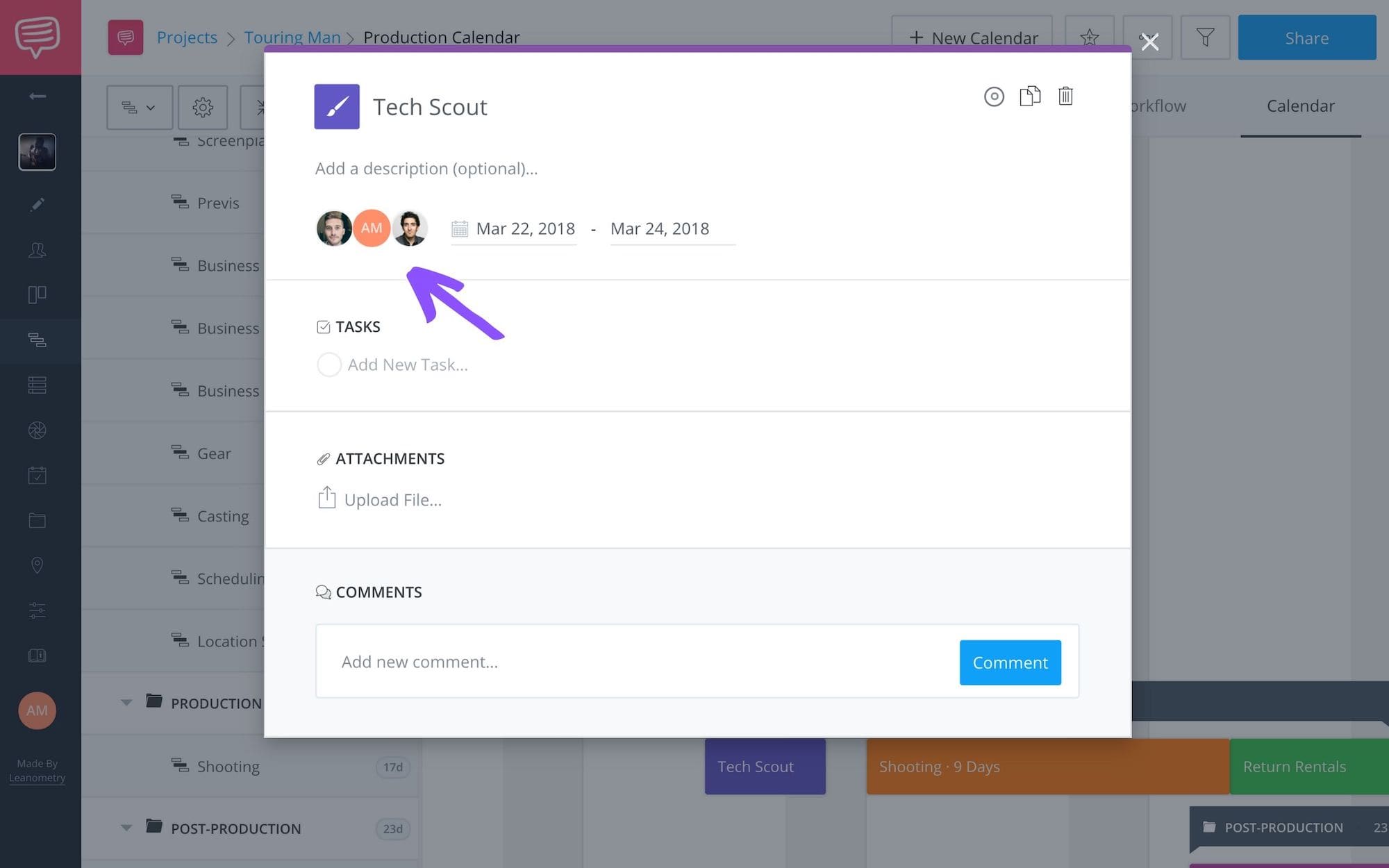
Here, tasks can be easily assigned or re-assigned depending upon member availability.
What’s great about online video production timeline software is how customizable text images are.
In the StudioBinder example below, people and events can be represented by different colors within the timeline tool.
An online timeline creator such as this enables team members to easily determine who is responsible for each task.
To access this color option, simply open an event and click the paintbrush icon to swap out the color.
Alternatively, you can adjust the default color of an entire row by finding the desired row on the far left of the screen (Locations, Costuming, etc.) and click edit row.
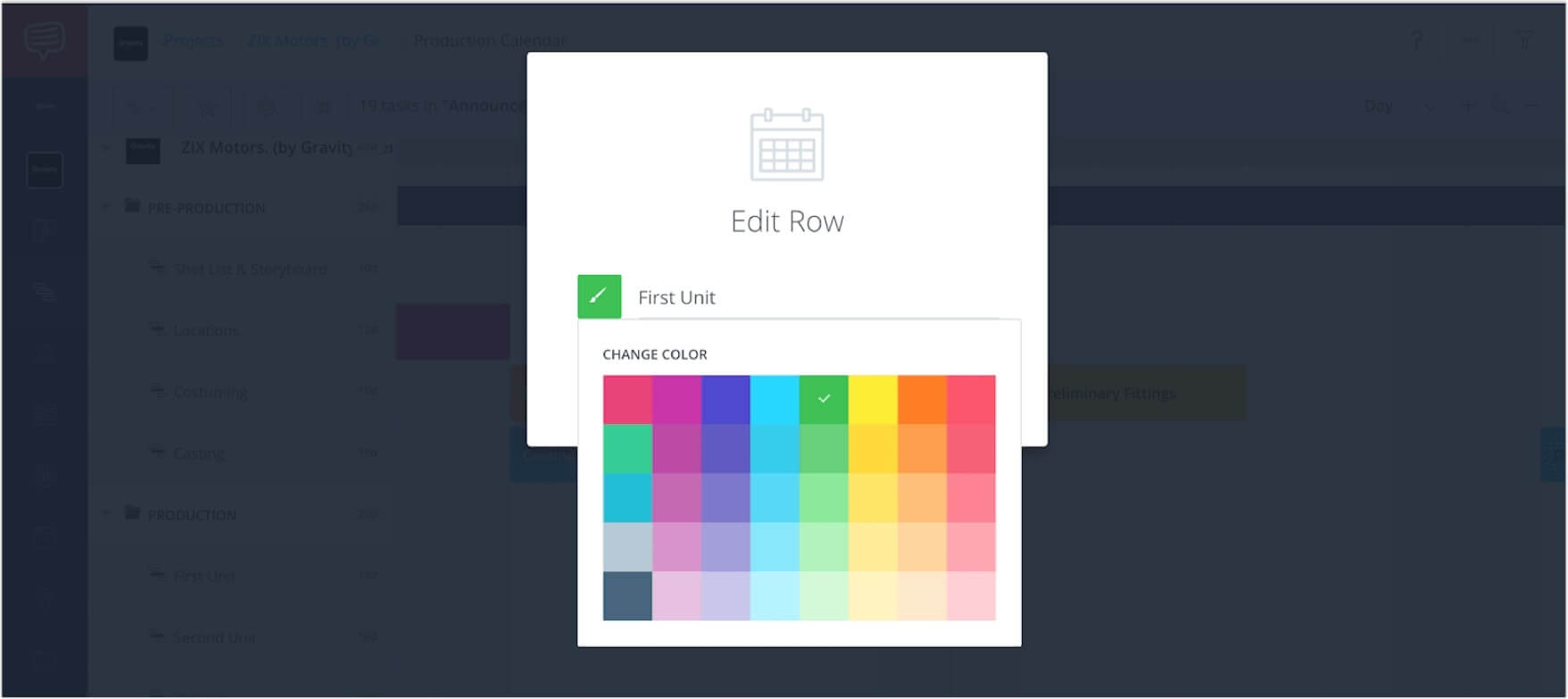
This will then allow you to change the color of the row, and subsequently the color of the events in the video production timeline.
It used to be that in a production timeline template created in Excel, the ability to upload additional files is nonexistent.
The StudioBinder’s online video production timeline, teammates can upload files to each event card and collaborate via the comments.
The information then collapses when the window closes and is clearly presented when re-opened. When discussing an online interactive timeline, this is definitely an essential feature for any team because it's the most efficient way to discuss and share your timeline.
Using an online film/photo/video production timeline is an extremely helpful tool for project managers. Besides controlling complex information, an online timeline creator enhances team coherency and helps to wrap a production on time. Benjamin Franklin, who had a busy schedule to say the least, once remarked, “By failing to prepare, you are preparing to fail.”
Utilizing a film, photo and video production timeline will greatly improve a project’s chances for success. Still curious? Learn more about great pre-production tools such as a shooting schedule.
此内容由惯性聚合(RSS阅读器)自动聚合整理,仅供阅读参考。 原文来自 — 版权归原作者所有。