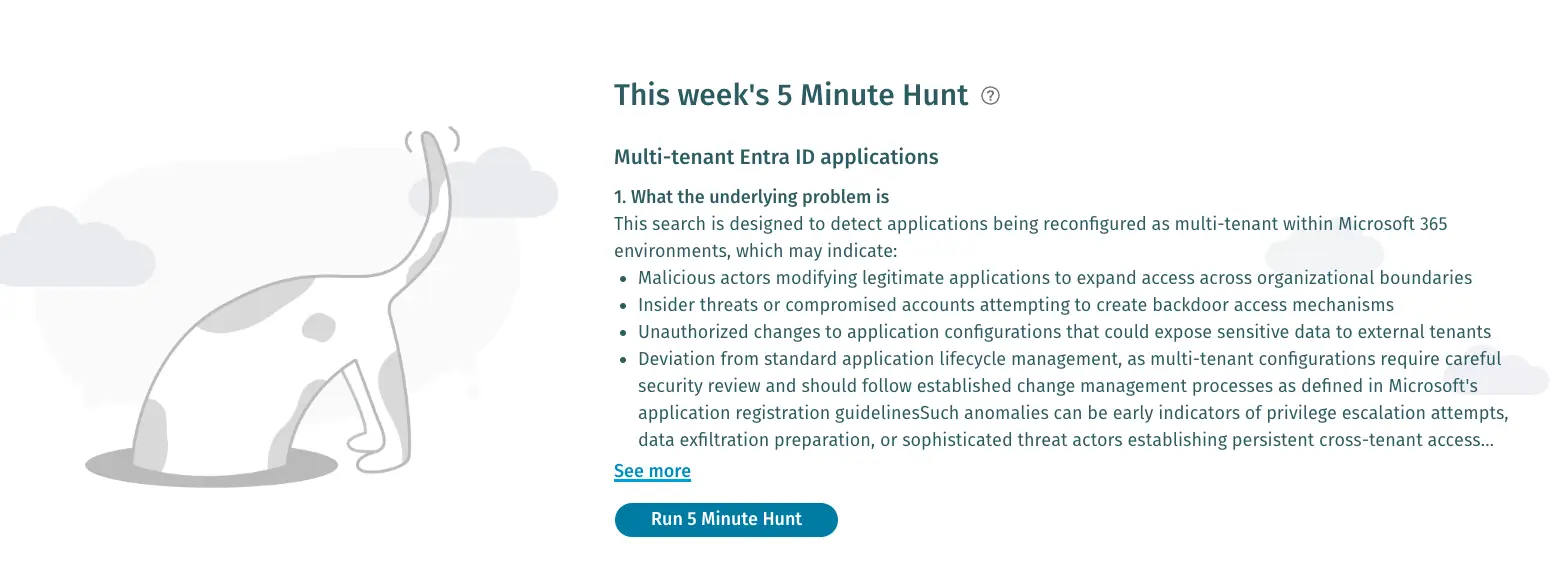
About the 5-Minute Hunt: The 5-Minute Hunt is a new feature available in the Vectra AI Platform under the Investigate tab. Each week, you’ll find a short hunt snippet inside the product that highlights a specific attacker behavior and gives you a ready-to-run query to detect it.
Why Multi-Tenant Apps Put You at Risk
Multi-tenant applications in Microsoft 365 are designed for cross-organization access, but when misconfigured they can create a dangerous backdoor. A single toggle can expose internal resources to external users. Attackers exploit this through consent-based attacks, gaining unauthorized access without stealing credentials. Security researchers recently demonstrated how this exact weakness enabled access to more than 22 internal Microsoft services. For SOC teams, this means that misconfigured or unintentionally enabled multi-tenant apps expand the attack surface significantly.
How Attackers Exploit Multi-Tenant Apps
Adversaries take advantage of these weaknesses in several ways:
- Consent Phishing at Scale
When a multi-tenant app is exposed, attackers can trick users into granting OAuth consent. Once approved, the attacker-controlled app gains legitimate tokens to access resources without needing to steal credentials. - Token Issuance from the Wrong Authority
In cases where an app is incorrectly registered as multi-tenant, Entra ID may issue access tokens from the user’s own tenant rather than the resource tenant. This means the attacker is authenticated, but by the wrong authority, bypassing checks and inheriting access the application never intended to grant. - Service Principal Instantiation
Accepting a consent prompt automatically creates a service principal for the application inside the victim’s tenant. Attackers exploit this to persist access or escalate scope by chaining permissions across other apps. - Enumeration of Vulnerable Apps
By scanning subdomains and analyzingclient_idparameters, attackers can identify which apps are configured as multi-tenant. Each one becomes a potential entry point, especially if developers assumed single-tenant use but left common endpoints enabled. - Pivoting to Internal Systems
Once access is obtained, attackers can explore connected applications, internal portals, or APIs. In the Microsoft case study, this resulted in exposure of engineering hubs, risk registers, and even build infrastructure—all accessible from a personal Microsoft 365 account.
The risk lies not in a single misstep, but in how multi-tenant settings interact with consent and token issuance. One poorly configured application can open the entire environment to unauthorized users, giving attackers a foothold to explore sensitive data or escalate privileges.
Turning Exploitation into Detection
Now let’s figure out how to spot these risks in your own Entra ID environment. Misconfigurations don’t always leave obvious traces, but every change in Entra ID leaves an audit trail. By focusing on when an application’s AvailableToOtherTenants property is flipped to “true”, you can quickly identify cases where an app has been made multi-tenant—intentionally or otherwise.
The following query is built to surface exactly that. It looks for recent modifications that enable multi-tenant access and provides the context you need—who made the change, from where, and when—to decide whether the action is legitimate or suspicious.
Query Objective: Detect if applications in tenant modified to enable multi-tenant access and investigate the change details:
SELECT timestamp, vectra.identity_principal, operation, extended_properties, object_id, device_properties, client_ip, modified_properties
FROM m365.active_directory._all WHERE any_match(modified_properties, m -> (m.display_name
LIKE '%AvailableToOtherTenants%' AND m.new_value LIKE '%true%'))
AND timestamp > date_add('day', -30, now())
ORDER BY timestamp DESC
LIMIT 100
What to Look For in Results
When you run this query, the results give you a clear window into how and when applications are being modified to allow multi-tenant access. To separate legitimate business changes from potential malicious activity, focus your attention on these areas:
- Applications modified for multi-tenant access
Look closely at which applications have been switched to allow other tenants. Business-critical apps rarely need this setting, so unexpected entries should raise a red flag. - The identity or user who made the change
The vectra.identity_principal field shows who performed the modification. Was it a developer, admin, or an account that should not normally handle app registrations? This context can quickly point to insider error or external compromise. - Client IP addresses of modification requests
Cross-reference the client_ip with your known ranges or geolocation data. Unfamiliar IPs, foreign geographies, or known malicious sources could indicate an attacker’s hand in the change. - Timing patterns of modifications
Pay attention to when the configuration changes happened. Off-hours activity, bursts of multiple modifications, or unusual clustering around weekends and holidays often align with attacker behavior. By combining these data points, you can distinguish routine IT operations from suspicious changes that deserve deeper investigation.
How to Investigate Further
If your query surfaces applications that have been made multi-tenant, use the following steps to determine whether the change is safe, intentional, or malicious:
- Verify if the multi-tenant configuration was intentional and authorized
- Review the application's permissions and scope to assess potential impact
- Check if the modifying user account has been compromised
- Examine the client IP for geographic anomalies or known malicious sources
- Validate the business justification for multi-tenant access requirements
- Consider temporarily disabling the application if the change appears unauthorized
Closing Thoughts
One misconfigured application can give attackers access they should never have. By regularly running this hunt, your SOC team can quickly surface unauthorized changes and shut down consent-based abuse before it escalates.
If you are already using the Vectra AI Platform, you can explore this and other hunts right inside the platform under the Investigate tab, where new 5-Minute Hunts are published regularly to help you uncover attacker behaviors faster.
Not a customer yet? See the 5-Minute Hunt capability in action and learn how the Vectra AI Platform closes identity, network, and cloud detection gaps with our self-guided demo.