





Socket proactively blocks malicious open source packages in your code.
When Socket flags a malicious package or a vulnerable dependency, some fixes are quick: bump a version, drop a package, patch and move on. Plenty of others need to be tracked, assigned to the right person, and prioritized against everything else a team is working on. That kind of work lives in an issue tracker.
Linear has earned a loyal following among engineering teams, prized for its speed and the clarity of its workflow. So today we're excited to announce Socket for Linear, which plugs directly into your workspace. Alerts become Linear issues automatically, created with the right priority, assignee, and labels, and kept in sync as the alert changes, so the findings that belong in your tracker get there without anyone having to manually enter them.
The integration connects through OAuth, and authorization happens entirely from the Socket dashboard. There is no separate app to install in a third-party admin console. An Owner or Admin in your Socket organization authorizes the workspace and selects which Linear teams Socket can create issues for. Socket only accesses the workspace and teams you authorize.
You can connect more than one Linear workspace to a single Socket organization, and a single Linear connection can be shared across multiple Socket organizations.
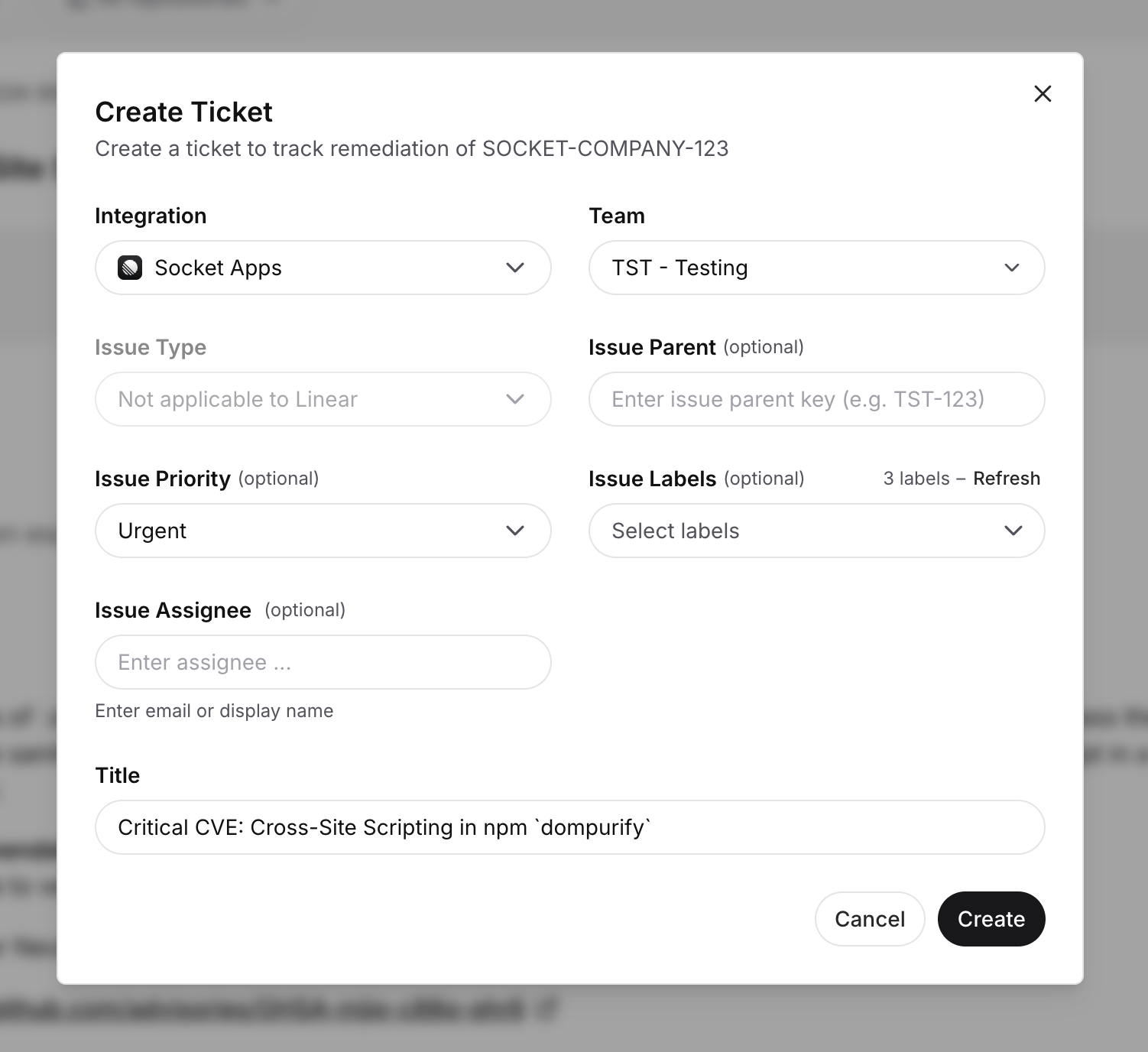
Open an alert in the Socket dashboard and click Create Ticket. Choose the Linear team, set a priority, add labels, assign the issue by email or display name, and edit the title before submitting. The new issue is linked to the alert, and a link to it appears on the alert so you can navigate straight to it.
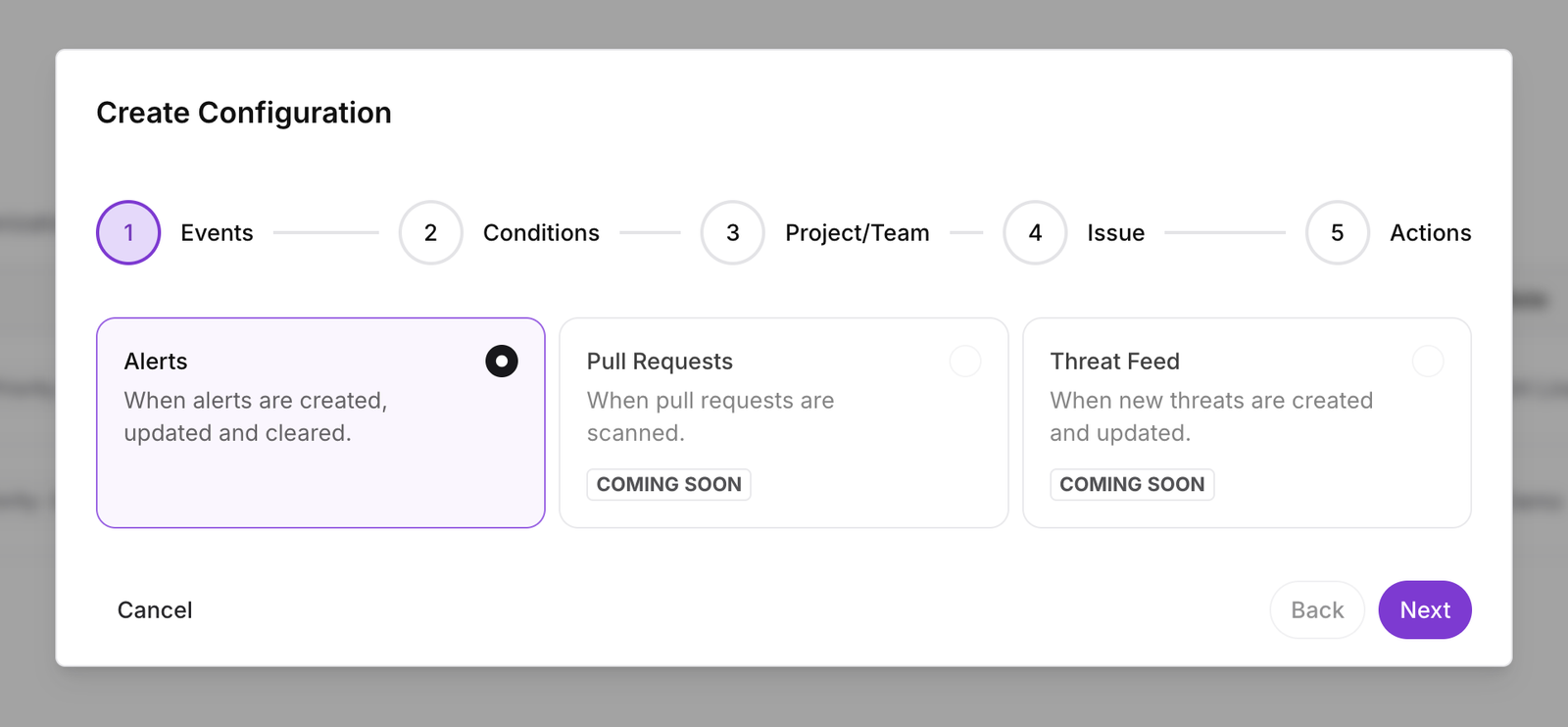
Automated ticketing rules create and update Linear issues based on alert events across your organization. You build a rule in five steps: events, conditions, project and team, issue, and actions. Today, rules trigger on alert events. Pull request and threat feed triggers are coming soon.
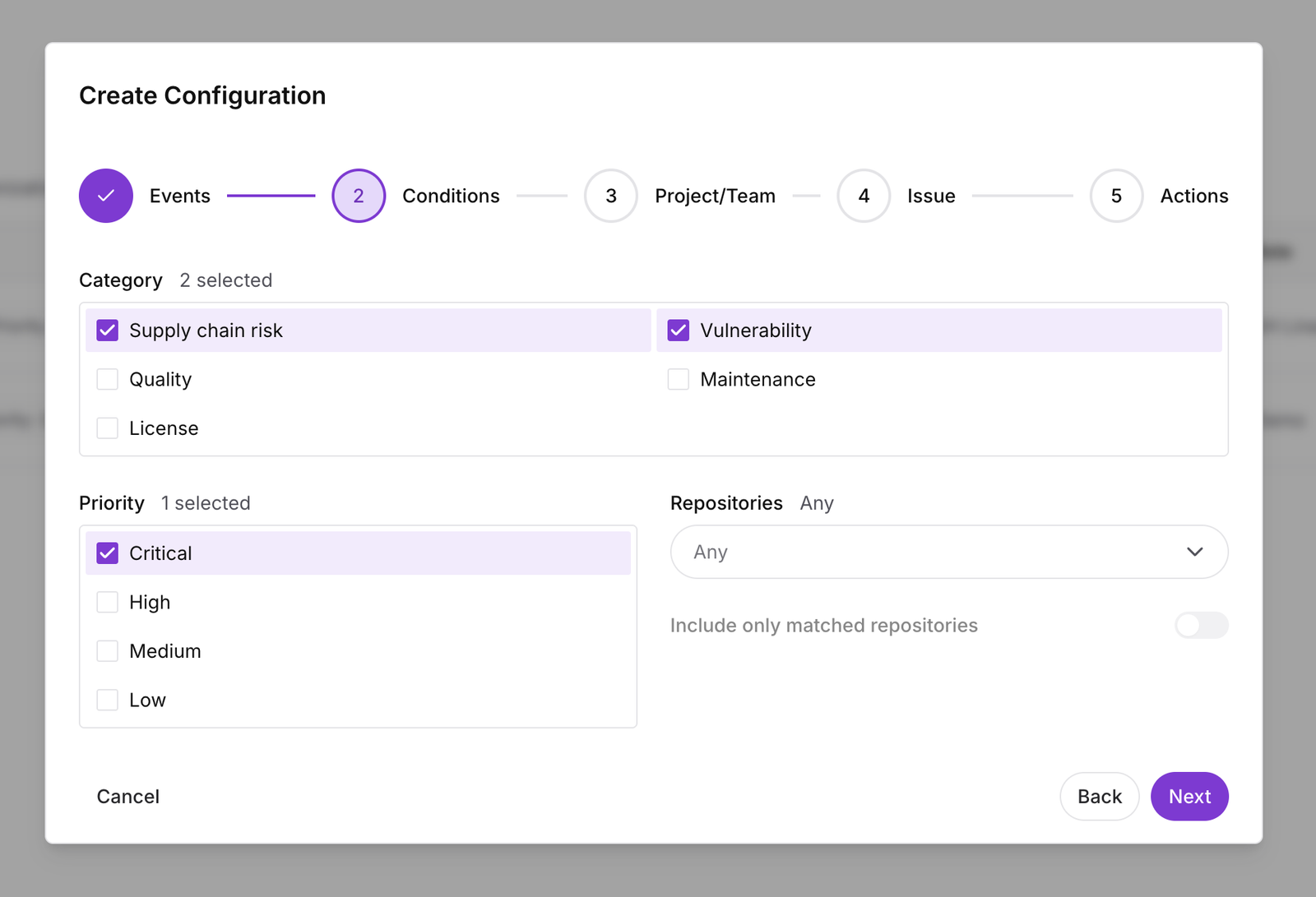
Conditions let you target the alerts that matter. Filter by category, supply chain risk, vulnerability, quality, maintenance, or license, by priority, and by repository. Because Socket separates supply chain risk from vulnerabilities, you can route every critical malware alert to one team without flooding it with lower-priority findings.
Then choose the Linear team where issues are created, set the issue priority or let Socket map it automatically from the alert priority, and add labels and an assignee.
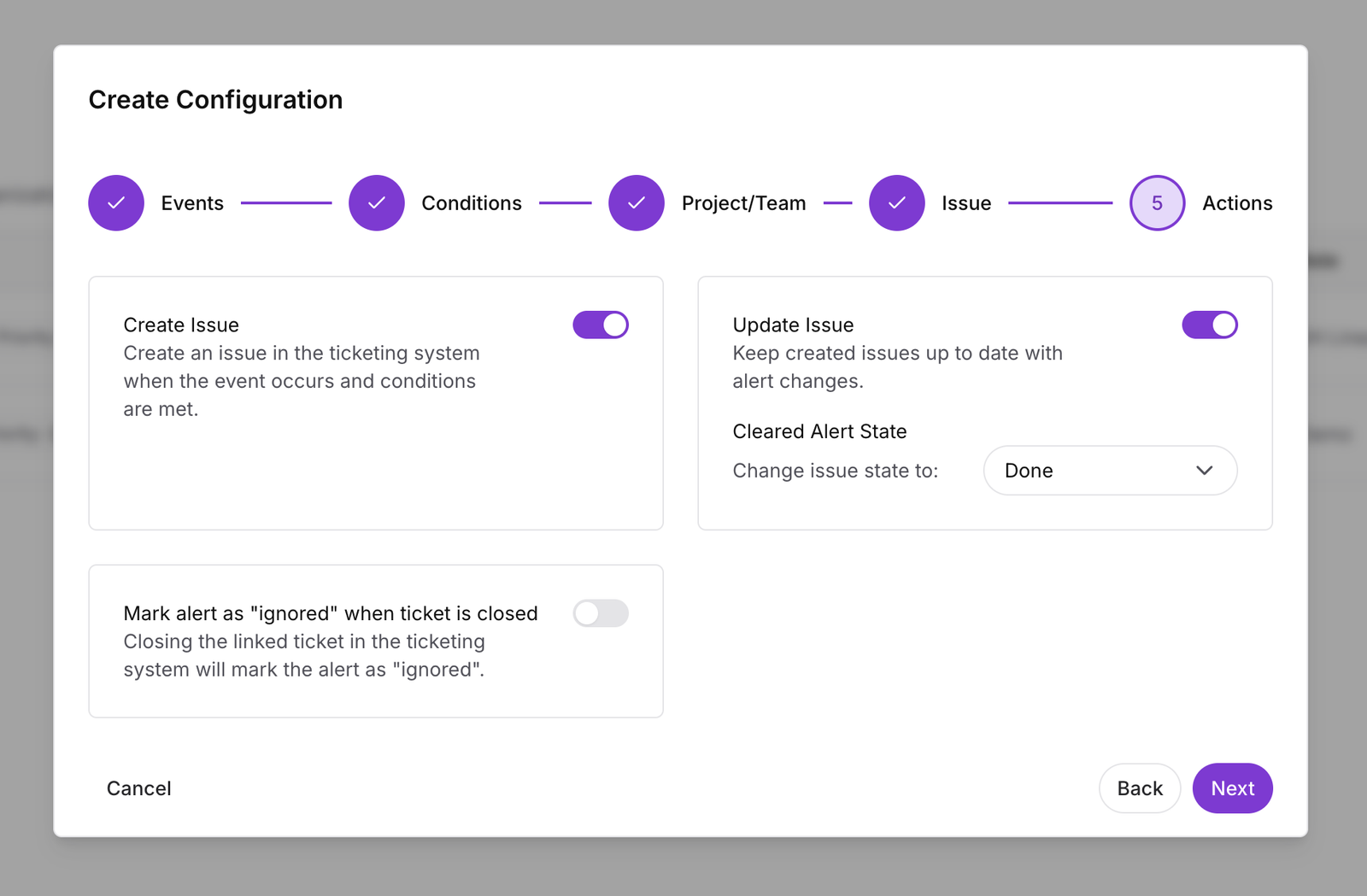
Rules don't just create issues, they keep them current. Socket can update a linked issue as the alert changes, move the issue to a state you choose, such as Done, when the alert clears, and mark the alert as "ignored" when you close the ticket in Linear. The result is two-way sync between Socket alerts and Linear issues, so neither side goes stale.
We've added assignee support to both the Linear and Jira integrations: assign issues by email or display name, on both manual issues and ticketing rules.
Feature for feature, the Linear integration is on par with Socket's Jira integration, so teams on either tool get the same core workflow for routing supply chain alerts into their issue tracker.
The Linear integration is in beta and available on Business and Enterprise plans. To get started, go to Settings → Integrations → Linear in the Socket dashboard and click Connect. Full setup steps are in the Linear integration documentation.
此内容由惯性聚合(RSS阅读器)自动聚合整理,仅供阅读参考。 原文来自 — 版权归原作者所有。