



惯性聚合 高效追踪和阅读你感兴趣的博客、新闻、科技资讯
阅读原文 在惯性聚合中打开

推荐订阅源

美团技术团队
D
DataBreaches.Net
OSCHINA 社区最新新闻
OSCHINA 社区最新新闻
D
Docker
N
Netflix TechBlog - Medium
Cyber Security Advisories - MS-ISAC
C
Check Point Blog
腾讯CDC
Stack Overflow Blog
Stack Overflow Blog
V
Visual Studio Blog
IT之家
IT之家
月光博客
月光博客
U
Unit 42
K
Kaspersky official blog
T
Threatpost
cs.AI updates on arXiv.org
GbyAI
GbyAI
P
Proofpoint News Feed
Last Week in AI
Last Week in AI
云风的 BLOG
云风的 BLOG
酷 壳 – CoolShell
酷 壳 – CoolShell
I
InfoQ
Engineering at Meta
Engineering at Meta
Recorded Future
Recorded Future
Exploit-DB.com RSS Feed
freeCodeCamp Programming Tutorials: Python, JavaScript, Git & More
S
Security @ Cisco Blogs
MyScale Blog
MyScale Blog
大猫的无限游戏
大猫的无限游戏
Security Archives - TechRepublic
Webroot Blog
Webroot Blog
cs.CV updates on arXiv.org
Hacker News - Newest:
Hacker News - Newest: "LLM"
S
Schneier on Security
S
Secure Thoughts
The Register - Security
B
Blog RSS Feed
The Last Watchdog
The Last Watchdog
P
Palo Alto Networks Blog
爱范儿
爱范儿
B
Blog
让小产品的独立变现更简单 - ezindie.com
N
News and Events Feed by Topic
阮一峰的网络日志
阮一峰的网络日志
L
LINUX DO - 热门话题
C
Cisco Blogs
Spread Privacy
Spread Privacy
F
Full Disclosure
博客园 - 聂微东
T
The Blog of Author Tim Ferriss

Rat's Blog - 建站知识

189List:一个全新的天翼云网盘的目录列表程序,CTList升级版 - Rat's Blog TopDocs:一款美观实用的在线文档编辑系统,支持Markdown语法 - Rat's Blog 一个可以绑定多个OneDrive网盘的极简目录列表:OneList - Rat's Blog Navi:一个开源、美观且可以部署在GitHub Pages的网站导航程序 - Rat's Blog Shiori:一个简单、美观且带Web界面的书签管理器 - Rat's Blog 一个简单的PHP Web代理:miniProxy - Rat's Blog 一款开源,美观,带后台管理的网址导航工具:WebStack-Laravel - Rat's Blog 使用宝塔面板安装Rocket.Chat多功能团队聊天室 - Rat's Blog Lstu:一款简单、美观的轻量级网址缩短程序 - Rat's Blog
一款基于Web的免费在线矢量图(SVG)编辑工具:Method-Draw - Rat's Blog
博主: Rat's · 2019-06-28 · via Rat's Blog - 建站知识
  •  发布时间:
  •  37307 次浏览
  •   21 条评论
  •  1039 字数
  • 分类: 建站知识
  1.  首页
  2. 正文  
  3. 分享到:

说明:Method Draw是一款基于Web的在线SVG编辑器,是SVG Edit的一个分支。其目的是改进SVG Edit的可用性,并减少其一些功能来提供更好的操作和体验,使用方法也是很多的,本地打开或者部署在服务器端都可以,这里就分享下。

截图
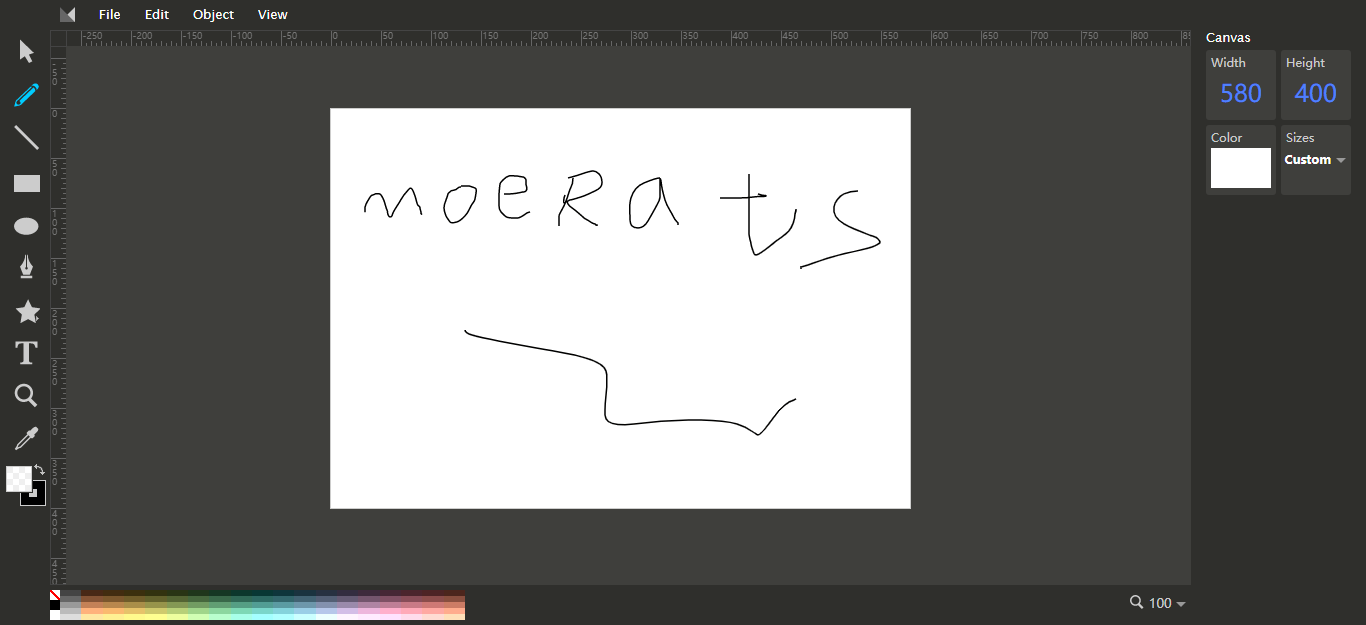
请输入图片描述

使用

Github地址:https://github.com/methodofaction/Method-Draw

1、本地使用
先下载Method-Draw压缩包,点击下载→传送门,然后解压出来,直接进入method-draw文件夹,打开index文件即可。

2、服务器部署
先下载Method-Draw压缩包,点击下载→传送门,然后解压出来,将method-draw文件夹丢进Web服务器网站根目录,再直接访问域名/ip即可。

Web服务器的,这里提供个快速运行搭建方法,使用命令:

git clone https://github.com/methodofaction/Method-Draw.git
cd Method-Draw/method-draw
#启动,运行端口自行修改
python -m SimpleHTTPServer 80 &

然后直接访问ip地址即可。

如果出现-bash: git: command not found的,则使用命令:

#Debian/Ubuntu系统
apt -y install git

#CentOS系统
yum -y install git

版权声明:本文为原创文章,版权归 Rat's Blog 所有,转载请注明出处!

本文链接:https://www.moerats.com/archives/965/

如教程需要更新,或者相关链接出现404,可以在文章下面评论留言。

Vultr新用户注册送100美元/16个机房按小时计费,支持支付宝,【点击查看】。