This article is also available in 简体中文.







This article covers donation button configurations supported by Icarus 5.
If you need to display multiple donation buttons at once, add individual button configuration
to the donates array like the following:
1 | donates: |
This article is also available in 简体中文.
The following donation buttons are provided by ppoffice/hexo-component-inferno. Please refer to it for a complete list of supported buttons and their configuration details.
Installation Guide
Register for Afdian.net and copy the URL to your personal page.
Add the following configuration to your theme configurations:
1 | donates: |
Installation Guide
Log into Alipay and export payment QR code.
Save the QR code picture to the asset directory of your Hexo website, or upload it to an image sharing service.
Add the following configuration to your theme configurations:
1 | donates: |
Installation Guide
Register for Buy me a Coffee and copy the URL to your personal page.
Add the following configuration to your theme configurations:
1 | donates: |
Installation Guide
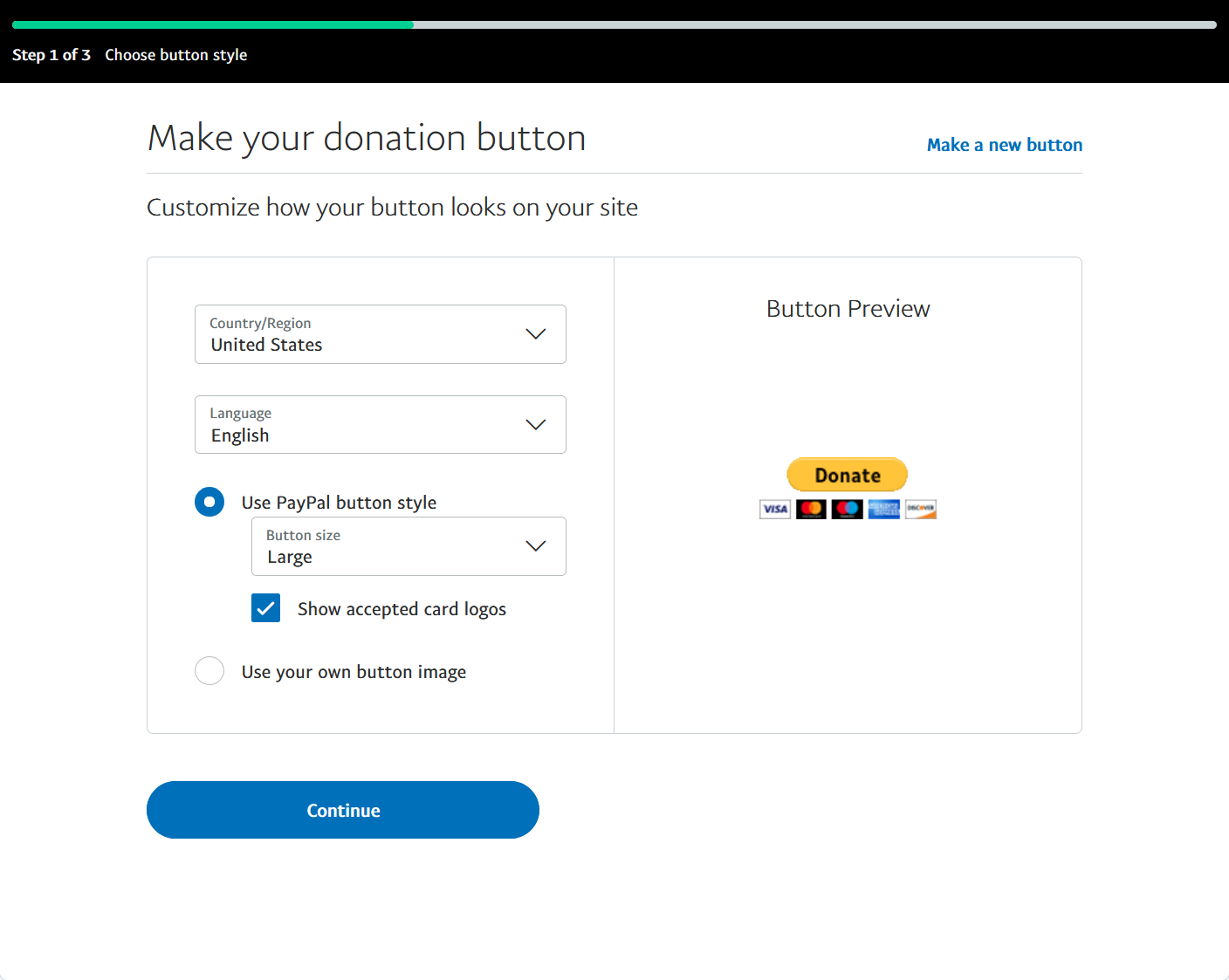
Log into Paypal, click here to create a Paypal donation button.
Select “Country/Region” and “Language” in the “Choose button style” page and click “Continue” to advance to the next page.
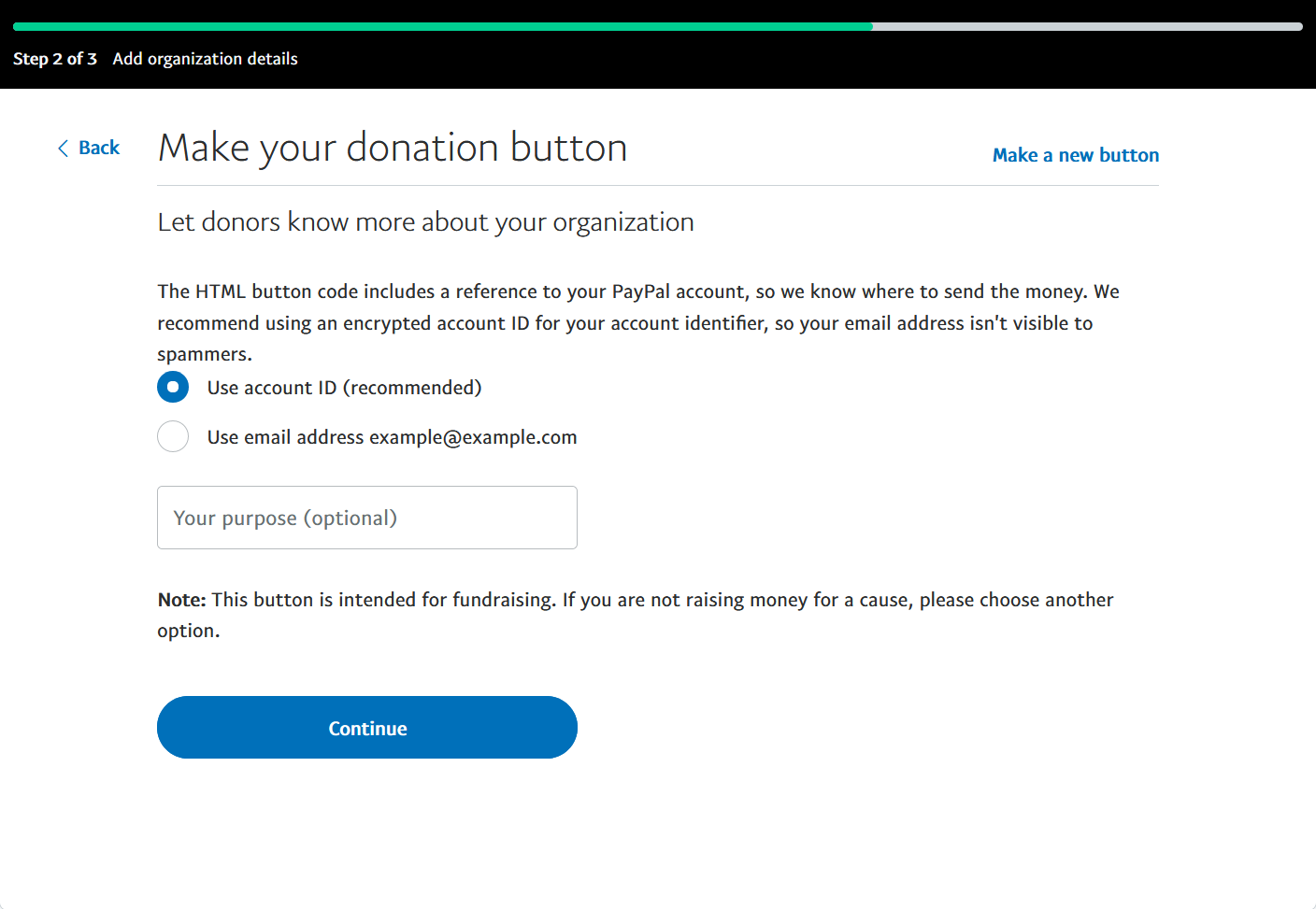
Select “Use account ID” or “Use email address” as the unique identifier of your account in the “Add organization details” page. Then, click “Continue” to go to the next page.
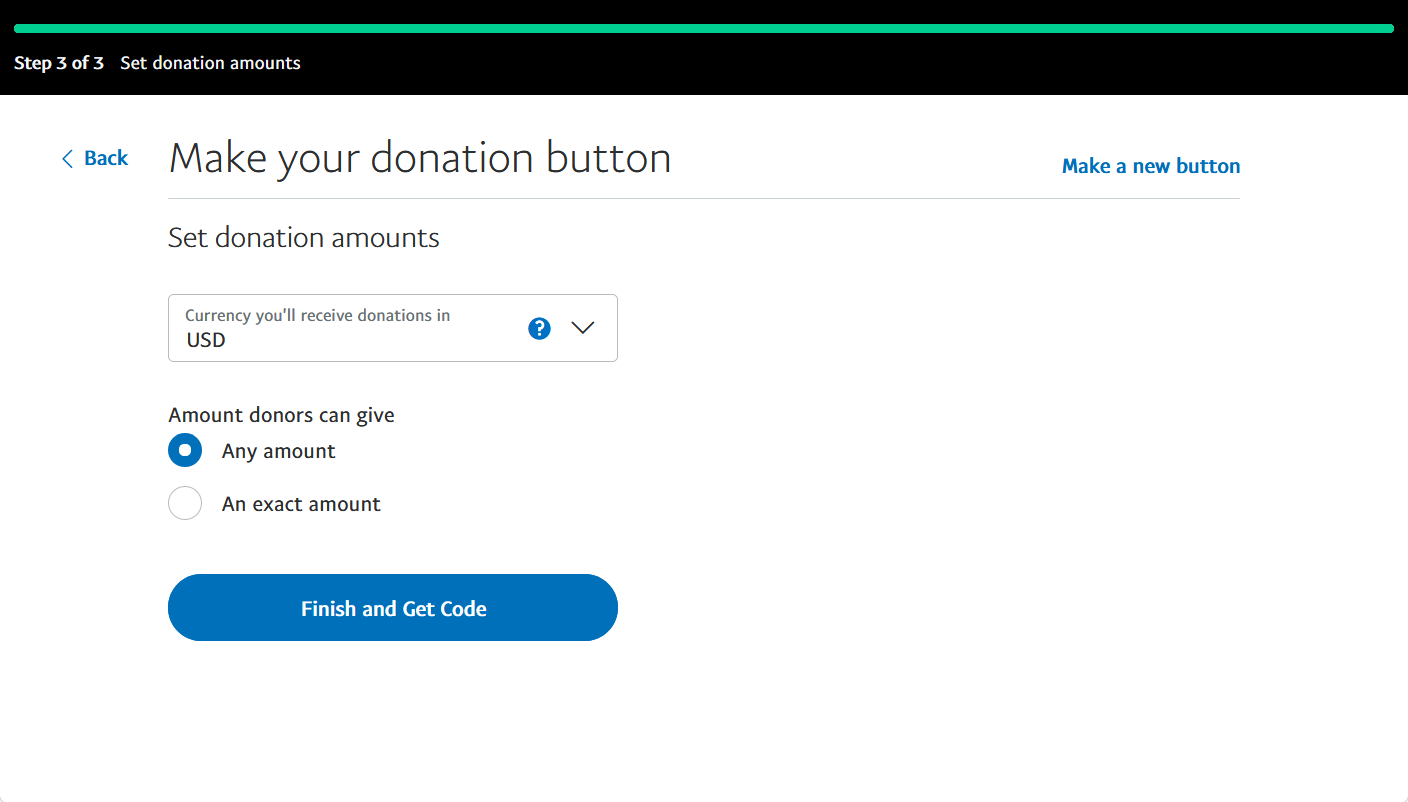
Choose the “Currency you’ll receive donations in” and set “Amount donors can give” to “Any amount” in the “Set donation amounts” page. We currently do not support the option of donating in “An exact amount”. Click “Finish and Get Code” to go to the next page.
Copy business and currency_code from the “Button HTML” on the page.
Put them to the business and currency_code settings in your theme configurations.
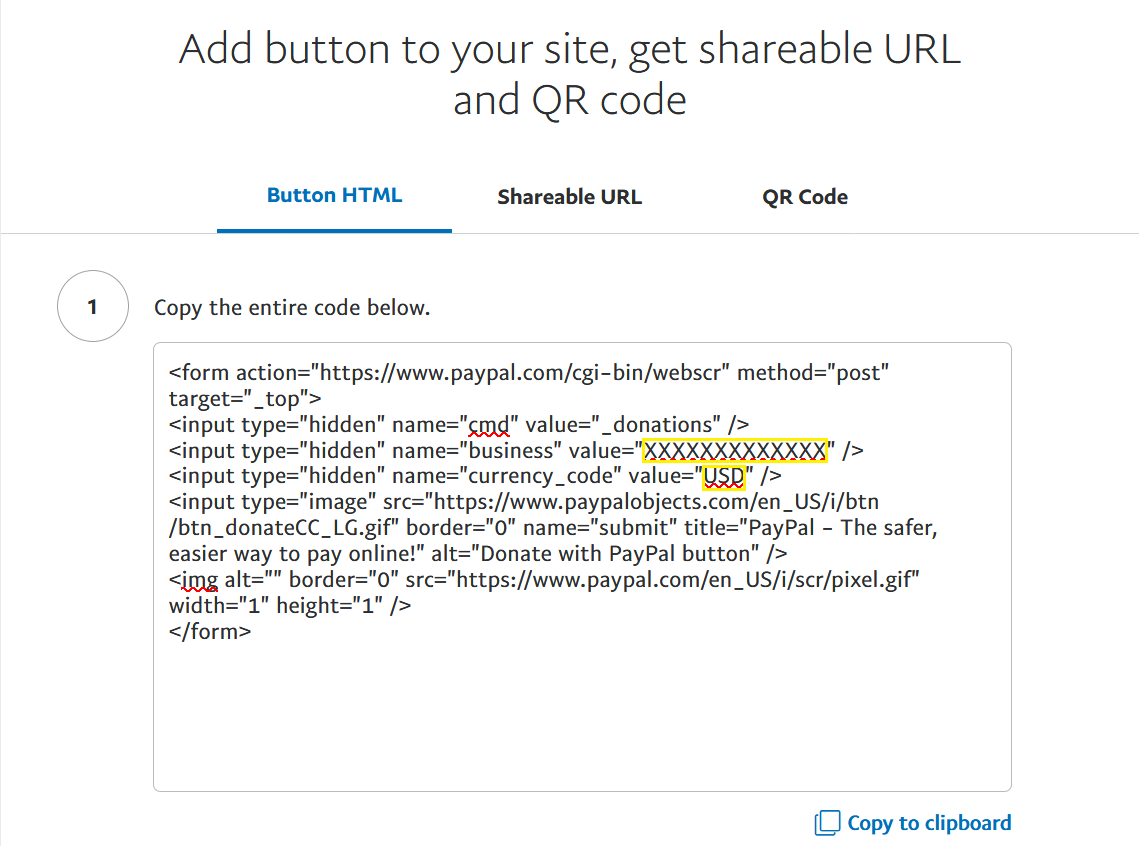
For example, the following Paypal donation button code:
1 | <form action="https://www.paypal.com/cgi-bin/webscr" ...> |
maps to the following configuration:
1 | donates: |
Installation Guide
Register for Patreon and copy the URL to your personal page.
Add the following configuration to your theme configurations:
1 | donate: |
Installation Guide
Log into WeChat and export payment QR code.
Save the QR code picture to the asset directory of your Hexo website, or upload it to an image sharing service.
Add the following configuration to your theme configurations:
1 | donates: |
Something wrong with this article? Click here to submit your revision.
此内容由惯性聚合(RSS阅读器)自动聚合整理,仅供阅读参考。 原文来自 — 版权归原作者所有。