



惯性聚合 高效追踪和阅读你感兴趣的博客、新闻、科技资讯
阅读原文 在惯性聚合中打开

推荐订阅源

V
Vulnerabilities – Threatpost
U
Unit 42
F
Fortinet All Blogs
aimingoo的专栏
aimingoo的专栏
P
Proofpoint News Feed
F
Full Disclosure
月光博客
月光博客
Engineering at Meta
Engineering at Meta
博客园_首页
The Register - Security
G
Google Developers Blog
The Cloudflare Blog
博客园 - Franky
K
Kaspersky official blog
A
Arctic Wolf
Scott Helme
Scott Helme
C
Cisco Blogs
Hugging Face - Blog
Hugging Face - Blog
C
Check Point Blog
NISL@THU
NISL@THU
AI
AI
D
DataBreaches.Net
Cyber Security Advisories - MS-ISAC
Stack Overflow Blog
Stack Overflow Blog
Project Zero
Project Zero
The GitHub Blog
The GitHub Blog
H
Hackread – Cybersecurity News, Data Breaches, AI and More
量子位
Vercel News
Vercel News
T
Tor Project blog
P
Privacy International News Feed
D
Docker
I
Intezer
L
LangChain Blog
P
Proofpoint News Feed
Security Latest
Security Latest
C
CXSECURITY Database RSS Feed - CXSecurity.com
T
Threatpost
博客园 - 聂微东
AWS News Blog
AWS News Blog
Martin Fowler
Martin Fowler
P
Privacy & Cybersecurity Law Blog
V
V2EX
Last Week in AI
Last Week in AI
C
Cybersecurity and Infrastructure Security Agency CISA
The Hacker News
The Hacker News
T
Tenable Blog
Blog — PlanetScale
Blog — PlanetScale
钛媒体:引领未来商业与生活新知
钛媒体:引领未来商业与生活新知
T
Tailwind CSS Blog

Jupyterhub – 百品博客

暂无文章

宝塔面板Jupyterhub插件bug修复 - 百品博客
MX文章作者勇敢打破裂缝,阳光就会洒满其中。 · 2025-05-04 · via Jupyterhub – 百品博客

概述

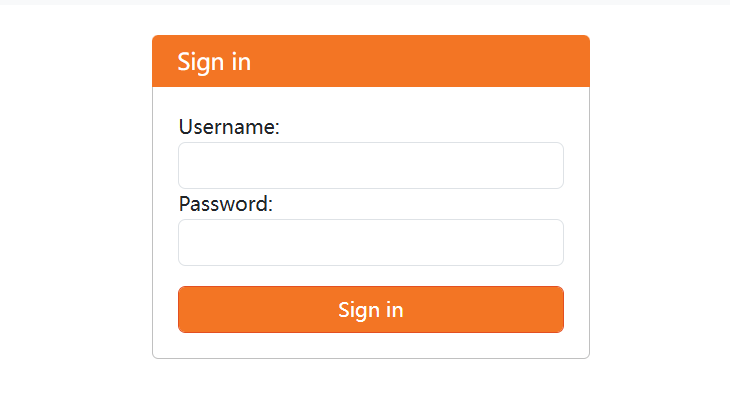
使用宝塔面板中自带的Jupyterhub 1.0.1 插件包安装以后,无论使用什么账号密码登录,一律显示“Invaild username or password”。
https://baipin.pw/wp-content/uploads/2025/05/image.png

解决方案

已经发现有用户在宝塔面板的论坛反应问题,但是发帖时间是2024年12月,现在已经是2025年5月,bug仍未修复。而这个bug已经是让整个插件完全无法使用的状态,所以官方对这个插件的维护可以说几乎没有吧。

修复这个问题也很简单,打开安装目录,找到 jupyterhub_config.py 文件,可以看到原始文件是这样的:

c = get_config()


# 管理员用户列表
c.Authenticator.admin_users = {'jupyterhub'}

#c.Authenticator.admin_users = {'root'}  # 管理员用户
#c.DummyAuthenticator.password = "123"  # 初始密码设置

# 使用 PAMAuthenticator 作为身份验证类
c.JupyterHub.authenticator_class = 'jupyterhub.auth.PAMAuthenticator'

# 允许自动创建系统用户
c.LocalAuthenticator.create_system_users = True


# 设置每个用户的 book类型 和 工作目录(创建.ipynb文件自动保存的地方)
c.Spawner.notebook_dir = '~'
c.Spawner.default_url = '/lab'
c.Spawner.args = ['--allow-root'] 

可以看到这个配置界面把 DummyAuthenticator 的配置注释掉了,并且使用PAMAuthenticator作为验证方法。因此我们使用 DummyAuthenticator 作为验证方法,并且删除注释。

c = get_config()


# 管理员用户列表
c.Authenticator.admin_users = {'jupyterhub'}

c.Authenticator.admin_users = {'root'}  # 管理员用户
c.DummyAuthenticator.password = "123"  # 初始密码设置

# 使用 DummyAuthenticator 作为身份验证类
c.JupyterHub.authenticator_class = 'jupyterhub.auth.DummyAuthenticator'

# 允许自动创建系统用户
c.LocalAuthenticator.create_system_users = True


# 设置每个用户的 book类型 和 工作目录(创建.ipynb文件自动保存的地方)
c.Spawner.notebook_dir = '~'
c.Spawner.default_url = '/lab'
c.Spawner.args = ['--allow-root'] 

然后使用root用户名和123(密码)登录Jupyterhub,至此大功告成。(虽然不是最好的方法,但也是目前摸索到的唯一有效方法)

修改用户名和密码

登录Jupyterhub,点击File--Hub Control Panel来对用户名进行修改。