




惯性聚合 高效追踪和阅读你感兴趣的博客、新闻、科技资讯
阅读原文 在惯性聚合中打开

推荐订阅源

罗磊的独立博客
SecWiki News
SecWiki News
酷 壳 – CoolShell
酷 壳 – CoolShell
爱范儿
爱范儿
量子位
M
MIT News - Artificial intelligence
GbyAI
GbyAI
cs.AI updates on arXiv.org
K
KPMG report finds enterprise disconnect between AI and its ROI | CIO
TaoSecurity Blog
TaoSecurity Blog
博客园 - 【当耐特】
H
Heimdal Security Blog
腾讯CDC
The Last Watchdog
The Last Watchdog
Security Archives - TechRepublic
Hacker News: Ask HN
Hacker News: Ask HN
S
Schneier on Security
Microsoft Security Blog
WordPress大学
WordPress大学
博客园 - 司徒正美
Recent Commits to openclaw:main
C
Cybersecurity and Infrastructure Security Agency CISA
S
SegmentFault 最新的问题
大猫的无限游戏
大猫的无限游戏
Application and Cybersecurity Blog
F
Full Disclosure
有赞技术团队
有赞技术团队
T
Tailwind CSS Blog
Engineering at Meta
Engineering at Meta
cs.CV updates on arXiv.org
T
Threatpost
月光博客
月光博客
A
Arctic Wolf
OSCHINA 社区最新新闻
OSCHINA 社区最新新闻
雷峰网
雷峰网
T
Troy Hunt's Blog
freeCodeCamp Programming Tutorials: Python, JavaScript, Git & More
The Cloudflare Blog
D
DataBreaches.Net
O
OpenAI News
L
LINUX DO - 最新话题
宝玉的分享
宝玉的分享
小众软件
小众软件
V
Vulnerabilities – Threatpost
A
About on SuperTechFans
人人都是产品经理
人人都是产品经理
T
The Exploit Database - CXSecurity.com
Martin Fowler
Martin Fowler
美团技术团队
P
Privacy International News Feed

百品博客

百品电台:自动提供反代的电台App - 百品博客 百品导航:轻量客制化导航首页 - 百品博客 OMSI2香港地圖下載整合 - 百品博客 AI部署实践:Colab部署AI模型进行Fine Tuning - 百品博客 都市天际线2模组:香港路牌包[WE] - 百品博客 一些闲暇的感受 - 百品博客 美式高速公路路牌制作器 - 百品博客 也谈山西大同订婚强奸案 - 百品博客 换一个新Logo - 百品博客
宝塔面板Jupyterhub插件bug修复 - 百品博客
MX文章作者勇敢打破裂缝,阳光就会洒满其中。 · 2025-05-04 · via 百品博客

概述

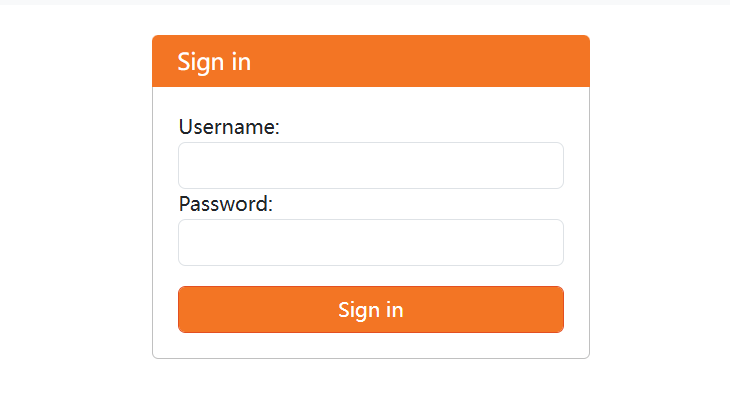
使用宝塔面板中自带的Jupyterhub 1.0.1 插件包安装以后,无论使用什么账号密码登录,一律显示“Invaild username or password”。
https://baipin.pw/wp-content/uploads/2025/05/image.png

解决方案

已经发现有用户在宝塔面板的论坛反应问题,但是发帖时间是2024年12月,现在已经是2025年5月,bug仍未修复。而这个bug已经是让整个插件完全无法使用的状态,所以官方对这个插件的维护可以说几乎没有吧。

修复这个问题也很简单,打开安装目录,找到 jupyterhub_config.py 文件,可以看到原始文件是这样的:

c = get_config()


# 管理员用户列表
c.Authenticator.admin_users = {'jupyterhub'}

#c.Authenticator.admin_users = {'root'}  # 管理员用户
#c.DummyAuthenticator.password = "123"  # 初始密码设置

# 使用 PAMAuthenticator 作为身份验证类
c.JupyterHub.authenticator_class = 'jupyterhub.auth.PAMAuthenticator'

# 允许自动创建系统用户
c.LocalAuthenticator.create_system_users = True


# 设置每个用户的 book类型 和 工作目录(创建.ipynb文件自动保存的地方)
c.Spawner.notebook_dir = '~'
c.Spawner.default_url = '/lab'
c.Spawner.args = ['--allow-root'] 

可以看到这个配置界面把 DummyAuthenticator 的配置注释掉了,并且使用PAMAuthenticator作为验证方法。因此我们使用 DummyAuthenticator 作为验证方法,并且删除注释。

c = get_config()


# 管理员用户列表
c.Authenticator.admin_users = {'jupyterhub'}

c.Authenticator.admin_users = {'root'}  # 管理员用户
c.DummyAuthenticator.password = "123"  # 初始密码设置

# 使用 DummyAuthenticator 作为身份验证类
c.JupyterHub.authenticator_class = 'jupyterhub.auth.DummyAuthenticator'

# 允许自动创建系统用户
c.LocalAuthenticator.create_system_users = True


# 设置每个用户的 book类型 和 工作目录(创建.ipynb文件自动保存的地方)
c.Spawner.notebook_dir = '~'
c.Spawner.default_url = '/lab'
c.Spawner.args = ['--allow-root'] 

然后使用root用户名和123(密码)登录Jupyterhub,至此大功告成。(虽然不是最好的方法,但也是目前摸索到的唯一有效方法)

修改用户名和密码

登录Jupyterhub,点击File--Hub Control Panel来对用户名进行修改。