惯性聚合 高效追踪和阅读你感兴趣的博客、新闻、科技资讯
阅读原文 在惯性聚合中打开

推荐订阅源

J
Java Code Geeks
小众软件
小众软件
博客园 - 叶小钗
宝玉的分享
宝玉的分享
博客园_首页
Hugging Face - Blog
Hugging Face - Blog
人人都是产品经理
人人都是产品经理
钛媒体:引领未来商业与生活新知
钛媒体:引领未来商业与生活新知
S
SegmentFault 最新的问题
B
Blog RSS Feed
Engineering at Meta
Engineering at Meta
N
Netflix TechBlog - Medium
Google DeepMind News
U
Unit 42
F
Fortinet All Blogs
IT之家
IT之家
Y
Y Combinator Blog
Martin Fowler
Martin Fowler
T
The Blog of Author Tim Ferriss
奇客Solidot–传递最新科技情报
奇客Solidot–传递最新科技情报
The GitHub Blog
The GitHub Blog
Stack Overflow Blog
Stack Overflow Blog
Blog — PlanetScale
Blog — PlanetScale
酷 壳 – CoolShell
酷 壳 – CoolShell

技术·学习 – 百品博客

AI部署实践:Colab部署AI模型进行Fine Tuning - 百品博客 宝塔面板Jupyterhub插件bug修复 - 百品博客 制作与下载歌词方法搜罗 - 百品博客 Gravatar个人注册与网站加速调用 - 百品博客 2018年浙江高考生物28题详解 - 百品博客 Jetpack插件之弊端与替代方案 - 百品博客 可怕的豌豆——高中遗传题详解1 - 百品博客 打印机出现“错误﹣正在打印”的解决方案 - 百品博客 分地区DNS实现内地直连 境外走Cloudflare - 百品博客
网站接入安全评论系统——Disqus - 百品博客
MX文章作者勇敢打破裂缝,阳光就会洒满其中。 · 2026-06-01 · via 技术·学习 – 百品博客

“仅仅是建议,勿喷。”

Disqus,可以实现文章与评论区分离,并且还会在无法打开时给出提示,可谓理想的评论系统。

部署在Wordpress

后台搜索Disqus Comment System插件,安装并启用。

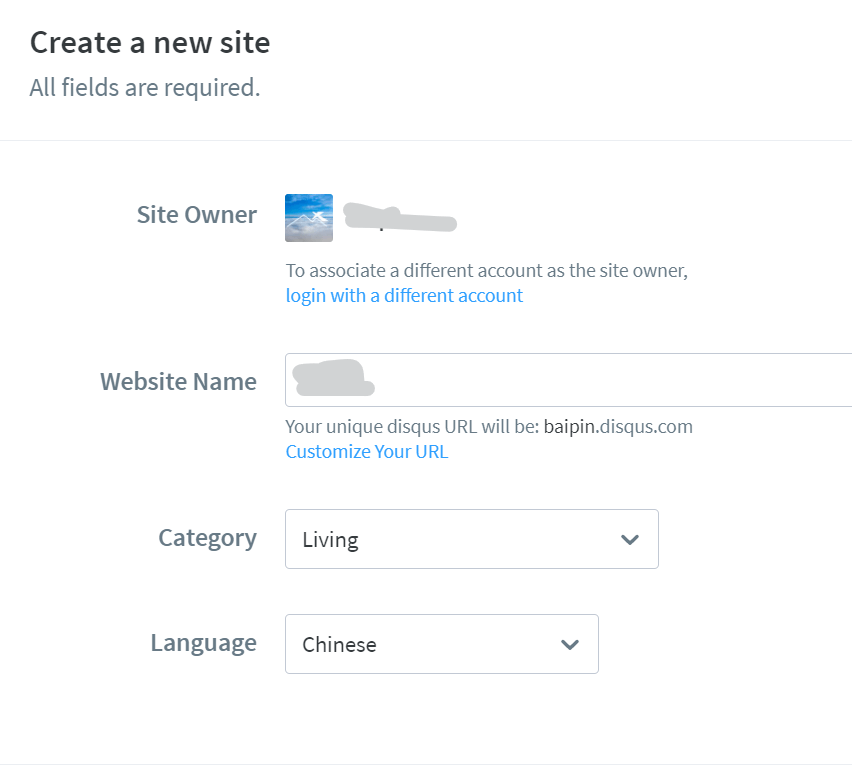
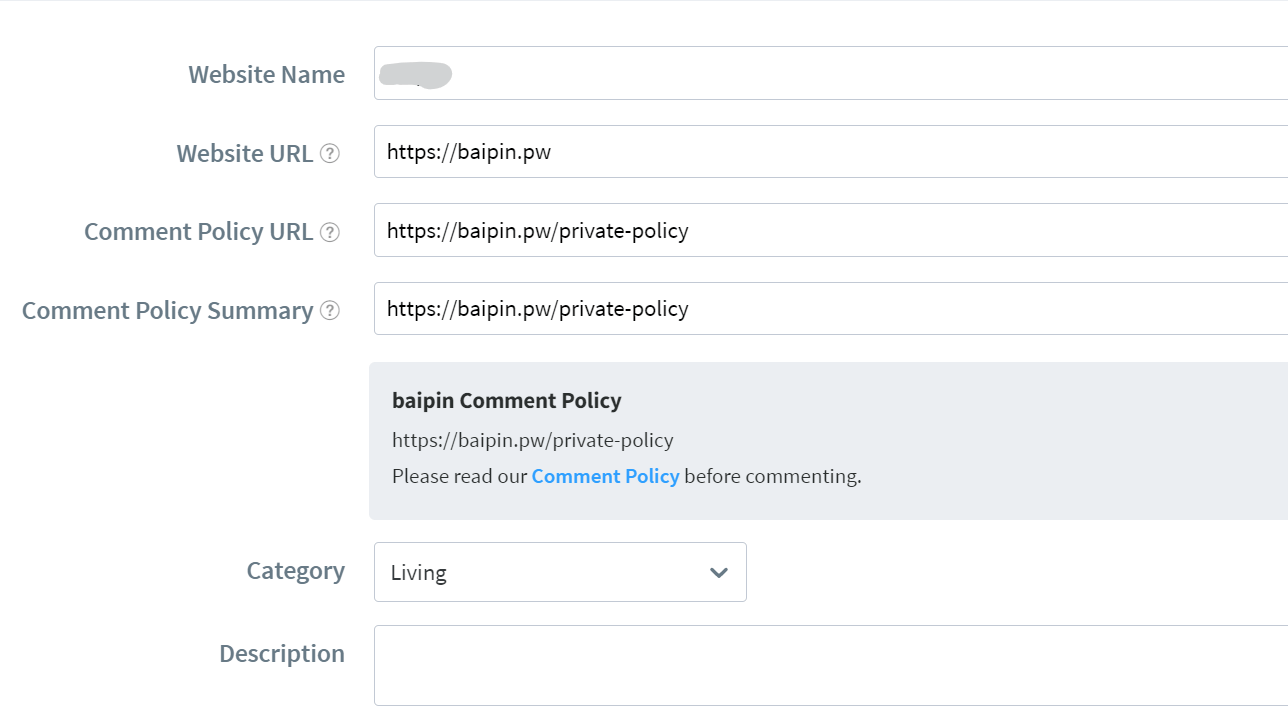
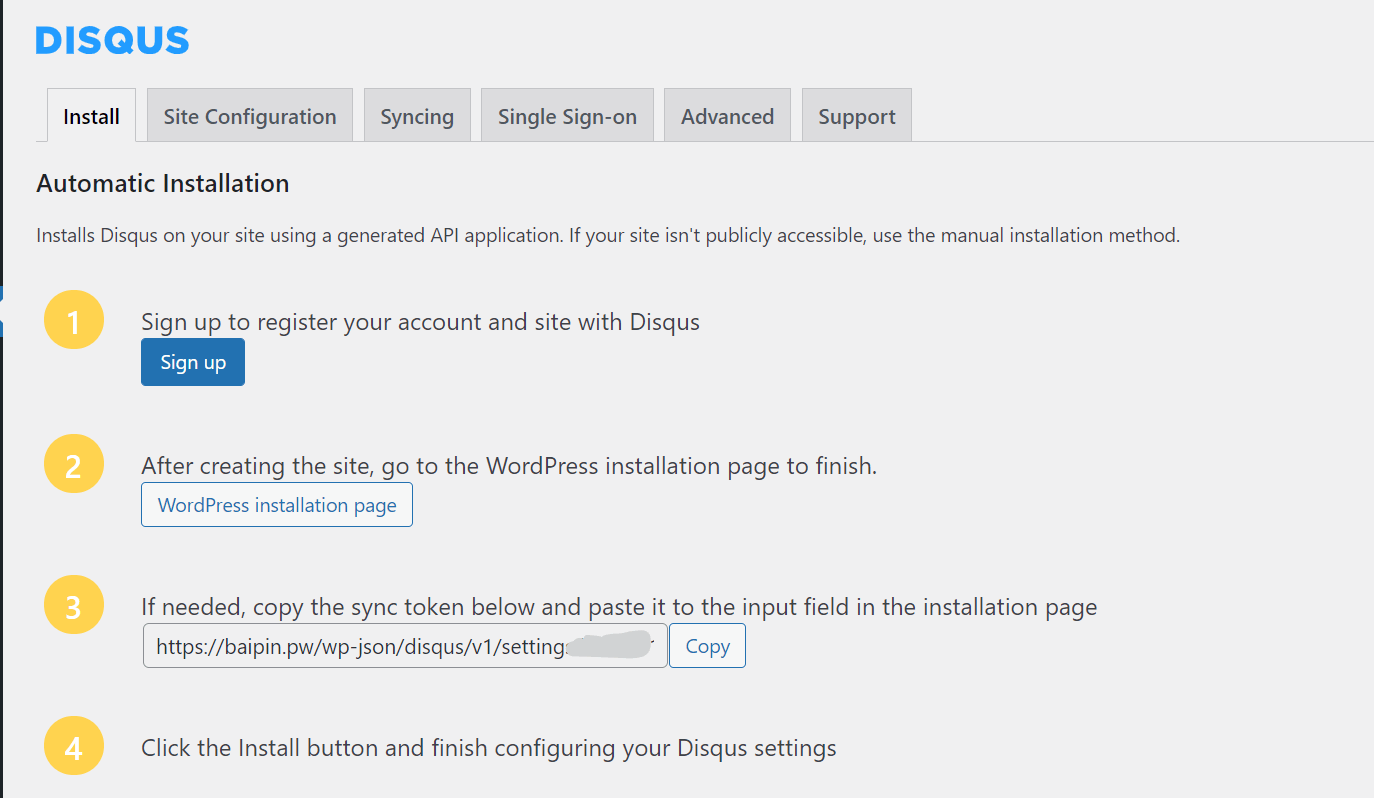
之后侧栏会多出Disqus选项,进入。它会询问你是否有Disqus账号,我这里还没有,于是选择“No”

按要求注册、接入即可。
  • https://www.baipin.pw/wp-content/uploads/2021/08/image-1.png
  • https://www.baipin.pw/wp-content/uploads/2021/08/image-2.png
  • https://www.baipin.pw/wp-content/uploads/2021/08/image-3.png

将评论导入到Disqus

进入WP后台的“工具——导出”,导出至文件,之后上传至

https://import.disqus.com/

即可。

前台配置

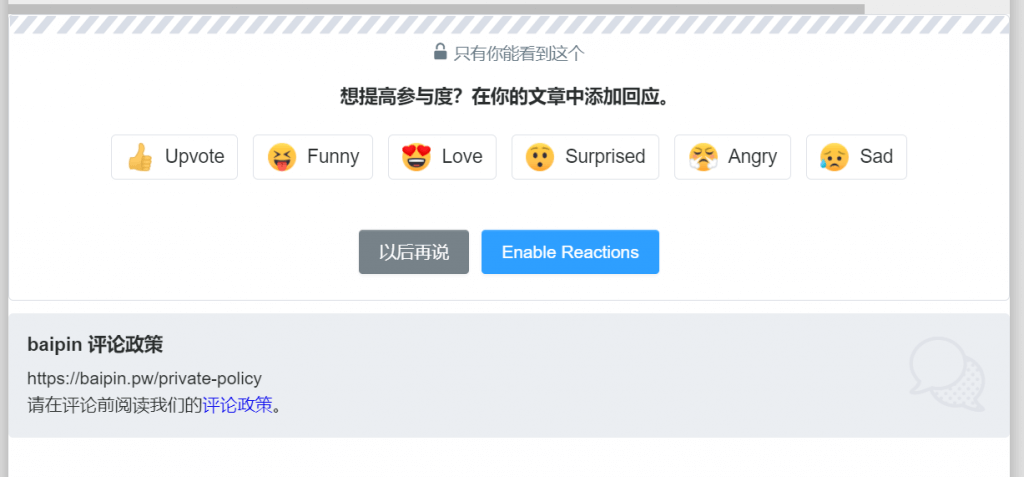
进入任意一篇文章,点击Enable Reactions,启用快速评论。
https://www.baipin.pw/wp-content/uploads/2021/08/image-4-1024x477.png

Tips:对接时可能会提示“An error occurred”(一个错误发生),无视即可。