惯性聚合 高效追踪和阅读你感兴趣的博客、新闻、科技资讯
阅读原文 在惯性聚合中打开

推荐订阅源

L
LangChain Blog
S
SegmentFault 最新的问题
V
Visual Studio Blog
J
Java Code Geeks
宝玉的分享
宝玉的分享
美团技术团队
博客园 - Franky
酷 壳 – CoolShell
酷 壳 – CoolShell
H
Hackread – Cybersecurity News, Data Breaches, AI and More
有赞技术团队
有赞技术团队
量子位
Martin Fowler
Martin Fowler
MyScale Blog
MyScale Blog
Google DeepMind News
Jina AI
Jina AI
博客园 - 叶小钗
月光博客
月光博客
P
Proofpoint News Feed
D
DataBreaches.Net
Blog — PlanetScale
Blog — PlanetScale
博客园_首页
腾讯CDC
Microsoft Azure Blog
Stack Overflow Blog
Stack Overflow Blog

Blog - StarDots

StarDots Skill现已发布:让 AI Agent 也能使用你的图床 StarDots is launched today on Product Hunt! Contribute to open source projects Claim your subscription plan for free! StarDots is A Powerful Platform for Image Hosting and Transformation Why StarDots Delivers High-Performance Image Processing? How StarDots Protects User Data Security?
StarDots for picgo plugin
StarDots Moderator · 2025-08-19 · via Blog - StarDots

StarDots for picgo plugin

简介

Picgo是一个流行的开源图床整合方案,在中文圈有着非常高的活跃度。

日前,StarDots完成了picgo的插件整合,现在,你可以通过两种方式在picgo环境下使用StarDots。

使用方式

用户界面

使用picgo用户界面进行安装stardots。

1.在picgo主界面点击【插件设置】

2.键入关键字stardots进行搜索:
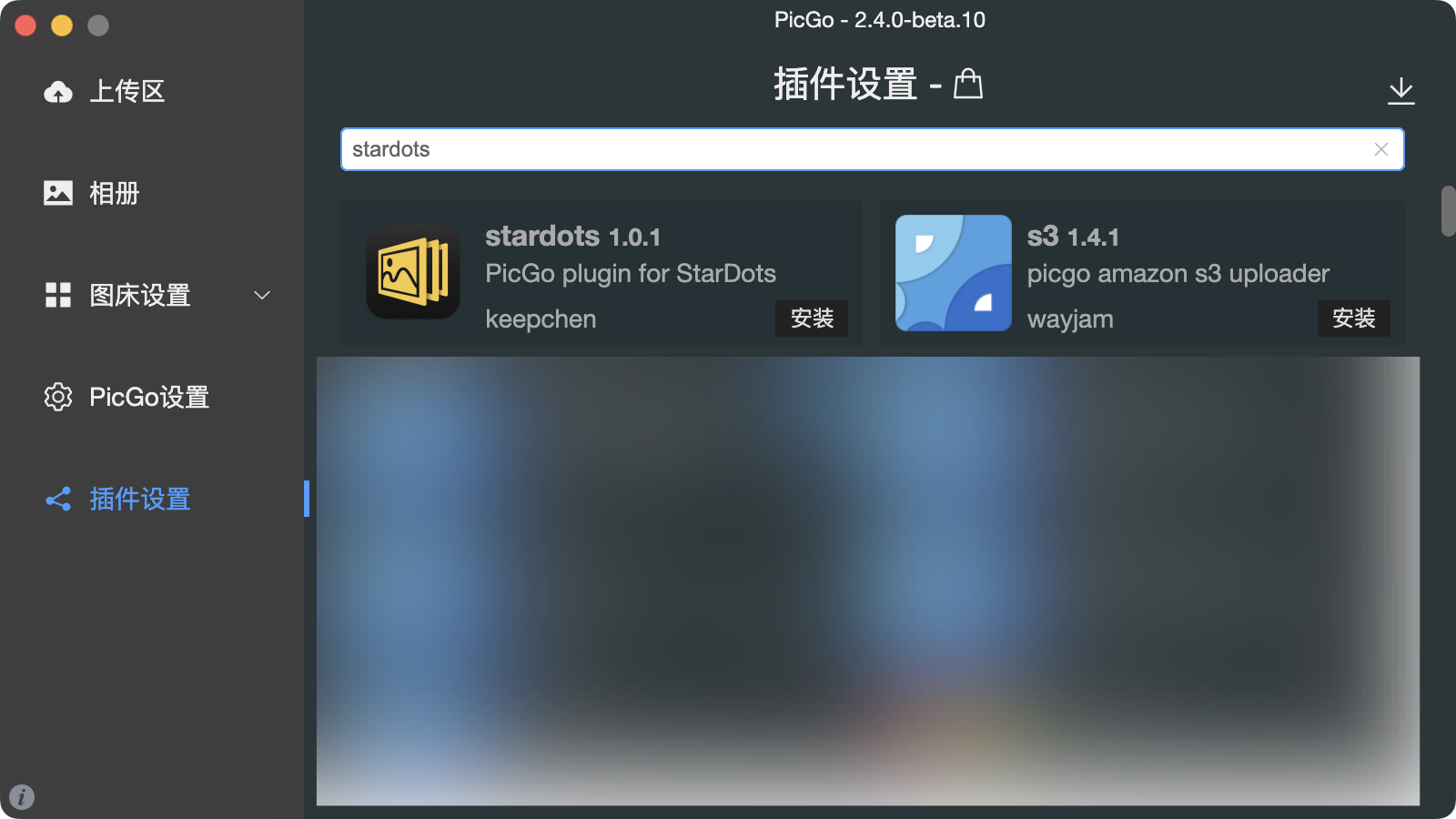
3.点击【安装】

4.点击【图床设置】,找到StarDots,点击设置图标,进行参数配置:
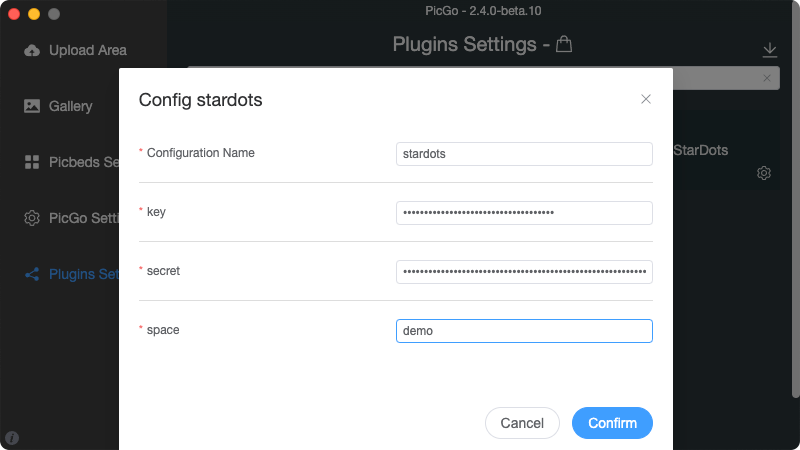
之后就可以使用StarDots啦~

命令行

使用picgo命令进行安装:
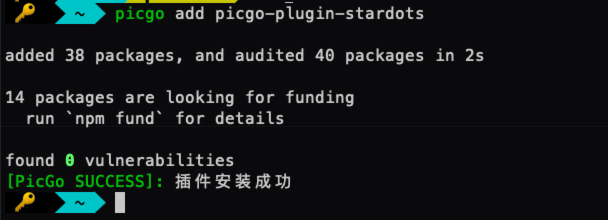
之后按照picgo文档指引即可使用。

插件仓库地址:https://github.com/stardots-io/picgo-plugin-stardots

Written by:

StarDots Moderator