





You've been staring at the same error for 90 minutes. You've added 14
console.logstatements. You've tried random fixes from Stack Overflow. Nothing works.
You're starting to question your career choices.
Stop thrashing. Let's build a real debugging method.
🧠 The Hard Truth
Debugging is not guessing.
It's not "trying things until it works."
It's controlled investigation.
The best developers aren’t the ones who write perfect code.
They’re the ones who can systematically figure out why broken code is broken.
✅ Step 1: Reproduce It Reliably
If you can't make the bug happen on demand, you cannot fix it.
Bad:
"It crashes sometimes when I click the button."
Good:
"It crashes every time I click
Submitwith a username longer than 20 characters."
Action:
- Write down exact steps
- Create a minimal reproduction
- Remove everything unrelated
🔍 Step 2: Read the Damn Error Message
Most developers don’t actually read errors fully.
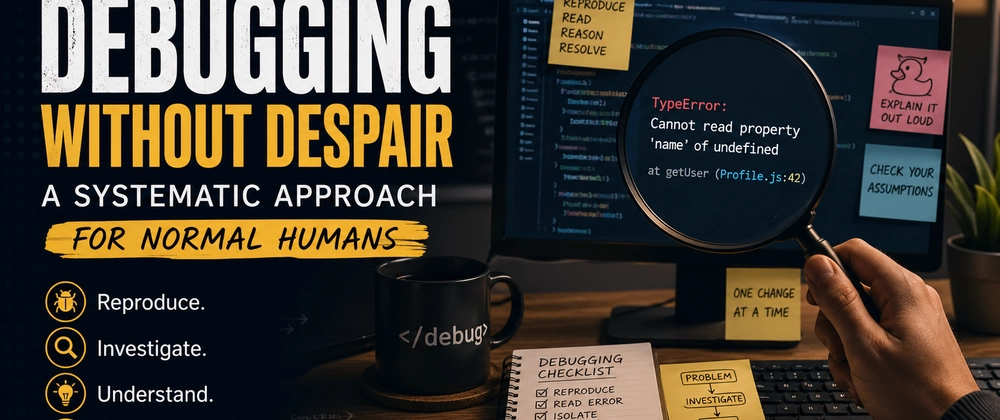
TypeError: Cannot read property 'name' of undefined
    at getUser (Profile.js:42)
    at renderProfile (Profile.js:58)
    at ComponentDidMount (Profile.js:72)
This already tells you:
- 📍 Line 42 is the failure point
- ❌
useris undefined - 🔄 Call flow:
getUser → renderProfile → ComponentDidMount
Action:
Before changing anything, understand exactly what the error says.
⚡ Step 3: Binary Search Your Code
Don’t check everything. Cut the problem in half repeatedly.
The Method
- Log at the midpoint
- Check if it runs
- Narrow down the region
- Repeat
Example
console.log("1: entered function");  // ✅

console.log("2: before API call");   // ✅

// API call

console.log("3: after API call");    // ❌
👉 Bug is between the API call and the next line.
Result: Eliminated ~75% of the code instantly.
🦆 Step 4: The Rubber Duck Method
Explain the bug out loud.
Yes, seriously.
Talk to:
- A rubber duck 🦆
- Your desk plant 🌱
- Your cat 🐱
Why it works:
Speaking forces structured thinking.
"Then I update the state… wait… AFTER saving? That’s wrong."
Bug found.
🧨 Step 5: Check Your Assumptions (They're Wrong)
Every bug exists because an assumption failed.
Common Assumptions That Break Code
| Assumption | How to Verify |
|---|---|
| "This variable exists" | console.log(typeof variable) |
| "API returned data" | console.log(response.status, response.data) |
| "Loop runs" | console.log("loop entered", i) |
| "Condition is true" | console.log(isActive, role) |
| "Not cached" | Add timestamp param |
👉 Never trust assumptions. Test them.
🧪 Step 6: Use the Scientific Method
Treat debugging like an experiment.
Example:
Hypothesis:
API delay causesuserto be undefinedExperiment:
Add artificial delay → bug appearsNew Hypothesis:
Loading state isn’t handledFix:
Add guard before accessinguser.name
🚫 Rule:
Never change two things at once.
You won’t know what fixed it.
🛠️ Step 7: Tools That Actually Help
✅ Use These
-
console.table()→ clean object visualization -
debugger;→ real browser debugging -
JSON.stringify(obj, null, 2)→ deep inspection - VS Code breakpoints → precise control
❌ Avoid These
- Random
console.log("here") - Blindly copying Stack Overflow fixes
- Rewriting code without understanding
⏱️ Step 8: The 20-Minute Rule
If you're stuck for 20 minutes:
Do one of these:
- Take a 5-minute break
- Ask someone
- Write down what you know
- Switch tasks temporarily
Don’t:
Grind for 3 hours and make it worse.
🧩 Real Debugging Session
// Bug: UI shows [object Object]

// Step 1: Reproduce
// Happens after search, not on fresh load

// Step 2: No error → logic issue

console.log(user);        // { name: "Alice" }
console.log(user.name);   // "Alice"

// JSX:
{user}        // ❌ "[object Object]"
{user.name}   // ✅ "Alice"

// Fix:
{user.name}
Time to fix: 4 minutes
📋 Your Debugging Checklist
Keep this near you:
- [ ] Can I reproduce it reliably?
- [ ] Did I read the full error?
- [ ] Did I isolate using binary search?
- [ ] Did I explain it out loud?
- [ ] Did I test assumptions?
- [ ] Did I change only one thing?
- [ ] Has it been under 20 minutes?
🔄 When to Stop Debugging and Start Over
Sometimes, rewriting is the correct move.
Signs:
- Deep nested conditionals (3+ levels)
- Same bug area repeatedly breaks
- You don’t understand the code
- No documentation + original dev is gone
Rewriting is not failure.
Leaving fragile code is.
💡 Final Thought
Debugging isn’t about being smart.
It’s about staying calm and methodical when your brain wants to panic.
The developer with a checklist beats the genius who guesses.
Next time you're stuck → go back to Step 1.
It works. Every single time.
— Someone who once spent 6 hours debugging a missing closing bracket