惯性聚合 高效追踪和阅读你感兴趣的博客、新闻、科技资讯
阅读原文 在惯性聚合中打开

推荐订阅源

MyScale Blog
MyScale Blog
A
About on SuperTechFans
G
Google Developers Blog
B
Blog RSS Feed
F
Fortinet All Blogs
WordPress大学
WordPress大学
Recent Announcements
Hugging Face - Blog
Hugging Face - Blog
Y
Y Combinator Blog
MongoDB | Blog
MongoDB | Blog
小众软件
小众软件
人人都是产品经理
人人都是产品经理
博客园 - 叶小钗
T
The Blog of Author Tim Ferriss
Jina AI
Jina AI
IT之家
IT之家
P
Proofpoint News Feed
美团技术团队
量子位
Microsoft Azure Blog
Engineering at Meta
Engineering at Meta
B
Blog
有赞技术团队
有赞技术团队
U
Unit 42

DEV Community

Authentication Security Deep Dive: From Brute Force to Salted Hashing (With Java Examples) Why AI Systems Don’t Fail — They Drift Spilling beans for how i learn for exam😁"Reinforcement Learning Cheat Sheet" I Replaced Chrome with Safari for AI Browser Automation. Here's What Broke (and What Finally Worked) How Python Borrows Other People's Work The $40 Architecture: Processing 1 Billion API Requests with 99.99% Uptime Vibe Coding: A Workflow Guide (From Zero to SaaS) Most webhook security guides protect the wrong side. The scary part is delivery. Headless CMS for TanStack Start: Build a Blog with Cosmic EU Age Verification App "Hacked in 2 Minutes" — What Actually Happened Comfy Cloud’s delete function does not actually remove files Running AI Models on GPU Cloud Servers: A Beginner Guide Event-driven media intelligence with AWS Step Functions and Bedrock I scored 500 AI prompts across 8 quality dimensions — here's what broke How to Call Google Gemini API from Next.js (Free Tier, No Backend Needed) The Portal Protocol: Reclaiming Human Connection in the Age of AI How to Fix Your Team's Scattered Knowledge Problem With a Self-Hosted Forum Intro to tc Cloud Functors: A Graph-First Mental Model for the Modern Cloud Designing Multi-Tenant Backends With Both Ownership and Team Access I Built a Neumorphic CSS Library with 77+ Components — Here's What I Learned PostgreSQL Performance Optimization: Why Connection Pooling Is Critical at Scale Cómo construí un SaaS multi-rubro para gestionar expensas en Argentina con FastAPI + Vue 3 🚀 I Built an Ethical Hacking Scanner Tool – Open Source Project I Replaced /usage and /context in Claude Code With a Single Statusline A Pythonic Way to Handle Emails (IMAP/SMTP) with Auto-Discovery and AI-Ready Design I Collected 8.9 Million Polymarket Price Points — Here's What I Found About How Markets Really Move EcoTrack AI — Carbon Footprint Tracker & Dashboard Everyone's Using AI. No One Agrees How. 5 self-hosted ebook managers worth trying in 2026 Building Your First AI Agent with LangChain: From Chatbot to Autonomous Assistant
How i Created a Linux VM, SSHed Into it and Installed Apa...
Daniel · 2026-04-27 · via DEV Community

Introduction

In this project, I created a Linux virtual machine on Microsoft Azure, connected to it securely using SSH, and installed Apache2 to host a web server.

This is part of my journey as an aspiring cloud engineer, learning cloud technologies, Linux, and DevOps.

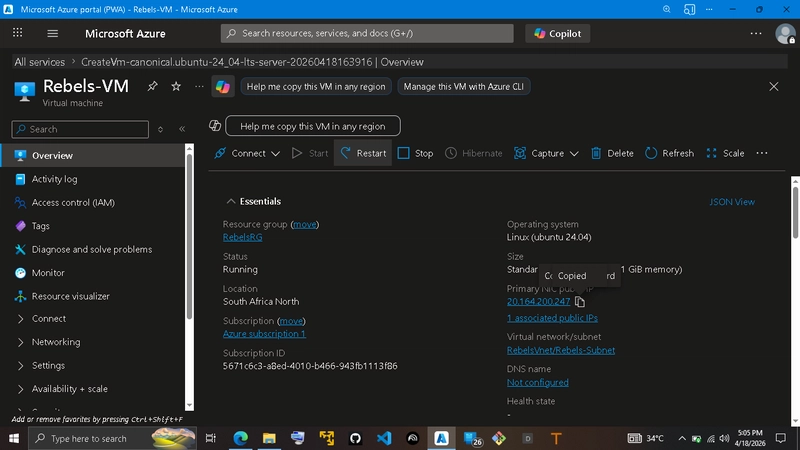
Step 1: Creating a Virtual Machine on Azure

I logged into the Azure Portal and created a new virtual machine using Ubuntu as the operating system.

Key configurations included:

  • Resource group creation
  • Selecting a region
  • Choosing a VM size
  • Setting up authentication (SSH key)

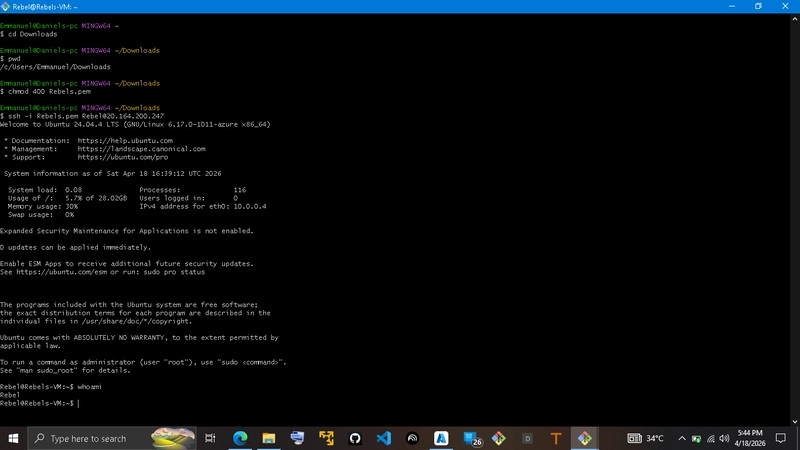
Step 2: Connecting to the VM via SSH

After the VM was successfully created, I connected to it using SSh [Secure shell hosting] from my Gitbash terminal.

Command used:
ssh username@public-ip-address

Once connected, I had full access to the Linux environment running on virtual machine as shown below
Step 3: Updating the System

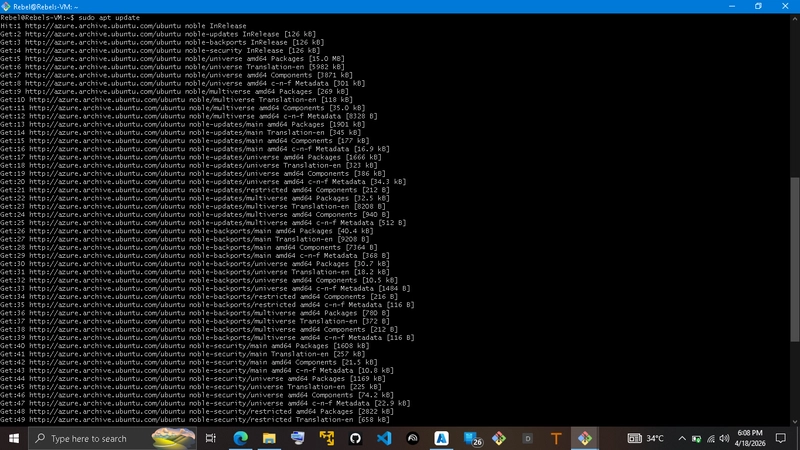
Before installing any software, I updated and upgraded the package list with the commands;

sudo apt update
&
sudo apt ugrade

This ensures that all packages are up to date and upgraded.
Step 4: Installing Apache2

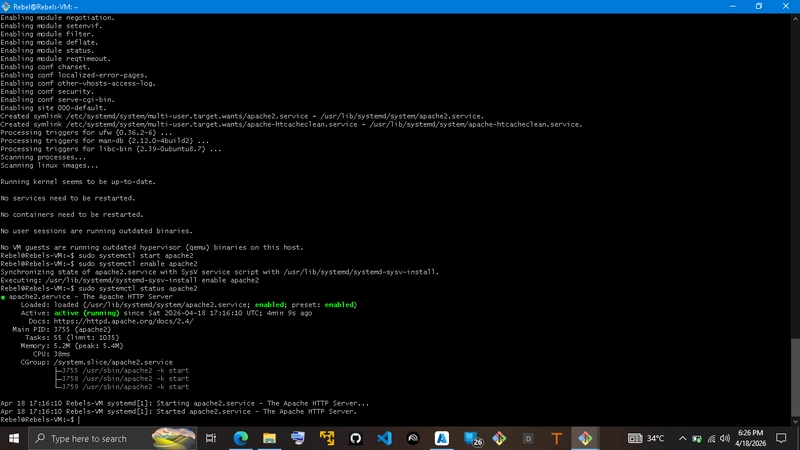
Next, I installed Apache2 using the following command:

sudo apt install apache2 -y
The -y flag automatically confirms installation prompts.

After installation, Apache2 started running on the server.
Step 5: Verifying Apache2 Installation

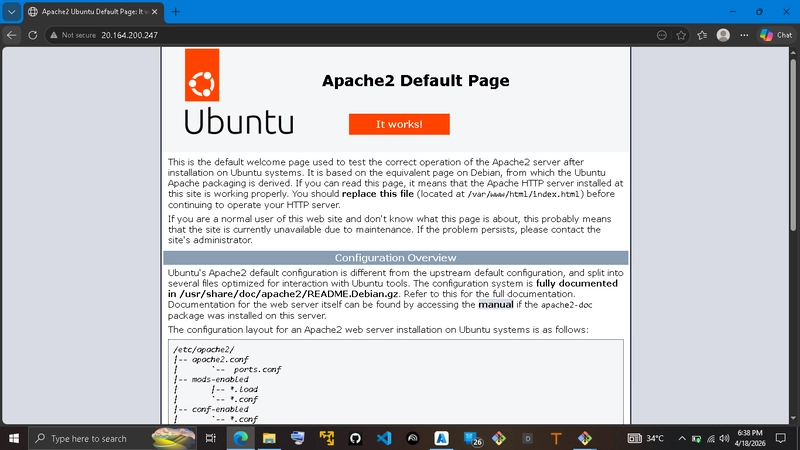
To confirm Apache2 was working, I opened a browser and visited my VM’s public IP address.

The default Apache2 welcome page was displayed, confirming a successful installation.
Conclusion

In this project, I successfully:

Created a Linux virtual machine on Azure
Connected to it using SSH
Installed and ran Apache2

This project strengthened my understanding of cloud computing, remote server management, and basic web server deployment.

I look forward to building more projects as I continue my journey in cloud engineering.