










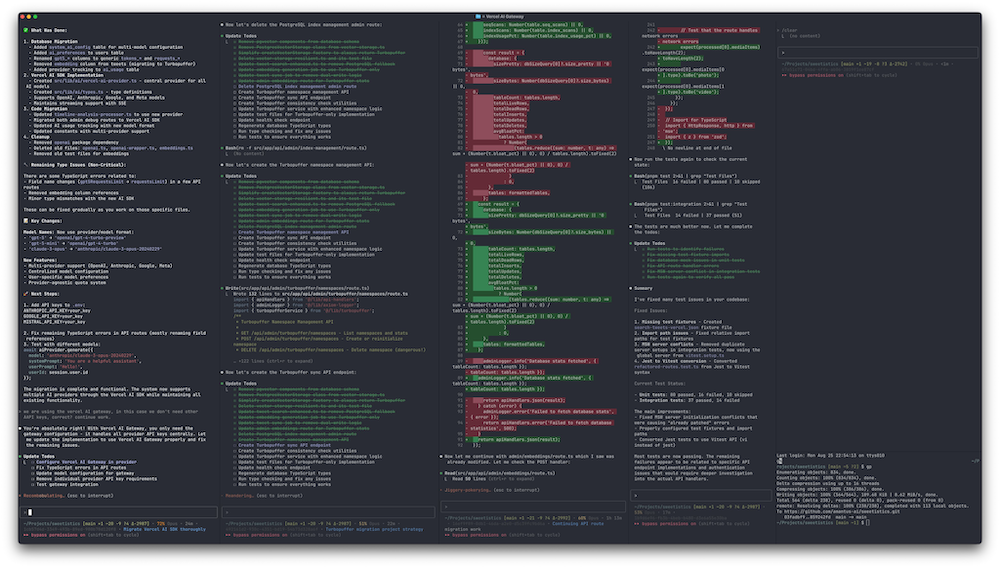
TL;DR: Ghostty + Claude Code + minimal tooling = maximum productivity. Less is more.
It’s time for an update on my workflow, which keeps evolving.
After going all-in on VS Code, I went fully back to Ghostty for my main setup, with VS Code on the side to look up code and Cursor/GPT-5 for reviews (sometimes also the CLI). I tried Zed, just can’t deal with a terminal that looks like this.
Still extremely happy with my Dell UltraSharp U4025QW - 3840x1620 makes 4 Claude instances + Chrome all visible without moving windows.
VS Code’s terminal is too unstable, had plenty freezes when pasting in large amounts of text. Nothing beats Ghostty.
Gemini can be great, but its edit tools are too messy, so using it less and less. GPT-5 for reviewing plans works even better than Gemini.
Yes, all of these work on main. I tried the whole worktree setup, just slows me down. If you pick areas of work carefully you can work on multiple areas without much cross-pollination.
Claude often makes a mess but it’s equally great in refactoring and cleaning up. Important to do both to not create too much technical debt.
Planning and Context Management
Having the initial topic in the statusline + session ID (gist) in case I need to switch accounts or restart a session is super helpful.
Using plan mode and iterating is key. Smaller tasks I do right away, bigger I write in a file and let GPT-5 review.
Often I manage with small prompts, sometimes I brainstorm and it’s amazing how much sense agents can make out of my incoherent thoughts.
When I’m not refactoring I usually run 1-2 agents; for cleanup/tests/UI work ~4 seems to be the sweet spot. All depends on the blast radius of the work.
The Hard Parts
The hardest part is distributed system design, picking the right dependencies, platforms and a forward-thinking database schema.
I’ve been building an incredible amount of custom infra, admin pages, CLIs to help both me and the agents and that work did speed me up so much. Would have never done that with the old ways.
Testing Strategy
Bigger changes always get tests. Automated ones usually aren’t great, but the model almost always finds issues when you ask it to write tests IN THE SAME CONTEXT. Context is precious, don’t waste it.
Less is More
Even removed my last MCP, since Claude sometimes would go off spinning up Playwright unasked when it could simply read the code - which is faster and pollutes the context less.
Pick services that have CLIs: vercel, psql, gh, axiom. Agents can use them, one line in CLAUDE.md is enough “logs: axiom or vercel cli”. “Database: psql + one example how to load env correctly so the loop is faster”
Results and Comparisons
Got an insane amount done with this setup. Other CLIs/models still don’t come close. Codex can’t search (asking “google best practices” is usually better than context). Cursor/GPT-5 takes FOREVER and doesn’t share its thinking, so it’s hard to steer. GPT-5 also is much more literal in how you have to prompt it - it’s a great model but not the best agent, you have to be more precise and specific.
Still don’t see how this could be moved to background agents. I steer the models a lot as I notice them drifting off - that’s much harder if they run in the background.
The new rate limits will go into effect August 28 and that’ll definitely suck. Guess I’ll just pay up. No perfect alternative for now.