






拥有公网 IP、域名 (如果你不满足要求,可以尝试在本地使用 Gogs + Drone)
域名 SSL 证书 (目前国内有很多云服务商提供免费证书)
熟悉 Docker 以及 Docker Compose
熟悉 Git 基本命令
对 CI/CD 有一定了解
登录 GitHub,在 https://github.com/settings/applications/new 新建一个应用。
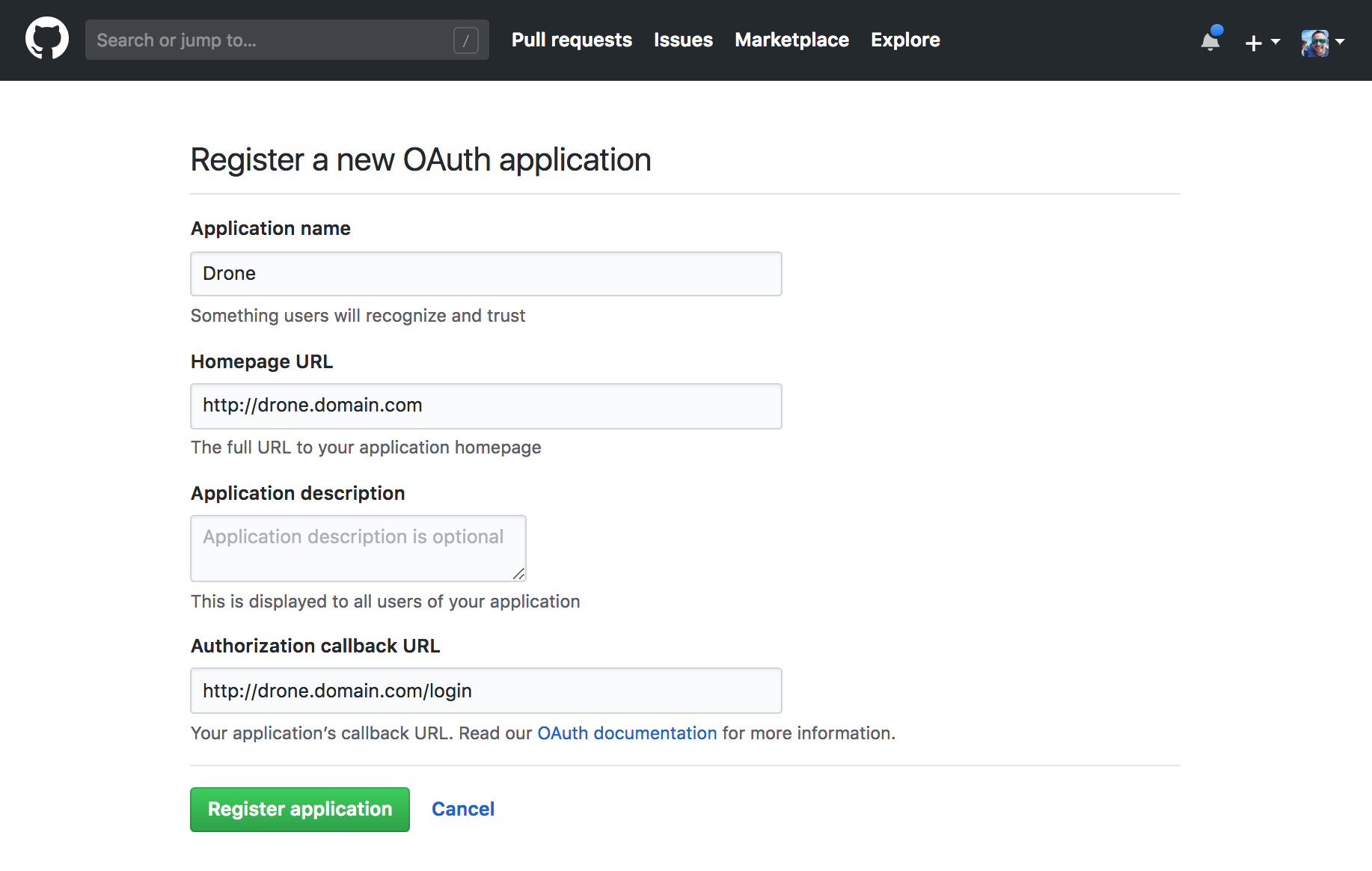
接下来查看这个应用的详情,记录 Client ID 和 Client Secret,之后配置 Drone 会用到。
我们通过使用 Docker Compose 来启动 Drone,编写 docker-compose.yml 文件。
version: '3'

services:

  drone-server:
    image: drone/drone:2.3.1
    ports:
      - 443:443
      - 80:80
    volumes:
      - drone-data:/data:rw
      - ./ssl:/etc/certs
    restart: always
    environment:
      - DRONE_SERVER_HOST=${DRONE_SERVER_HOST:-https://drone.yeasy.com}
      - DRONE_SERVER_PROTO=${DRONE_SERVER_PROTO:-https}
      - DRONE_RPC_SECRET=${DRONE_RPC_SECRET:-secret}
      - DRONE_GITHUB_SERVER=https://github.com
      - DRONE_GITHUB_CLIENT_ID=${DRONE_GITHUB_CLIENT_ID}
      - DRONE_GITHUB_CLIENT_SECRET=${DRONE_GITHUB_CLIENT_SECRET}

  drone-agent:
    image: drone/drone-runner-docker:1
    restart: always
    depends_on:
      - drone-server
    volumes:
      - /var/run/docker.sock:/var/run/docker.sock:rw
    environment:
      - DRONE_RPC_PROTO=http
      - DRONE_RPC_HOST=drone-server
      - DRONE_RPC_SECRET=${DRONE_RPC_SECRET:-secret}
      - DRONE_RUNNER_NAME=${HOSTNAME:-demo}
      - DRONE_RUNNER_CAPACITY=2
    dns: 114.114.114.114

volumes:
  drone-data:
1
2
3
4
5
6
7
8
9
10
11
12
13
14
15
16
17
18
19
20
21
22
23
24
25
26
27
28
29
30
31
32
33
34
35
36
37
38
新建 .env 文件,输入变量及其值
# 必填 服务器地址,例如 drone.domain.com
DRONE_SERVER_HOST=
DRONE_SERVER_PROTO=https
DRONE_RPC_SECRET=secret
HOSTNAME=demo
# 必填 在 GitHub 应用页面查看
DRONE_GITHUB_CLIENT_ID=
# 必填 在 GitHub 应用页面查看
DRONE_GITHUB_CLIENT_SECRET=
1
2
3
4
5
6
7
8
9
此内容由惯性聚合(RSS阅读器)自动聚合整理,仅供阅读参考。 原文来自 — 版权归原作者所有。