惯性聚合 高效追踪和阅读你感兴趣的博客、新闻、科技资讯
阅读原文 在惯性聚合中打开

推荐订阅源

奇客Solidot–传递最新科技情报
奇客Solidot–传递最新科技情报
Jina AI
Jina AI
博客园 - Franky
Apple Machine Learning Research
酷 壳 – CoolShell
酷 壳 – CoolShell
阮一峰的网络日志
阮一峰的网络日志
量子位
雷峰网
雷峰网
宝玉的分享
宝玉的分享
V
Visual Studio Blog
博客园_首页
小众软件
小众软件
The Cloudflare Blog
让小产品的独立变现更简单 - ezindie.com
大猫的无限游戏
大猫的无限游戏
博客园 - 聂微东
S
SegmentFault 最新的问题
博客园 - 【当耐特】
OSCHINA 社区最新新闻
OSCHINA 社区最新新闻
博客园 - 叶小钗
月光博客
月光博客
博客园 - 三生石上(FineUI控件)
人人都是产品经理
人人都是产品经理
WordPress大学
WordPress大学

Inside Nutrient

A guide to the invisible work behind documents Introducing Nutrient Documents for Salesforce: Native document generation and signing Document AI vs. traditional OCR: Choosing between OCR, AI, and hybrid pipelines PDF SDK compliance and security evaluation checklist for enterprise teams (2026) Invariant Corp replaces paper processes with Nutrient Workflow and scales without limits What is process mapping? A complete guide Nutrient vs. Conga Composer for Salesforce document generation (2026) Document routing: How to automate document distribution The CTO’s AI playbook: Why accountability architecture beats orchestration Compliance workflow automation: Why built-in compliance is table stakes Workflow diagrams: Examples, symbols, and how to build one that actually runs Digital forms: Replace paper forms with automated workflows Approval workflow software: How to automate approvals Why document-centric automation is different The CEO’s AI playbook: Why decision architecture beats model selection Nutrient SDK product updates for Q1 2026 PDF redaction verification: How to prove sensitive data is permanently removed What is a VPAT? The complete guide to accessibility conformance reports What is PDF/UA? The accessible PDF standard explained Salesforce eSignatures: Generate, sign, and track documents in one flow Online document viewer: Options, tradeoffs, and how to embed one Document viewer for web apps: React, Vue, Angular (2026) Best document viewers in 2026: A buyer’s guide How to edit a PDF in Python: Add text, images, and annotations Nutrient advances Workflow platform with agentic AI for enterprise-grade speed and consistency in document-heavy operations How to create a Salesforce quote template from opportunity data The business case for accessibility: Five ways it drives enterprise value Python PDF library comparison (2026): 7 libraries for developers Why your AI agent hallucinates PDF table data PDF.js limitations: When to upgrade to a commercial PDF SDK
Rotate PDF pages with Nutrient Document Web Services API ...
Hulya Masharipov · 2025-01-21 · via Inside Nutrient

Table of contents

    This tutorial shows you how to automatically rotate one or more pages in a PDF using the Nutrient Document Web Services API on Zapier. You’ll trigger the workflow from a PDF uploaded to Google Drive and apply a rotation to prepare the file for presentation, printing, or readability.
    Rotate PDF pages with Nutrient Document Web Services API on Zapier

    What is Zapier?

    Zapier(opens in a new tab) is a no-code automation platform that connects your favorite apps and services. You can use it to trigger workflows across tools like Google Drive, Gmail, Dropbox, and the Nutrient DWS Processor API.

    What is Nutrient DWS Processor API?

    Nutrient Document Web Services API is a powerful platform for document automation. With your free account(opens in a new tab), you get 50 credits, which you can use to perform various document operations. Each tool (e.g. conversion, signing, flattening) consumes a different amount of credits depending on complexity.

    Nutrient offers more than 30 tools with the ability to:

    What you’ll need

    Step 1 — Trigger a new file in a Google Drive folder

    1. Select Google Drive as the trigger app.
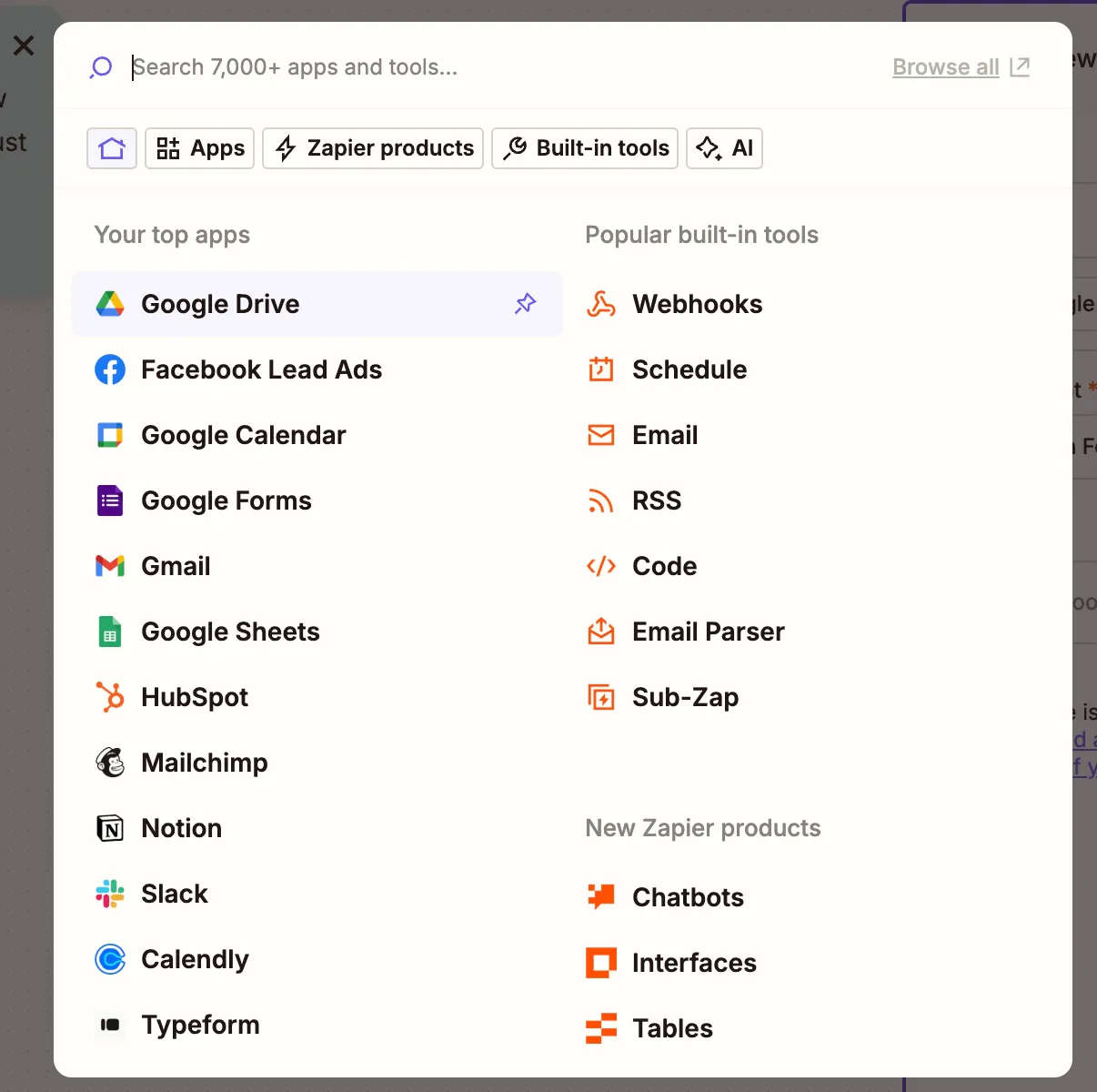
    Select Google Drive as the Zap trigger

    1. Choose the New File in Folder trigger event.
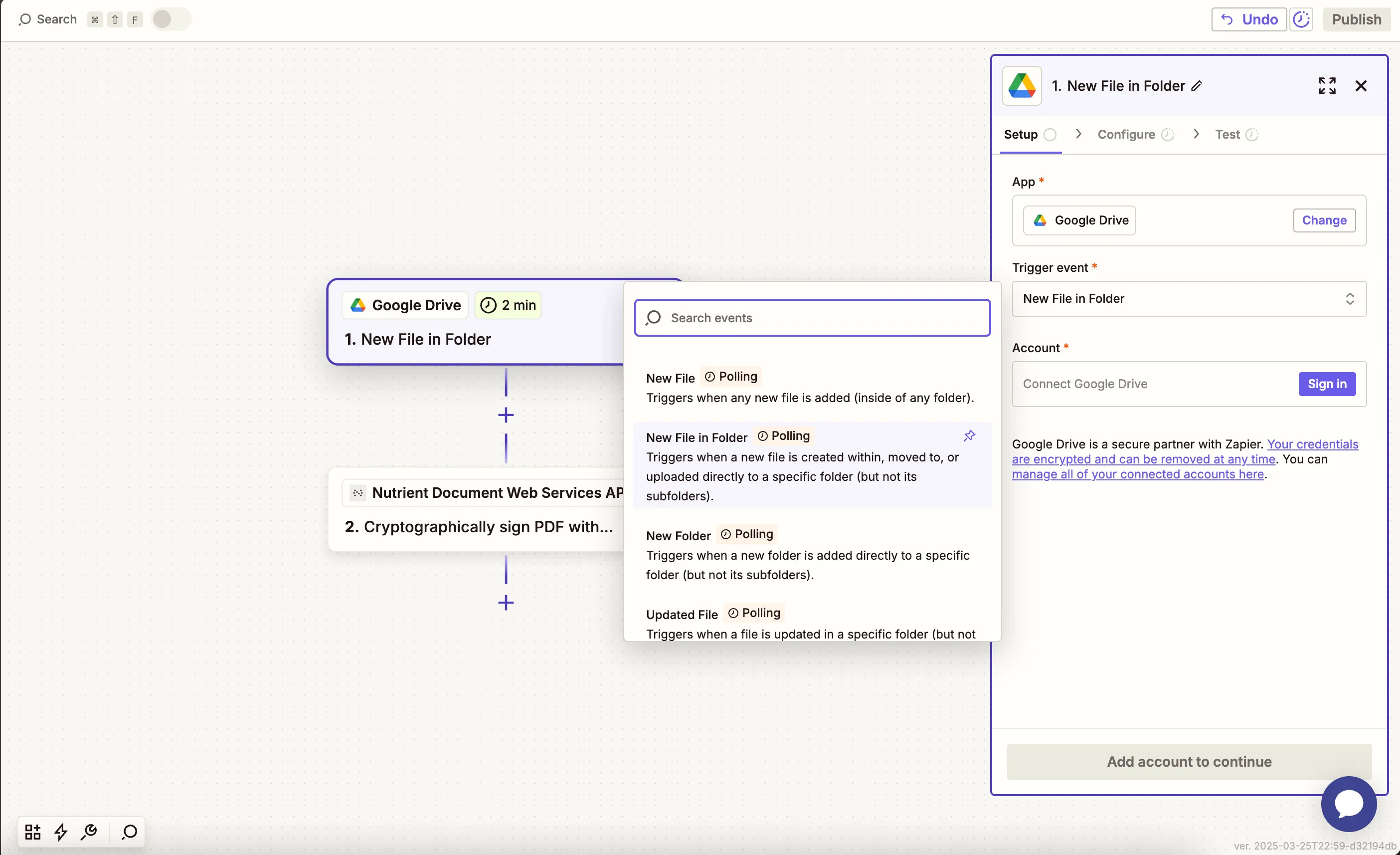
    Choose 'New File in Folder' trigger event

    1. Connect your Google Drive account.
    2. Configure the trigger:
    • In the Drive field, select your Google Drive.
    • In the Folder field, select or create a folder (e.g. rotate-pdf-input).
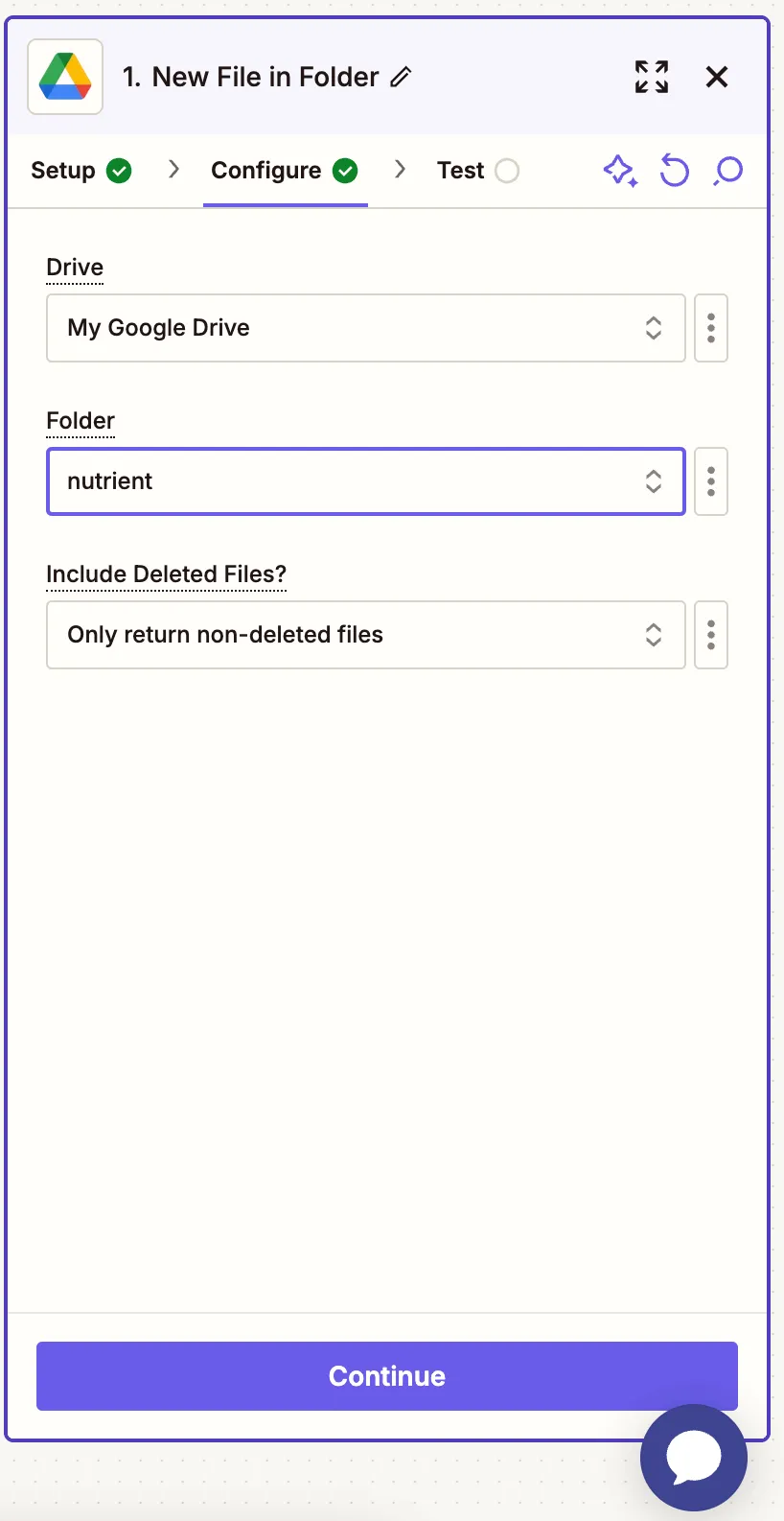
    Google Drive folder selected as the input folder

    1. Test the trigger with a sample PDF file.
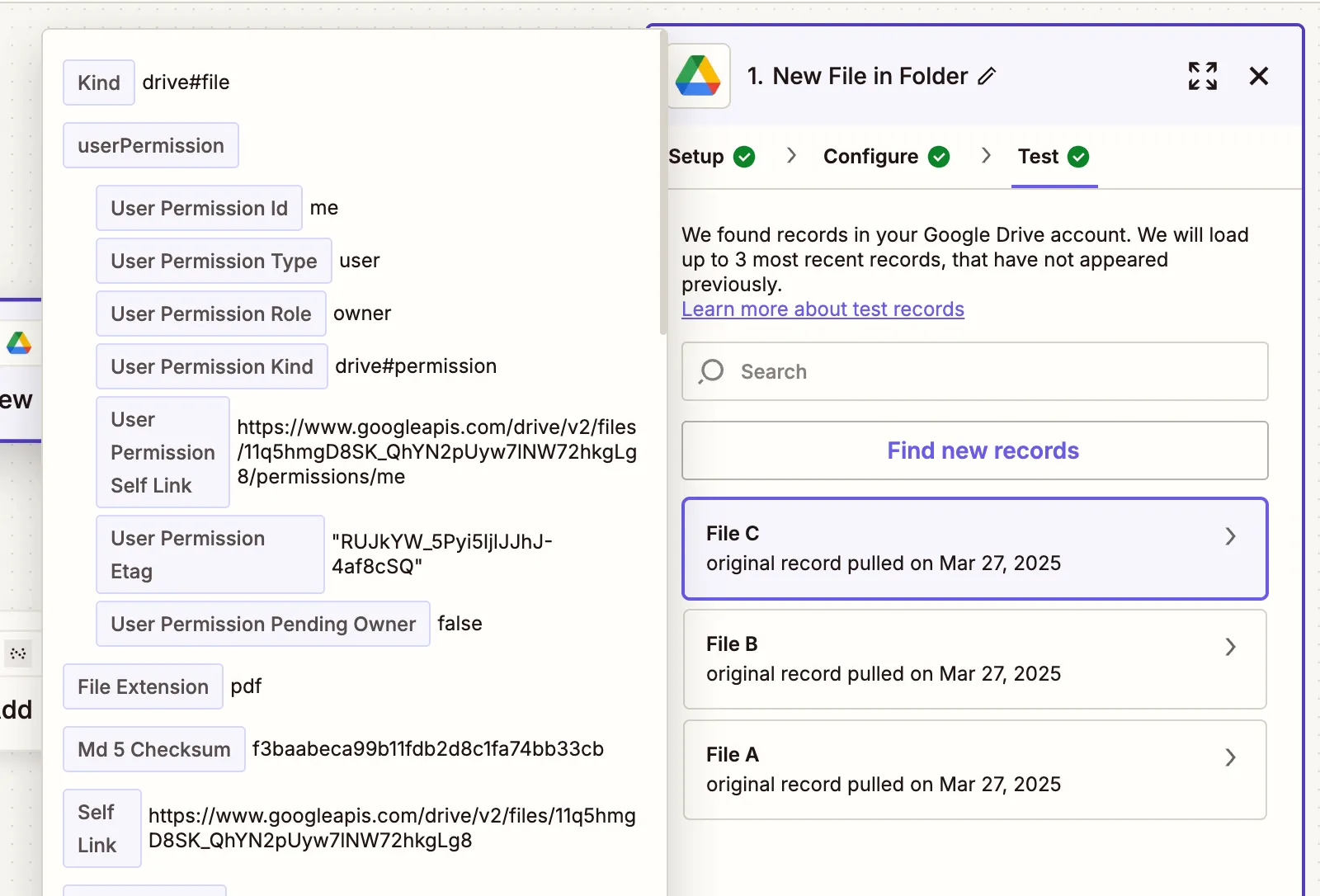
    Zapier test showing detected PDF file

    Step 2 — Rotate PDF pages action

    1. Choose Nutrient Document Web Services API as the action app.
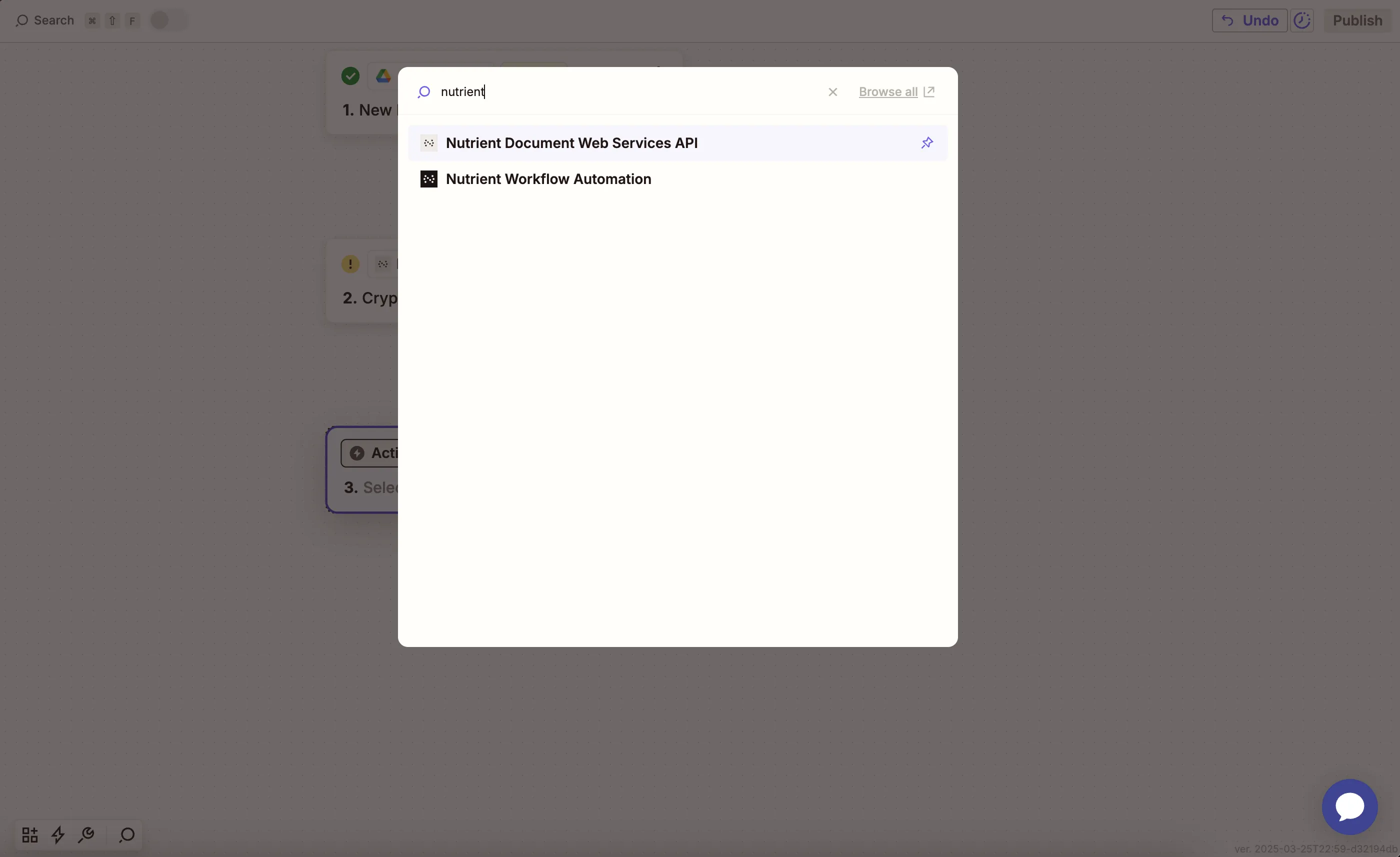
    Select Nutrient DWS Processor API as Zapier action

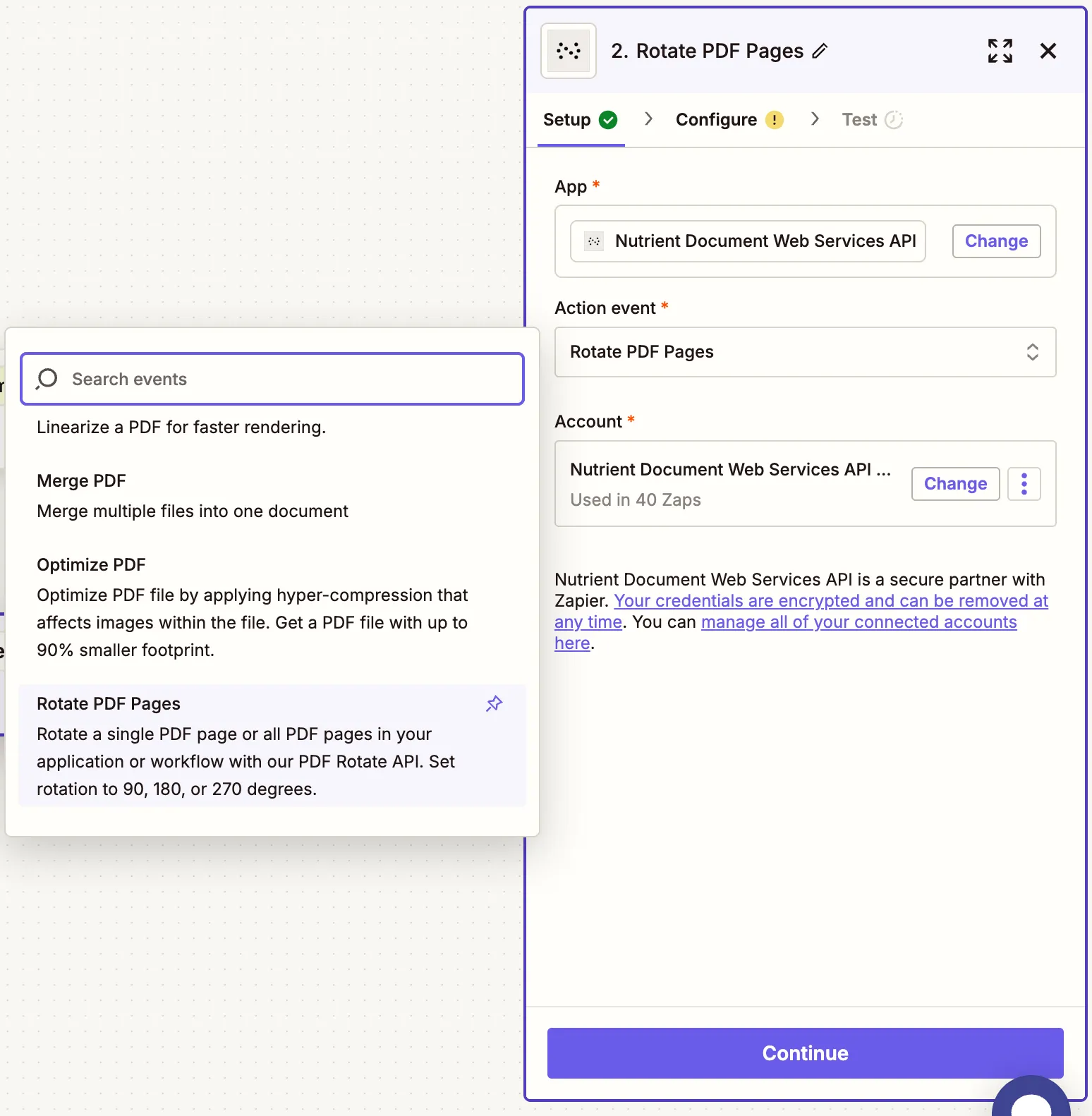
    1. Select the Rotate PDF Pages action.

    Choose Rotate PDF Pages as action event

    1. Paste your Nutrient DWS Processor API key.
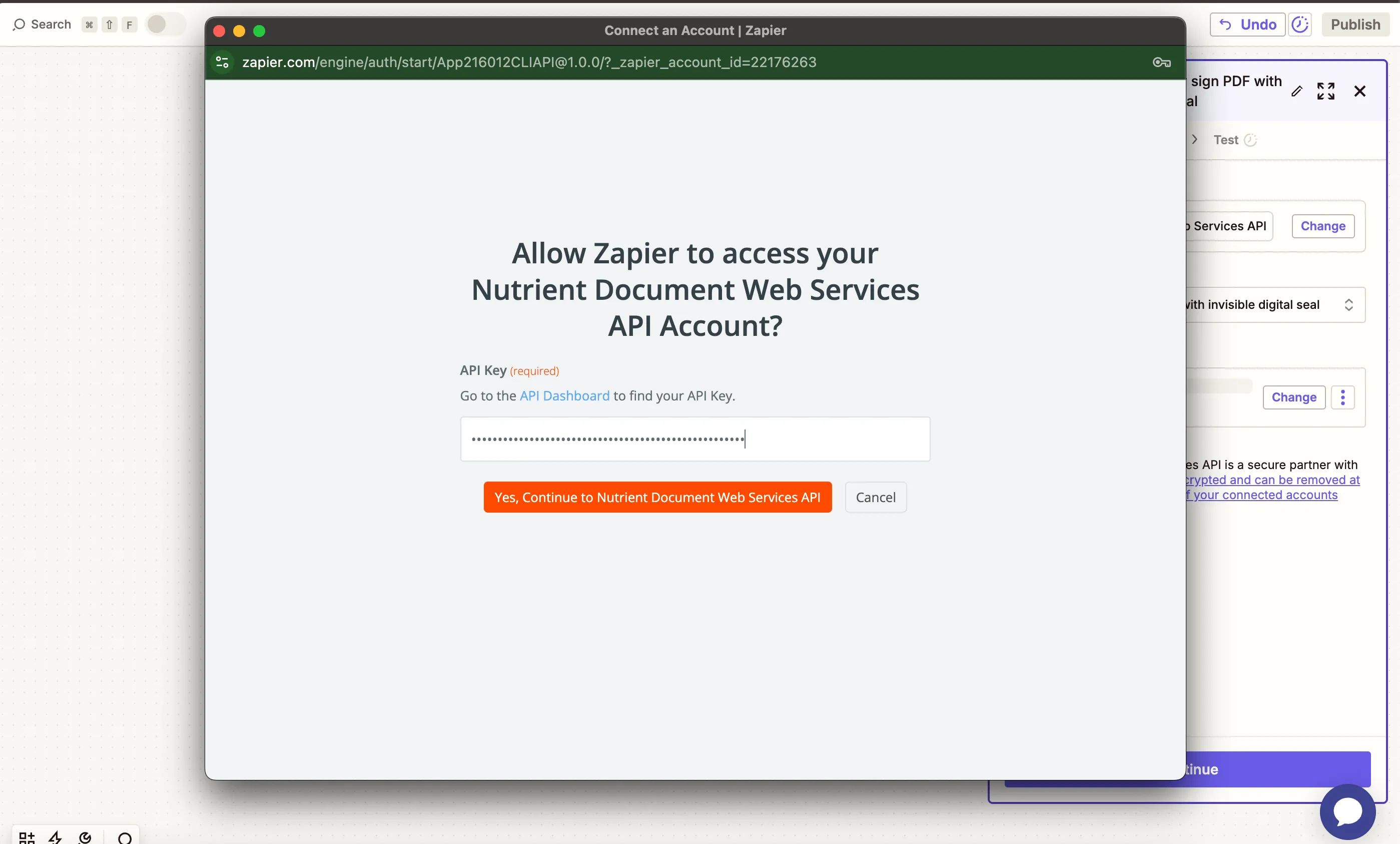
    Paste API key for Nutrient DWS Processor API connection

    You can find your API key in your Nutrient dashboard(opens in a new tab).
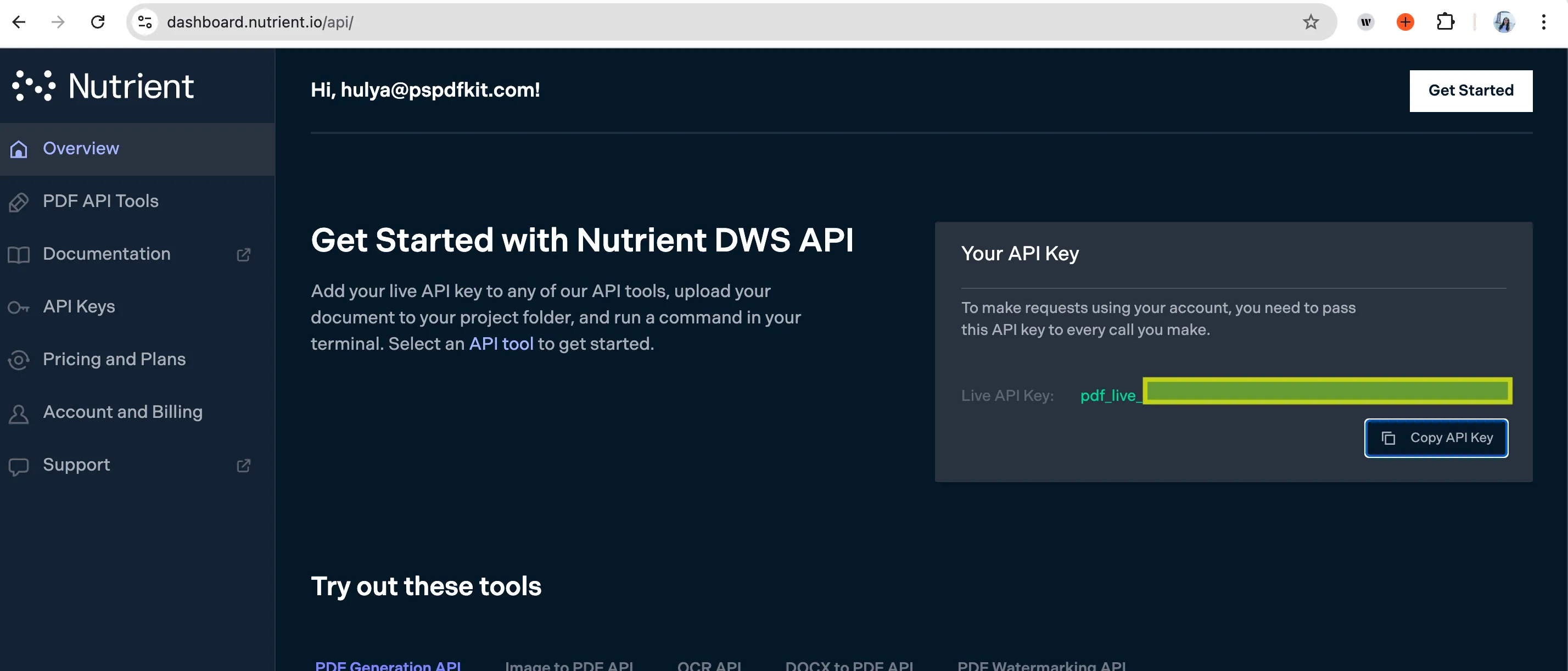
    Find your API key in the Nutrient dashboard

    1. Configure the fields:
      • PDF File URL — Select the file URL from step 1,
      • Rotate By — Set to 90, 180, or 270 (degrees).
      • Output File Name — Optional (e.g. rotated_document.pdf).
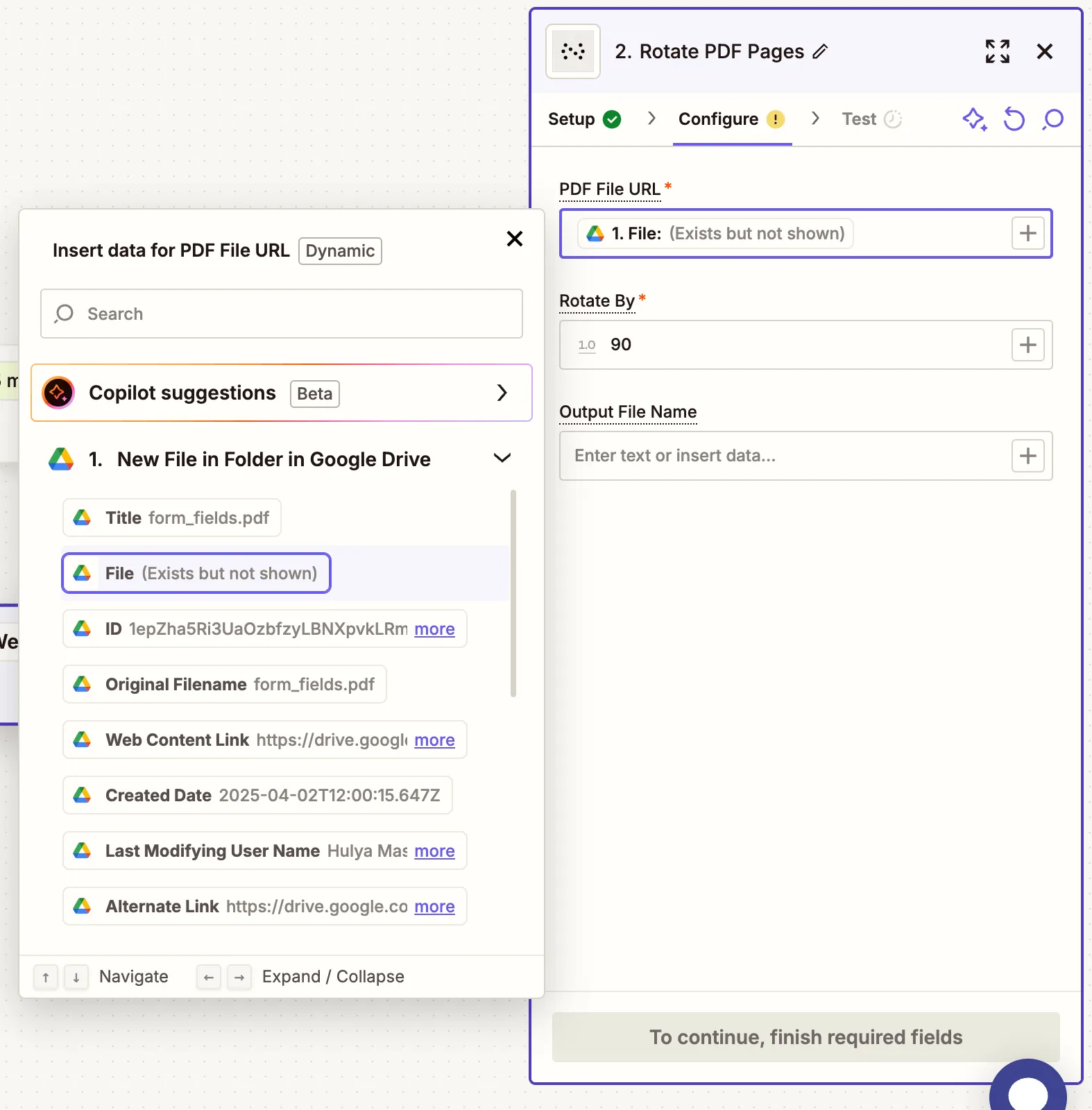
    Configure rotation angle and input file

    Ensure the file is shared publicly or Zapier has access via your connected Google Drive account.

    1. Test the action to verify the PDF was rotated correctly.
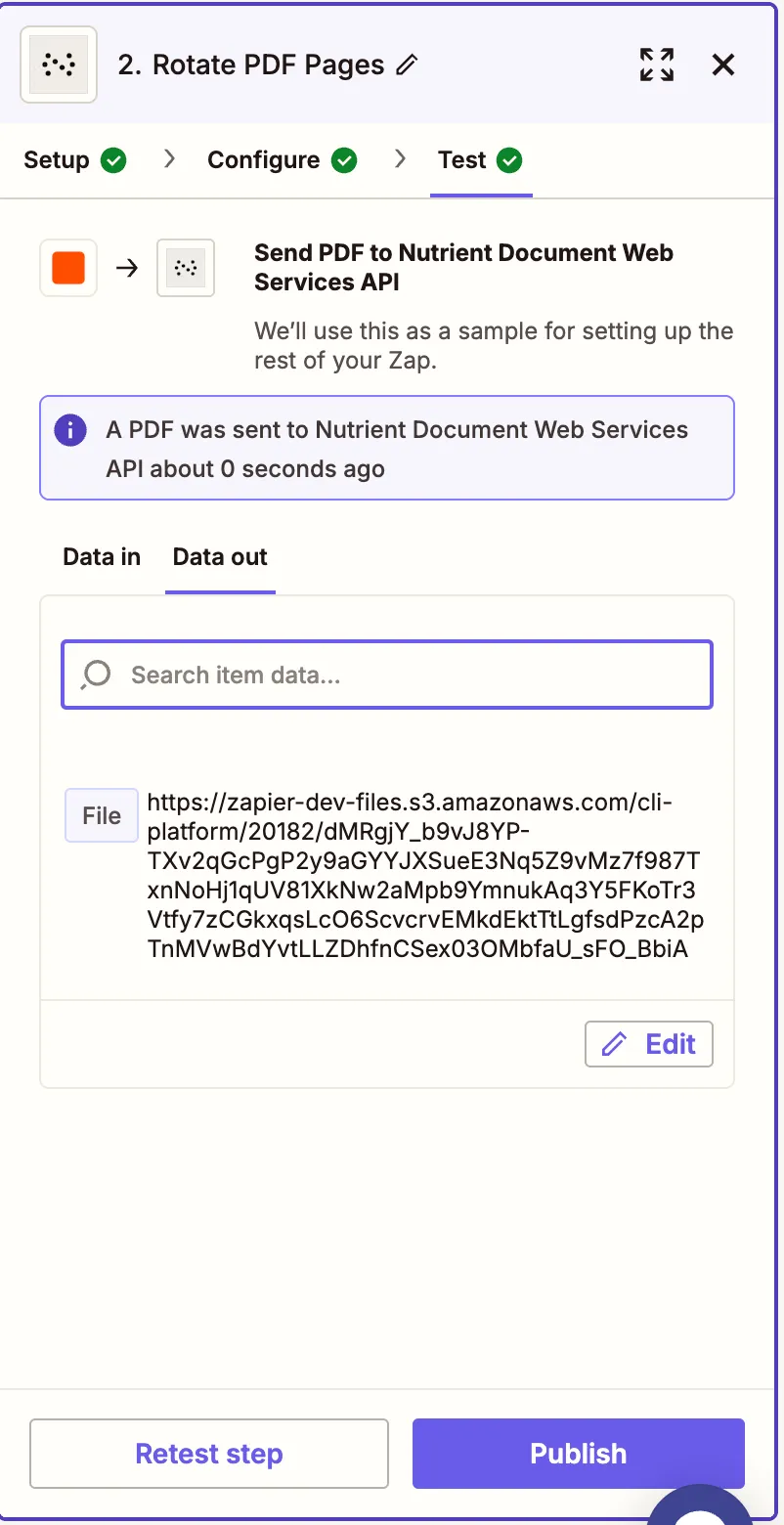
    Test result showing successful PDF rotation

    Step 3 — Upload the rotated PDF to Google Drive

    1. Add Google Drive as your final step.

    Add Google Drive as final action step

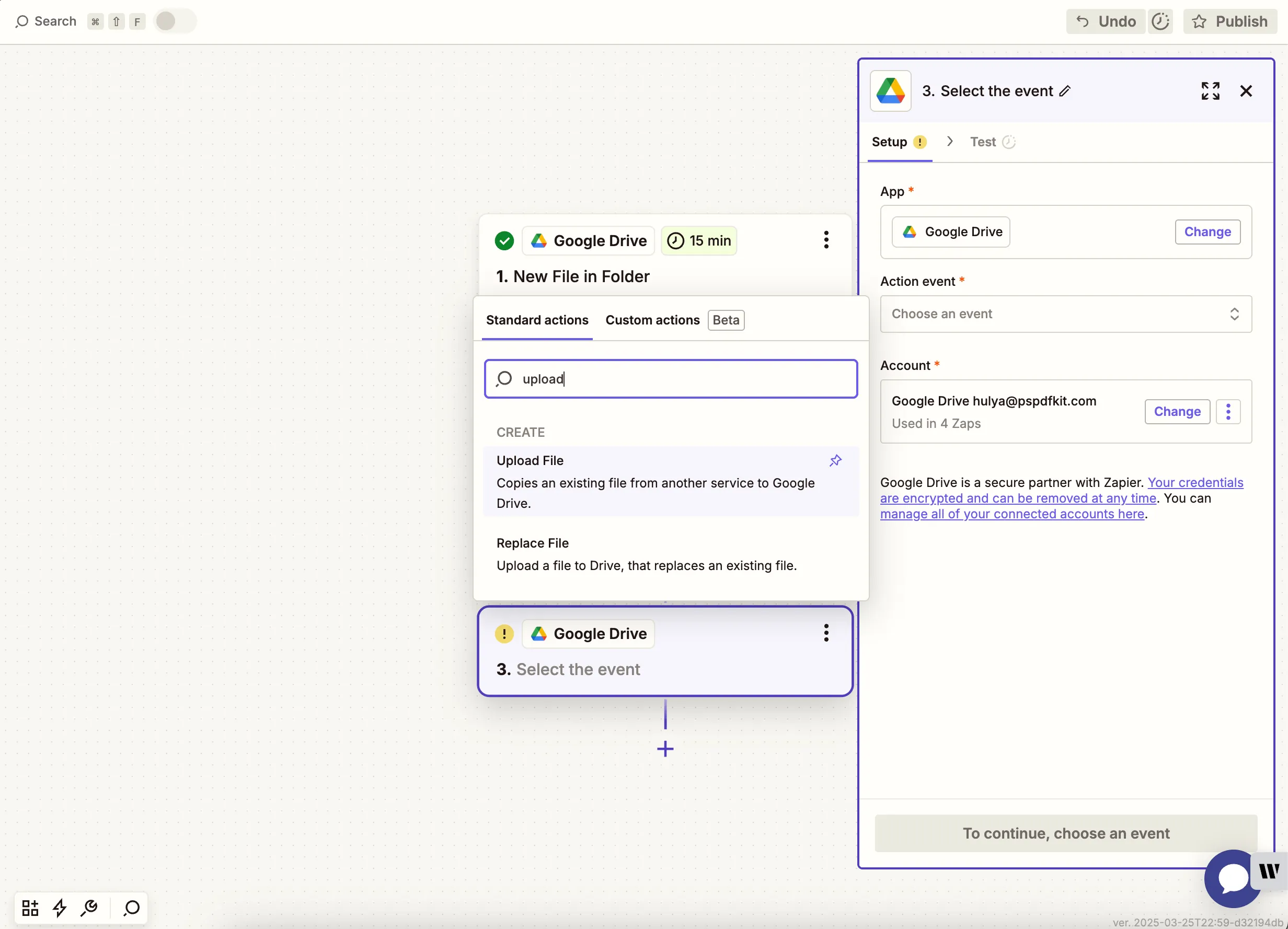
    1. Choose Upload File as the action.
    2. Select your drive and an output folder (e.g. /rotate-pdf-output).
    3. In the File field, map the output from the Nutrient step.
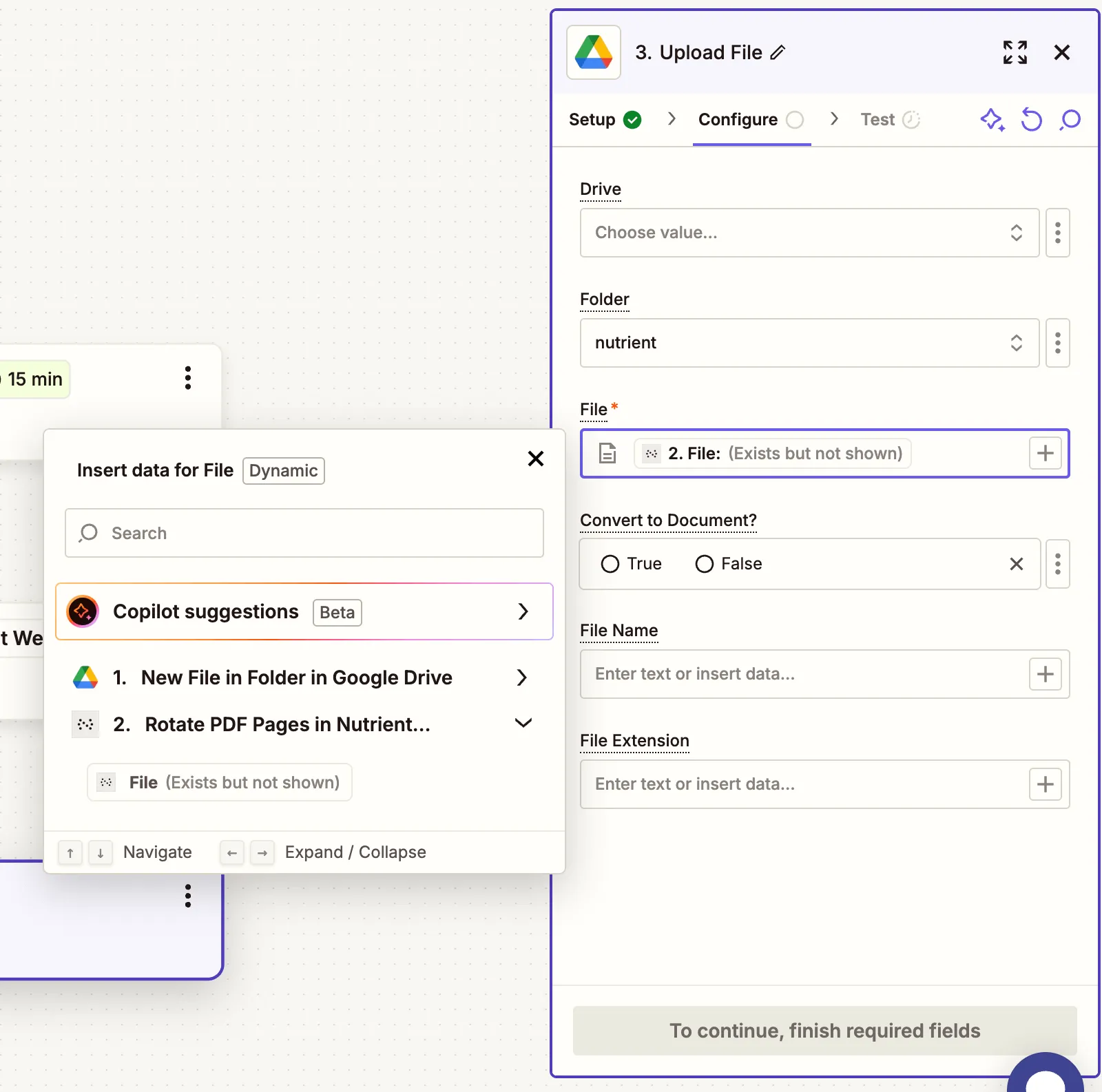
    Map rotated PDF output to upload to Google Drive

    To avoid Zap loops, don’t upload to the same folder you’re watching for triggers.

    1. Run a test to ensure the rotated PDF uploads successfully.
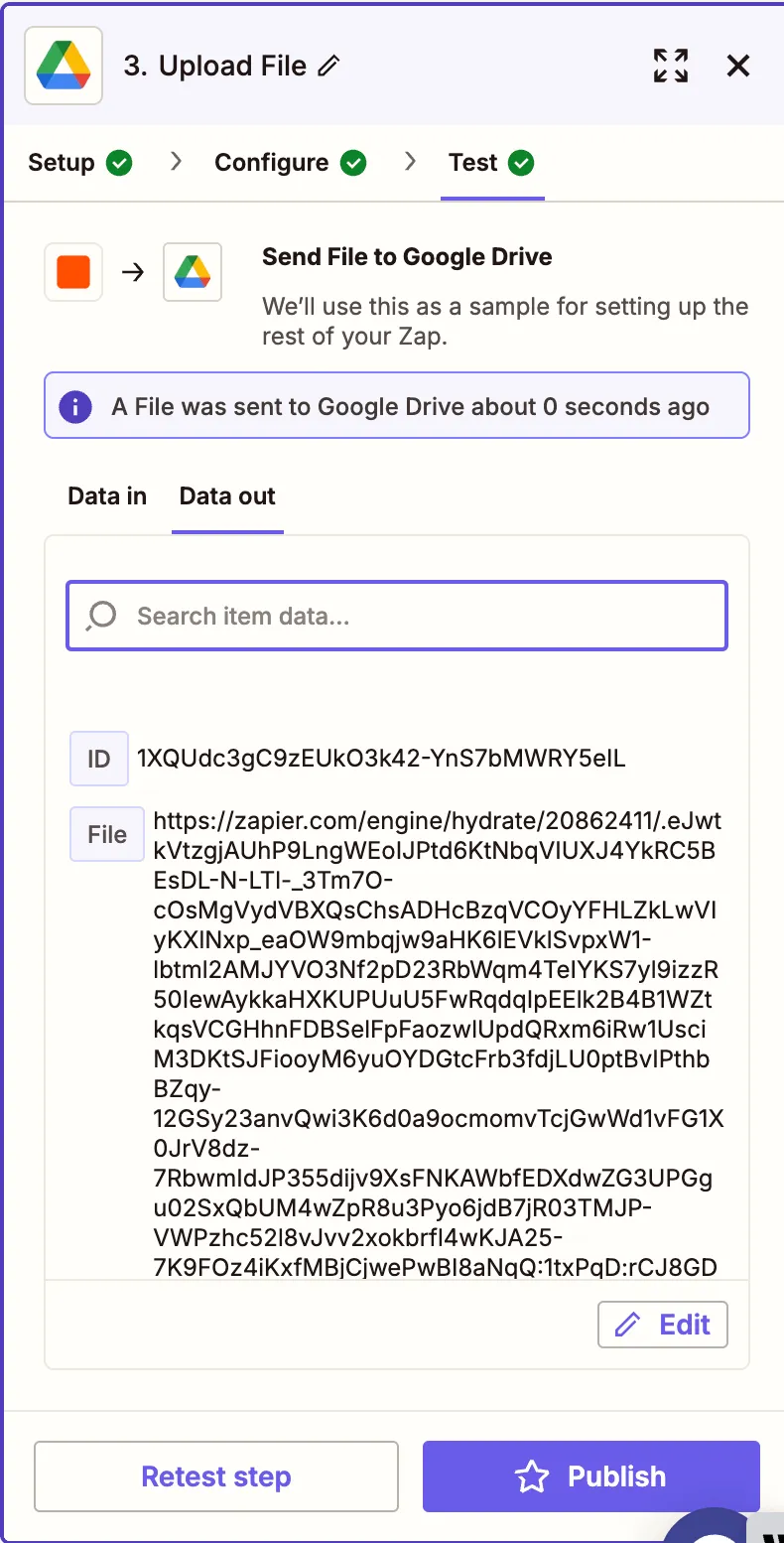
    Test result showing rotated file uploaded to Drive

    Conclusion

    You’ve just automated rotating PDF files using Nutrient DWS Processor API(opens in a new tab) and Zapier. This is useful for correcting scan angles, preparing for printing, or aligning presentations.

    Want more? You can follow this up with conversion, OCR, annotation, or security steps in the same workflow.

    Explore related topics

    Try for free Ready to get started?

    Related SDK articles

    Explore more