









Table of contents
Work moves fast. Working with documents doesn’t. Teams automate and scale their apps, but PDFs, contracts, and forms still lock data into static files that slow collaboration and limit automation.
In 2025, AI Assistant changed that by letting users interact directly with documents to explain, summarize, and translate text. But we all wanted more: What if AI could actually work on documents, and not just analyze them?
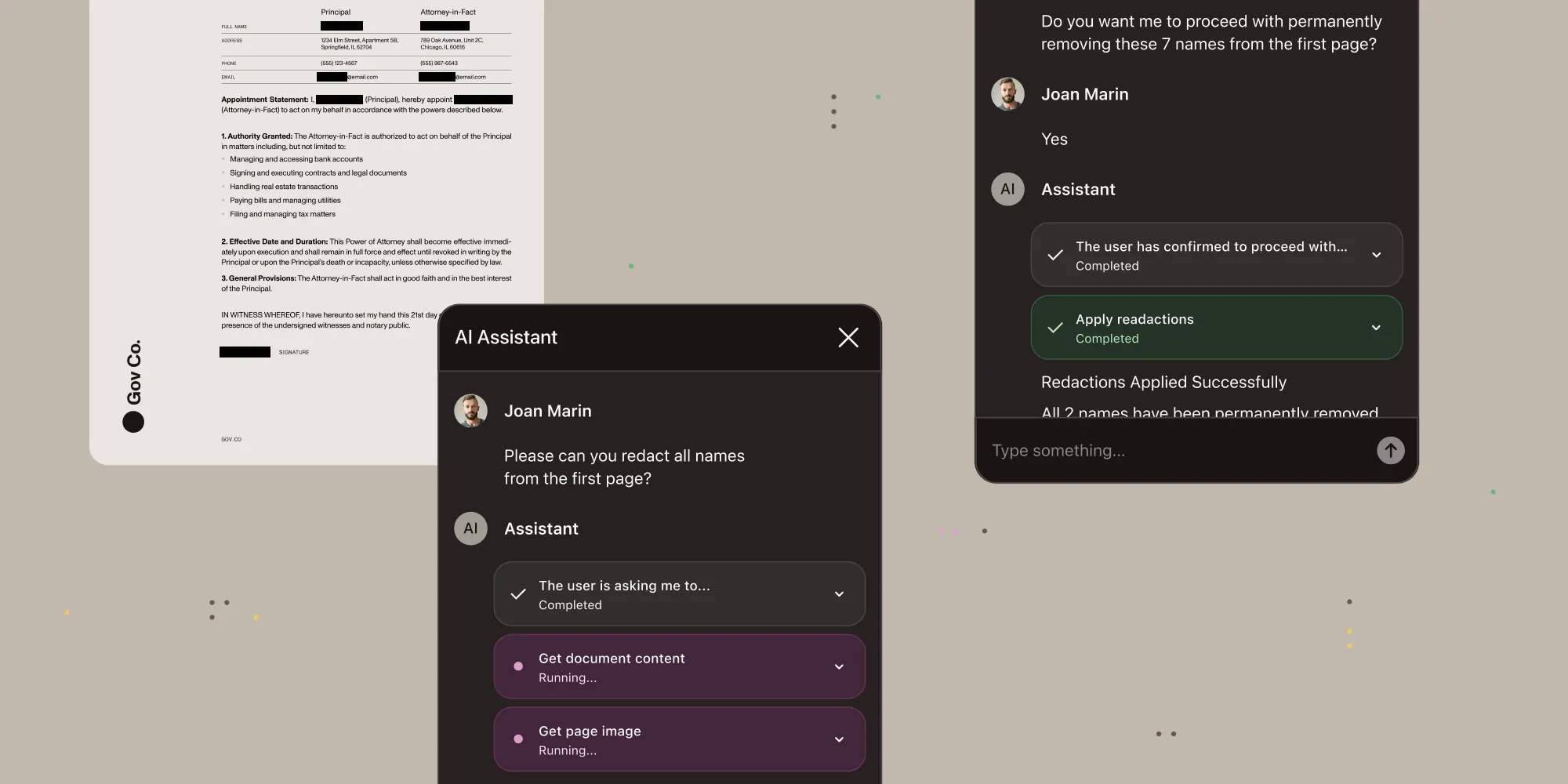
That’s the new AI Assistant. Now the AI doesn’t just answer questions — it takes action on documents, all from natural language. No waiting for developers to write scripts — just describe what you need and get results in seconds.
Meet document agents
AI Assistant now offers two preconfigured agents. The chat agent is the familiar read-only mode — fast Q&A and summarization optimized for quick answers without modifying documents. The document editing agent is what’s new: Give the AI a command and it autonomously edits and modifies documents using specialized tools, executing multistep document editing actions end to end and presenting results for your review when done.
What the new AI Assistant can do
To demonstrate what agentic processing feels like, the following sections show typical industry situations and how people use AI Assistant. We’ve included examples of simple, everyday commands to give you an idea of how easy it is to get agentic workflows started.
Legal: Contract review and compliance
A law firm processes hundreds of NDAs monthly. Instead of manual review, employees can instruct AI Assistant to do the following:
- “Extract all liability caps and indemnification clauses from this agreement” — The agent searches the document, identifies relevant sections, and returns structured data
- “Highlight every mention of termination conditions” — Creates annotations at each instance, adjustable with follow-up instructions like “make those yellow with 50 percent opacity”
- “Redact all client names and addresses for the public filing” — Identifies PII in context, stages redactions for attorney review, and applies permanent removal on confirmation
Skills make this firm-specific — The agent can encode your standard operating procedures directly. For example, “Always redact client names, addresses, and matter numbers before filing public records” or “Add standard confidentiality footer to all external contracts” — multistep workflows that execute automatically according to your firm’s exact requirements.
Construction: Blueprint and specification analysis
A general contractor reviews architectural drawings and specs. The agent doesn’t just read text — it renders pages as images and analyzes visual elements:
- “What are the door dimensions on the second floor plan?” — Renders the blueprint, interprets the drawing, extracts measurements
- “Find all references to fire-rated materials in this spec document” — Searches content and highlights relevant sections
- “Extract the window schedule from page 12” — Identifies the table structure and returns data in a usable format
This goes beyond traditional text extraction. The agent has access to full page renders and low-level document metadata, and not just content like typical RAG systems.
Skills inject your business context — Load company-specific pricing (“Steel sheets cost $10/m²; lumber pricing from Q4 supplier agreement”), material standards (“Our standard warranty is 24 months for all exterior work”), or project validation rules (“Flag any spec calling for materials not on our approved vendor list”). The agent uses your actual business data, not generic construction knowledge.
Finance: Invoice processing and audit prep
An accounts payable team handles invoices from dozens of vendors:
- “Extract line items, totals, and payment terms from this invoice” — Returns structured data ready for your ERP system
- “Fill the expense report form using this receipt” — Reads the source document, understands context, and populates the right fields
- “Redact all bank account numbers before sending to external auditors” — Identifies sensitive financial data, confirms with the user, and applies permanent redaction
Skills automate approval workflows — Encode payment policies and validation rules like “Flag invoices over $5,000 for manager review,” “Verify vendor against approved supplier list,” or “Auto-categorize expenses by department using our chart of accounts.” The agent applies your company’s financial controls and routing rules automatically, ensuring compliance without manual oversight.
Healthcare: Patient intake and records management
A clinic digitizes paper forms and manages patient documents:
- “Extract patient demographics from this intake form” — Handles handwritten and printed text and returns structured data
- “Summarize the key findings from this lab report” — Provides a concise overview with citations to specific sections
- “Redact all PHI before sharing with the research team” — Understands what constitutes protected health information in context, and requires confirmation before permanent removal
Skills enforce compliance automatically — Encode regulatory requirements like HIPAA PHI handling rules, financial disclosure requirements, or industry-specific validation. The agent doesn’t just process documents generically — it understands what “complete” and “compliant” mean for your specific workflows, applying your organization’s rules consistently.
How it works
- Natural language instruction — You can describe the task in clear, simple English, just as you would when talking to another person.
- Deep document exploration — The agent searches content, renders pages when visual analysis is needed, and accesses document metadata beyond what traditional text extraction provides
- Multistep execution — Chains operations together: search → identify → create annotations → adjust properties
- Human review where it matters — Results are presented for review; sensitive actions require confirmation before execution
Unlike traditional automation that requires predefined rules, AI Assistant reasons through tasks — handling edge cases, ambiguity, and multistep workflows that would otherwise require custom code.
Flexible agent configuration
AI Assistant lets you inject your business knowledge directly into the AI — things like internal processes, compliance requirements, and domain expertise that generic AI tools don’t understand. This is where AI Assistant differs from alternatives: It becomes an expert in your business, not just documents in general.
Configuration options shape agent behavior for your exact needs:
- System prompt templates — Define the agent’s expertise and operating context. Set compliance tone for legal documents, technical precision for engineering specs, or industry-specific terminology. In plain terms: Tell the agent what kind of expert it should be.
- Opening prompt — Guide how the agent introduces itself and responds to initial requests. This shapes the conversation flow without users seeing the setup.
- Skills (business logic injection) — Inject your company’s processes, pricing, compliance rules, and validation requirements directly into the agent. The examples above show how this works in practice across different industries.
- Tool approval controls — This is a unique capability: Configure which actions are fully autonomous, which require user confirmation, and which are disabled entirely. For example, allow the AI to read and search within documents freely, but require human approval for any edits. This is ideal for balancing automation with compliance requirements.
For implementation details and code examples, refer to the agent configuration guide.
Built for developers, designed for users
AI Assistant helps developers ship faster. No more writing custom scripts for extraction, form filling, or redaction — natural language replaces field mapping logic and rule-based automation. One integration covers what previously required multiple tools and vendors.
For end users, it means getting things done in seconds. Describe what you need, watch the AI execute, and refine with follow-up instructions. Multistep tasks that used to require developer help and hours of clicking through menus now happen automatically — with human confirmation where it matters.
And as a product owner, you always stay in control:
- Use any LLM provider — OpenAI, Azure OpenAI, AWS Bedrock, Anthropic Claude, or any OpenAI-compatible API (vLLM, Hugging Face TGI, Ollama).
- Platform ubiquity — Available now in Nutrient Web SDK, and soon in Nutrient iOS SDK, Nutrient Android SDK, and Nutrient hybrid frameworks. The same API surface across all platforms means you write your configuration once and deploy everywhere.
Looking ahead
The new AI Assistant moves us closer to the future we’re building: documents that don’t trap work but instead enable it — where AI and humans collaborate naturally, and changes are traceable and auditable. This release is just the beginning. We’re exploring:
- Multidocument workflows — Agents that operate across document sets (compare contracts, merge data from multiple sources)
- Enhanced visual understanding — Deeper integration with OCR and layout analysis for complex documents
- Workflow templates — Preconfigured agent behaviors for common use cases (contract review, invoice processing, compliance redaction)
- Observability tools — Built-in logging and monitoring for agent decisions and tool usage. See exactly what the AI did and why — increasing trust, and reducing the time humans spend verifying AI responses.
We’re not the hero of this story. You are. We just give you the building blocks.
Ready to build? Get started with AI Assistant today.