







We’re happy to announce our first Nutrient Web SDK release in 2024! Version 2024.1 is packed with new features and improvements, including support for long-term validation (LTV) for digital signatures, new sidebars, and Document Editor UI improvements. This post provides an overview of the features included in this release.
In Nutrient Web SDK 2024.1, we’ve introduced a significant upgrade to our digital signatures handling that can be used to guarantee the validity of signatures over long periods of time. This is accomplished by embedding long-term validation (LTV) information into signatures at the time of signing, or at a later stage.
This feature is particularly useful in scenarios where the signer may not have internet access at the time of signing, or when the recipient of a signed document wishes to preserve the document for a long time. It enhances the security and reliability of digital signatures, making it a noteworthy addition to our latest release.
The new signatures sidebar allows users to view all digital signatures and unsigned signature form fields in a document. This means that, with a single click, they can easily navigate to the page where a signature or unsigned signature field is located in the document.
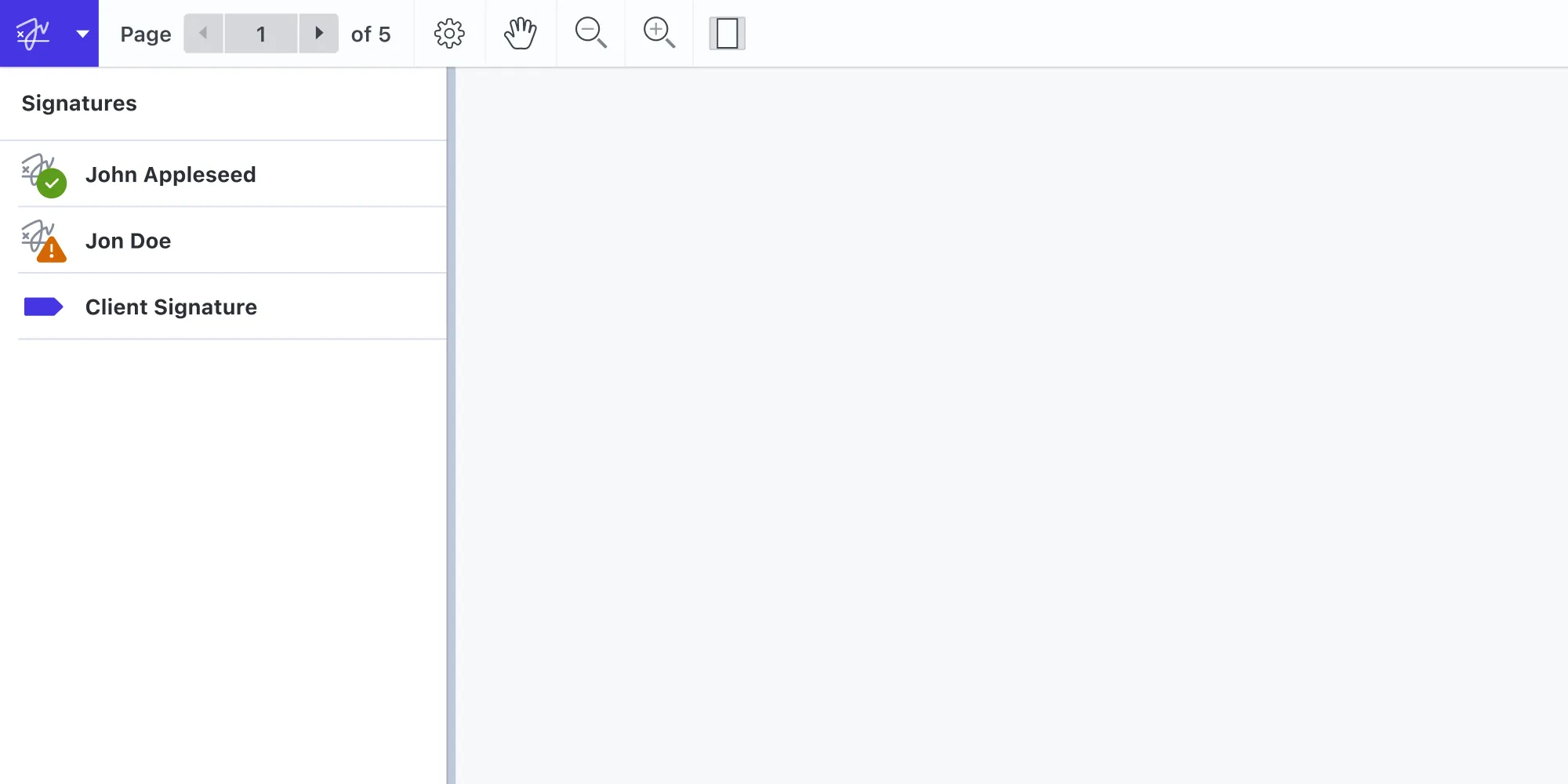
This feature enhances user experience and streamlines the process of managing signatures. The signatures sidebar can also be customized with CSS, offering developers the flexibility to tailor the sidebar to their needs.
Nutrient Web SDK now supports controlling the state of the visibility of the optional content group (OCG) layers present in a document both programmatically and through our new layers sidebar. This is an important feature that allows fine-grained control over which content of the document is shown at a specific time.
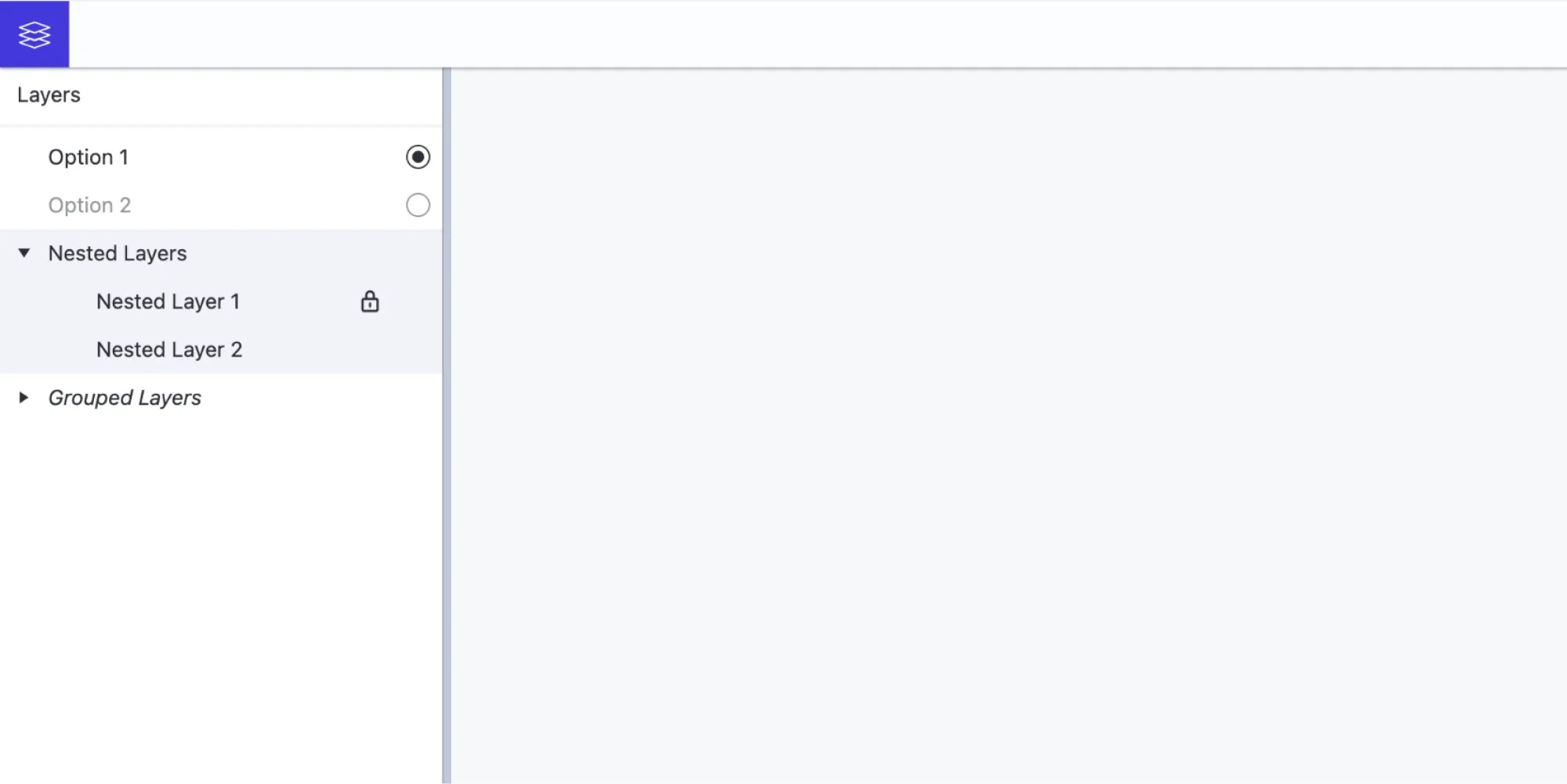
For example, a document may contain a layer with original text and another layer with translated text. The user can then choose which layer to show, depending on their needs.
With the latest update, users can zoom in and out of page thumbnails in the Document Editor, providing a clearer view of content and aiding in the organization and navigation of documents.
Imagine working with a lengthy contract or sorting through a series of bank statements; the ability to adjust the thumbnail size on the fly means no detail is too small to be overlooked.
This enhancement makes navigating through pages more efficient and significantly improves the user’s ability to manage and reorganize pages within a document. By providing a clearer view of page details, users can make more informed decisions when organizing documents, leading to a more streamlined workflow.
Please refer to our updated documentation and guides for more detailed information on implementing and customizing this feature.
This release introduces support for the buttonImportIcon button type, which allows users to embed images from their local file system to replace the appearance of a button on a page.
The new extract pages tool allows users to directly extract and download the currently selected pages in a document. This feature is particularly useful when working with large documents that need to be split into smaller documents, or when a user needs to easily extract a specific section of a document for further processing.
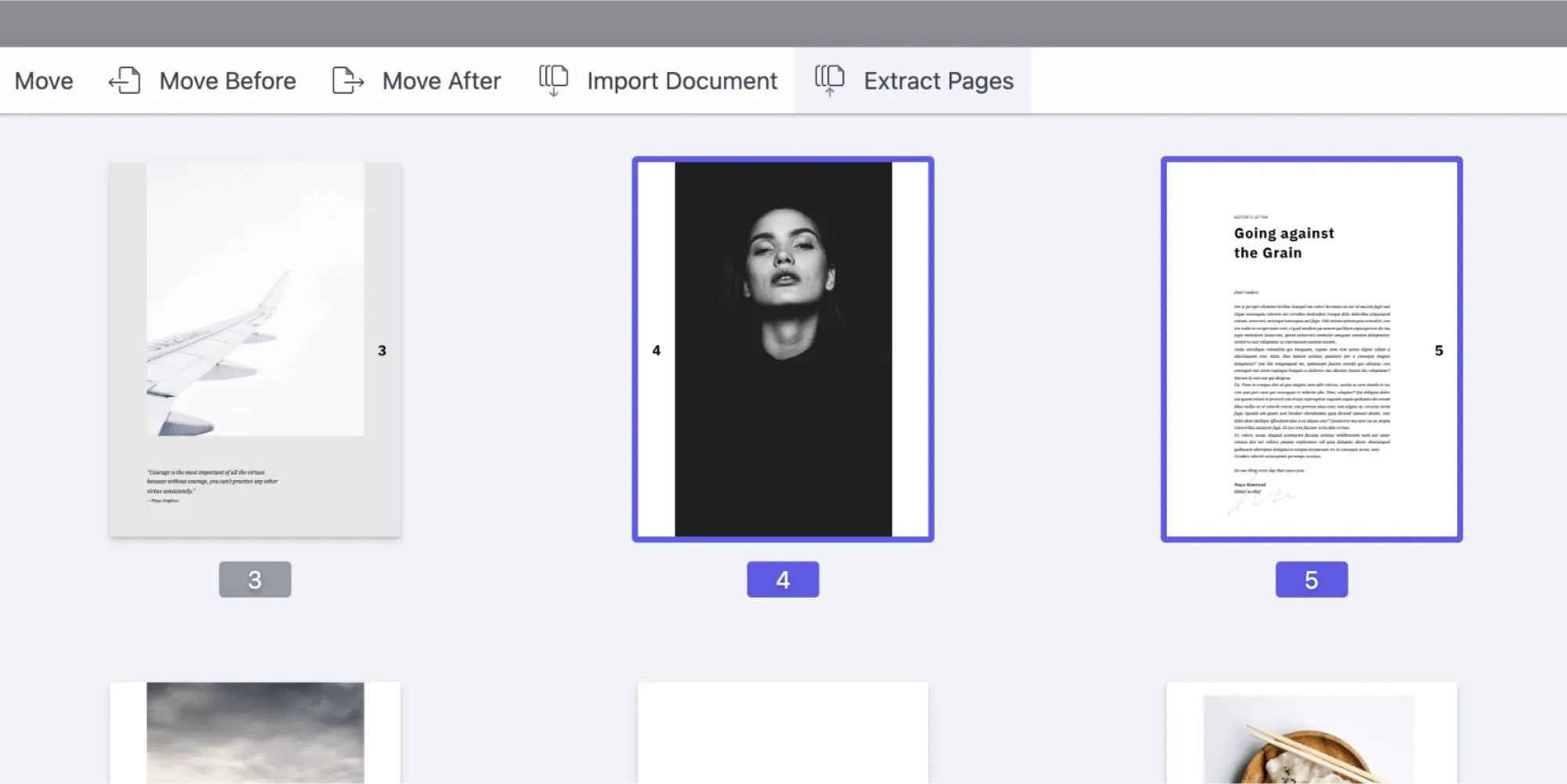
Custom tool buttons added to the Document Editor UI now have more capabilities. The onPress() callback, already present in custom Document Editor toolbar and footer items, has been extended to allow for modifying the list of committed operations.
The enables previously impossible scenarios, such as adding a custom tool that imports Office documents, or a tool that flattens annotations for the selected pages.
Overall, Nutrient Web SDK 2024.1 introduces new features and improvements to streamline PDF document management for web applications. Whether your application offers collaborative document signing processes, large document editing, or any other document workflow, Nutrient has the solution.
For a full list of features and improvements included in this release, please refer to the Nutrient Web SDK 2024.1 changelog and the migration guide. And, as always, don’t hesitate to contact us if you have any questions or feedback.
此内容由惯性聚合(RSS阅读器)自动聚合整理,仅供阅读参考。 原文来自 — 版权归原作者所有。