







We're excited to announce React Email 3.0, featuring:
Update today and check the upgrade instructions below.
npm i react-email@latest @react-email/components@latest
React Email now has 270,627 weekly downloads on npm, that is a 136% increase since the last major released 7 months ago.
We also have 13,503 stars on GitHub and would like to thank all the 132 contributors who made this possible.
As developers, we are big fans of projects like Tailwind UI and shadcn/ui. These projects make it dead simple to create elegant UIs by simply copying and pasting components.
We want to provide that same experience with React Email, so we made 54 components for you to create beautiful emails.
Here's how to get started:
When you go to react.email/components, you will see all the available categories, including e-commerce, marketing, and more.
Once you find a component you like, you can see the preview on desktop and mobile.
When you inspect the code, you will see two options: Inline CSS or Tailwind CSS.
Pick your preferred option, and copy the code directly into your project.
We can't wait to see what you'll build with these components.
Shoutout to @luxonauta for the amazing work on the new website pages, and @leandrodragani, who's the creator of React Email Templates, and inspired this project.
Great developer experiences mean fast startup times. That's true for any framework, library, or tool.
That's why we decided to focus on improving the performance of React Email 3.0 even more.
We ran a performance benchmark for the old version of React Email (2.1.6) against the new one (3.0.0), and the results were massive.
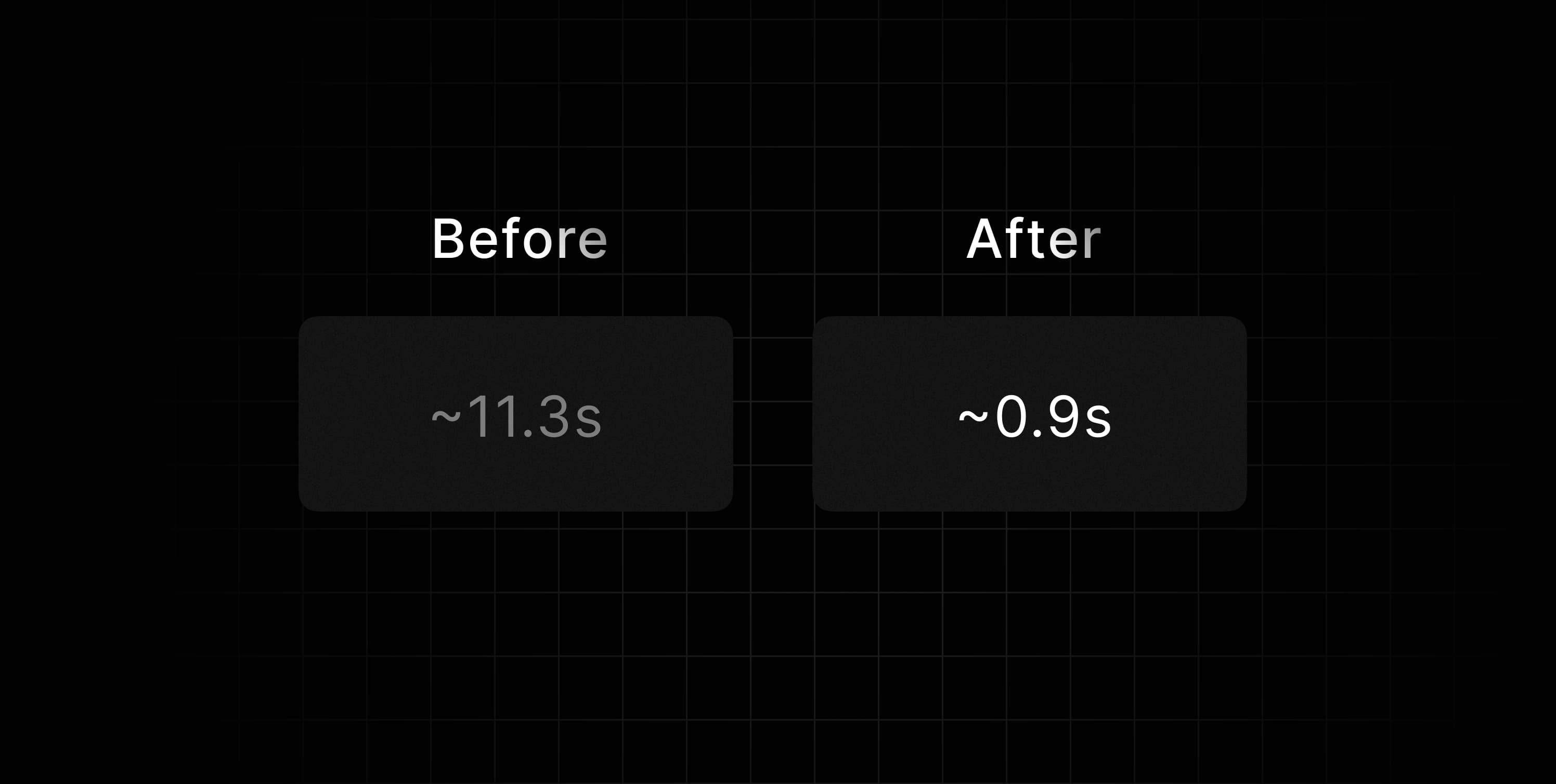
The tests evaluated the startup time, plus the time to render the first email preview, and were executed on a Linux machine with 3.7 GHz 12-core AMD Ryzen 9 5900x CPU, 16 GB 3600 MHz DDR4 memory (see benchmark details).
Here's the breakdown of the performance improvements:
P99 (99th percentile)
We are committed to providing a fast and efficient local development experience, and we hope these improvements will help you build better emails faster.
Even though React 19 is still a Release Candidate, we have made some changes to ensure compatibility in the future.
With this, you won't have to worry about overriding things when trying React 19 with React Email, and you will be able to make it work just as it would with older versions.
To make that happen, we had to implement a few internal changes so that the render function works 100% with React 19.
The future of React includes async rendering - there is no avoiding it. Suspense and Server Components will be the norm, and we want to ensure React Email is ready for that.
The new version of React will deprecate renderToStaticMarkup, which would break our old render function.
That is why we decided to deprecate our old renderAsync in favor of a new render function, which will be async by default.
If you are using renderAsync now, you need to replace it with the new render. If you are using the old render, you have to treat the new Promise that it returns.
This is going to pave the way for future headache-free upgrades for all users.
Supabase users have been asking for a better way to customize their authentication emails.
Before, you had to create a React Email template, then export the HTML result, and copy it to the Supabase UI. Needless to say, this manual process was hard to maintain.
Now, Supabase released a new feature called Email Hooks that allows you to use a custom email provider to send emails directly from edge functions.
This enables you to use React Email templates directly in Supabase:
Thor from Supabase recorded a video showing how it works:
react-email package to 3.0.0.@react-email/components package to 0.0.23.You can also check if you have any missing dependencies for your emails to be bundled.
If you want to know all the details about this release, check the React Email Changelog.
If you have any problems upgrading, feel free to share on GitHub or X.
此内容由惯性聚合(RSS阅读器)自动聚合整理,仅供阅读参考。 原文来自 — 版权归原作者所有。