

惯性聚合 高效追踪和阅读你感兴趣的博客、新闻、科技资讯
阅读原文 在惯性聚合中打开

推荐订阅源

U
Unit 42
S
Securelist
小众软件
小众软件
WordPress大学
WordPress大学
freeCodeCamp Programming Tutorials: Python, JavaScript, Git & More
B
Blog
Cyber Security Advisories - MS-ISAC
The GitHub Blog
The GitHub Blog
Apple Machine Learning Research
博客园 - 司徒正美
博客园 - Franky
Hugging Face - Blog
Hugging Face - Blog
OSCHINA 社区最新新闻
OSCHINA 社区最新新闻
酷 壳 – CoolShell
酷 壳 – CoolShell
O
OpenAI News
Cloudbric
Cloudbric
cs.AI updates on arXiv.org
TaoSecurity Blog
TaoSecurity Blog
MongoDB | Blog
MongoDB | Blog
K
KPMG report finds enterprise disconnect between AI and its ROI | CIO
V
V2EX
PCI Perspectives
PCI Perspectives
T
Troy Hunt's Blog
Schneier on Security
P
Palo Alto Networks Blog
M
MIT News - Artificial intelligence
V2EX - 技术
V2EX - 技术
阮一峰的网络日志
阮一峰的网络日志
Hacker News - Newest:
Hacker News - Newest: "LLM"
G
Google Developers Blog
cs.CL updates on arXiv.org
The Last Watchdog
The Last Watchdog
The Register - Security
腾讯CDC
N
News and Events Feed by Topic
C
Check Point Blog
爱范儿
爱范儿
T
Tailwind CSS Blog
Webroot Blog
Webroot Blog
P
Proofpoint News Feed
S
Schneier on Security
MyScale Blog
MyScale Blog
N
News | PayPal Newsroom
Recorded Future
Recorded Future
T
Tenable Blog
I
InfoQ
www.infosecurity-magazine.com
Microsoft Security Blog
Simon Willison's Weblog
Engineering at Meta
Engineering at Meta

Inside Nutrient

A guide to the invisible work behind documents Introducing Nutrient Documents for Salesforce: Native document generation and signing Document AI vs. traditional OCR: Choosing between OCR, AI, and hybrid pipelines PDF SDK compliance and security evaluation checklist for enterprise teams (2026) Invariant Corp replaces paper processes with Nutrient Workflow and scales without limits What is process mapping? A complete guide Nutrient vs. Conga Composer for Salesforce document generation (2026) Document routing: How to automate document distribution The CTO’s AI playbook: Why accountability architecture beats orchestration Compliance workflow automation: Why built-in compliance is table stakes Workflow diagrams: Examples, symbols, and how to build one that actually runs Digital forms: Replace paper forms with automated workflows Approval workflow software: How to automate approvals Why document-centric automation is different The CEO’s AI playbook: Why decision architecture beats model selection Nutrient SDK product updates for Q1 2026 PDF redaction verification: How to prove sensitive data is permanently removed What is a VPAT? The complete guide to accessibility conformance reports What is PDF/UA? The accessible PDF standard explained Salesforce eSignatures: Generate, sign, and track documents in one flow Online document viewer: Options, tradeoffs, and how to embed one Document viewer for web apps: React, Vue, Angular (2026) Best document viewers in 2026: A buyer’s guide How to edit a PDF in Python: Add text, images, and annotations Nutrient advances Workflow platform with agentic AI for enterprise-grade speed and consistency in document-heavy operations How to create a Salesforce quote template from opportunity data The business case for accessibility: Five ways it drives enterprise value Python PDF library comparison (2026): 7 libraries for developers Why your AI agent hallucinates PDF table data PDF.js limitations: When to upgrade to a commercial PDF SDK How Subject scaled 5× with Nutrient’s PDF SDK without rebuilding its document layer I replaced our sales training with an AI coach that runs in Slack — here’s what broke Redirecting to: https://securitybuzz.com/cybersecurity-news/why-enterprise-permissions-are-ais-most-dangerous-inheritance/ Nutrient .NET SDK vs. iText Core: Complete comparison for .NET developers DocuVieware: Support’s most frequently asked setup questions Introducing Nutrient Workflow How to convert PDF to Word in C# (.NET) When email and spreadsheets stop working: Work order approval workflows for field teams on the move Compliance with confidence: Why document-centric automation is the foundation of your mission Nutrient expands AI Assistant, automating multistep document workflows inside any application What is document generation? A developer’s guide to PDF generation Document Converter data flow and how real-time watermarks skip the queue PDF/UA compliance guide: Requirements, standards, and best practices Computers still can’t understand you How Athena Intelligence built AI agents for regulated enterprises with Nutrient’s document infrastructure How to convert HTML to PDF (2026): 4 methods from browser print to SDK How to build a document extraction pipeline with Nutrient Vision API OCR vs. intelligent document processing: Choosing the right document extraction engine Beyond OCR: How document intelligence eliminates manual processing in regulated industries Nutrient vs. IronPDF: Complete comparison for .NET developers Nutrient vs. Aspose.PDF: Complete comparison for .NET developers Redirecting to: https://fortune.com/2026/02/19/openclaw-who-is-peter-steinberger-openai-sam-altman-anthropic-moltbook/ Lufthansa Systems uses Nutrient to deliver reliable, scalable PDF rendering for pilots worldwide Nutrient vs. Syncfusion: Complete comparison for .NET developers React’s useTransition: The hook you’re probably using wrong First City Monument Bank streamlines banking processes with Nutrient Workflow Redirecting to: https://www.sdcexec.com/warehousing/automation/article/22957364/nutrient-workflow-automation-the-missing-link-in-supply-chain-efficiency The complete guide to digital signatures: PAdES, CAdES, and XAdES explained Nutrient Python SDK: Production-grade document processing for Python Introducing agentic document editing for web applications with AI Assistant Nutrient vs. QuestPDF: Complete comparison for .NET developers How we fixed the GdPicture license expiration (and what to do if you’re affected) Red team security testing with agentic AI The future of healthcare document automation Best healthcare workflow software compared Nutrient SDK product updates for Q4 2025 How Harvey scaled legal document workflows 50 percent MoM without rebuilding infrastructure HIPAA-compliant document management in hospitals How we optimized rendering performance while handling thousands of annotations in React — Part 2 Automated PII removal with Nutrient API Redirecting to: https://www.devopsdigest.com/2026-low-code-no-code-predictions Redirecting to: https://www.kmworld.com/Articles/Editorial/ViewPoints/Leaders-predict-AI-to-continue-permeating-all-aspects-of-KM-in-2026-172594.aspx What are deep agents and how do they solve complex problems? Whipping up document magic: Your easy-bake recipe for Vue and Nutrient Web SDK 🧁 What I’ve learned about product iteration planning while building SDKs Passwordless document signing: Three-layer security guide New zip folder functionality streamlines file management in Document Automation Server The keyboard shortcuts playbook: Taking control of keyboard events in Nutrient Web SDK From experienced engineer to AI beginner: My unexpected journey AI-assisted manual testing: Handling Safari’s PDF rendering and UI quirks How to keep a 20-year-old SDK up to date How we optimized rendering performance while handling thousands of annotations in React — Part 1 Nutrient announces new executive hires to accelerate next phase of growth High performance UI using web workers Automate document conversion at scale with Python and Nutrient DCS From curiosity to PLG (and AI): My journey to understanding product-led growth Prost to progress: One year as Nutrient Pigeon usage at Nutrient: Bridging native SDKs to Flutter Modernizing CI build servers: How to migrate from Chef to Ansible Unix man pages: AI-friendly documentation since 1971 Consistent hashing for even load distribution Best AI redaction APIs: Complete comparison guide for 2025 Why AI document redaction matters for modern security From coding to coordinating: How AI transformed my workflow What is intelligent document processing (IDP)? A complete guide Enterprise PDF SDKs: Best PSPDFKit (now Nutrient) alternatives Nutrient SDK product updates for Q3 2025 GdPicture support best practices Redacting sensitive data with Nutrient AI redaction API How AI is transforming the customer experience at Nutrient: From instant answers to intelligent support
Challenges Finding PDFs in SharePoint or Office 365
Marija Trpkovic · 2024-02-16 · via Inside Nutrient

Ensure Your Documents are Fully Text Searchable with Aquaforest Searchlight

Why Can’t I Find That PDF?

So you have just spent half an hour searching for an important document that you know was stored in SharePoint. Or maybe your colleague asked you to find a contract in O365, but you just cannot find it?

Yep, we’ve been there - and so have countless others. There are estimated to be trillions of PDF files currently in existence and many of them are important documents that reside in SharePoint collections.

Worryingly, we estimate that in a typical organization, some 20% of PDF documents cannot be located by SharePoint text search for a variety of reasons. Many types of documents are not searchable without special processing. For example:

  • Scanned TIFF Files
  • Image PDF Files
  • Faxes

As well as being pretty annoying, if you cannot identify these unsearchable documents, you cannot take corrective action. This eBook will share the most common reasons why you “can’t find that PDF” in SharePoint or O365 whilst also showing you how you can.

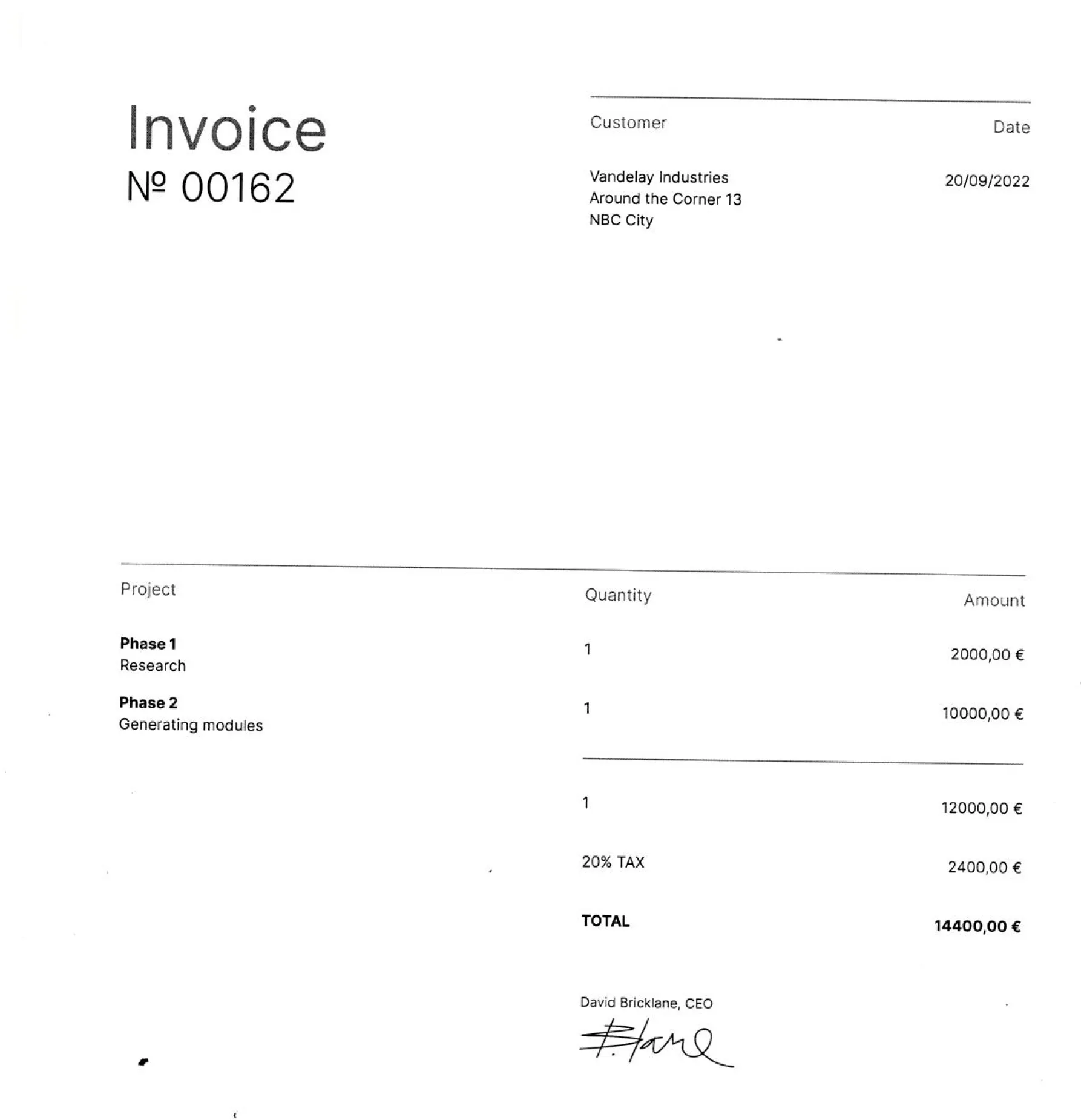
1. Some PDFs are Image-Only

PDFs that originated as scanned documents, faxes or other images will be Image-Only and not contain any text for the SharePoint indexer to index unless they have been through an OCR process and a text layer added to the image. To check whether a particular PDF is Image-Only you can try to select and copy what appears to be text, or try searching for text - if you cannot do this then you are looking at an image PDF.
2. Partially Image-Only PDFs

To make things more complex, some PDFs may be partially Image-Only ie. they have non-searchable sections that are purely images along with some text area.

3. Password-Protected PDFs

Surprisingly, password protected PDFs often make their way into SharePoint. As the indexer cannot open the document to extract it isn?t possible for the contents to be added to the search index.

4. Size Limits

Be wary with documents that run into many hundreds of pages ? SharePoint indexing does have limits. Our tests on O365 showed that O365 will index less than 2MB of text. In our test case this corresponded to around 400 pages of text.

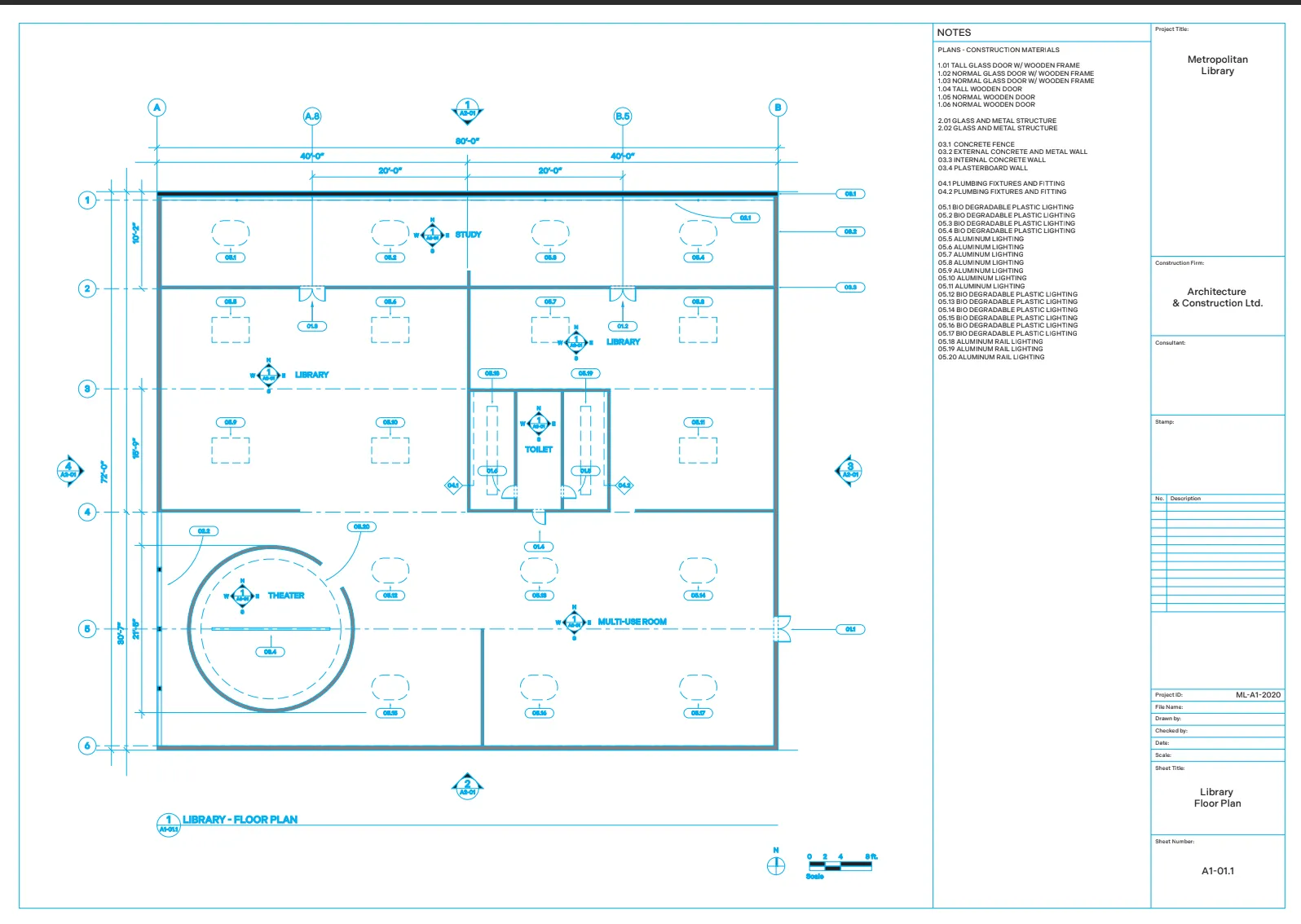
5. Vector Images

Some PDFs such as the one shown may appear to contain text but in fact the ?text? is rendered by drawing lines so the document actually contains no searchable text. This is common in architectural diagrams.
The Business Costs

Now you have a clearer idea of why you can?t find that PDF, it is also good to have an understanding of the cost of having unsearchable documents and they are often not realised until it?s already caused a massive problem. This leads to a number of worrying legal, decision-making and employee impacts.

We have outlined the main ones our customers are faced with; which ones could apply to you?

Compliance audits, freedom of information requests, and legal discovery mandates require organisations to recover all of the relevant electronically stored information, information that is often required at short notice.
Can you be sure that you can retrieve all of the relevant documents in time, and then do you even know if you have retrieved them all. Could there be vital documents that are not searchable and thus cannot be found. Is it a risk you are willing to take?

Decision Making Impact

Business decisions are a daily occurrence, some are small but some have more vital implications on company operations. The majority of more important decisions will need to be thoroughly researched and backed up by documentation usually stored in SharePoint or O365.

If you had not seen that document about X when searching about the X case and made a decision ? was this a fully informed decision? This is a massive risk with huge implications.

Employee time and cost

You have already spent half an hour looking for that PDF, but what about your 400 colleagues in your building? How long have they spent? Maybe longer. Some may have even had to spend time recreating documents because they cannot find the one they were looking for. The presents a massive opportunity cost of your and their time, not to mention the financial cost to the business.

The Solution

Good news. There is a solution that will provide both corrective and preventative action to these business issues.

Without manually opening these PDFs one by one and reading them, it is virtually impossible to determine which documents are fully searchable without an automated tool. To make these documents text searchable, they need to be transformed into a format that can be searched and indexed by the SharePoint crawler.

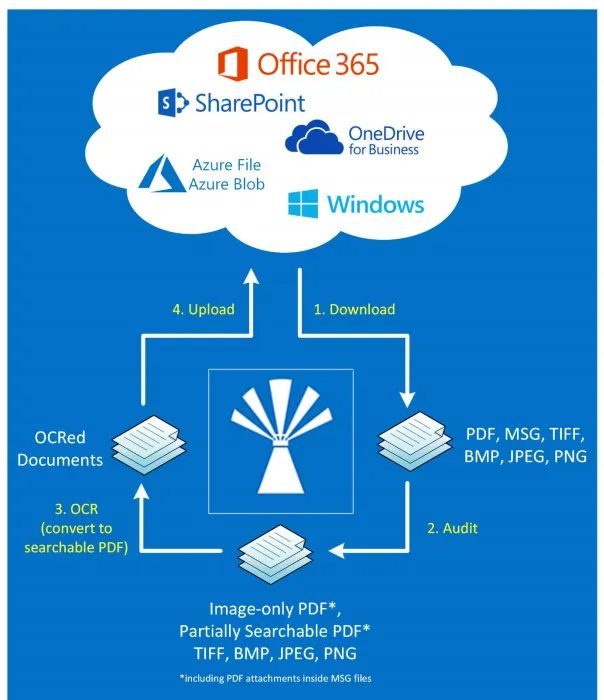
This is where Aquaforest Searchlight comes in. Aquaforest Searchlight is able to audit SharePoint document stores, identify image-only PDFs and turn them into searchable PDFs using optical character recognition (OCR), thus allowing the SharePoint crawler to index them.

Step 1 : Audit

Before it is possible to transform a document library to searchable, it is necessary to identify the unsearchable PDFs.

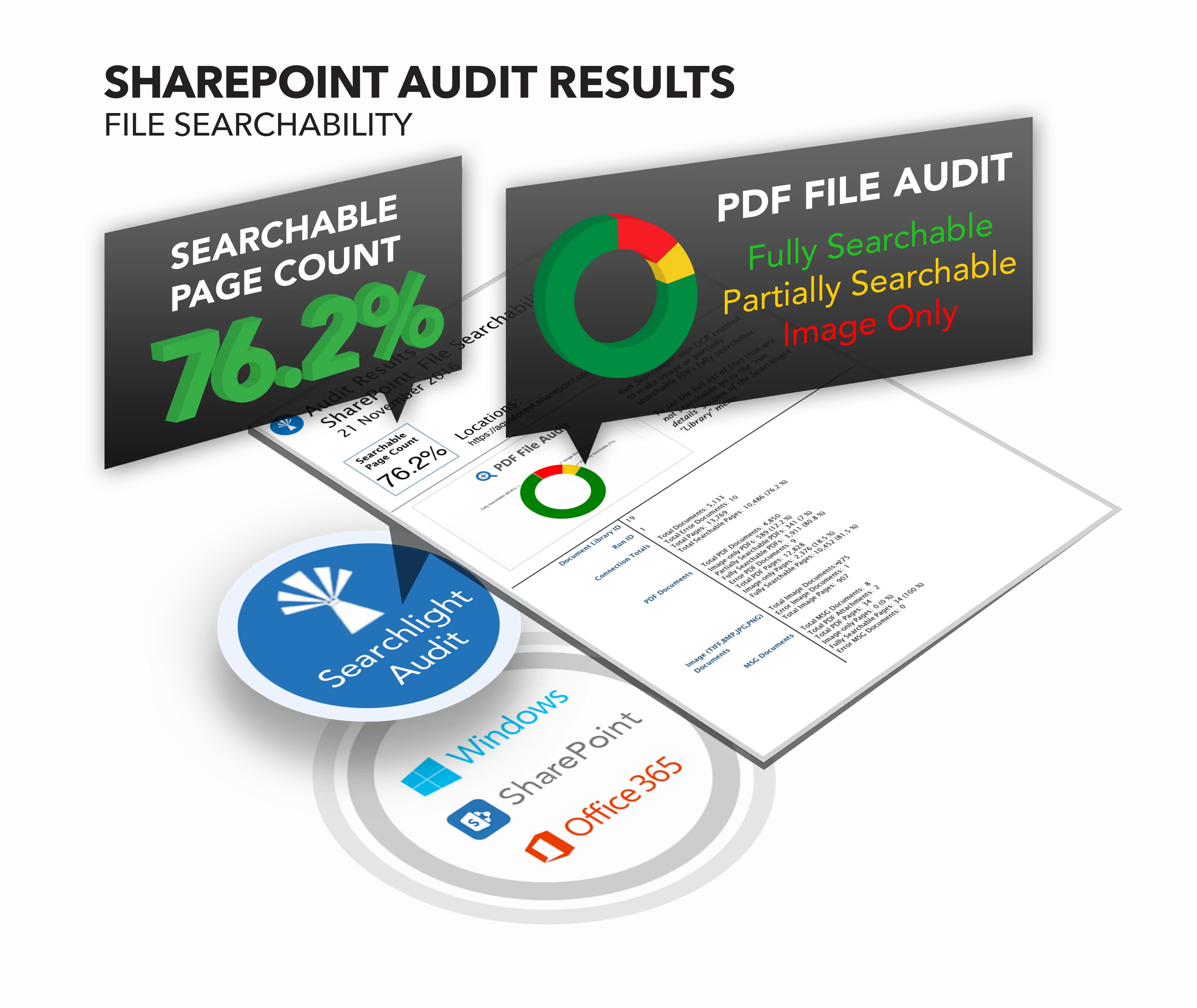
Aquaforest Searchlight will perform an Audit on the document library in order to determine which documents are candidates for processing by examining each document?s searchability status and the document library?s processing settings.

Searchlight identifies how many of your documents are:

  • Non-Searchable (scans, faxes, TIFFs and image PDFs)
  • Partially Searchable
  • Fully Searchable
  • Non-searchable due to file errors

The searchability status determines the process method used due to the conversion rules. The reasons as to why you cannot find the PDF mentioned earlier, each have a different conversion role, meaning the process method will be different for a partially searchable or error.
Step 2 : Make Searchable

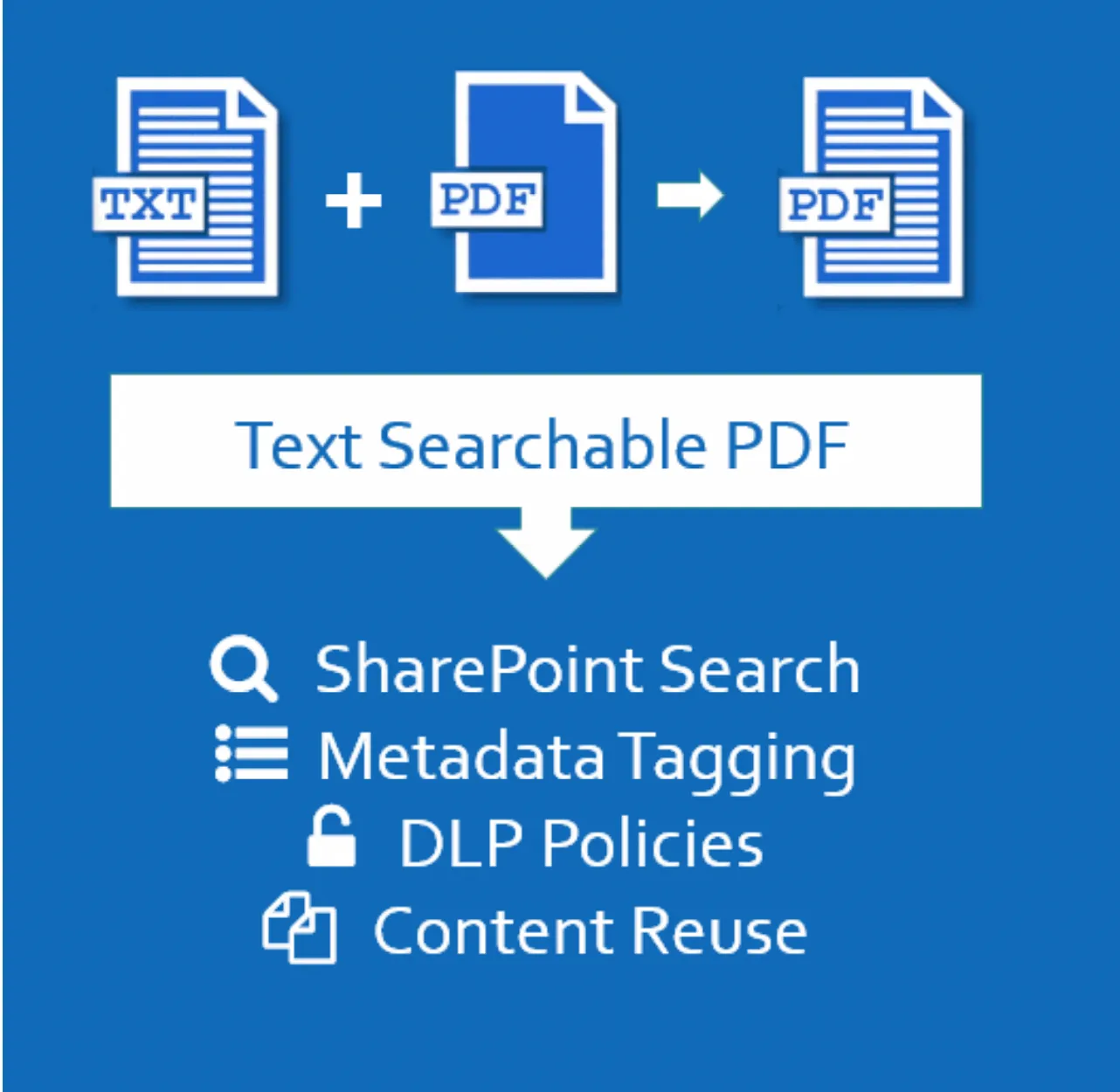
Once the document library has been audited and the unsearchable documents have been identified, Searchlight’s optical character recognition (OCR) technology will create a text version of the file contents.

This allows a searchable PDF to be created by merging the original page images with a hidden text layer.
Text Search PDF

Step 3 : Monitor

Unsearchable documents will be consistently added to your SharePoint or O365, meaning that there is not a “one time” solution.

Therefore, Searchlight ensures that document stores are automatically monitored to deal with new and updated documents.

The service controls the execution of all job runs in Aquaforest Searchlight. It is used by the scheduler and enables the monitoring and processing of document libraries at regular time intervals without interfering with other work being performed on the machine it is installed.
About Aquaforest

Aquaforest was established in 2001 to provide High Performance PDF, OCR and Sharepoint products to a world-wide market. Aquaforest are experts in Searchable PDFs. Thousands of organizations rely on Aquaforest solutions as part of their document workflow processes.

As a Company we are passionate about what we do, the software and solutions that we provide. Our teams are dedicated to delivering high quality products backed up by outstanding support and customer service.