

惯性聚合 高效追踪和阅读你感兴趣的博客、新闻、科技资讯
阅读原文 在惯性聚合中打开

推荐订阅源

N
News | PayPal Newsroom
云风的 BLOG
云风的 BLOG
GbyAI
GbyAI
Engineering at Meta
Engineering at Meta
B
Blog RSS Feed
钛媒体:引领未来商业与生活新知
钛媒体:引领未来商业与生活新知
The Register - Security
L
LangChain Blog
A
About on SuperTechFans
S
Schneier on Security
博客园 - 三生石上(FineUI控件)
Stack Overflow Blog
Stack Overflow Blog
The Hacker News
The Hacker News
AWS News Blog
AWS News Blog
博客园 - 司徒正美
Scott Helme
Scott Helme
K
Kaspersky official blog
Cyberwarzone
Cyberwarzone
T
Tenable Blog
腾讯CDC
Recorded Future
Recorded Future
cs.CL updates on arXiv.org
G
GRAHAM CLULEY
Security Latest
Security Latest
S
Securelist
D
Darknet – Hacking Tools, Hacker News & Cyber Security
aimingoo的专栏
aimingoo的专栏
Google DeepMind News
V
Vulnerabilities – Threatpost
雷峰网
雷峰网
T
The Exploit Database - CXSecurity.com
freeCodeCamp Programming Tutorials: Python, JavaScript, Git & More
V
V2EX
T
The Blog of Author Tim Ferriss
D
Docker
S
Security Affairs
F
Full Disclosure
Know Your Adversary
Know Your Adversary
N
News and Events Feed by Topic
N
News and Events Feed by Topic
T
Tor Project blog
Hugging Face - Blog
Hugging Face - Blog
www.infosecurity-magazine.com
Microsoft Security Blog
Simon Willison's Weblog
Recent Announcements
博客园_首页
博客园 - 聂微东
让小产品的独立变现更简单 - ezindie.com
S
Security @ Cisco Blogs

Inside Nutrient

A guide to the invisible work behind documents Introducing Nutrient Documents for Salesforce: Native document generation and signing Document AI vs. traditional OCR: Choosing between OCR, AI, and hybrid pipelines PDF SDK compliance and security evaluation checklist for enterprise teams (2026) Invariant Corp replaces paper processes with Nutrient Workflow and scales without limits What is process mapping? A complete guide Nutrient vs. Conga Composer for Salesforce document generation (2026) Document routing: How to automate document distribution The CTO’s AI playbook: Why accountability architecture beats orchestration Compliance workflow automation: Why built-in compliance is table stakes Workflow diagrams: Examples, symbols, and how to build one that actually runs Digital forms: Replace paper forms with automated workflows Approval workflow software: How to automate approvals Why document-centric automation is different The CEO’s AI playbook: Why decision architecture beats model selection Nutrient SDK product updates for Q1 2026 PDF redaction verification: How to prove sensitive data is permanently removed What is a VPAT? The complete guide to accessibility conformance reports What is PDF/UA? The accessible PDF standard explained Salesforce eSignatures: Generate, sign, and track documents in one flow Online document viewer: Options, tradeoffs, and how to embed one Document viewer for web apps: React, Vue, Angular (2026) Best document viewers in 2026: A buyer’s guide How to edit a PDF in Python: Add text, images, and annotations Nutrient advances Workflow platform with agentic AI for enterprise-grade speed and consistency in document-heavy operations How to create a Salesforce quote template from opportunity data The business case for accessibility: Five ways it drives enterprise value Python PDF library comparison (2026): 7 libraries for developers Why your AI agent hallucinates PDF table data PDF.js limitations: When to upgrade to a commercial PDF SDK How Subject scaled 5× with Nutrient’s PDF SDK without rebuilding its document layer I replaced our sales training with an AI coach that runs in Slack — here’s what broke Redirecting to: https://securitybuzz.com/cybersecurity-news/why-enterprise-permissions-are-ais-most-dangerous-inheritance/ Nutrient .NET SDK vs. iText Core: Complete comparison for .NET developers DocuVieware: Support’s most frequently asked setup questions Introducing Nutrient Workflow How to convert PDF to Word in C# (.NET) When email and spreadsheets stop working: Work order approval workflows for field teams on the move Compliance with confidence: Why document-centric automation is the foundation of your mission Nutrient expands AI Assistant, automating multistep document workflows inside any application What is document generation? A developer’s guide to PDF generation Document Converter data flow and how real-time watermarks skip the queue PDF/UA compliance guide: Requirements, standards, and best practices Computers still can’t understand you How Athena Intelligence built AI agents for regulated enterprises with Nutrient’s document infrastructure How to convert HTML to PDF (2026): 4 methods from browser print to SDK How to build a document extraction pipeline with Nutrient Vision API OCR vs. intelligent document processing: Choosing the right document extraction engine Beyond OCR: How document intelligence eliminates manual processing in regulated industries Nutrient vs. IronPDF: Complete comparison for .NET developers Nutrient vs. Aspose.PDF: Complete comparison for .NET developers Redirecting to: https://fortune.com/2026/02/19/openclaw-who-is-peter-steinberger-openai-sam-altman-anthropic-moltbook/ Lufthansa Systems uses Nutrient to deliver reliable, scalable PDF rendering for pilots worldwide Nutrient vs. Syncfusion: Complete comparison for .NET developers React’s useTransition: The hook you’re probably using wrong First City Monument Bank streamlines banking processes with Nutrient Workflow Redirecting to: https://www.sdcexec.com/warehousing/automation/article/22957364/nutrient-workflow-automation-the-missing-link-in-supply-chain-efficiency The complete guide to digital signatures: PAdES, CAdES, and XAdES explained Nutrient Python SDK: Production-grade document processing for Python Introducing agentic document editing for web applications with AI Assistant Nutrient vs. QuestPDF: Complete comparison for .NET developers How we fixed the GdPicture license expiration (and what to do if you’re affected) Red team security testing with agentic AI The future of healthcare document automation Best healthcare workflow software compared Nutrient SDK product updates for Q4 2025 How Harvey scaled legal document workflows 50 percent MoM without rebuilding infrastructure HIPAA-compliant document management in hospitals How we optimized rendering performance while handling thousands of annotations in React — Part 2 Automated PII removal with Nutrient API Redirecting to: https://www.devopsdigest.com/2026-low-code-no-code-predictions Redirecting to: https://www.kmworld.com/Articles/Editorial/ViewPoints/Leaders-predict-AI-to-continue-permeating-all-aspects-of-KM-in-2026-172594.aspx What are deep agents and how do they solve complex problems? Whipping up document magic: Your easy-bake recipe for Vue and Nutrient Web SDK 🧁 What I’ve learned about product iteration planning while building SDKs Passwordless document signing: Three-layer security guide New zip folder functionality streamlines file management in Document Automation Server The keyboard shortcuts playbook: Taking control of keyboard events in Nutrient Web SDK From experienced engineer to AI beginner: My unexpected journey AI-assisted manual testing: Handling Safari’s PDF rendering and UI quirks How to keep a 20-year-old SDK up to date How we optimized rendering performance while handling thousands of annotations in React — Part 1 Nutrient announces new executive hires to accelerate next phase of growth High performance UI using web workers Automate document conversion at scale with Python and Nutrient DCS From curiosity to PLG (and AI): My journey to understanding product-led growth Prost to progress: One year as Nutrient Pigeon usage at Nutrient: Bridging native SDKs to Flutter Modernizing CI build servers: How to migrate from Chef to Ansible Unix man pages: AI-friendly documentation since 1971 Consistent hashing for even load distribution Best AI redaction APIs: Complete comparison guide for 2025 Why AI document redaction matters for modern security From coding to coordinating: How AI transformed my workflow What is intelligent document processing (IDP)? A complete guide Enterprise PDF SDKs: Best PSPDFKit (now Nutrient) alternatives Nutrient SDK product updates for Q3 2025 GdPicture support best practices Redacting sensitive data with Nutrient AI redaction API How AI is transforming the customer experience at Nutrient: From instant answers to intelligent support
Convert HTML to PDF with Nutrient Document Web Services API on Zapier
Hulya Masharipov · 2025-03-12 · via Inside Nutrient

Table of contents

    In this tutorial, you’ll learn how to convert HTML files into PDF documents using the Nutrient Document Web Services API on Zapier. This is ideal for generating print-ready reports, styled content, or document previews from HTML files uploaded to Google Drive.
    Convert HTML to PDF with Nutrient Document Web Services API on Zapier

    What is Zapier?

    Zapier(opens in a new tab) is an automation platform that connects your favorite apps and services with no code required. You can build “Zaps” to automate repetitive tasks by setting up triggers and actions between apps like Google Drive, Slack, Gmail, and more.

    In this tutorial, you’ll learn how to use Zapier to automatically convert HTML files into PDF documents using Nutrient DWS Processor API.

    What is Nutrient DWS Processor API?

    Nutrient Document Web Services API is a powerful platform for document automation. With your free account(opens in a new tab), you get 50 credits, which you can use to perform various document operations. Each tool (e.g. conversion, signing, flattening) consumes a different amount of credits depending on complexity.

    Nutrient offers more than 30 tools with the ability to:

    All you need is an API key from a free account to get started(opens in a new tab). You can chain these tools together in Zapier to build powerful, automated PDF workflows.

    What you’ll need

    Step 1 — Trigger a new file in a Google Drive folder

    1. Select Google Drive as the trigger app.
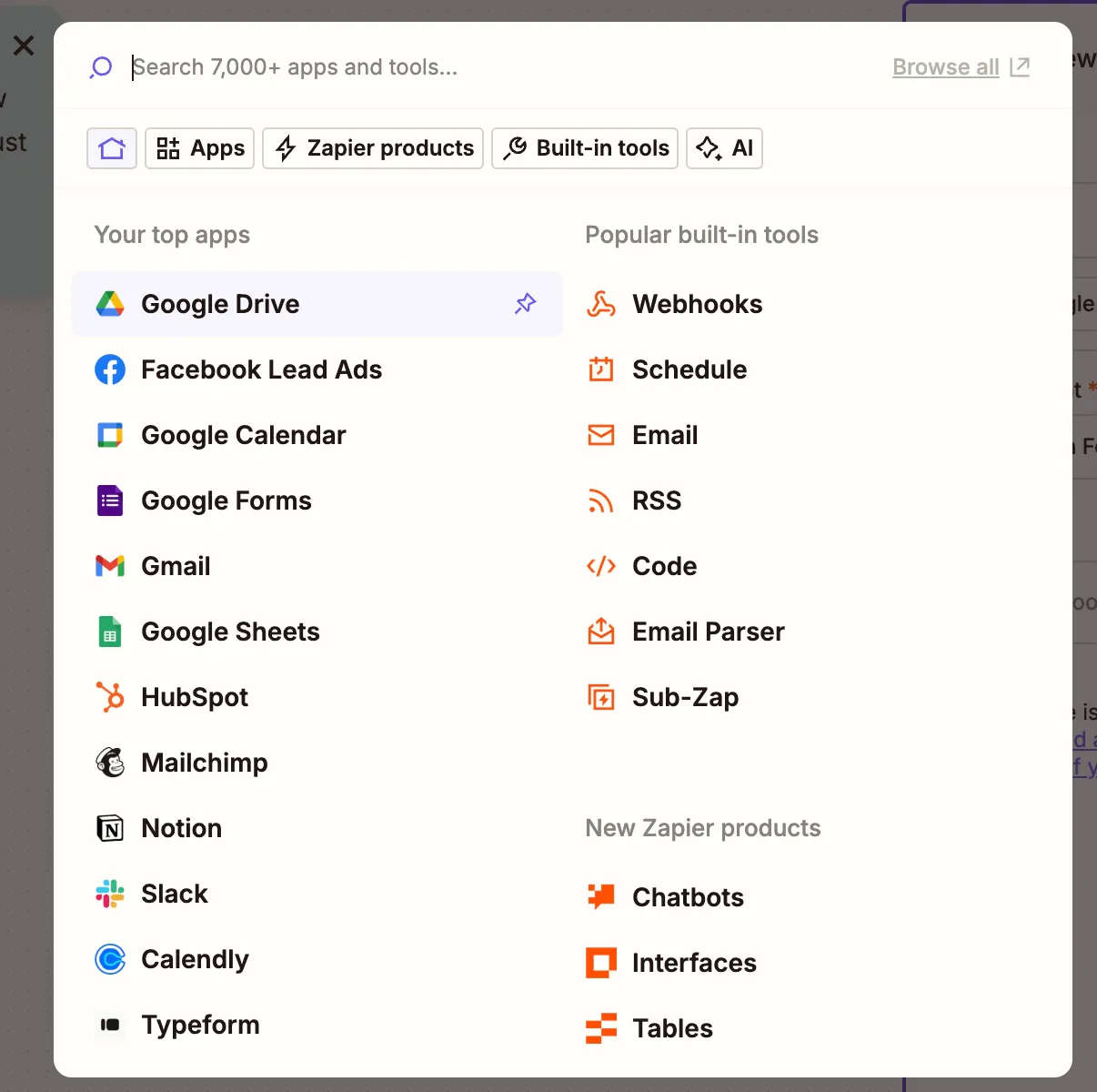
    Google Drive app selected in Zapier trigger step

    1. Choose the New File in Folder trigger event.
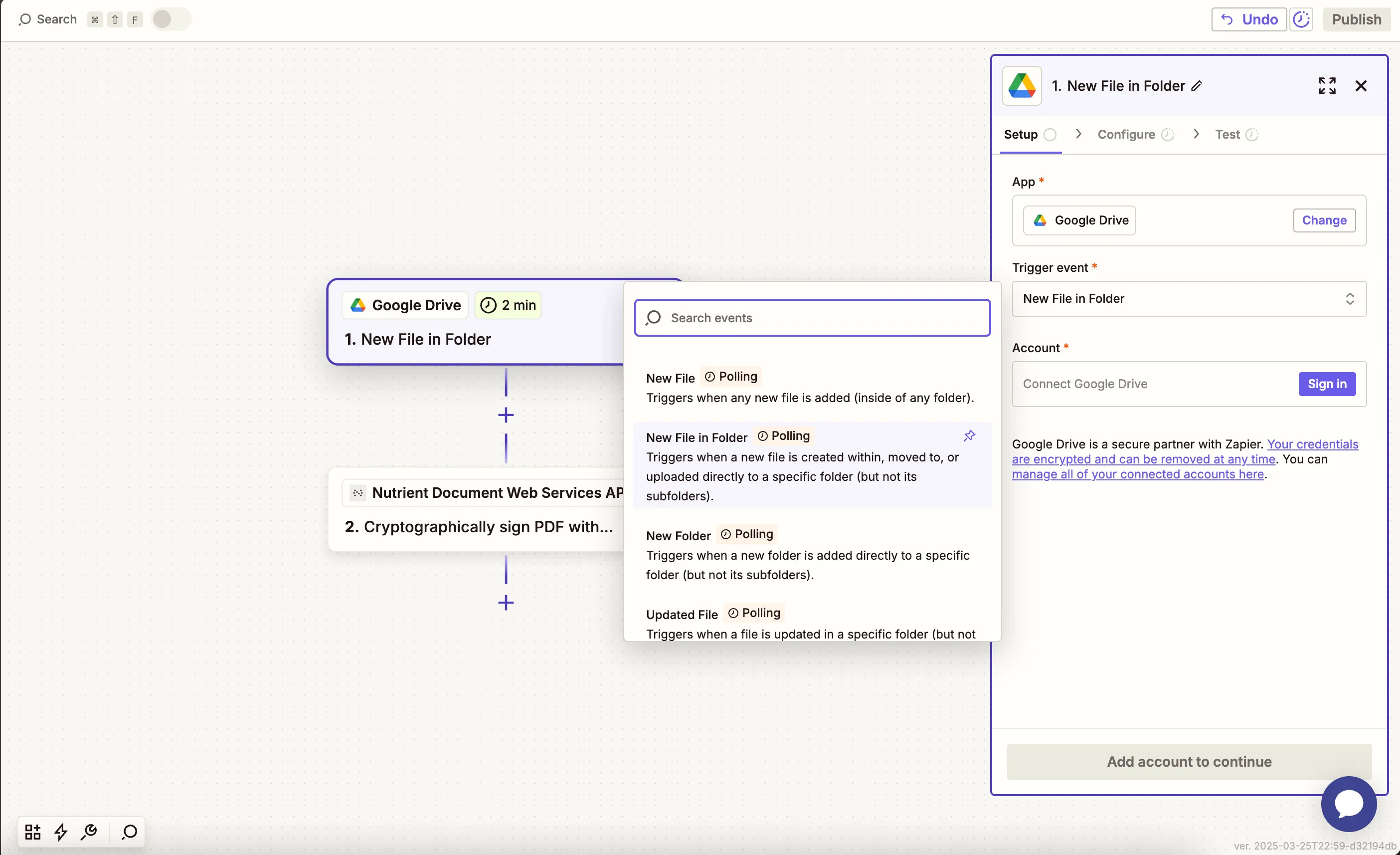
    New File in Folder selected as the trigger event in Zapier

    1. Connect your Google Drive account.
    2. Choose the drive and folder that will receive HTML files.
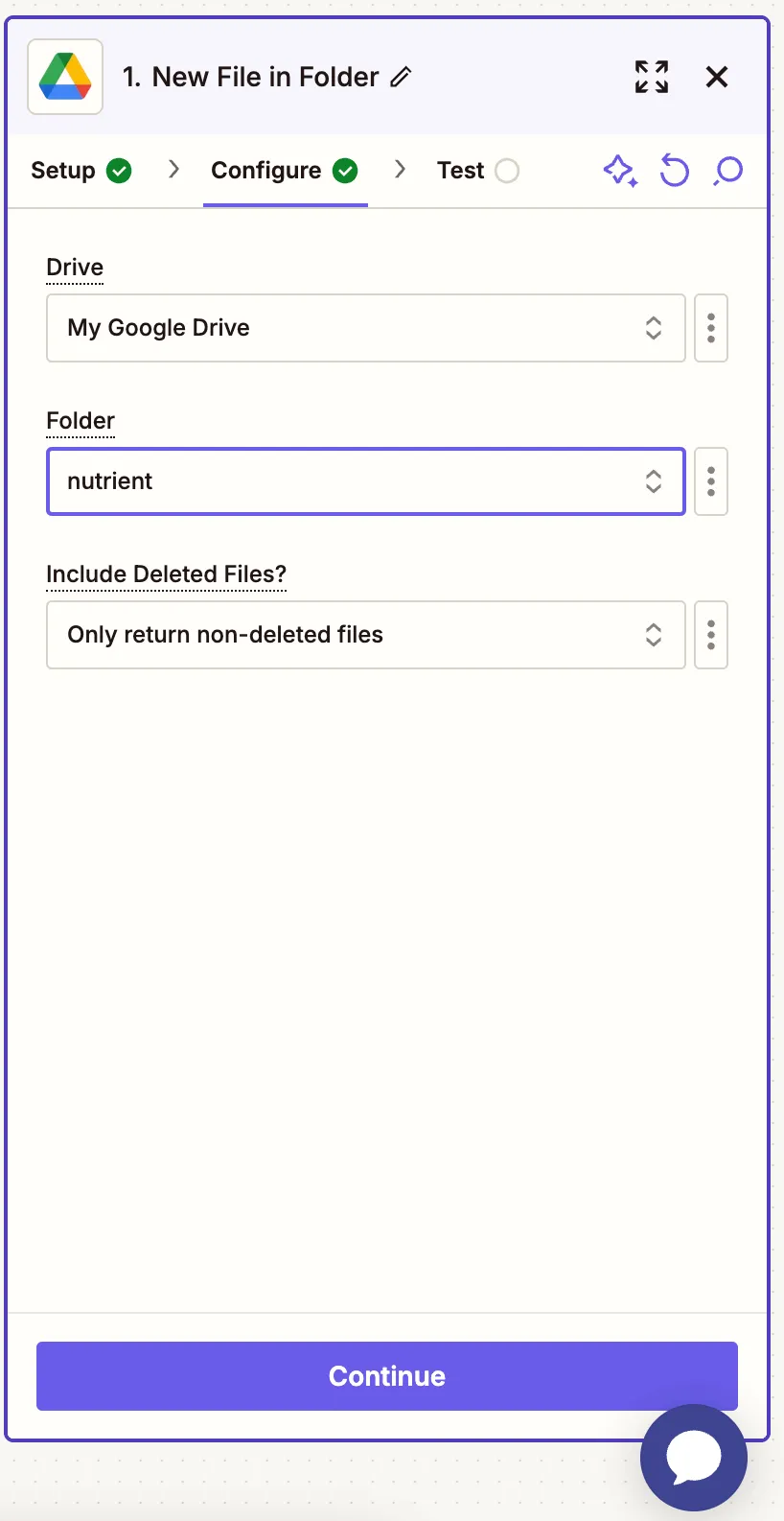
    Configured folder location for HTML uploads in Google Drive

    1. Test the trigger by uploading a sample .html file. You can use our sample file(opens in a new tab) for testing this step.
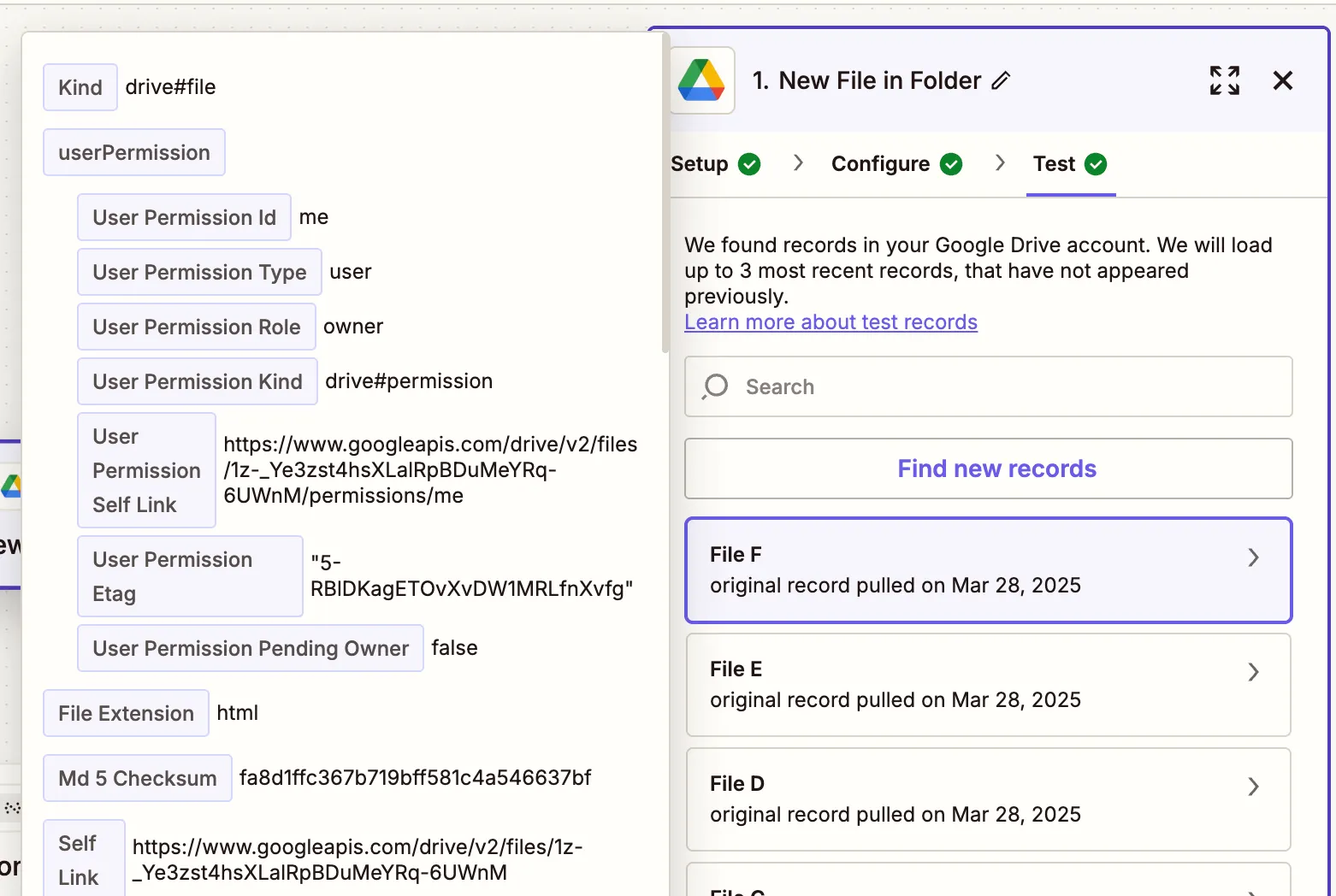
    Test confirmation that Zapier can detect HTML file in Drive

    Step 2 — Convert HTML to PDF action (Nutrient DWS Processor API)

    1. Select Nutrient Document Web Services API as the action app.
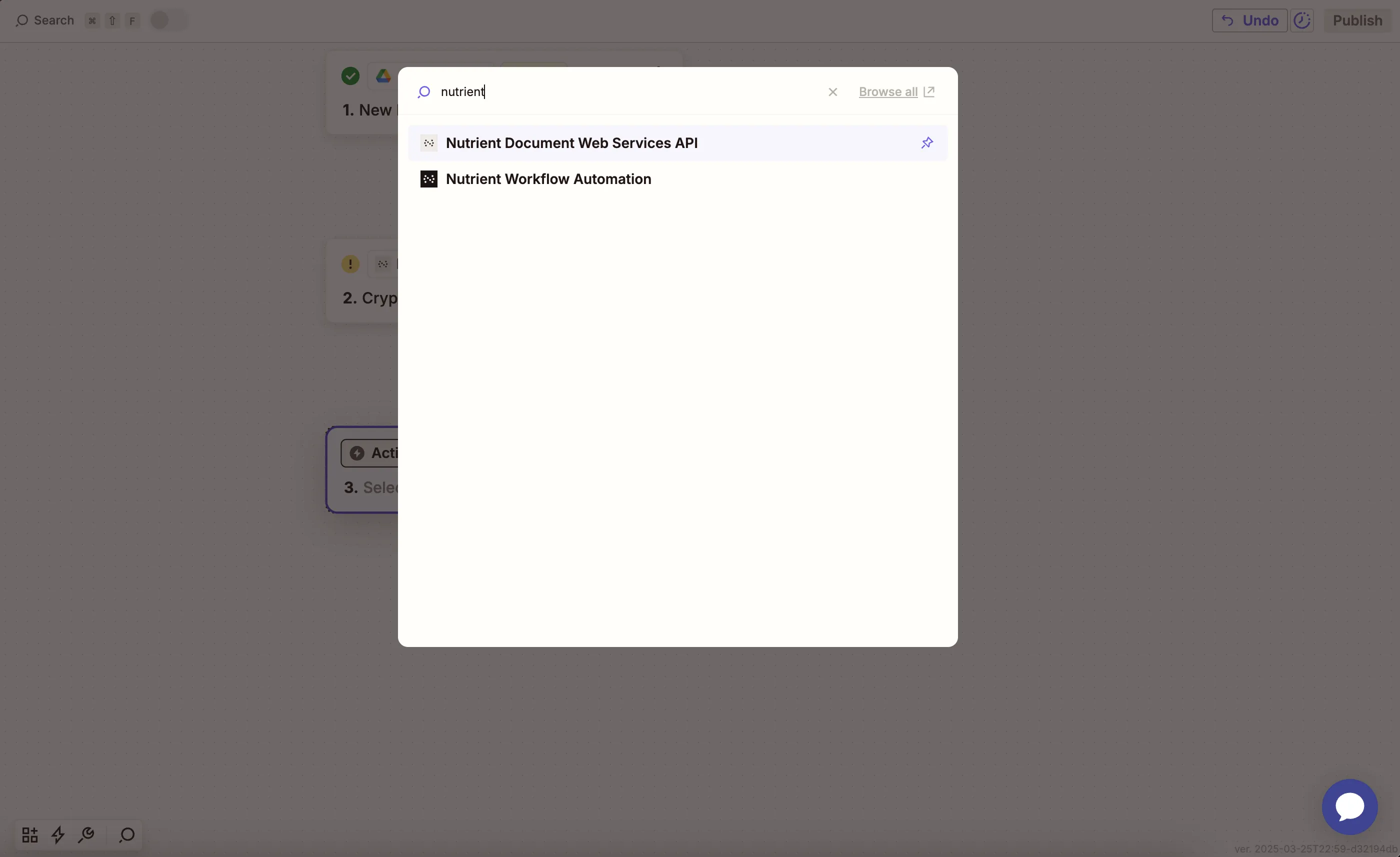
    Nutrient DWS Processor API selected in Zapier action app step

    1. Choose the Convert HTML to PDF action.
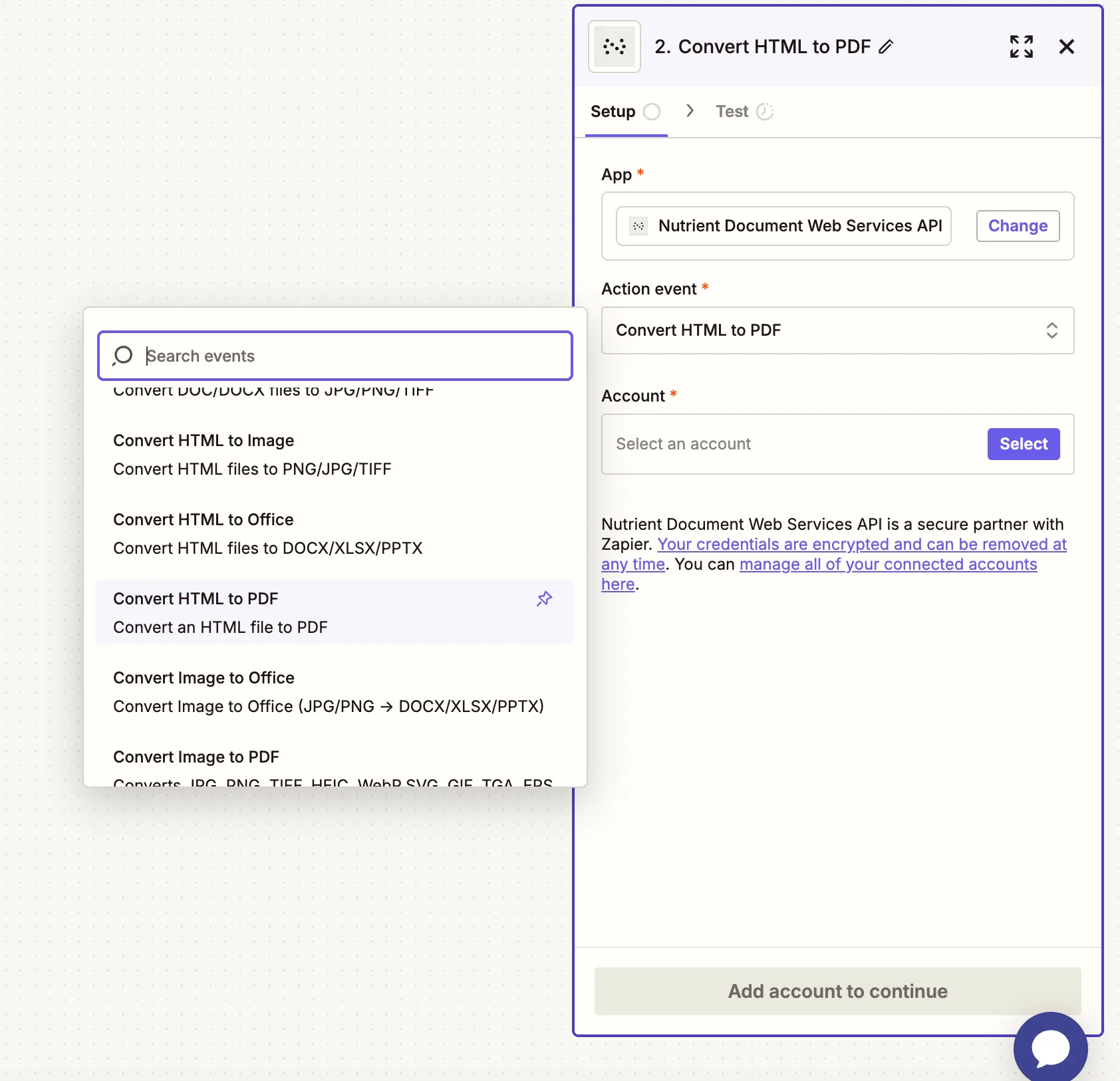
    Action selection showing Convert HTML to PDF chosen

    1. Connect your Nutrient DWS Processor API account using your API key.
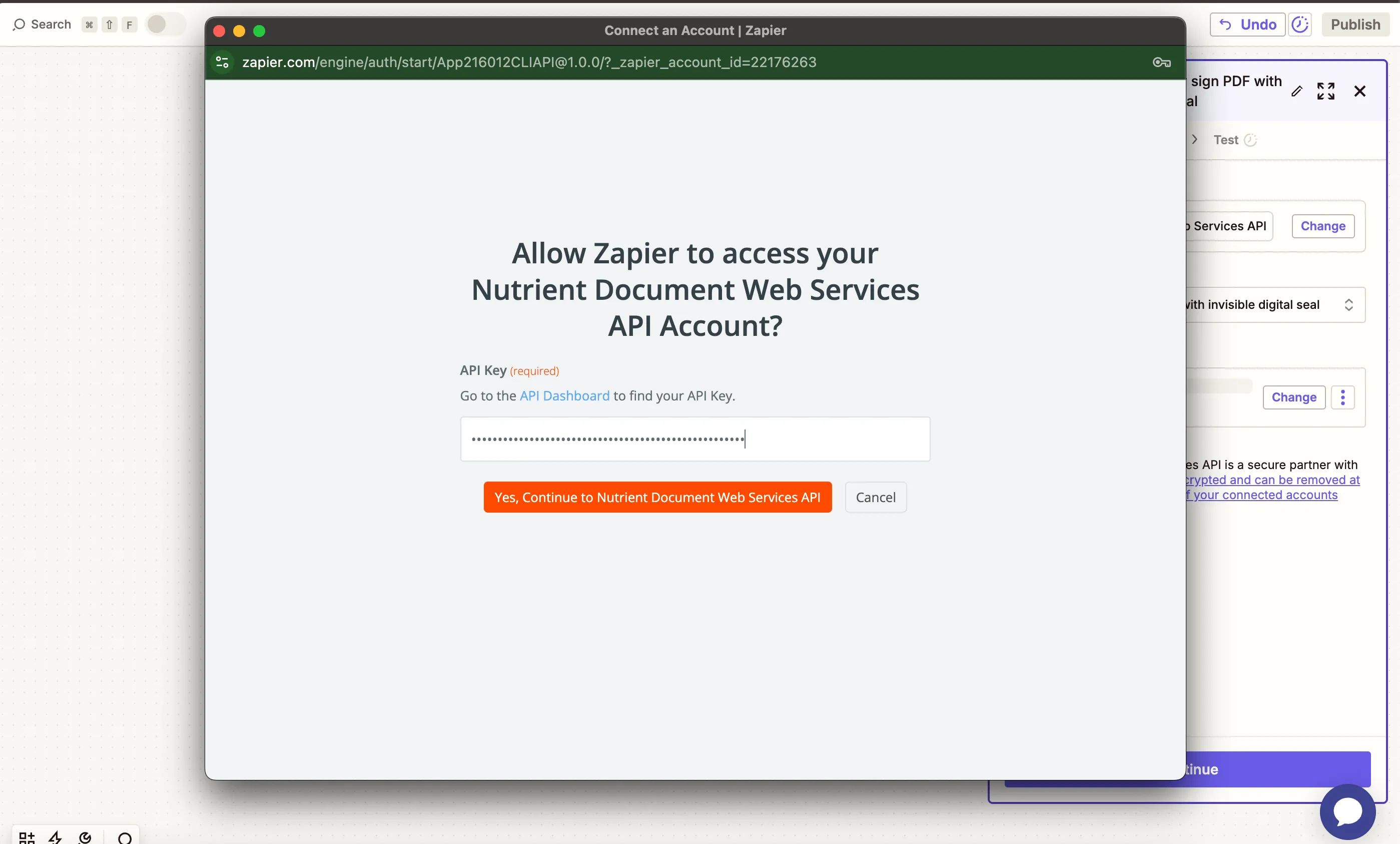
    API key authentication field in Zapier for Nutrient

    You can find your API key in the Nutrient dashboard(opens in a new tab).
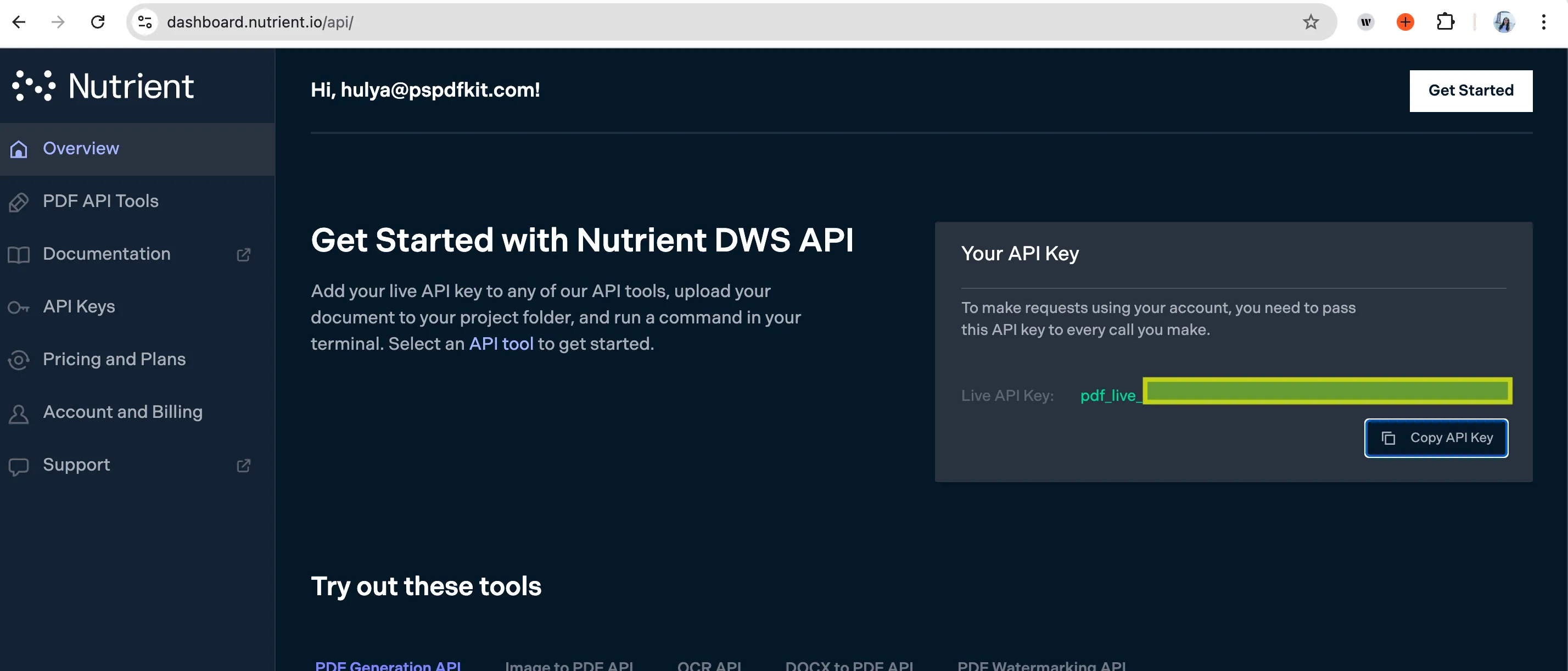
    Find your Nutrient DWS Processor API key for authentication

    1. Configure the field:
    • HTML File URL — Map the HTML file from step 1.
    • Output File Name (optional) — Example: generated-report.pdf.
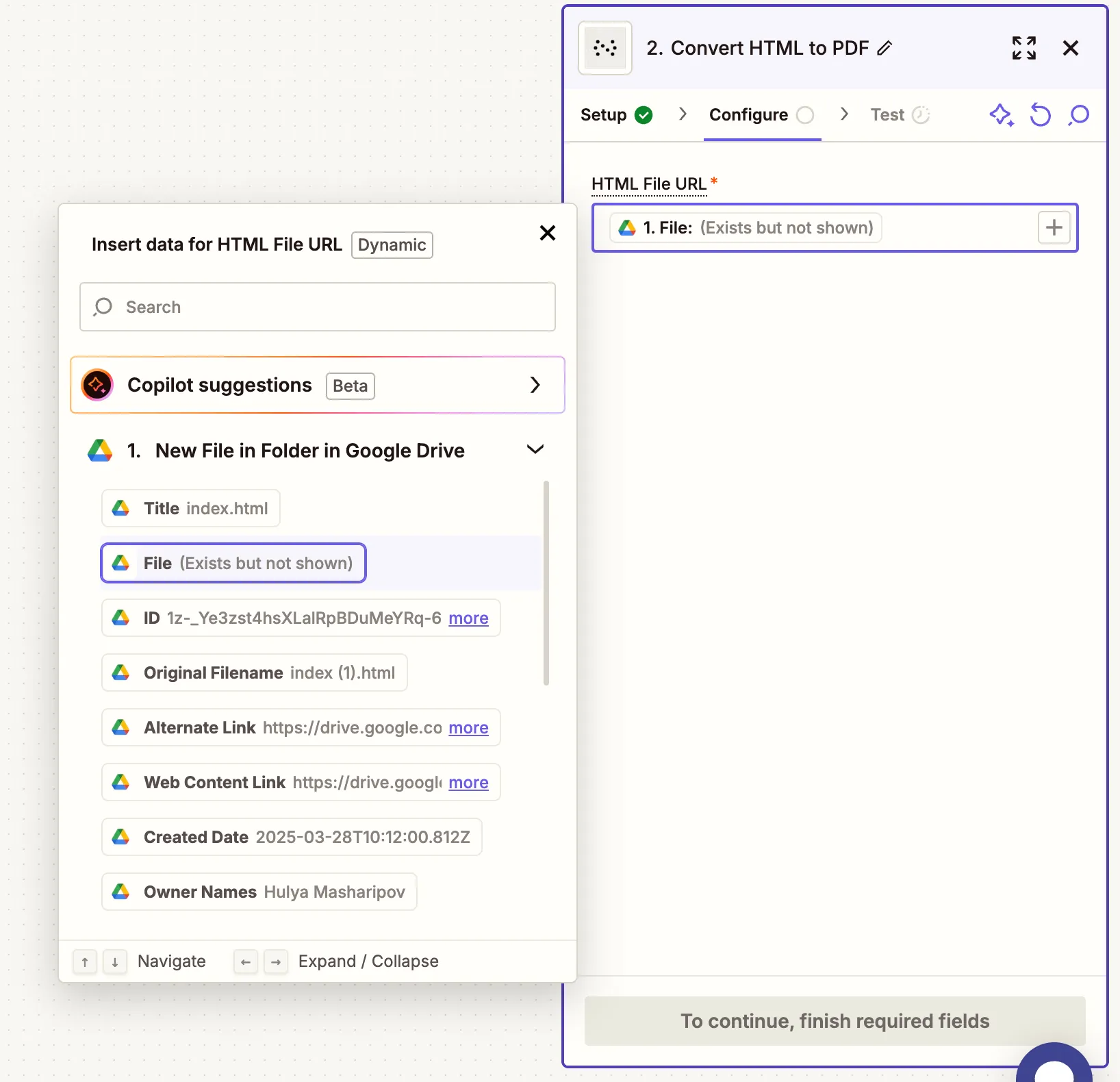
    Form input showing mapped HTML file URL and optional output file name

    1. Test this step to ensure the HTML file is successfully converted to PDF.
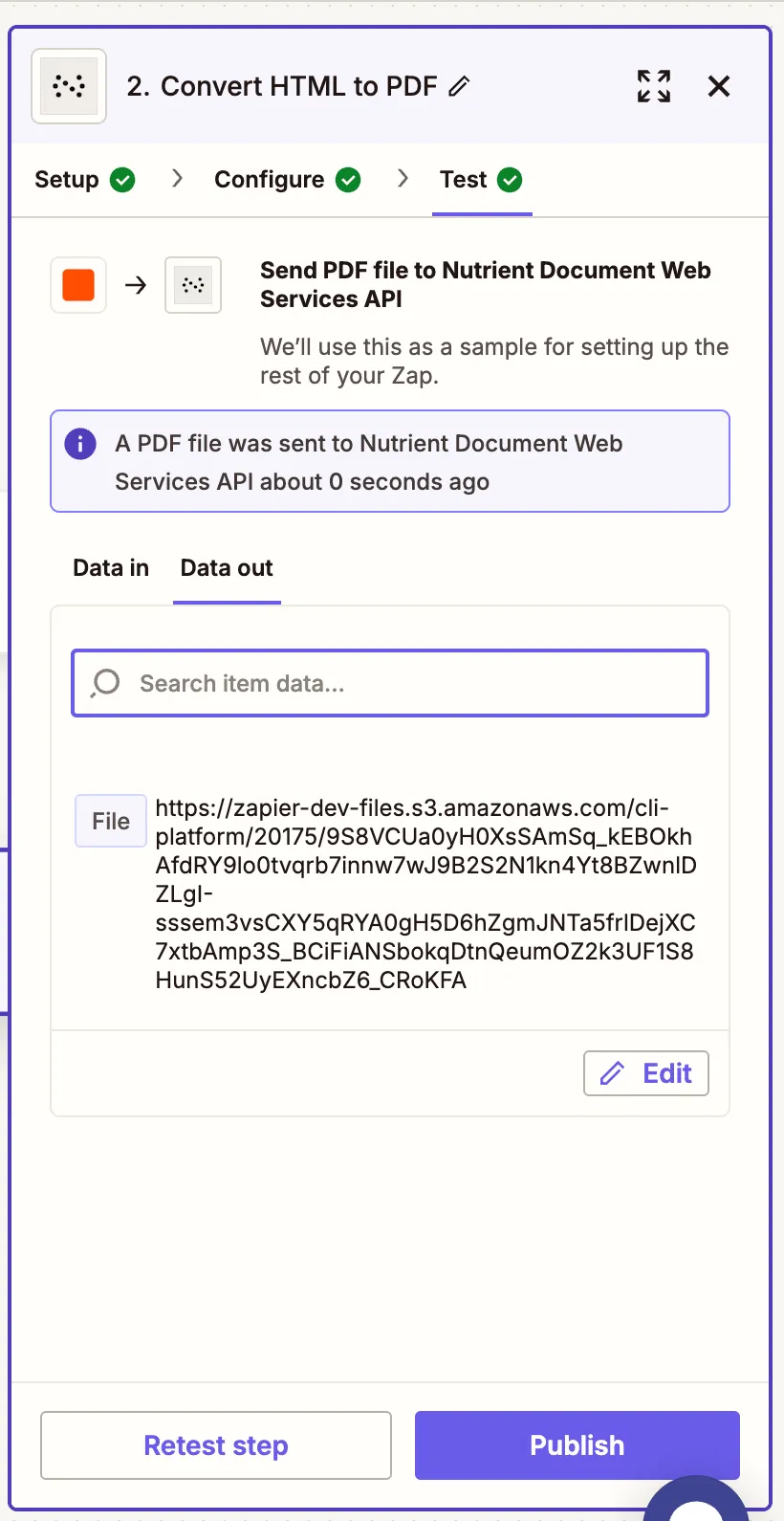
    Zapier test result showing PDF successfully generated

    Step 3 — Upload the PDF to Google Drive

    1. Select Google Drive and choose Upload File as the action.
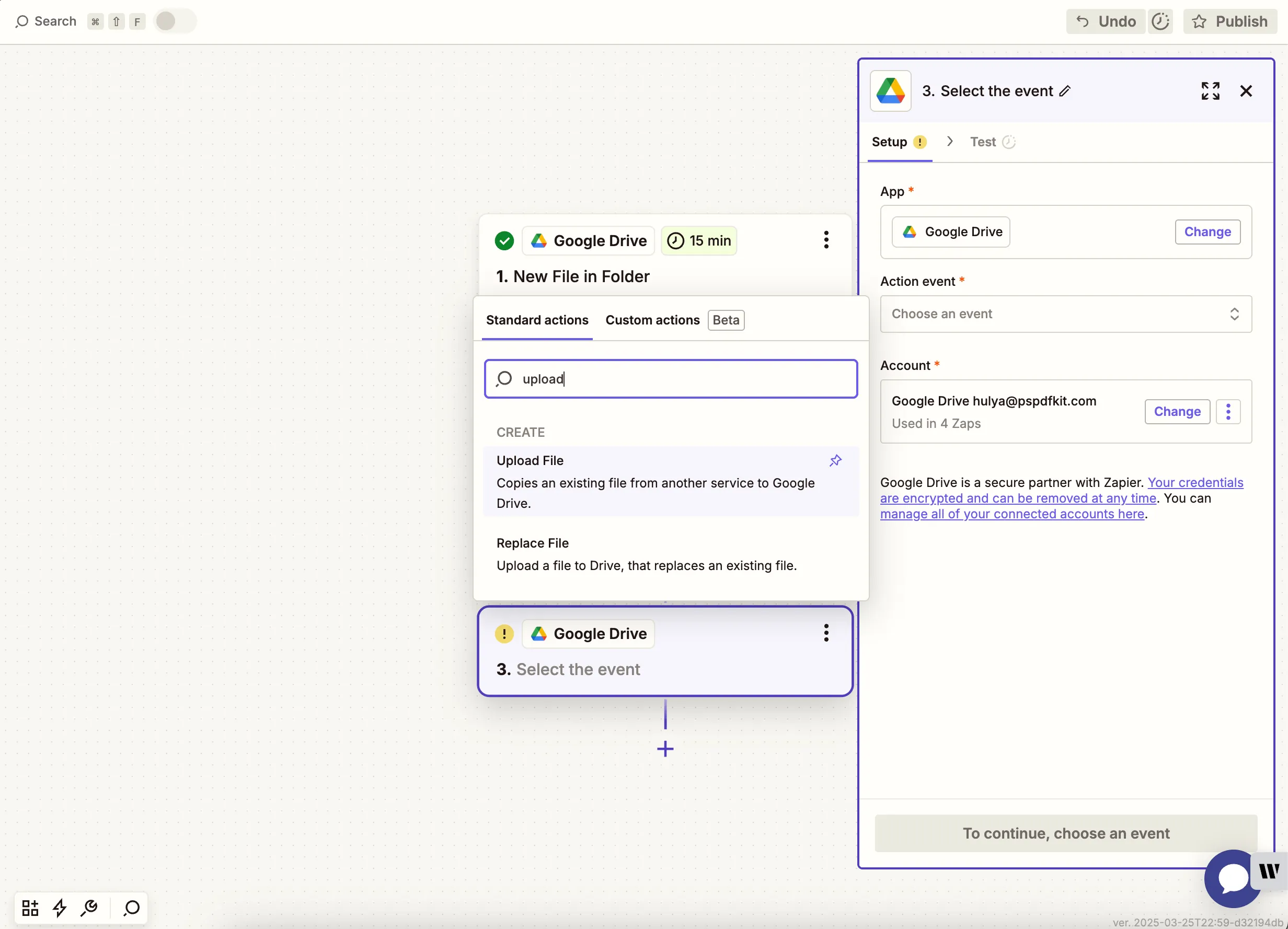
    Google Drive action Upload File selected in Zapier

    1. Choose the output drive and the folder where the PDF will be saved. Map the PDF output from the Nutrient step.
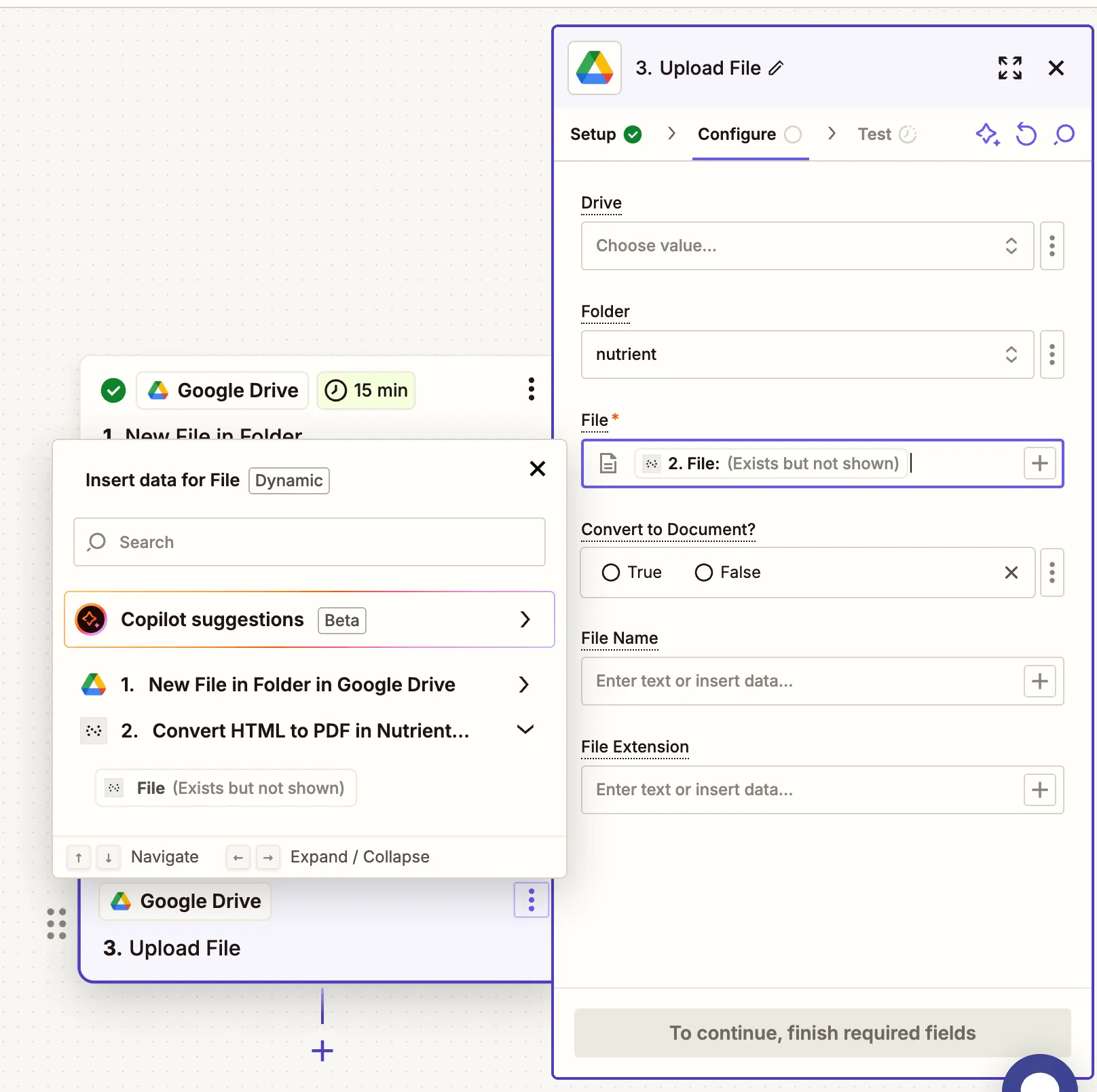
    Upload configuration showing mapped PDF file output

    1. Test this step to confirm the PDF is saved to your drive.
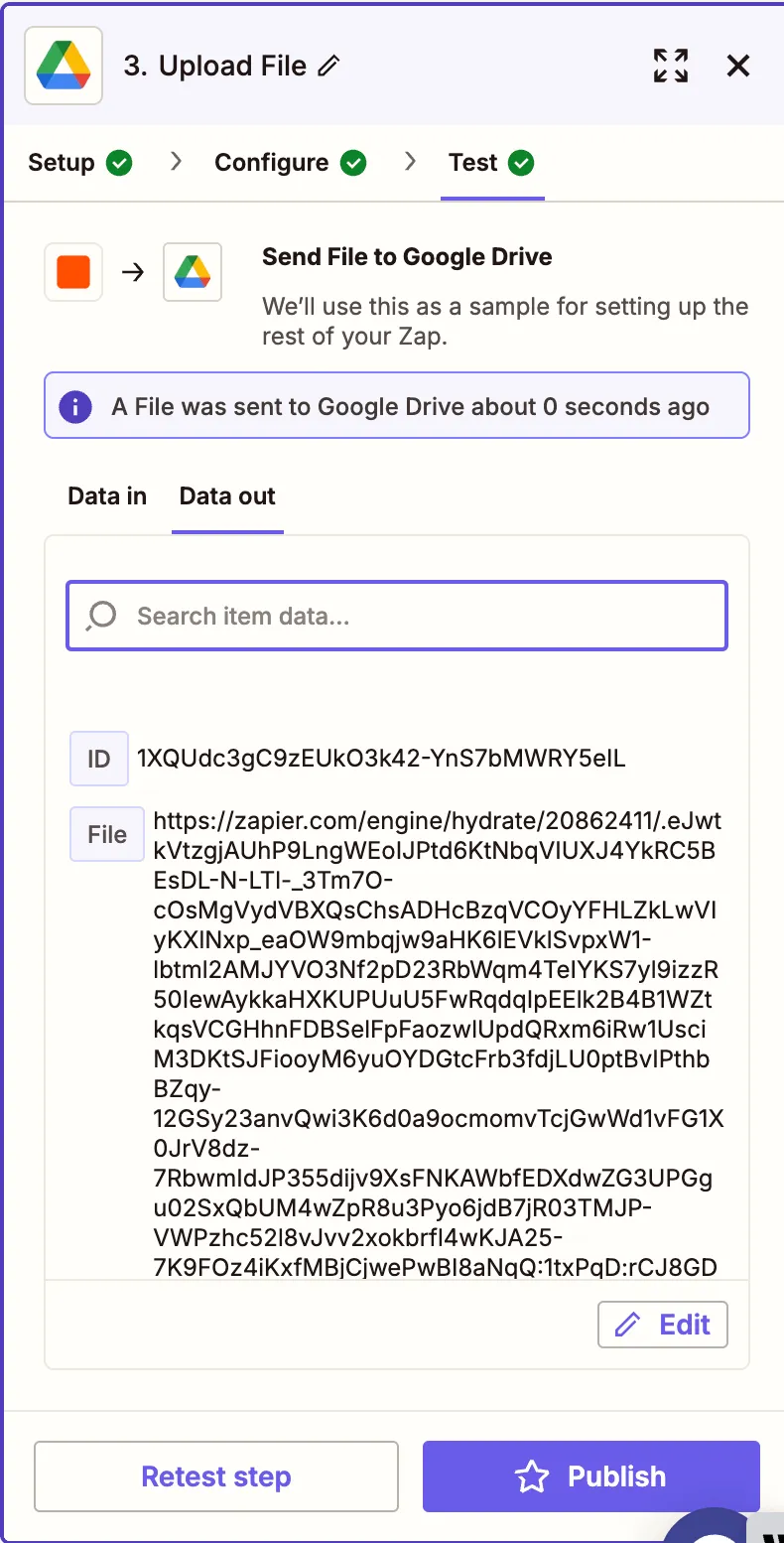
    Successful test result confirming PDF file upload

    Conclusion

    With just a few steps, you’ve created a powerful automation to convert HTML files into PDFs using Zapier and Nutrient DWS Processor API(opens in a new tab). This is perfect for teams needing to archive, distribute, or render styled web content as downloadable PDFs. You can extend this Zap with additional steps like emailing the file, sending it via Slack, or backing it up in cloud storage.

    Explore related topics

    Try for free Ready to get started?

    Related SDK articles

    Explore more