1、下载安装Node_exporter
 1
 2
 3
 4
 5
 6
 7
 8
 9
10
11
|
#1.下载
wget https://github.com/prometheus/node_exporter/releases/download/v1.3.1/node_exporter-1.3.1.linux-amd64.tar.gz

#2.解压
tar -zvxf node_exporter-1.3.1.linux-amd64.tar.gz

#3.重命名
mv node_exporter-1.3.1.linux-amd64.tar.gz  /usr/local/soft/node_exporter

#4.启动并常驻后台,默认端口为9100
/usr/local/soft/node_exporte/node_exporter &
|
2.下载安装prometheus
 1
 2
 3
 4
 5
 6
 7
 8
 9
10
11
12
13
14
15
16
17
18
19
20
21
|
#1.下载
wget https://github.com/prometheus/prometheus/releases/download/v2.33.0-rc.1/prometheus-2.33.0-rc.1.linux-amd64.tar.gz


#2.解压
tar -zvxf prometheus-2.33.0-rc.1.linux-amd64.tar.gz

#3.重命名
mv prometheus-2.33.0-rc.1.linux-amd64.tar.gz /usr/local/soft/prometheus

#4.修改node节点端口
vim prometheus.yml

eg:
    - job_name: "node"
    static_configs:
      - targets: ["localhost:9100"]     #这里的locahost可以更改为其他机器的ip,但是监控机需要和被监控机互相通信


#5.启动并常驻后台,默认端口为9090
/usr/local/soft/prometheus/prometheus --config.file=/usr/local/soft/prometheus/prometheus.yml  &
|
3.下载安装Grafana
 1
 2
 3
 4
 5
 6
 7
 8
 9
10
11
12
13
14
15
16
17
18
19
20
21
|
#1.下载
wget https://dl.grafana.com/enterprise/release/grafana-enterprise-8.3.4.linux-amd64.tar.gz

#2.解压
tar -zxvf grafana-enterprise-8.3.4.linux-amd64.tar.gz

#3.重命名
mv grafana-8.3.4 /usr/local/soft/grafana

#4.修改granafa端口
cd /usr/local/soft/grafana/conf

vim defaults.ini

eg:
    #根据自己需要修改
    http_port = 9200


#5.启动并常驻后台,修改端口为9200  grafana-server
/usr/local/soft/grafana/bin/grafana-server &
|
4.web访问Grafana-url
PS:默认用户名密码都是admin,第一次登录需要修改密码
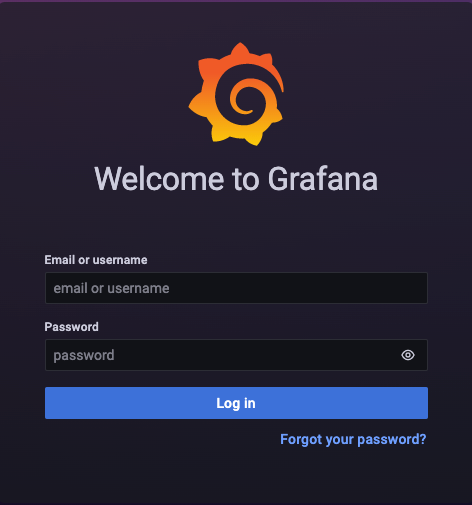
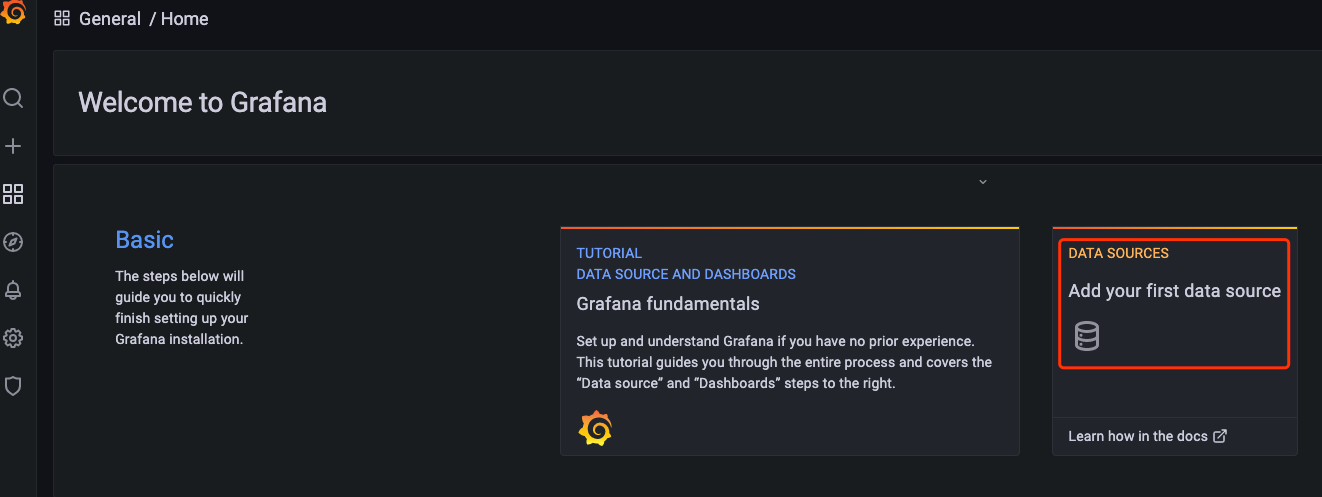
5.添加数据源
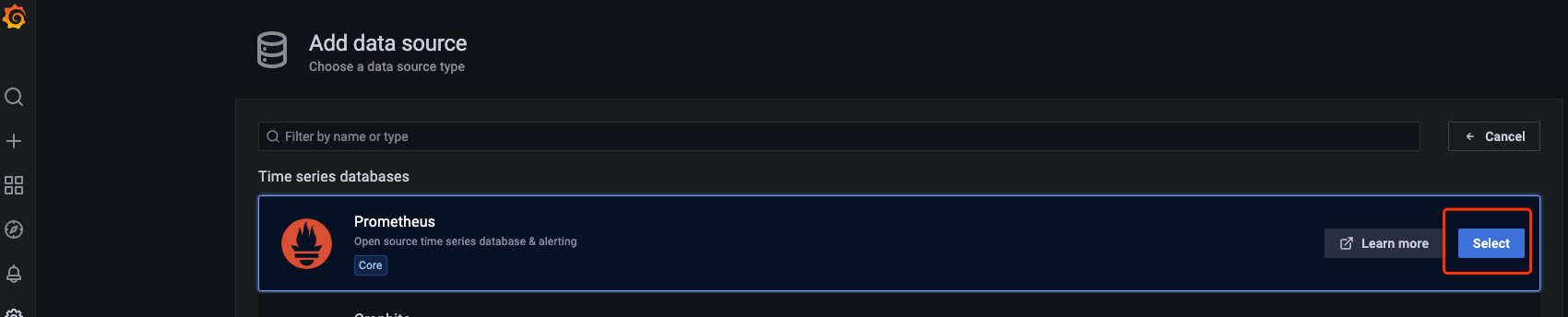
6.选择prometheus
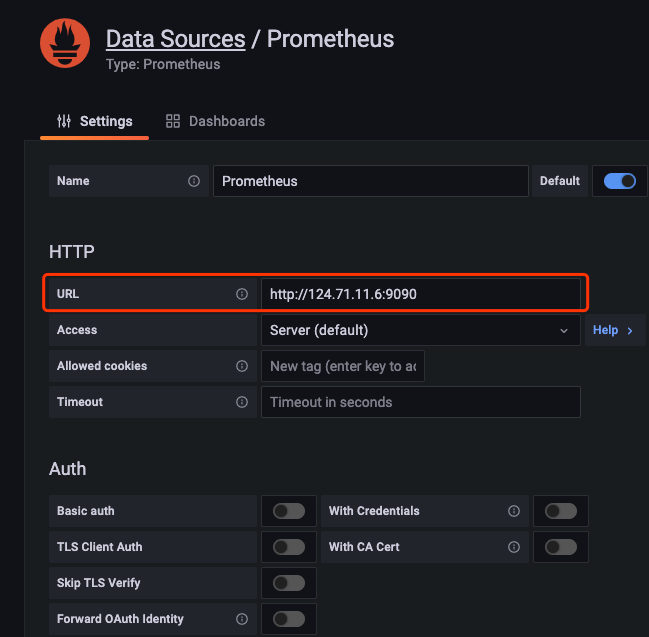
7.输入prometheus-url&port
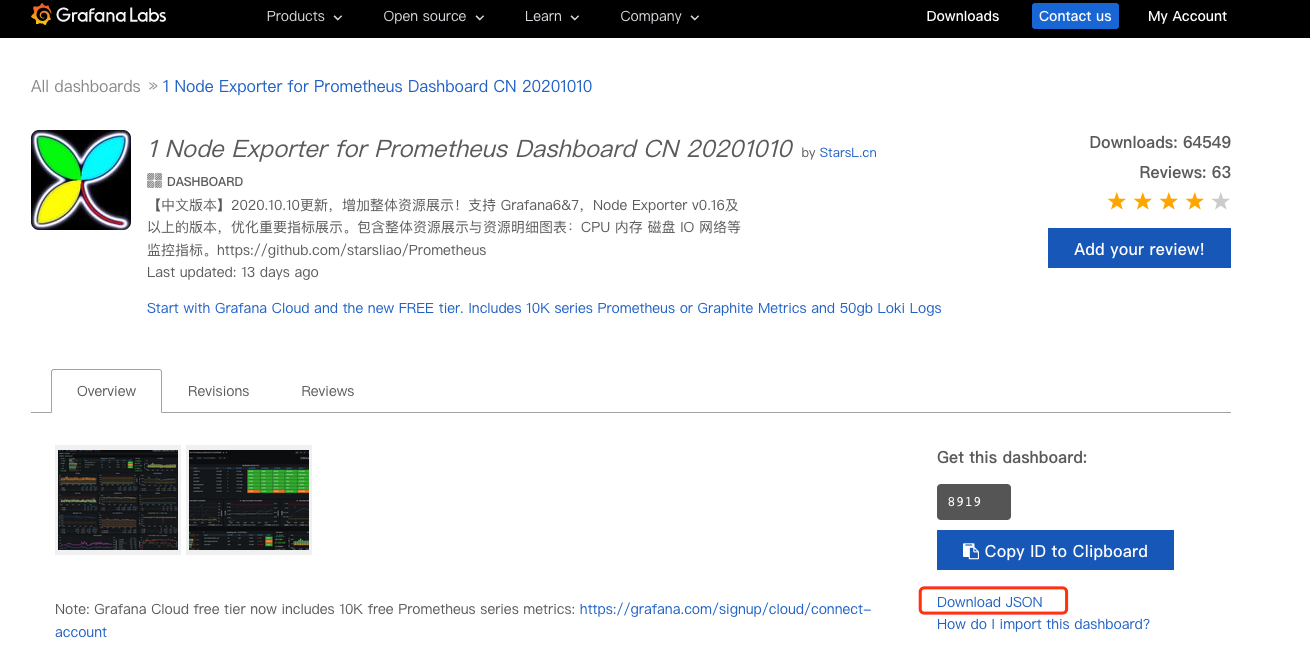
8.官网下载仪表盘
下载中文版node仪表盘
下载JSON包
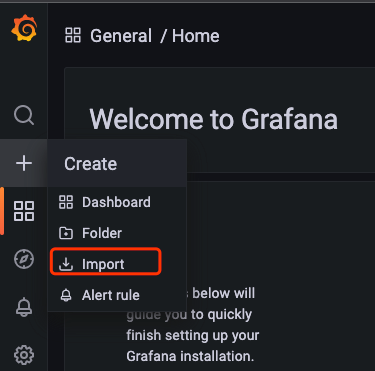
9.上传JSON包到Grafana
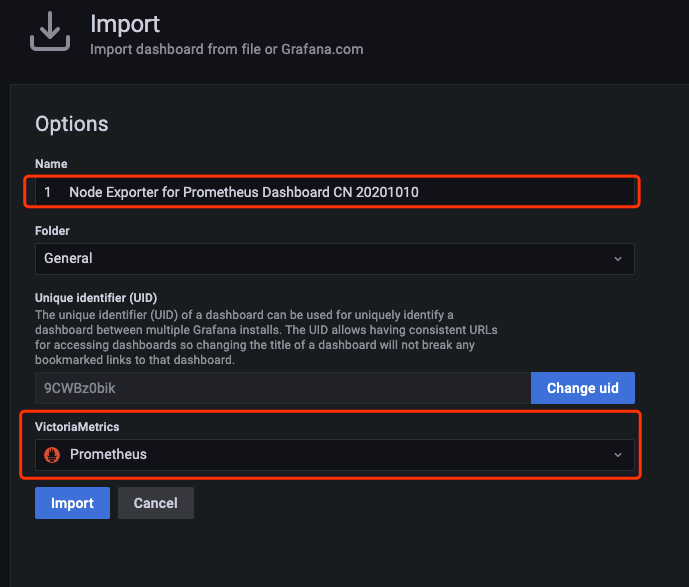
9.1、配置匿名登录【可选】
 1
 2
 3
 4
 5
 6
 7
 8
 9
10
|
# 1.编辑配置文件(进入到grafana/conf/目录下)
vim defaults.ini

# 2.修改选项
[auth.anonymous]
# 默认为false 改为true
enabled = true

# 3.保存
:wq
|
9.2、配置可嵌套【可选】
1
2
3
4
5
6
|
# 1.编辑配置文件(进入到grafana/conf/目录下)
vim defaults.ini

# 2.修改选项
# 默认为false 改为true
allow embedding= true
|
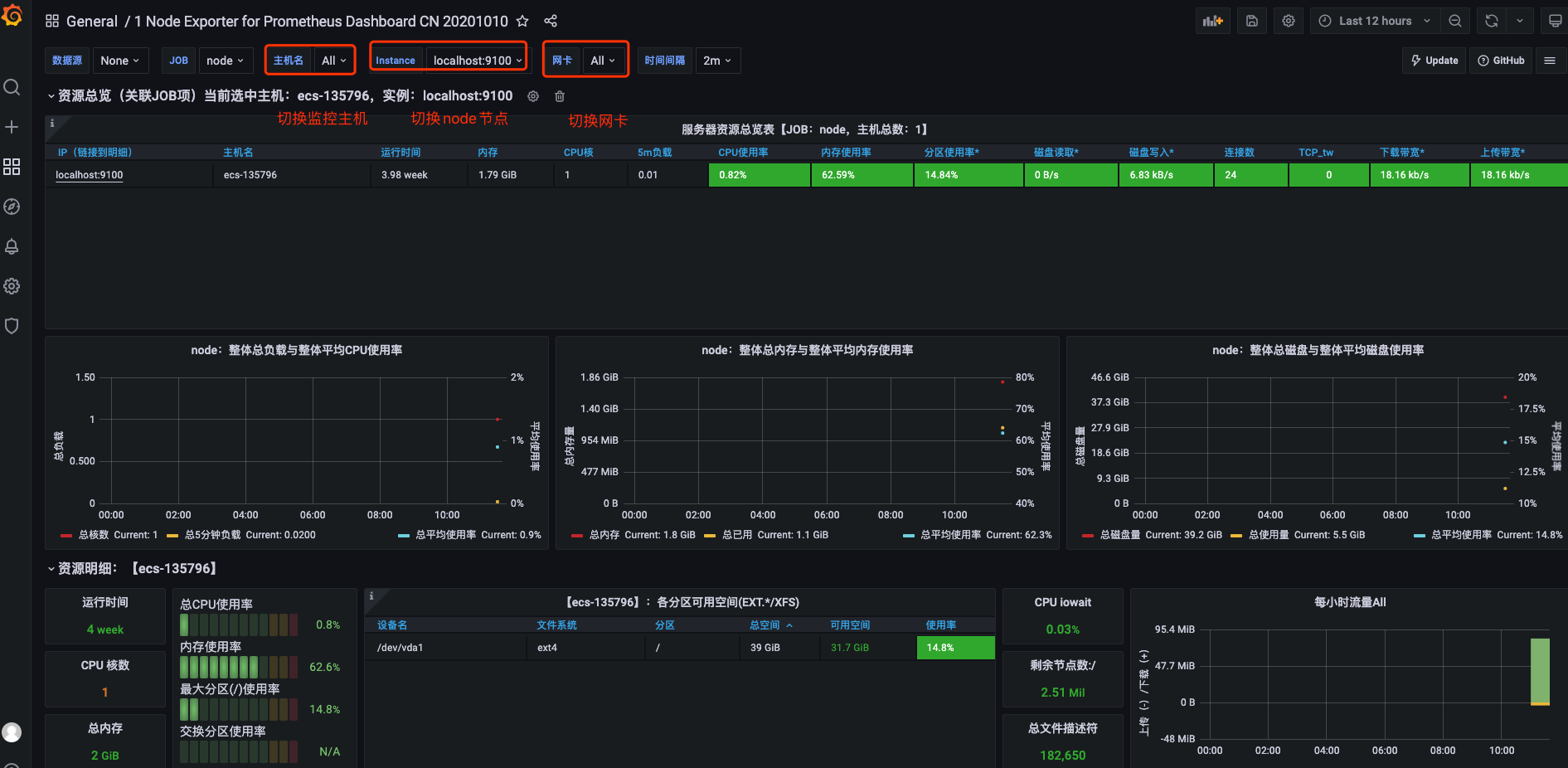
10.查看仪表监控图
关注一下再走吧
 公众号
公众号
 小程序
小程序
赞赏支持
 微信打赏
微信打赏
 支付宝打赏
支付宝打赏



